父文件里面的值
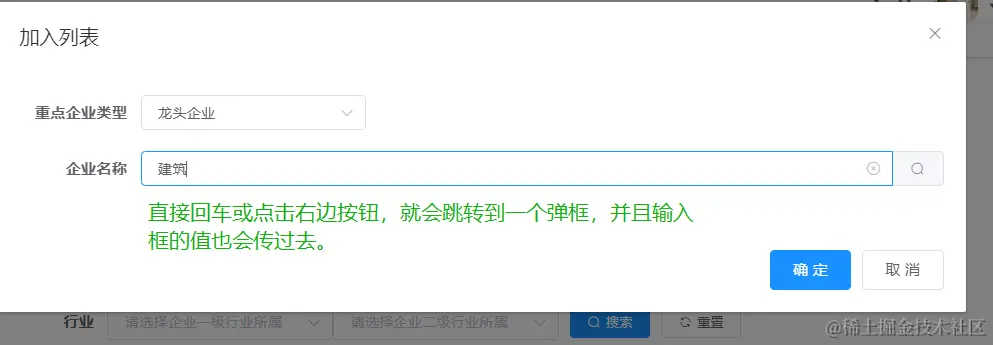
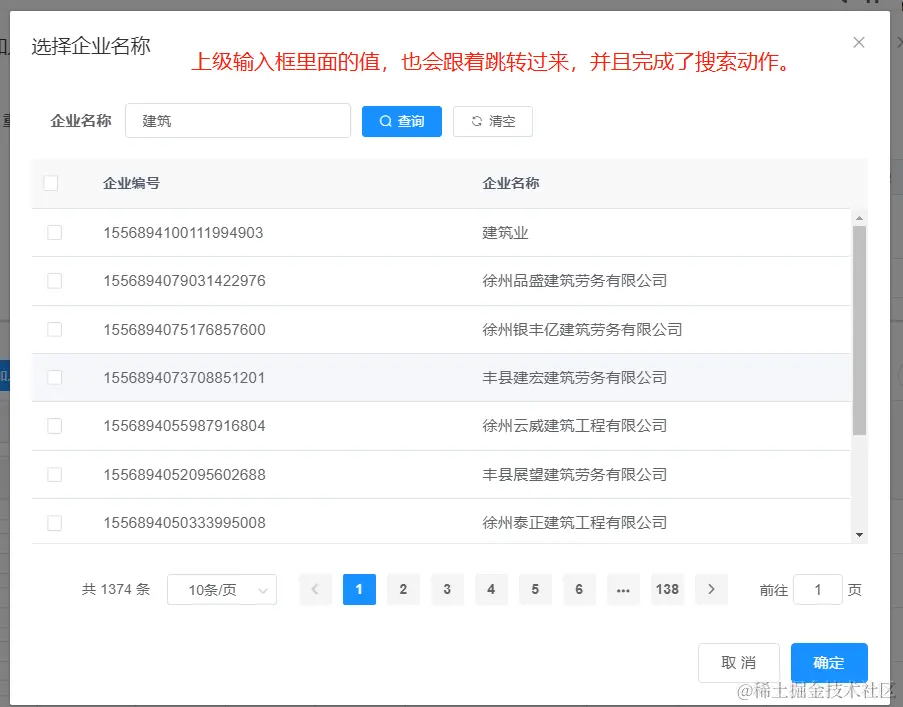
代码如下
<el-dialog :visible.sync="open" :title="title" width="880px" append-to-body>
<el-form :rules="rules" ref="form" label-width="110px" :model="form" size="small">
<el-form-item label="重点企业类型" prop="label">
<el-select v-model="form.label" placeholder="请选择企业类型" clearable>
<el-option v-for="dict in dict.type.enterprise_type_key" :key="dict.value" :label="dict.label" :value="dict.label" />
</el-select>
</el-form-item>
<el-form-item label="企业名称" prop="entName">
<el-input placeholder="请选择企业名称" v-model="form.entName" clearable @keyup.enter.native="handleOpenBrandList">
<el-button slot="append" icon="el-icon-search" @click="handleOpenBrandList"></el-button>
</el-input>
</el-form-item>
</el-form>
<div slot="footer" class="dialog-footer">
<el-button type="primary" @click="submit">确 定</el-button>
<el-button @click="cancel">取 消</el-button>
</div>
</el-dialog>
这是子组件
<select-company ref="brands" @getRowDataBrand="getRowDataBrand"></select-company>
在子组件里面
openDialog(name) {
console.log(name, '22222')
this.queryParams.name = name
this.open = true
this.resetQuery()
},
- 这个括号里面的name就是,从上级传过来的
this.form.entName
传到子组件里面