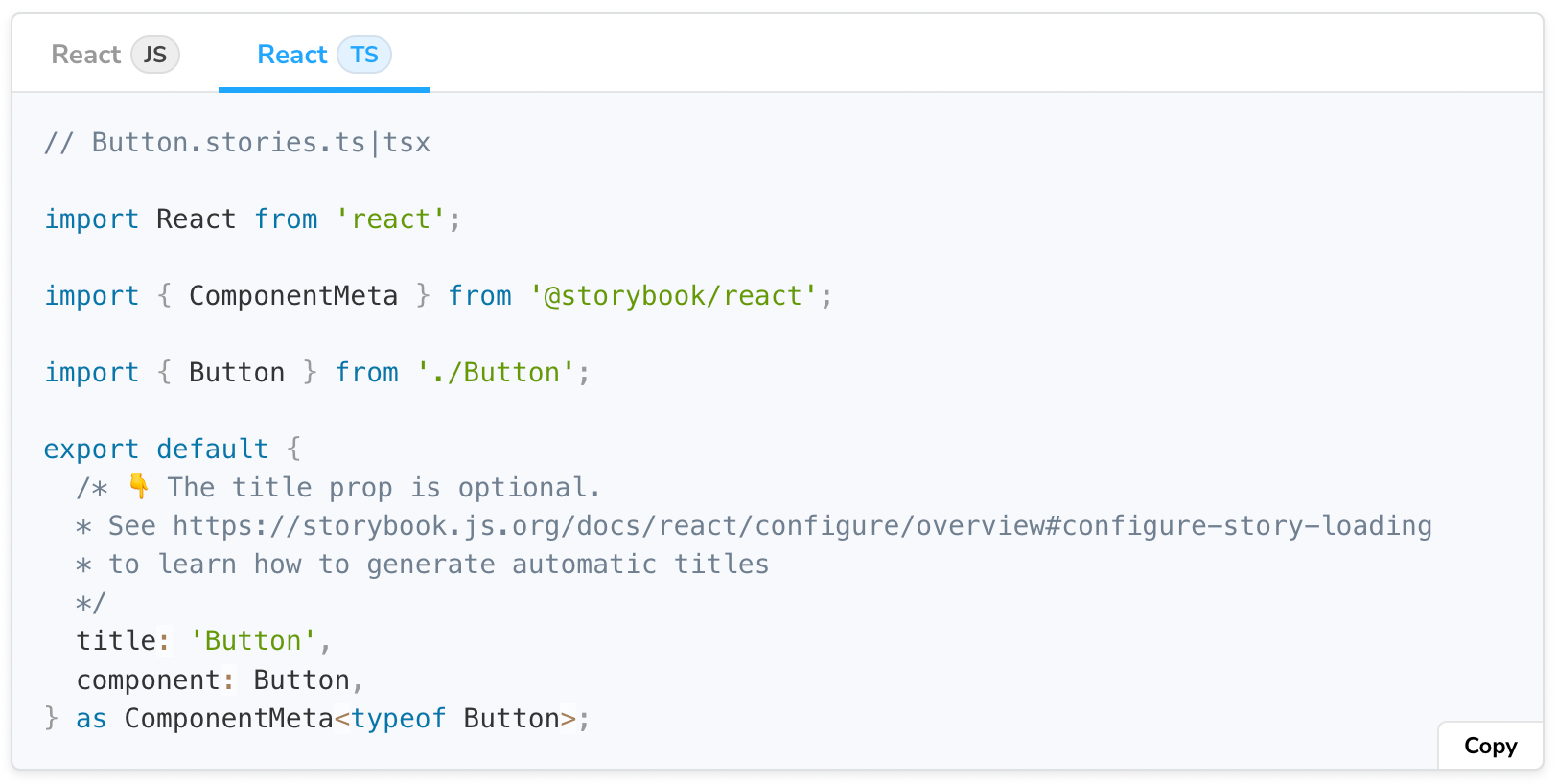
在开发UI组件时,你需要在头脑中保留很多细节--属性名称、造型、状态管理、事件处理程序等等。通过使用TypeScript来构建你的组件,你可以更好地捕捉这些细节,并使你的工作流程自动化。你的代码编辑器将对你的代码进行类型检查,并提供更好的自动完成功能,节省大量的开发时间和精力。
在使用TypeScript和Storybook时,你可以得到同样的改进的人机工程学。这就是为什么微软、Github和Codecademy等领先团队使用TypeScript来编写故事。
这篇文章向你展示了如何使用TypeScript编写故事。它涵盖了从基础知识到最佳实践的所有内容,以及React、Angular和Vue的代码示例。
为什么用TypeScript写故事?
用TypeScript编写故事可以提高你的工作效率。你不需要在不同的文件之间跳来跳去地寻找组件的道具。你的代码编辑器会提醒你缺少所需的道具,甚至自动完成道具值。另外,Storybook会推断出这些组件类型来自动生成一个ArgsTable。
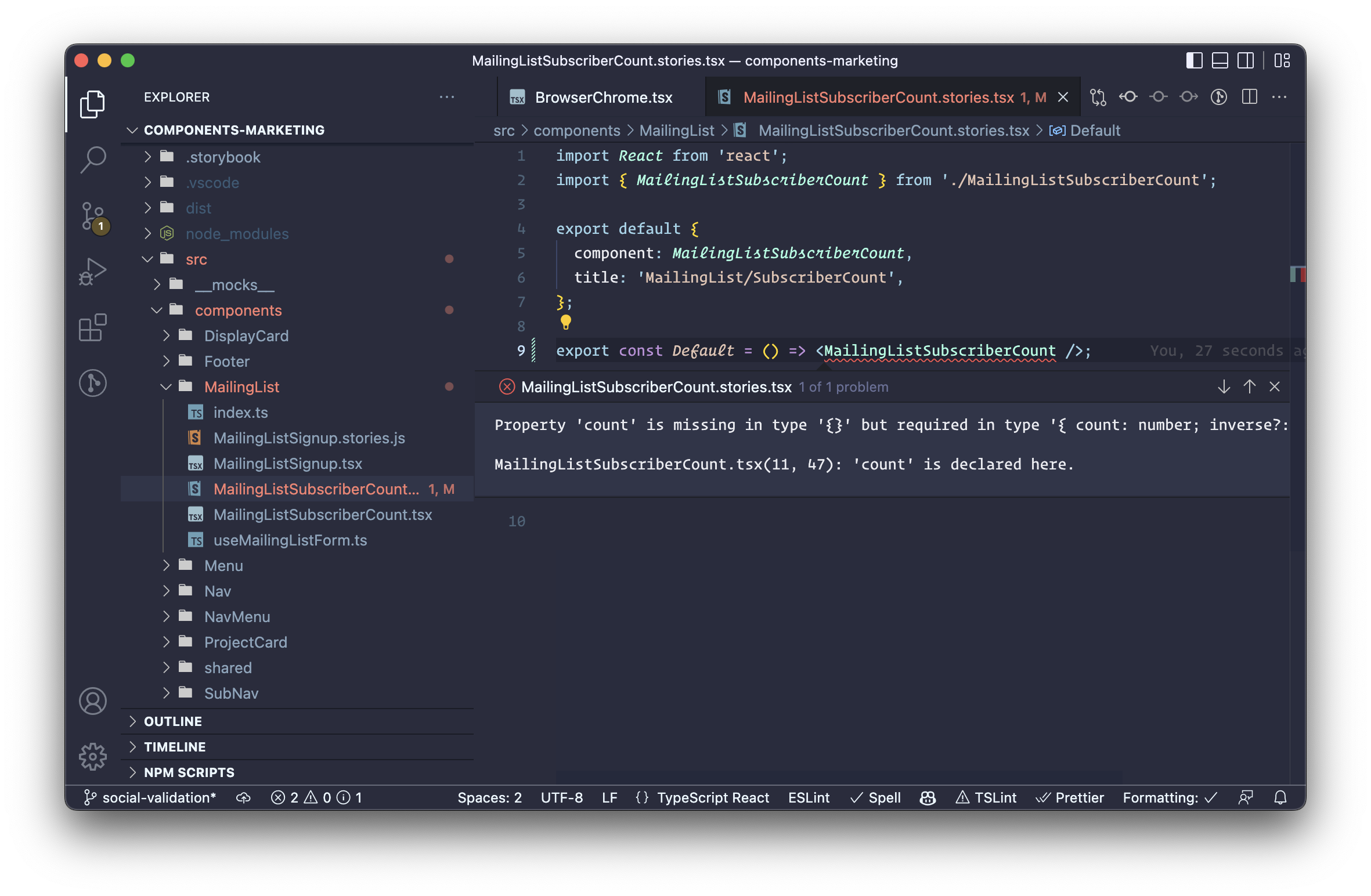
使用TypeScript还可以使你的代码更加强大。当编写故事时,你正在复制一个组件将在你的应用程序中使用的方式。通过类型检查,你可以在编码时发现错误和边缘情况。
Storybook有内置的TypeScript支持,所以你可以在零配置的情况下开始使用。让我们深入了解一下输入故事的具体内容。
使用Meta和Story实用类型对故事进行打字
在编写故事时,有两个方面对打字有帮助。第一个是组件元,它描述并配置了组件和它的故事。在CSF文件中,这是默认的输出。第二是故事本身。Storybook为其中的每一个提供了实用的类型,命名为Meta 和Story 。下面是一些如何使用这些类型的基本例子。
React
// Button.stories.tsx
import * as React from "react";
import { Meta, Story } from "@storybook/react";
import { Button } from "./Button";

export default {
  component: Button,
} as Meta;

export const Primary: Story = (args) => <Button {...args} />;
Primary.args = {
  label: "Button",
  primary: true,
};
对于基于模板的框架,如Angular和Vue,故事的形状有一些变化,但类型化策略保持不变。
Angular
// Button.stories.ts
import { Meta, moduleMetadata, Story } from "@storybook/angular";
import { CommonModule } from "@angular/common";
import { Button } from "./button.component";

export default {
  component: Button,
  decorators: [
    moduleMetadata({
      declarations: [Button],
      imports: [CommonModule],
    }),
  ],
} as Meta;

export const Primary: Story = (args) => ({
  props: args,
  template: `<app-button></app-button>`,
});
Primary.args = {
  label: "Button",
  primary: true,
};
Vue 3
// Button.stories.ts
import { Meta, Story } from "@storybook/vue3";
import Button from "./Button.vue";

export default {
  component: Button,
} as Meta;

export const Primary: Story = (args) => ({
  components: { Button },
  setup() {
    return { args };
  },
  template: `<Button v-bind="args" />`,
});
Primary.args = {
  primary: true,
  label: "Button",
};
启用更具体的类型检查
Meta 和 类型都是Story 泛型的,所以你可以用一个道具类型参数来提供它们。通过这样做,TypeScript将防止你定义一个无效的道具,所有的装饰器、播放函数或加载器都将被更全面地类型化。
// Button.stories.ts
import { Meta, moduleMetadata, Story } from "@storybook/angular";
import { CommonModule } from "@angular/common";
import { Button } from "./button.component";

export default {
  component: Button,
  decorators: [
    moduleMetadata({
      declarations: [Button],
      imports: [CommonModule],
    }),
  ],
} as Meta<Button>;

export const Primary: Story<Button> = (args) => ({
  props: args,
});
Primary.args = {
  label: "Button",
  primary: true,
  size: "xl",
  // ^ TypeScript error: type of `Button` does not contain `size`
};
上面的代码将显示一个TypeScript错误,因为Button 不支持尺寸输入
模板故事函数的类型化
提取一个模板函数在多个故事中共享是很常见的。例如,上面的片段中的故事可以写成。
const Template: Story<Button> = (args) => ({
  props: args,
});

export const Primary = Template.bind({});
Primary.args = {
  label: "Primary Button",
  primary: true,
};

export const Secondary = Template.bind({});
Secondary.args = {
  label: "Secondary Button",
  primary: false,
};
在这个片段中,主要故事和次要故事正在克隆模板函数。通过启用strictBindCallApply TypeScript选项,你的故事可以自动继承Template的类型。换句话说,你将不必在每个故事上重新声明类型。你可以在你的tsconfig中启用这个选项。
输入自定义的args
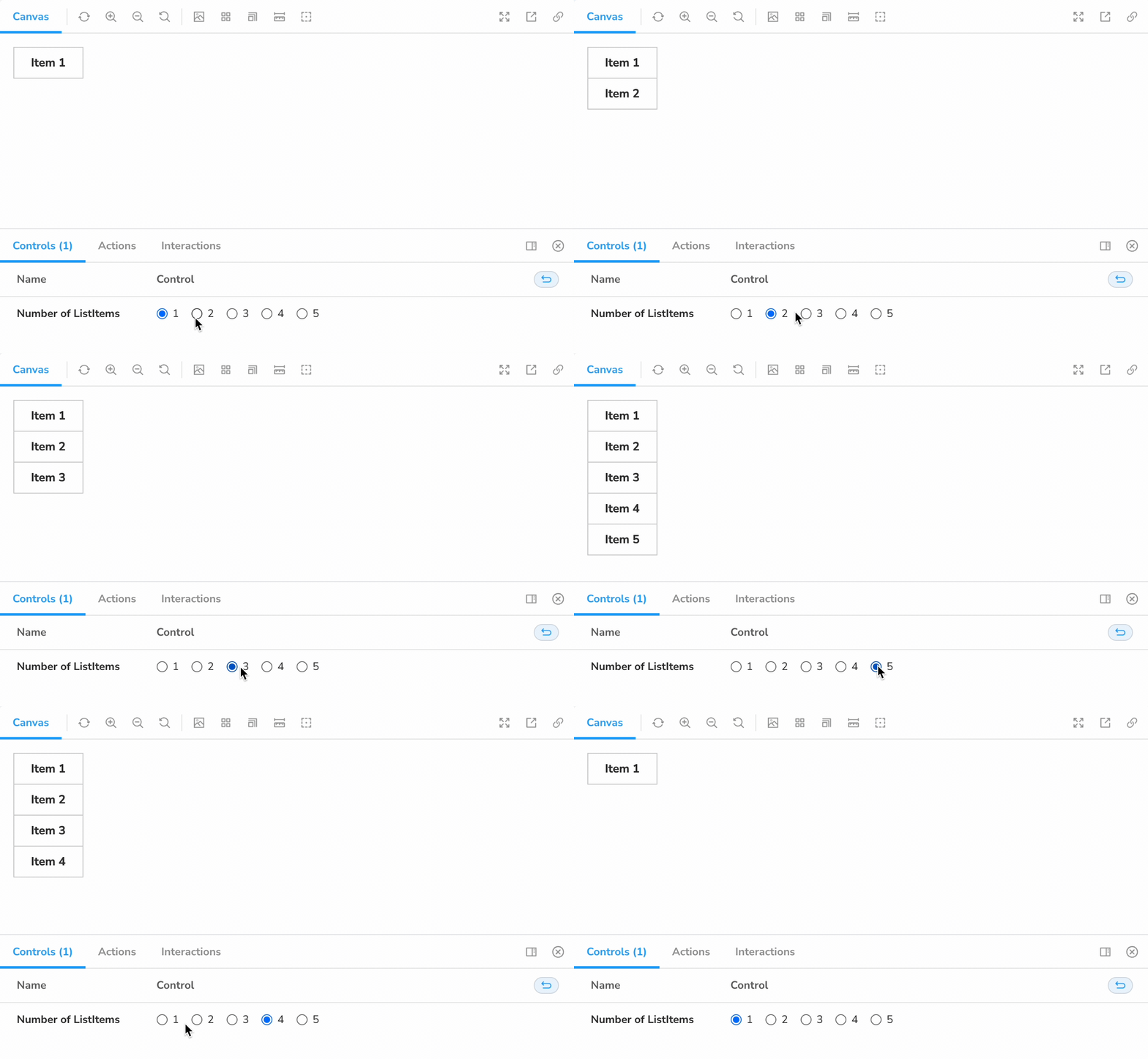
有时故事需要定义不包括在组件的props中的args。例如,一个List组件可以包含ListItem组件,你可能希望为ListItems的数量提供一个控制。
对于这种情况,你可以使用一个交叉类型来扩展你作为类型变量提供的args:
// List.stories.ts
import { Meta, moduleMetadata, Story } from "@storybook/angular";
import { CommonModule } from "@angular/common";
import { List } from "./list.component";
import { ListItem } from "./list-item.component";

export default {
  component: List,
  subcomponents: { ListItem },
  decorators: [
    moduleMetadata({
      declarations: [List, ListItem],
      imports: [CommonModule],
    }),
  ],
} as Meta<List>;

// Expand Story’s type variable with `& { numberOfItems: number }`
export const NumberOfItems: Story<List & { numberOfItems: number }> = ({
  numberOfItems,
  ...args
}) => {
  // Generate an array of item labels, with length equal to the numberOfItems
  const itemLabels = [...Array(numberOfItems)].map(
    (_, index) => `Item ${index + 1}`
  );
  return {
    // Pass the array of item labels to the template
    props: { ...args, itemLabels },
    // Iterate over those labels to render each ListItem
    template: `<app-list>
     <div *ngFor="let label of itemLabels">
       <app-list-item [label]="label"></app-list-item>
     </div>
   </app-list>`,
  };
};
NumberOfItems.args = {
  numberOfItems: 1,
};
NumberOfItems.argTypes = {
  numberOfItems: {
    name: "Number of ListItems",
    options: [1, 2, 3, 4, 5],
    control: { type: "inline-radio" },
  },
};
React特有的实用类型
React组件通常不会为它们的道具输出一个类型。出于这个原因,Storybook for React暴露了ComponentMeta 和ComponentStory 类型。它们等同于Meta 和Story 通用类型,但可以从组件本身推断出道具类型。
// Button.stories.tsx
import * as React from "react";
import { ComponentMeta, ComponentStory } from "@storybook/react";
import { Button } from "./Button";

export default {
  component: Button,
} as ComponentMeta<typeof Button>;

export const Primary: ComponentStory<typeof Button> = (args) => (
  <Button {...args} />
);
Primary.args = {
  label: "Button",
  primary: true,
};
这些工具使用typeof 操作符来推断一个组件的道具类型。因此,它们不能被用来容纳自定义的args,正如上一节所演示的那样。
相反,你可以使用Meta 和Story 类型,以及React的ComponentProps 工具。比如说:
// Button.stories.tsx
import * as React from "react";
import { Meta, Story } from "@storybook/react";
import { Button } from "./Button";

type ButtonProps = React.ComponentProps<typeof Button>;

export default {
  component: Button,
} as Meta<ButtonProps>;

export const WithCustomArg: Story<ButtonProps & { customArg: number }> = (args) => (
  <Button {...args} />
);
Primary.args = {
  label: "Button",
  primary: true,
  customArg: 3,
};
Storybook v7中的变化
上面的所有片段都是以CSF 2格式编写的。Storybook 6.3引入了CSF 3作为一种更紧凑和可组合的方式来编写故事。这里是第一个片段,按照CSF 3改写的:
// Button.stories.ts
import { Meta, moduleMetadata, StoryObj } from "@storybook/angular";
import { CommonModule } from "@angular/common";
import { Button } from './button.component';

export default {
  component: Button,
  decorators: [
    moduleMetadata({
      declarations: [Button],
      imports: [CommonModule],
    }),
  ],
} as Meta<Button>;

export const Primary: StoryObj<Button> = {
  args: {
    label: "Button",
    primary: true,
  },
};
注意StoryObj 实用类型。在Storybook 7.0中,CSF 3将成为默认类型,StoryObj 类型将被重命名为Story (以符合其默认性质),用于CSF 2的类型将从Story 重命名为StoryFn 。
关于ComponentStoryObj,ComponentStory, 和ComponentStoryFn 也有相应的变化。
最后,CSF 3版本的类型仍然是通用的,根据类型的不同,接受组件的类型变量或其args。
Storybook 7.0的文档已经被更新以反映这些变化。
收尾工作
用TypeScript编写故事使得开发更强大的组件更加容易。你可以获得类型安全和错误检查,自动完成建议,以及更多。
Storybook提供零配置的TypeScript支持。你可以进一步定制这个设置以更好地满足你的需求。此外,Storybook文档中的所有代码片段都以JavaScript和TypeScript的形式提供。