效果图

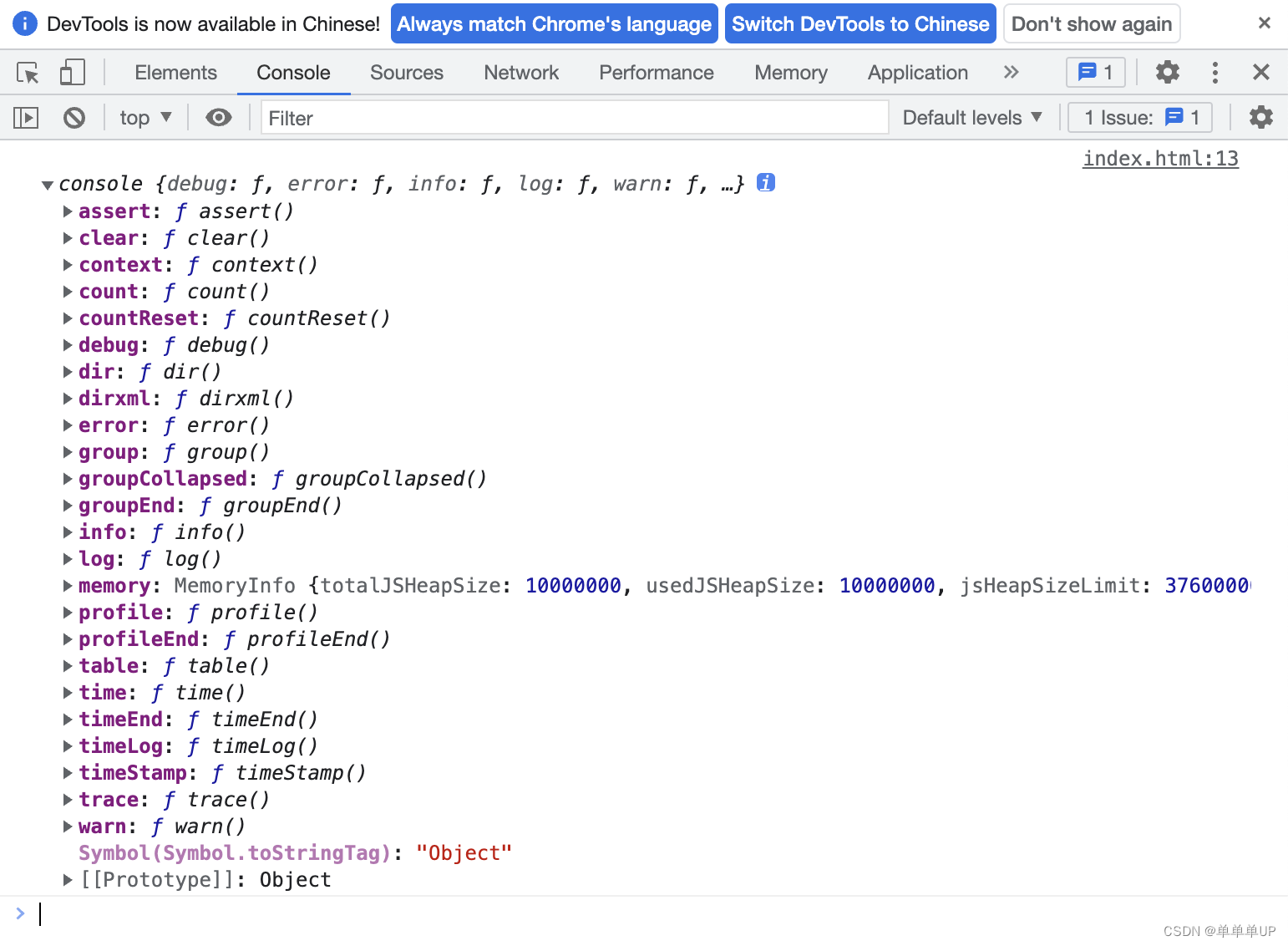
控制台打印下一console.log(console)
可以看到console里面有很多方法,平常我们用到最多的是log方法
<!DOCTYPE html>
<html lang="zh">

<head>
    <meta charset="UTF-8">
    <meta http-equiv="X-UA-Compatible" content="IE=edge">
    <meta name="viewport" content="width=device-width, initial-scale=1.0">
    <title>console</title>
</head>

<body>
    <script>
        console.log(console)
        console.log('字符串:%s', '123.45')
        console.log('整数:%d', 123.45)
        console.log('%d+%d=%d', 1, 2, 3)
        console.log('浮点数:%f', 123.45)
        console.log('对象:%o', document.body)
        console.log('对象:%O', document.body)
        console.log('%c需要输出的信息', 'css代码')
        console.log('%cHello World', `
            font-size:2em;
            color:#fff;
            text-shadow:1px 1px 2px #000
            `)
        console.log('%cHello World', `
            font-size:2em;
            color:#fff;
            background:linear-gradient(to right,red,blue)
            `)
        console.log(
            'Powered by %cconsole%cv0.0.1%c\n哔哩哔哩【B站:单单单UP】: https://www.bilibili.com/video/BV1Br4y1j7BW?vd_source=99e0941d0e9f1222c61ddefaeea45324',
            'display: inline-block;background-color:rgba(66,66,66,1);color:#fff;margin-bottom:6px;padding:4px;border-radius:4px 0 0 4px',
            'display: inline-block;background-color:rgba(0,180,0,1);color:#fff;padding:4px;border-radius:0 4px 4px 0',
            ''
        )
        const smile =
            "        ....                     ..:           \n" +
            "      ,;' .;:                ::   ::           \n" +
            "      ::.      ..:,:;.,:;.    .   ::   .::::.  \n" +
            "       '''::,   ::  ::  ::   ::   ::  ;:   .:: \n" +
            "     ,:';  ::;  ::  ::  ::   ::   ::  ::,::''. \n" +
            "     `:,,,,;;' ,;; ,;;, ;;, ,;;, ,;;, `:,,,,:' \n";
        console.log(smile)
        const logColor = (color, args) => {
            console.log('%c' + args.join(' '), 'color:' + color)
        }
        const log = {
            success: (...args) => logColor('green', args),
            info: (...args) => logColor('gery', args),
            warning: (...args) => logColor('orange', args),
            error: (...args) => logColor('red', args)
        }
        log.success('Hello World')
        log.info('Hello World')
        log.warning('Hello World')
        log.error('Hello World')
    </script>
</body>

</html>