携手创作,共同成长!这是我参与「掘金日新计划 · 8 月更文挑战」的第16天,点击查看活动详情
1.最终的request.js
src/utils/request
import axios from 'axios'
import Cookies from 'js-cookie'
import { Message, Notification, Loading } from 'element-ui'
// import store from '@/store'
// import { getToken } from '@/utils/auth'

// 开始加载动画
let loading
/* function startLoading() {
  loading = Loading.service({
    lock: true, // 是否锁定
    text: '正在交互...', // 加载中需要显示的文字
    background: 'rgba(0,0,0,.7)'// 背景颜色
  })
}
// 结束加载动画
function endLoading() {
  loading.close()
} */
// let loading;
let loadingCount = 0
function start() {
  loading = Loading.service({
    lock: true, // 是否锁定
    text: '正在交互...', // 加载中需要显示的文字
    background: 'rgba(0,0,0,.7)'// 背景颜色
  })
}
function end() {
  loading.close()
}
function showLoaing() {
  if (loadingCount === 0) {
    start()
  }
  loadingCount++
}

function hideLoading() {
  loadingCount--
  if (loadingCount === 0) {
    end()
  }
}
// create an axios instance
const service = axios.create({
  // baseURL: process.env.VUE_APP_BASE_API, // url = base url + request url
  // withCredentials: true, // send cookies when cross-domain requests
  // timeout: 5000 // request timeout
})

// request interceptor
service.interceptors.request.use(
  // 遮挡曾关
  // Loading.service({ fullscreen: true }),
  config => {
    // do something before request is sent
    // if (config.method === 'post') {
    //   config.data = config.params
    //   config.params = {}
    // }
    // startLoading()
    showLoaing()
    if (localStorage.getItem('token') || Cookies.get('token')) {
      // let each request carry token
      // ['X-Token'] is a custom headers key
      // please modify it according to the actual situation
      config.headers['api_key'] = localStorage.getItem('token').length > 20 ? localStorage.getItem('token') : Cookies.get('token')
      // return
    }
    return config
  },
  error => {
    // do something with request error
    // console.log(error) // for debug
    return Promise.reject(error)
  }
)

// response interceptor
service.interceptors.response.use(
  /**
   * If you want to get http information such as headers or status
   * Please return  response => response
  */

  /**
   * Determine the request status by custom code
   * Here is just an example
   * You can also judge the status by HTTP Status Code
   */
  // 遮挡曾关
  // Loading.service({ fullscreen: false }),
  response => {
    // endLoading()
    hideLoading()
    const res = response.data
    // console.log(res)
    // if the custom code is not 20000, it is judged as an error.
    if (res.code !== 0 || res.code !== 200) {
      if (res.warr === true) {
        Notification({
          title: '警告',
          message: res.warrmsg,
          type: 'warning'
        })
      }
      return res
    } else {
      Message({
        message: res.msg || 'Error',
        type: 'error',
        duration: 5 * 1000
      })
      return Promise.reject(new Error(res.msg || 'Error'))
    }
  },
  error => {
    // endLoading()
    hideLoading()
    console.log('err' + error) // for debug
    Message({
      message: error.msg,
      type: 'error',
      duration: 5 * 1000
    })
    return Promise.reject(error)
  }
)

export default service
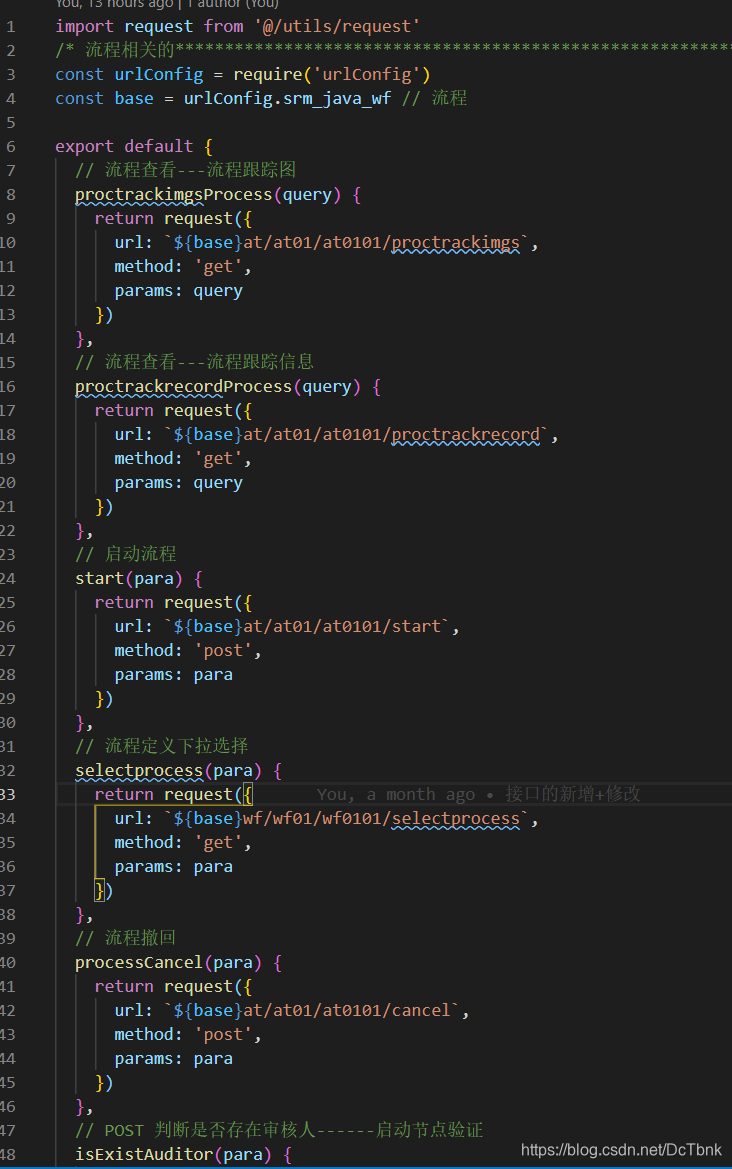
2.接口引用
import request from '@/utils/request'
...
代码如图:
3.loading参考网址
1.element ui设置全局的加载中 出现loading.close()报错 2.elementUI 全局设置loading