

JavaScript可以与不同的网页互动,提供服务器以及客户端的服务。JavaScript的目的是在网页上提供互动元素以吸引用户。这些互动元素包括动态造型、输入值、从表单中获取值等。
在这篇文章中,使用JavaScript实际实现了如何从输入框中获取文本的值。
有不同的方法来利用JavaScript从输入字段获取数值。考虑到这些,本帖的成果是:
-
- 在JavaScript中使用getElementById()的方法
- 在JavaScript中使用getElementsByClassName
方法一:在JavaScript中使用getElementById()的方法
在JavaScript中,getElementById方法被用来获取带有ID属性的输入文本框值。这个方法被用来返回一个指定值的输出。如果元素不在这里,它会返回空值。大多数用户利用它来读取和修改HTML元素。getElementById的语法如下。
语法
document.getElementById("inputId").value。
在这种语法中,getElementById方法通过传递相同的ID属性 "inputId"来提取值。
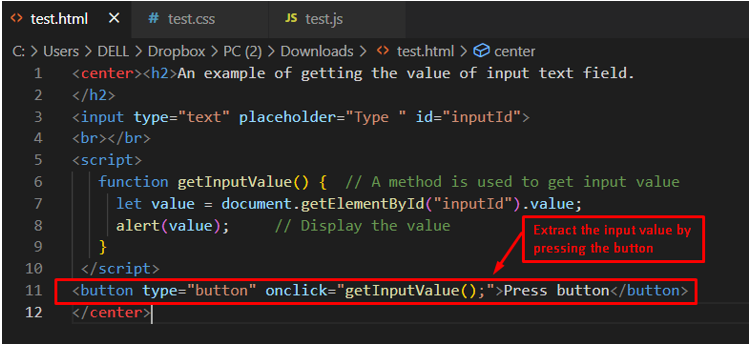
代码
<center><h2>An example of getting the value of input text field.
</h2>
<input type="text" placeholder="Type " id="inputId">
<br></br>
<script>
   function getInputValue() {  // A method is used to get input value
     let value = document.getElementById("inputId").value;
     alert(value);     // Display the value
   }
 </script>
<button type="button" onclick="getInputValue();">Press button</button>
</center>
在上面的代码中:
-
- 首先,输入字段被用来接受用户的输入。
- 之后,getInputValue()函数被用来使用getElementById.value来获取值属性。
- 一个新的按钮被创建,它的onclick事件中有getInputValue()函数。
输出
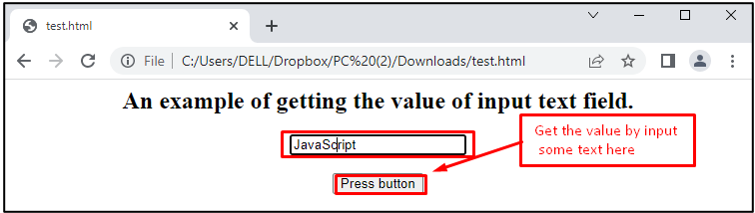
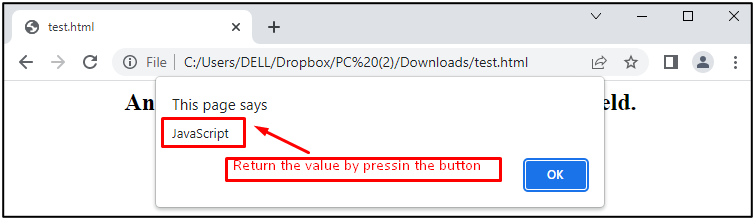
执行代码后,将出现一个文本框和一个按钮。当你在文本框中写下一些字并按下按钮时,将出现一个警报框,其中包含先前写在文本框中的字/文。弹出的警报将如下图所示。
方法2:使用JavaScript中的getElementsByClassName
在JavaScript中,另一种被称为getElementsByClassName的方法被用来获取文本输入框的值。它返回由类名指定的元素集合。**getElementsByClassName()**方法是使用文档的元素来调用的。它搜索整个文档并给出文档中存在的所有子元素的输出。使用这个方法的语法如下:
document.getElementsByClassName("inputClass")\[0\].value。
语法描述如下:
-
- inputClass:代表类的名称。
- [0]:代表如果这里没有匹配的元素,则返回未定义。
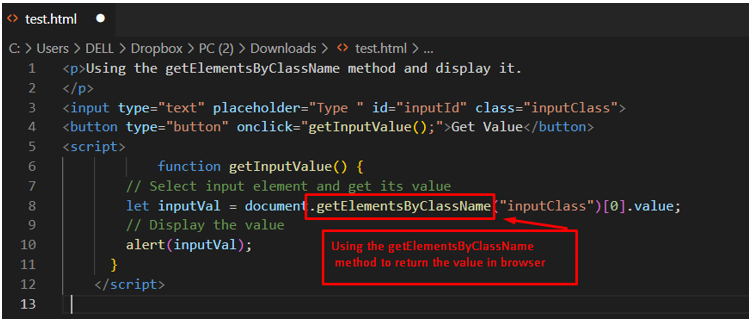
代码
<p>Using the getElementsByClassName method and display it.
</p>
<input type="text" placeholder="Type " id="inputId" class="inputClass">
<button type="button" onclick="getInputValue();">Get Value</button>
<script>
            function getInputValue() {
      // Select input element and get its value
        let inputVal = document.getElementsByClassName("inputClass")[0].value;
        // Display the value
        alert(inputVal);
      }
</script>
上面的代码表示,inputClass被指定为文本字段的类名。之后,getInputValue()函数被使用,其中getElementsByClassName()通过指定类名 "inputClass"使用文档元素被调用。
输出
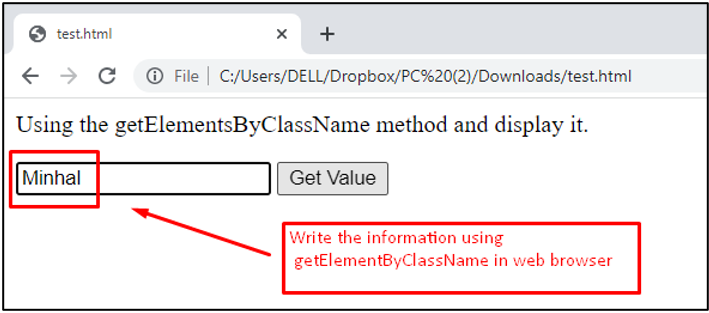
在上面的显示中,数值 "Minhal"被放置在文本文件中。
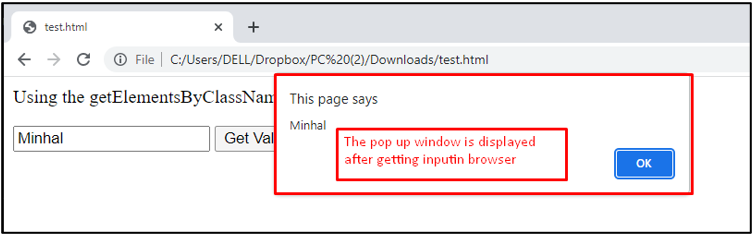
在按下Get Value按钮后,该值被存储并在弹出的窗口中显示为一条警告信息。这样,getElementsByClassName()方法就可以用JavaScript来获取文本输入框的值。
结论
在JavaScript中,getElementById()和getElementsByClassName()方法被用来获取文本输入字段的值。在getElementById()方法中,输入文本框的值是用一个ID属性提取的。而getElementsByClassName()方法则返回由类名指定的元素集合。这两种方法都被高级浏览器所支持,其中包括Chrome、Opera、Safari等。你已经学会了用JavaScript提取文本输入字段的值。

