创建第一个SprinBoot项目
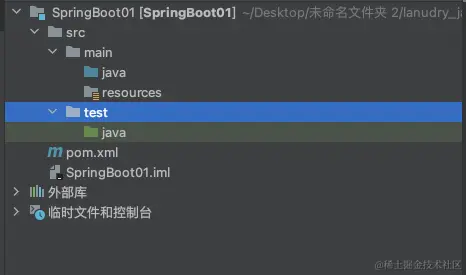
1、创建一个MAVEN项目
2、打开pom.xml导入spring boot相关依赖
````
spring-boot-starter-parent
org.springframework.boot
2.7.2
org.springframework.boot
spring-boot-starter-web
2.7.2
````
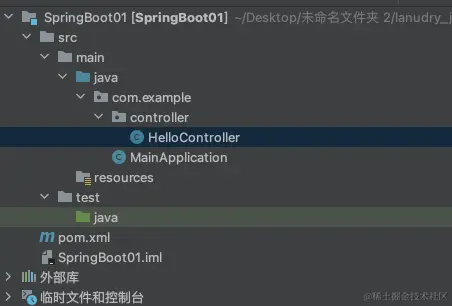
3、编写一个主程序:启动SpringBoot应用
package com.example;
import org.springframework.boot.SpringApplication;
import org.springframework.boot.autoconfigure.SpringBootApplication;
@SpringBootApplication
public class MainApplication {
public static void main(String[] args) {
SpringApplication.run(MainApplication.class, args);
}
}
4、编写相关的Controller
import org.springframework.stereotype.Controller;
import org.springframework.web.bind.annotation.RequestMapping;
import org.springframework.web.bind.annotation.ResponseBody;

@Controller
public class HelloController {
    @ResponseBody
    @RequestMapping("/hello")
    public String hello() {
        return "第一个SpringBoot程序!";
    }
}
5、启动程序访问http://localhost:8080/hello