

如果你想把第二个数据源追加到第一个数据源,C#中的LINQ提供了一个方法--Concat()。
语言集成查询语言(LINQ)被用来对C#集合或普通数据结构进行操作。我们也可以用LINQ执行数据库查询操作。LINQ支持许多用于数据操作的方法和函数,如更新、删除和插入等。
LINQ Concat()
LINQ中的Concat()将两个数据源连接起来。数据源可以是一个数组、列表、哈希集等。但条件是这两个数据类型是相似的。否则会发生错误。
语法
input\_source1.Concat(input\_source2);
其中input_source1是第一个数据源,input_source2是第二个数据源。
我们将通过下面的例子进一步了解这个问题。
例子1
在这里,我们将创建两个具有数字值的int类型的列表,并将这两个列表连接起来。
using System;
using System.Linq;
using System.Collections.Generic;

 //create a class - Linuxhint
class Linuxhint
{

    static public  void Main(){

       //create List named input_numbers1
       var input_numbers1 = new  List() {100,200,300,456};

  //create List named input_numbers2
       var input_numbers2 = new  List() {1,2,3,4};

//apply the LINQ Concat() method to join two data sources.
       var combined = input_numbers1.Concat(input_numbers2);

        Console.WriteLine("Combined Data:");
        foreach(var values in combined)
        {
            Console.WriteLine(values);
        }
    }

}
输出

解释
1.首先,我们创建了两个Integer类型的列表。input_numbers1指的是第一个Integer列表,input_numbers2指的是第二个Integer列表:

2.之后,我们用Concat()方法将两个列表连接起来:

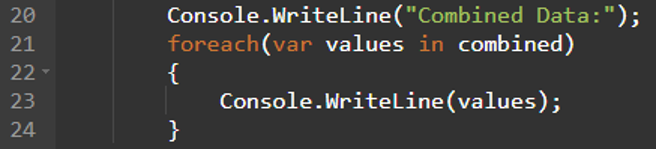
3.最后,我们使用foreach循环来显示输出:
例2
这里,我们将创建两个具有字符串类型的列表,并将这两个列表连接起来。
using System;
using System.Linq;
using System.Collections.Generic;

 //create a class - Linuxhint
class Linuxhint
{

    static public  void Main(){

       //create List named input_strings1
       var input_strings1 = new  List() {"Hello"};

  //create List named input_strings2
       var input_strings2 = new  List() {"Linuxhint","welcomes","U"};

//apply the LINQ Concat() method to join two data sources.
       var combined = input_strings1.Concat(input_strings2);

        Console.WriteLine("Combined Data:");
        foreach(var values in combined)
        {
            Console.WriteLine(values);
        }
    }

}
输出
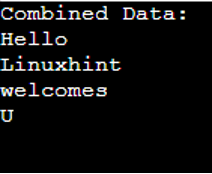
解释
1.首先,我们创建了两个字符串类型的列表。input_strings1指的是第一个字符串列表,input_strings2指的是第二个字符串列表:

2.2.之后,我们使用Concat()方法连接了这两个列表:

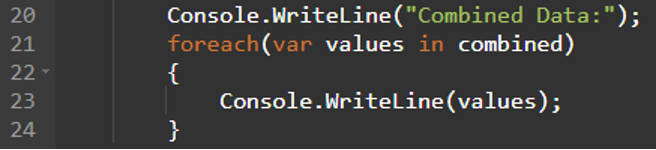
3.3.最后,我们用foreach循环来显示输出:
例三
让我们创建一个拥有三个属性的食物--food_price、name和quantity。然后,我们从食物源创建两个列表,并将名称属性连接起来。
using System;
using System.Linq;
using System.Collections.Generic;

 //create a class - Linuxhint
class Linuxhint
{
    //define the data for Food
   class Food
    {
        public int food_price { get; set; }
        public string name { get; set; }
        public int quantity { get; set; }
    }
    static public  void Main(){

       //create data
       List first_list = new List();
       //add values
       first_list.Add(new Food { food_price=300,name="parota",quantity=1 });
       first_list.Add(new Food { food_price=800,name="paneer",quantity=4 });
       first_list.Add(new Food { food_price=100,name="mushroom",quantity=2 });
       first_list.Add(new Food { food_price=564,name="vegtables",quantity=10 });
       first_list.Add(new Food { food_price=400,name="fruits",quantity=8 });


            //create data
       List second_list = new List();
       //add values
       second_list.Add(new Food { food_price=44,name="roti",quantity=0 });
       second_list.Add(new Food { food_price=44,name="chocos",quantity=1});
       second_list.Add(new Food { food_price=12,name="ice-cream",quantity=2 });

       Console.WriteLine("--------------------------List=I--------------------------");

       foreach (var value in first_list)
            {
                Console.WriteLine(value.food_price+"->"+value.name+"->"+value.quantity);
            }

         Console.WriteLine("--------------------------List=II--------------------------");
         foreach (var value in second_list)
            {
                Console.WriteLine(value.food_price+"->"+value.name+"->"+value.quantity);
            }

        Console.WriteLine("--------------------------LINQ Concat - name--------------------------");

         //concatenate the name attribute in both the lists.
       var result = first_list.Select(element => element.name).Concat(second_list.Select(element => element.name));


       foreach (var value in result)
            {
                Console.WriteLine(value);
            }


}
}
输出
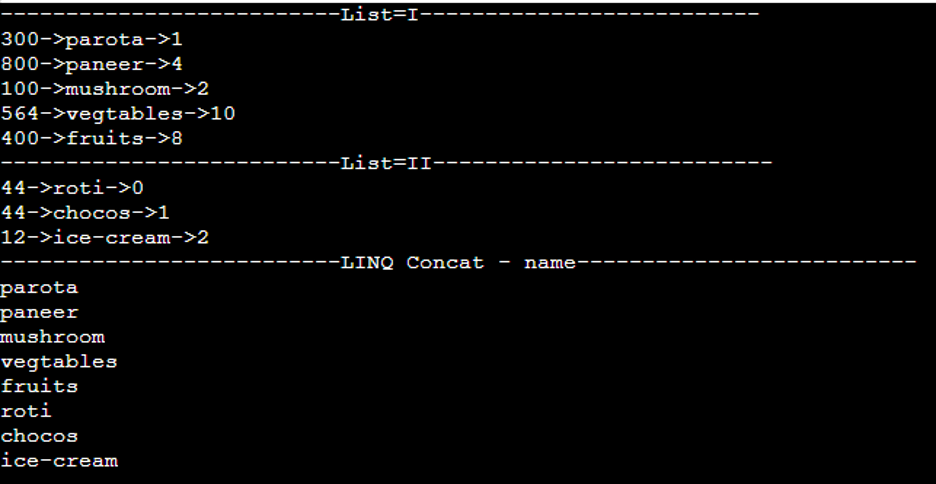
解释
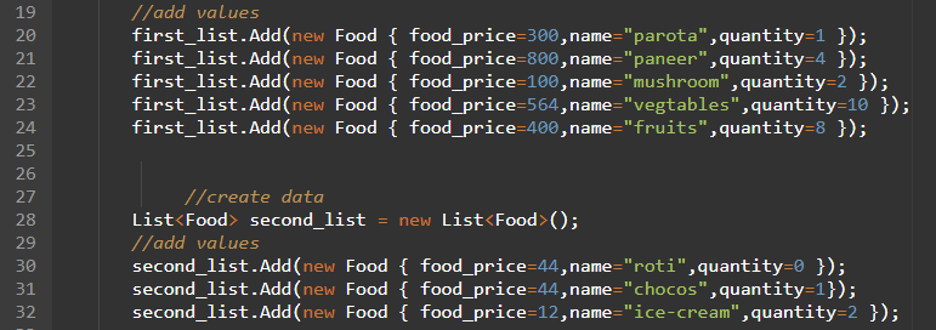
1.我们从Food中创建了两个列表,名为first_list和second_list。第一个列表有5个值,第二个列表有3个值:
2.2.之后,我们使用Concat()方法将两个列表中的名称属性值合并:

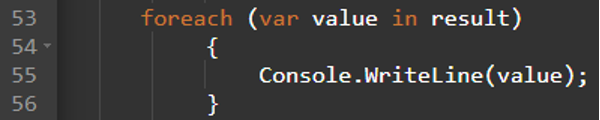
3.3.最后,我们使用foreach循环显示合并后的名字属性:
总结
我们学习了如何使用C# - LINQ中的Concat()方法来连接两个数据源。确保在连接两个数据源的时候,数据类型必须是相同的。为了更好地理解这个概念,我们演示了三个不同的例子,并在你的代码中使用了使用System、使用System.Linq、使用System.Collections.Generic 这些模块。

