

Strapi本地插件开发
作者 Sujay Prabhuon September 14, 2021; tagged understrapi
Strapi在很大程度上允许在本地插件的帮助下进行定制。这些插件可以是简单的React应用程序。生成的插件存放在/plugins 文件夹中。
在这篇文章中,我将创建一个本地插件posts ,用于显示JSONPlaceholder Fake API中的帖子。以下是存储库的链接,供参考。
在终端运行以下命令,创建新的strapi项目:
yarn create strapi-app project-name --quickstart
cd project-name
使用该命令生成你想建立的本地插件:
yarn strapi generate:plugin posts
在/plugins 目录中创建新的文件夹/posts 。要在管理面板中看到这个插件,你应该运行:
yarn build
yarn develop
现在我们可以在Strapi中看到这个插件的链接了

这就是生成的插件的目录结构
posts/
└─── admin/ # Contains the plugin's front-end
|     └─── src/ # Source code directory
|          └─── index.js # Entry point of the plugin
|          └─── pluginId.js # Name of the plugin
|          |
|          └─── components/ # Contains the list of React components used by the plugin
|          └─── containers/
|          |    └─── App/ # Container used by every others containers
|          |    └─── Initializer/ # This container is required to execute the logic soon after the plugin is mounted.
|          └─── translations/ # Contains the translations to make the plugin internationalized
|               └─── en.json
|               └─── index.js # File that exports all the plugin's translations.
|               └─── fr.json
└─── config/ # Contains the configurations of the plugin
|     └─── functions/
|     |    └─── bootstrap.js # Asynchronous bootstrap function that runs before the app gets started
|     └─── policies/ # Folder containing the plugin's policies
|     └─── queries/ # Folder containing the plugin's models queries
|     └─── routes.json # Contains the plugin's API routes
└─── controllers/ # Contains the plugin's API controllers
└─── middlewares/ # Contains the plugin's middlewares
└─── models/ # Contains the plugin's API models
└─── services/ # Contains the plugin's API services
要启用本地插件开发,请运行以下命令:
yarn develop --watch-admin
如果没有必要,我们可以删除translations 文件夹。我们需要在提供给插件的菜单对象中把trads 的默认值设置为{} ,如果删除的话:
// plugins/posts/admin/src/index.js

const plugin = {
  // other props
  trads: {},
};
默认情况下,strapi为你提供/posts ("path": "/")路线:
// posts/config/routes.json

"routes": [
    {
      "method": "GET",
      "path": "/",
      "handler": "posts.index",
      "config": {
        "policies": []
      }
    }
  ]
从strapi路由调用第三方api,而不是直接从组件中调用它。使用strapi.backendURL API检索后端URL,调用/posts 路由:
// posts/admin/src/containers/HomePage/index.js

useEffect(async () => {
  // Avoid this
  const response = await axios.get(`${process.env.JSON_FAKE_API}/posts`);

  // Do this
  const response = await axios.get(`${strapi.backendURL}/posts`);
}, []);
我们可以从index 函数定制响应,该函数是为/posts 路由指定的处理程序。调用第三方api来获取这里的帖子:
// posts/controllers/posts.js

index: async (ctx) => {
  const response = await axios.get(`${process.env.JSON_FAKE_API}/posts`);
  return response.data;
};
路由是在App 组件中实现的。/posts/admin/src/conatainers/App/index.js
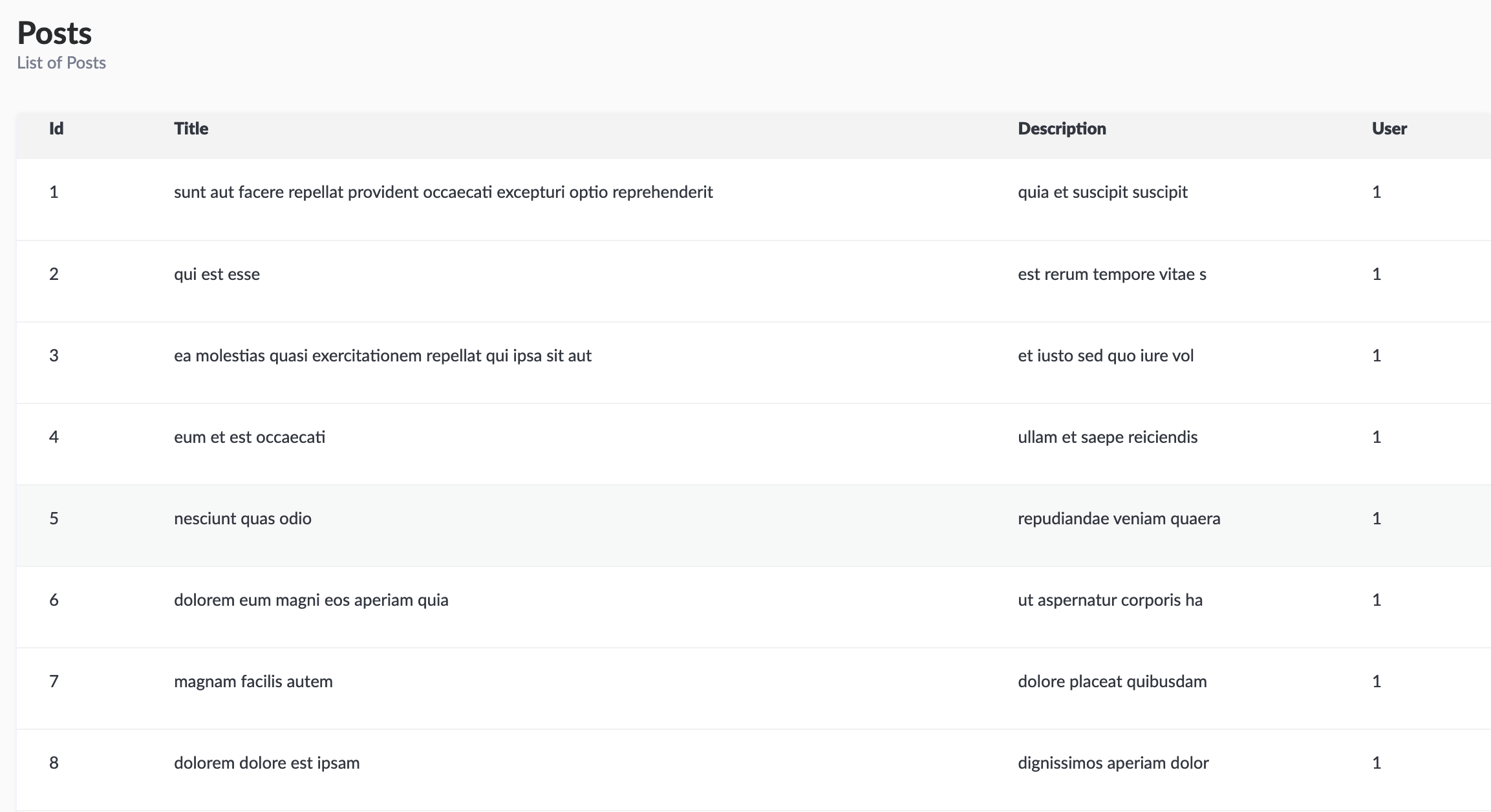
我使用Buffet.js,这是一个React组件库,由Strapi使用,用于显示帖子。<Table />
// posts/admin/src/components/Posts/Post.js

const Posts = ({ posts }) => {
  return (
    <div>
      <Table headers={headers} rows={posts} />
    </div>
  );
};
这就是它的外观!
在前台访问环境变量
在strapi前台的环境变量不能直接用process.env.VARIABLE 。相反,我们应该通过自定义webpack config来设置它。
创建文件在project/admin/admin.config.js
module.exports = {
  webpack: (config, webpack) => {
    config.plugins.push(
      new webpack.DefinePlugin({
        ENV_VARIABLES: {
          variable_1: JSON.stringify(process.env.ENV_VARIABLE_1),
        },
      })
    );
    return config;
  },
};
在组件中访问它:
<p>{ENV_VARIABLES.variable_1}</p>
学习愉快
