

网络刮削是一种用于从网站上选择和提取特定内容的技术。例如,当我们想监测价格及其变化情况时,我们可以使用网络刮削器从网站上提取我们想要的信息,并将它们转储到一个Excel文件中。在本教程中,我们将学习如何使用beautifulsoup进行网络搜刮。
首先,按如下步骤安装beautifulsoup。
pip install beautifulsoup4
Beautifulsoup适用于HTML文件,因此我们必须首先获得网页的HTML内容。这通常是使用request模块完成的。在这个具体的例子中,我们将获得一个网页的HTML内容并显示出来。为此,我们首先设置网址;在本例中,我选择了常识媒体网站(因为它有一个带评级的电影列表,我们可能对其感兴趣)。然后我们使用get()方法来获取响应对象,并使用content或text属性来提取HTML部分。
import requests

url = "https://www.commonsensemedia.org/movie-reviews"

body = requests.get(url)

body_text = body.content  # or body.text

print(body.content)   # or print(body.text)
现在,我们可以开始使用beautifulsoup了。我们创建一个 beautifulsoup 对象,它需要两个参数 - html 文件和分析器的类型。有四种解析器可用 - html.parser、lxml、lxml-xml 和 html5lib。
from bs4 import BeautifulSoup

soup = BeautifulSoup(body_text, 'lxml')
我们还必须安装分析器。在这种情况下,我选择了 lxml 解析器,所以我将安装它。
pip install lxml
现在,我们几乎可以做任何事情,但在我开始网络刮削之前,我们将探索不同的可能性。
(i) prettify()方法将以可读和 "漂亮 "的格式重写文本。
soup.prettify()
(ii) title方法将检索出标题。
soup.title
(iii) "p "方法将从html代码中提取所有p标签。
soup.p
(iv) "a "方法将从html代码中提取所有的a标签。
soup.a
(v) find_all()方法将找到所有包含一个特定参数的网络元素。在本例中,我传递了 "a",所以find_all("a")将找到所有的 "a "标签。
soup.find_all('a')
(vi) find方法将找到所有传递的参数。在本例中,我们传递的参数id = "password"。所以它将在html代码中搜索id,如果匹配,就检索出该条款。
soup.find(id="password")
因此,通常情况下,我们想在网页上搜刮工作、电影、课程等,以及它们各自的信息(如价格和评级)。在这种情况下,我们对一个网站感兴趣,特别是搜刮他们的电影列表。

import requests

url = "https://www.commonsensemedia.org/movie-reviews"
body = requests.get(url)
body_text = body.content

from bs4 import BeautifulSoup
soup = BeautifulSoup(body_text, 'lxml')
在这个特殊的案例中,每个电影名称的html代码(我们正在搜刮的内容)本身就在一个容器中。我们首先开始检查有关的元素。在我的案例中,我选择了检查第一部电影的标题("至死不渝")。
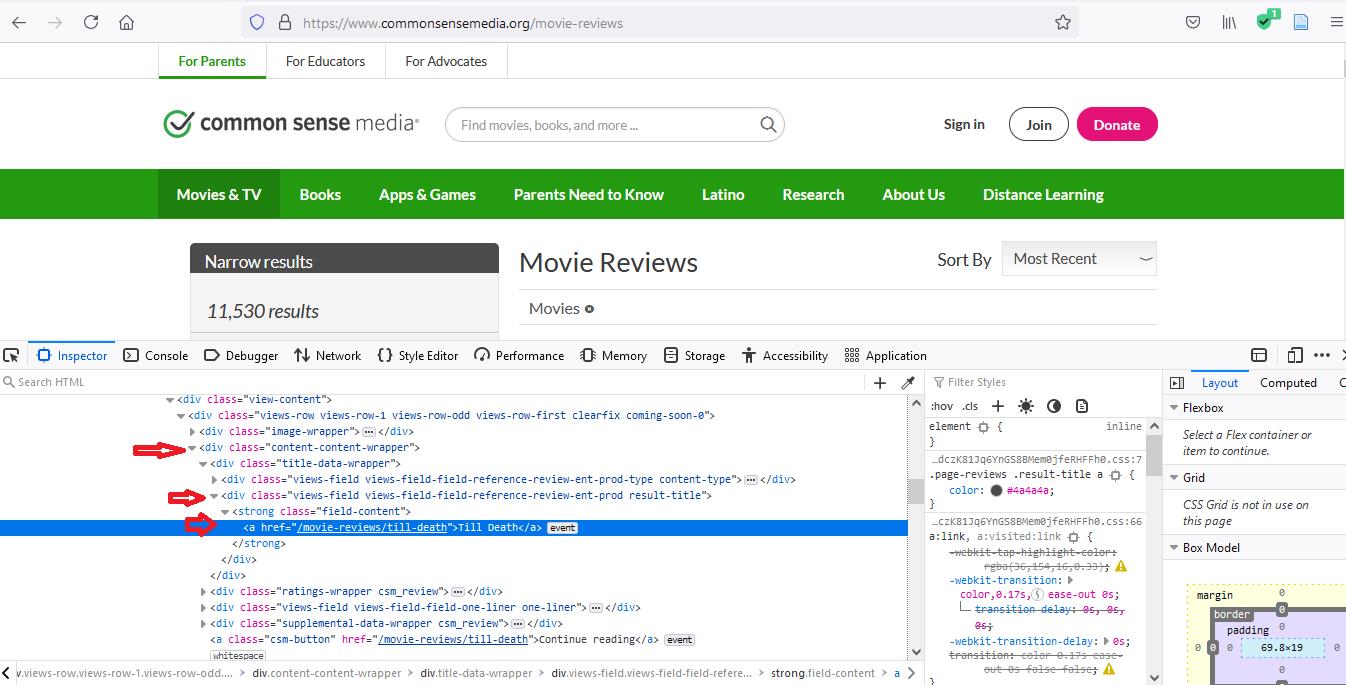
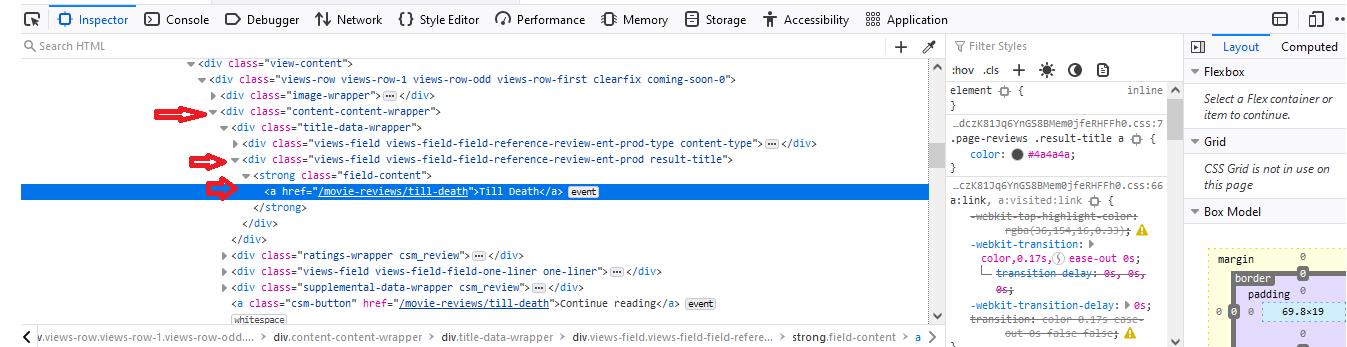
当你检查这个元素时,你会注意到我们要找的东西--电影标题 "至死不渝"--包含在一个类别为 "content-content-wrapper "的 "div "标签中。这个第一个 "div "标签将在整个html代码中不断重复出现,因为每个电影标题都包含在这样一个 "div "标签中。于是我们说,对于div中的每个div,我们希望选择子 "div "标签,其类别为 "views-field views-field-reference-review-ent-prod result-title"。之后,我们看到一个 "strong "标签,类别为 "field-content"。所以我们又做了同样的事情。最后,我们的标题本身与一个 "a "标签嵌套,所以我们选择 "a "标签。
divs = soup.find_all("div", class_="content-content-wrapper")
这里请注意,在class这个词后面,有一个下划线。这个下划线将html代码类与python类区分开来。所以我们写的代码将提取 "content-content-wrapper "类的 "div "标签。
然后你写
# divs = soup.find_all(“div”, {‘class’ : ‘content-content-wrapper’})

for div in divs:
    divs2 = div.find_all("div", class_="views-field views-field-field-reference-review-ent-prod result-title")
    for div in divs2:
        strongs = div.find_all("strong", class_="field-content")
        for strong in strongs:
            aa = strong.find_all("a")
            for a in aa:
                print(a.text)
for循环的存在是为了挑选出每部电影。最后,当我们想选择文本时,我们说a.text。后者将打印出每部电影的标题,以这样的方式,我们可以搜刮出任何我们想要的东西。
现在,假设我们希望将这些数据保存到csv文件中;这也是可能的。为了写成csv,你必须首先导入csv模块。首先,让我们打开我们想要存储信息的文件。在这里,我们将传递三个参数--文件名、模式、以及我们是否需要换行。在这里,我们要添加一个等于零的换行,以防止csv文件在每个条目后添加回车(或新的空行)。第二,我们把文件传给 writer() 方法。第三,我们写一个新行。在这种情况下,我把我的新行称为 "Movies",因为它是后面内容的标题。
import csv

file = open("movie.csv", "w", newline='')
file_write = csv.writer(file)
file_write.writerow(['Movies'])
第四,我们不只是打印出 "a "变量,而是把它的空位去掉,然后用writerow()方法把它写到csv文件中。
for div in divs:
    divs2 = div.find_all("div", class_="views-field views-field-field-reference-review-ent-prod result-title")
    for div in divs2:
        strongs = div.find_all("strong", class_="field-content")
        for strong in strongs:
            aa = strong.find_all("a")
            for a in aa:
                file_write.writerow([a.text.strip()])
整个代码将看起来像这样。
import requests

url = "https://www.commonsensemedia.org/movie-reviews"
body = requests.get(url)
body_text = body.content

from bs4 import BeautifulSoup
soup = BeautifulSoup(body_text, 'lxml')

divs = soup.find_all("div", class_="content-content-wrapper")

import csv

file = open("movie.csv", "w", newline='')
file_write = csv.writer(file)
file_write.writerow(['Movies'])

for div in divs:
    divs2 = div.find_all("div", class_="views-field views-field-field-reference-review-ent-prod result-title")
    for div in divs2:
        strongs = div.find_all("strong", class_="field-content")
        for strong in strongs:
            aa = strong.find_all("a")
            for a in aa:
                file_write.writerow([a.text.strip()])
这只是一个简单的例子。在现实中,网络搜刮是如此强大,你可以搜刮和监控几乎所有的网页。
编码愉快!

