

工作目录是我们当前工作的目录,脚本就是从这个目录中运行的;在这个目录中,我们可以访问许多文件(位于其中的文件)。然而,我们有时需要改变目录,在文件和文件夹之间来回走动。在本教程中,我们将学习如何在 Python 中改变工作目录。
操作系统模块
首先,为了实现这个目标,我们需要Python中的os模块。由于它是预装的,所以不需要安装任何东西。操作系统模块通常在Python中用来交互、管理和修改系统中的文件和文件夹。例如,我们可以创建/删除目录,改变工作目录,浏览文件,检查文件是否存在,等等....,不用说它是一个非常有用的模块。
获取当前工作目录
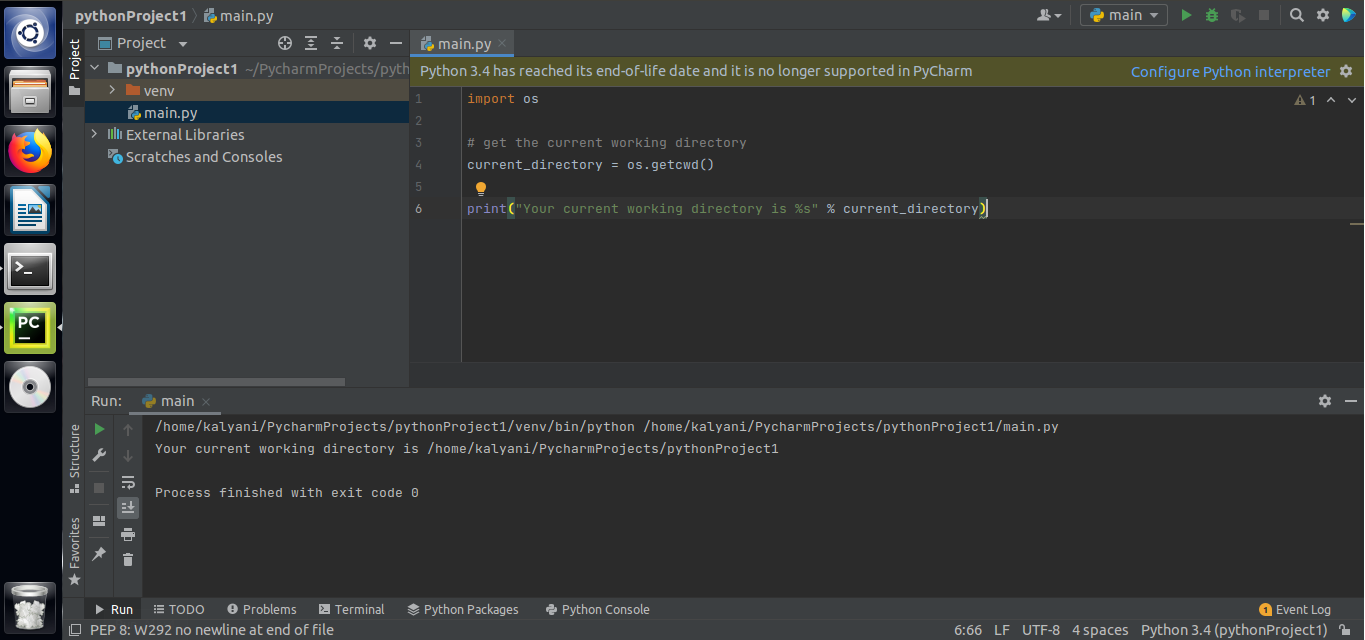
为了获得当前工作目录,我们使用os模块的getcwd()方法。请注意,这里没有传递参数。在我的例子中,输出是"/home/kalyani/PycharmProjects/pythonProject1",在Ubuntu机器上(运行PyCharm)。 这意味着主脚本--main.py--位于这个文件夹(pythonProject1)中。 请注意,工作目录,首先是一个文件夹!
import os

# Get the current working directory

current_directory = os.getcwd()

print("Your current working directory is %s" % current_directory)
改变当前工作目录
使用chdir()方法可以很容易地改变你的工作目录,它只需要一个参数--作为字符串的新位置的路径。
import os

# Get the current working directory

current_directory = os.getcwd()

print("Your current working directory is %s" % current_directory)
要做的第一件事是设置工作目录的新路径。在Ubuntu上,这是很直接的!
# let's set a new working directory

new_working_directory = "/home/kalyani/Desktop/PythonDirectory"
在Windows上,你需要使用双反斜线来定义目录。
#new_working_directory = "C:\\Users\\never\\Desktop\\PythonDirectory"
接下来,我们定义一个try-except子句。如果路径存在,我们将使用chdir()方法将工作目录改为新的工作目录。如果路径不是一个目录,它将抛出一个错误!
try:

    os.chdir(new_working_directory)

    print("The working directory has been changed!")

print("WD: %s " % os.getcwd())


except NotADirectoryError:

    print("You have not chosen a directory.")


except FileNotFoundError:

    print("The folder was not found. The path is incorrect.")


except PermissionError:

    print("You do not have access to this folder/file.")
完整的代码会是这样的。
import os

# Get the current working directory

current_directory = os.getcwd()

print("Your current working directory is %s" % current_directory)

# let's set a new working directory

#new_working_directory = "/home/kalyani/Desktop/PythonDirectory"

new_working_directory = r"C:\Users\never\Desktop\PythonDirectory"

try:

    os.chdir(new_working_directory)

    print("The working directory has been changed!")

    print("WD: %s " % os.getcwd())


except NotADirectoryError:

    print("You have not chosen a directory.")


except FileNotFoundError:

    print("The folder was not found. The path is incorrect.")


except PermissionError:

print("You do not have access to this folder/file.")
事实上,错误可能会引发各种类型的异常。
i.NotADirectoryError。
现在假设一个例子,我为路径或新工作目录写了以下代码。
new_working_directory = "C:\\Users\\never\\Desktop\\PythonDirectory\\text.txt"
在这里你可以注意到的是,我把路径指向了一个叫做text.txt的文本文件。而后者会抛出一个被称为NotADirectoryError的错误。换句话说,你的路径必须指向某种类型的目录。
ii.FileNotFoundError。
当路径不存在时,会抛出FileNotFoundError。因此,假设我的桌面上没有一个名为 PythonDirectory 的目录,而我把我的路径设置为。
new_working_directory = "C:\Users\never\Desktop\PythonDirectory"
它将抛出一个FileNotFoundError。这个错误只是意味着我们所指向的目录不存在或没有找到。
iii.许可错误(PermissionError)。
当用户没有足够的权限来修改或访问所选的目录时,就会产生一个PermissionError。
iv.语法错误(SyntaxError)。
当路径中出现语法错误时就会发生语法错误。在Windows上,如果我们写到说。
new_working_directory = "C:\Users\never\Desktop\PythonDirectory"
就会抛出一个语法错误!然而,语法错误更难捕捉,因为它需要被评估、导入或执行。因此,当我们写try-except块时,就更难捕捉到这样的错误。
在Windows上,为了避免任何错误,可以用三种不同的方法之一写出路径,这样就不会抛出错误了。
方法1:在这个方法中,我们在设置字符串之前加上一个 "r"。
new_working_directory = r"C:\Users\never\Desktop\PythonDirectory"
方法2:我们使用双反斜线。
new_working_directory = "C:\\Users\\never\\Desktop\\PythonDirectory"
方法3:我们使用单一的正斜杠。
new_working_directory = "C:/Users/never/Desktop/PythonDirectory"
PATH模块
我们也可以使用path模块改变工作目录。首先,按以下方式安装path(我也给出了模块的链接)。
pip install path

(https://pypi.org/project/path/)
接下来,我们写。
from path import Path

import os
首先,让我们使用os模块和getcwd()方法检查当前工作目录。
# let's check the current working directory

cwd = os.getcwd()

print("The current working directory is: %s " % cwd)

print("---------------------------------------------")
接下来,设置新工作目录的路径。在这种情况下,我选择在Windows机器上设置这个例子。
# set the path to the new working directory

new_path = "C:\\Users\\never\\Desktop\\PythonDirectory"
使用Path()来改变工作目录。Path()在这里只需要一个参数:新工作目录的实际路径,并使用chdir()方法来完成这个任务。
# change the working directory

Path(new_path).chdir()
重新检查工作目录是否已经被改变。在这里,正如你在图片中所看到的,工作目录确实已经被改变了!
# Re-check the working directory

# has it been changed?

cwd = os.getcwd()

print("The new working directory is %s " % cwd)
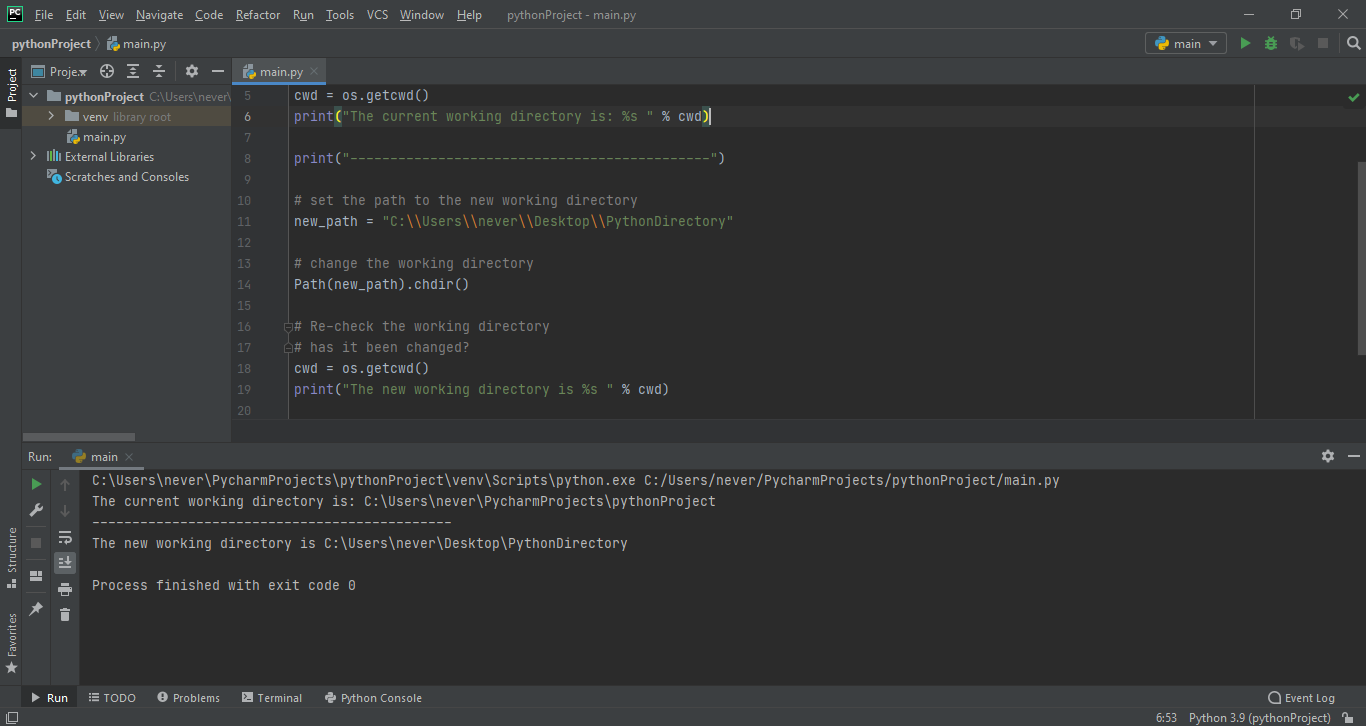
改变工作目录是一个简单的任务,只需要一个方法--chdir(path)方法。然而,根据你是在Windows机器上还是在Linux机器上,你必须注意如何将路径作为一个字符串输入。如果输入错误,它可能会产生错误!

