UNIX的时间戳值是从1970年1月1日开始计算的。strtotime()是一个内置的PHP函数,用于将人类可读的日期和时间值转换成UNIX时间戳值。在本教程中,我们将通过实例说明在PHP中使用该函数的方法,以达到不同的目的。
语法
strtotime (dttime_string, [ts_now]):timestamp|False
该函数的第一个参数是强制性的,包含有效日期和时间值的字符串。第二个参数是可选的,用于设置计算时间戳值的基础值。它返回基于第一个参数值的时间戳值。
前提条件
本教程的例子中使用的脚本是基于PHP8版本编写的。在执行本脚本的例子之前,请做以下工作:
- 安装 apache2 和 PHP 8。
- 为/var/www/html文件夹下的所有文件和文件夹设置执行权限,所有的PHP文件将存放在该文件夹下。
Strtotime()函数的不同用途
通过使用strtotime()函数,可以以不同的方式计算特定日期和时间的时间戳值。本教程的这一部分将介绍该函数的用途。
例1:strtotime()函数的必选参数的用途
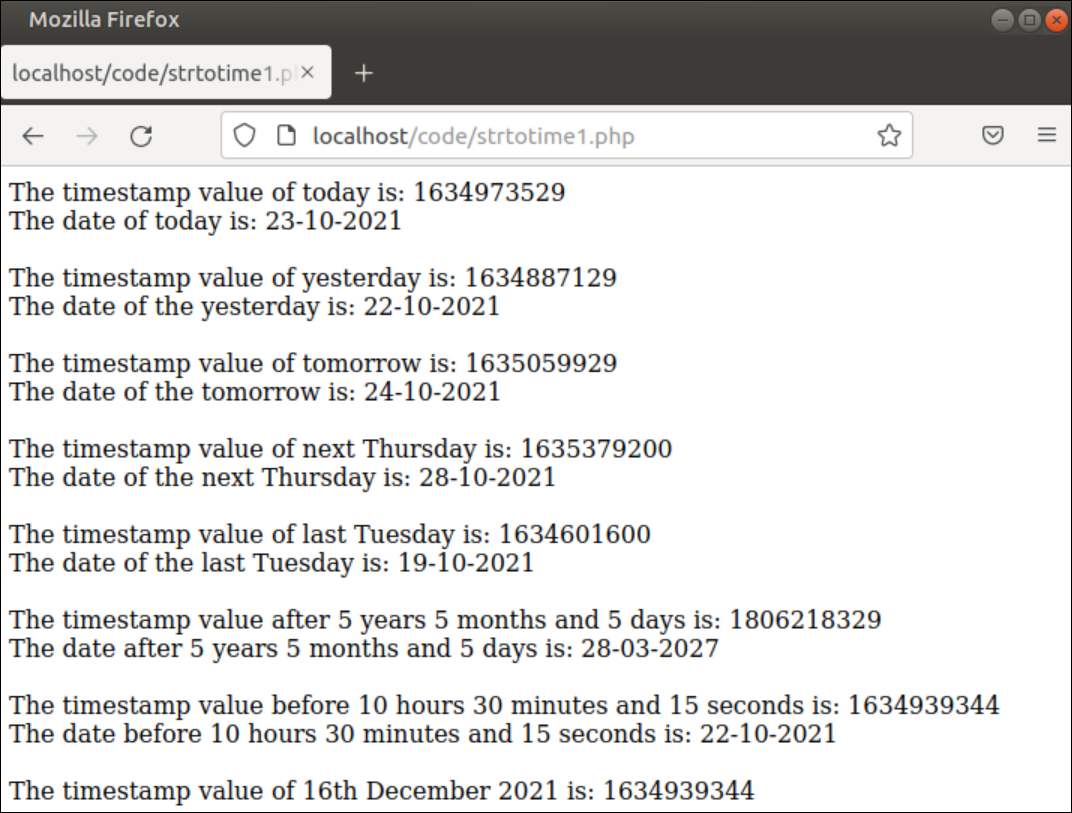
用以下脚本创建一个PHP文件,通过使用strtotime()函数计算时间戳值来找出特定的日期。在这里,八个不同的日期和时间的字符串值已经被用在这个函数中来生成和打印时间戳值。接下来,人类可读的日期和时间值将在计算出的时间戳值的基础上打印出来。
<?php

//Read current timestamp value
$today = strtotime('now');
echo "The timestamp value of today is: $today<br>";
echo "The date of today is: ".date("d-m-Y", $today)."</br></br>";

//Read the timestamp value of yesterday
$prev_day = strtotime('-1 day');
echo "The timestamp value of yesterday is: $prev_day<br>";
echo "The date of the yesterday is: ".date("d-m-Y", $prev_day)."</br></br>";

//Read the timestamp value of tomorrow
$next_day = strtotime('+1 day');
echo "The timestamp value of tomorrow is: $next_day<br>";
echo "The date of the tomorrow is: ".date("d-m-Y", $next_day)."</br></br>";

//Read the timestamp value of next thursday
$n_day = strtotime('next Thursday');
echo "The timestamp value of next Thursday is: $n_day<br>";
echo "The date of the next Thursday is: ".date("d-m-Y", $n_day)."</br></br>";

//Read the timestamp value of previous tuesday
$l_day = strtotime('last Tuesday');
echo "The timestamp value of last Tuesday is: $l_day<br>";
echo "The date of the last Tuesday is: ".date("d-m-Y", $l_day)."</br></br>";

//Read the timestamp value of future day
$future_date = strtotime('+5 years 5 months 5 days');
echo "The timestamp value after 5 years 5 months and 5 days is: $future_date<br>";
echo "The date after 5 years 5 months and 5 days is: ".date("d-m-Y", $future_date)."</br></br>";

//Read the timestamp value of previous hour
$prev_hour = strtotime('-10 hours 30 minutes 15 seconds');
echo "The timestamp value before 10 hours 30 minutes and 15 seconds is: $prev_hour<br>";
echo "The date before 10 hours 30 minutes and 15 seconds  is: ".date("d-m-Y", $prev_hour)."</br></br>";

//Read the timestamp value of the particular day
$specific_day = strtotime('16 December 2021');
echo "The timestamp value of 16th December 2021 is: $prev_hour<br>";

?>
输出
执行上述脚本后会出现以下输出。这里,文件名是strtotime1.php,存放在**/var/www/html/code**文件夹内。脚本的输出将根据操作系统的日期和时间来改变。
例子2: 从有效的日期格式计算时间戳值
用下面的脚本创建一个PHP文件,检查来自URL查询参数的日期是否有效,并找出该日期的时间戳值。这里,**$_GET[]**数组被用来读取名为'dt'的URL查询参数的值。在URL查询参数中提供的日期值是否有效将由preg_match()函数来检查。如果提供了有效的日期,那么该日期的时间戳值将被计算并打印出来。
<?php

//Check the date value is given in the URL or not
if(isset($_GET['dt']))
{
    //Read the date value
    $date = $_GET['dt'];

    //Check the date value is valid or not
    if(preg_match('/[0-9]{2}-[0-9]{2}-[0-9]{4}/', $date))
    {
        //Read the timestamp value of the date
        $tm = strtotime($date);
        //Print the timestamp value
        echo "<br /><h3>The timestamp value of $date is $tm.</h3>";
    }
    else
        //Print error message for invalid date format
        echo "<br /><h3>Invalid date format.</h3>";
}
else
    //Print error message if date is not found in the URL
    echo "<br /><h3>No date value found.</h3>";

?>
输出
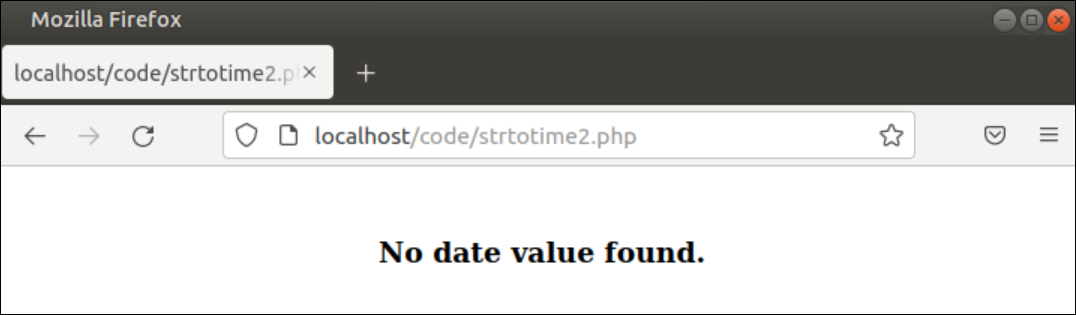
在没有任何查询参数的情况下执行上述脚本后,将出现以下输出。这里,文件名是strtotime2.php,存放在**/var/www/html/code**文件夹中。
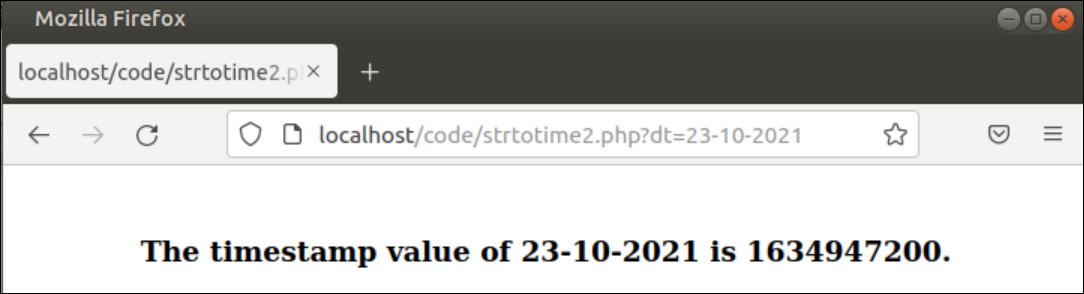
在执行上述脚本后,将出现以下输出,查询参数为'dt',值为'23-10-2021'。
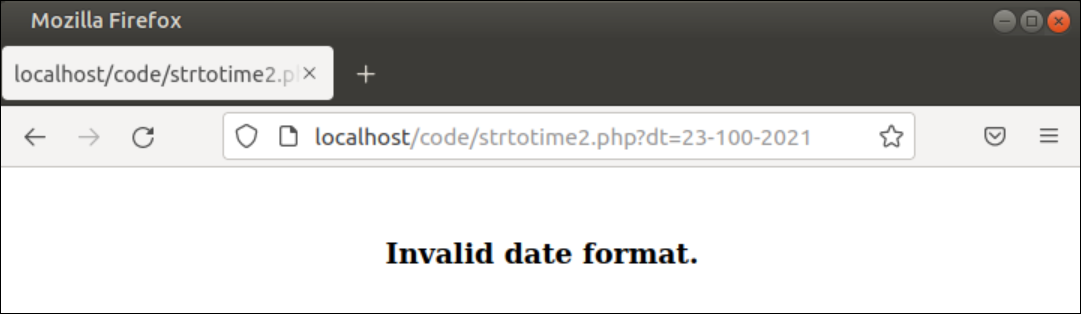
在执行上述脚本后,将出现以下输出,查询参数名为'dt',值为'23-100-2021'。
例3:计算两个日期的差值
用下面的脚本创建一个PHP文件,通过使用strtotime()函数找出两个日期之间的差异。这里,两个有效的日期值已经被分配到两个变量中。使用strtotime()函数计算了这些日期的两个时间戳值。这些时间戳值的差值已被计算为秒,并被转换为年。转换后的值将在执行代码后被打印出来。
<?php

    //Set two date values
    $date1 = '01-01-2021';
    $date2 = '01-01-2024';

    //Calculate the difference between the date
    $diff = (strtotime($date2) - strtotime($date1))/60/60/24/365;

    //Print the difference value in years
    echo "<br /><h3>The difference between two dates is $diff years</h3>";

?>
输出
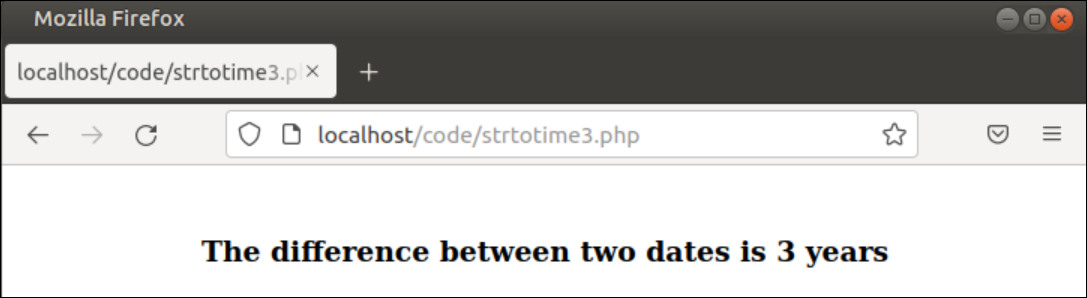
在没有任何查询参数的情况下,执行上述脚本后会出现以下输出。这里,文件名是strtotime3.php,存放在**/var/www/html/code**文件夹中。01-01-2021 "和 "01-01-2024 "之间的差异是3年,已经打印在输出中。
结论
strtotime()是一个处理日期和时间值的非常有用的函数。本教程描述了在不同目的中使用该函数的方法,以帮助新的PHP用户了解在PHP脚本中使用该函数的目的。