

你可以使用HTML、CSS和JavaScript来创建时尚和动态的网络元素。而你可以建立的一个有用的元素是一个手风琴菜单。
当用户点击一个按钮时,手风琴菜单就会展开和收拢。这是一个很好的方法,不必在前面显示关于一个主题的所有信息,而是让用户选择只显示他们需要的内容。
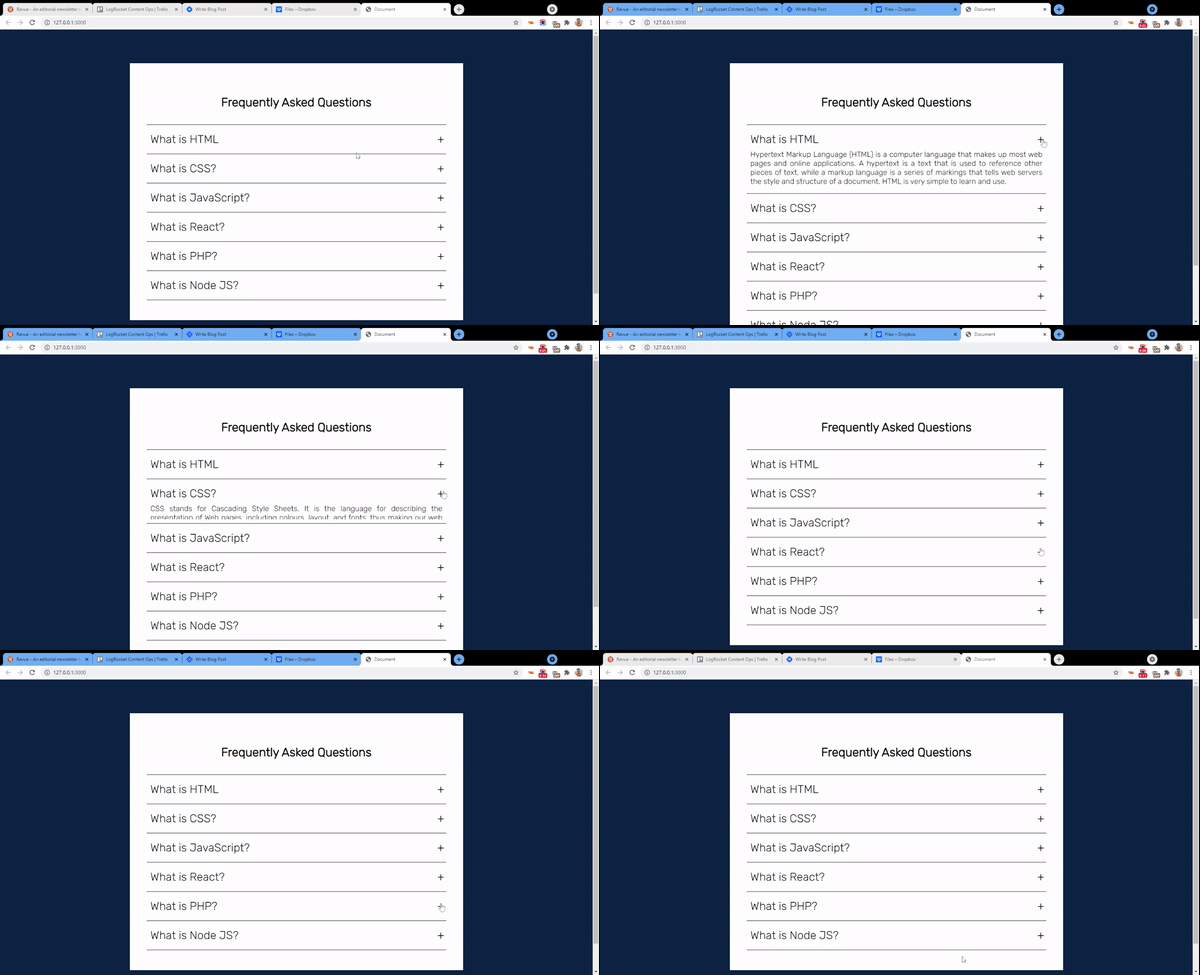
在本教程中,我将向你展示如何建立一个简单的手风琴菜单,看起来像这样:
什么是手风琴菜单?
在UI设计中,手风琴菜单是一个垂直堆叠的各种信息的列表。对于每一个列表,都有一个标记的标题,指向相应的内容。每个列表的内容默认都是隐藏的。点击一个特定的标签将展开其内容。
手风琴的一个非常普遍的使用情况是容纳一个常见问题的列表。点击任何问题将切换/显示相应的答案。
如何使用HTML、CSS和JS构建一个手风琴菜单
我们将从定义HTML标记开始。如果你使用的是VS Code这样的IDE,并且安装了emmet,创建一个新的index.html 文件,然后输入! ,接着输入回车。这将为你的项目创建HTML模板代码。
另外,你也可以把下面的代码复制到你的index.html ,或者从Codepen获得这个项目的代码:
<!DOCTYPE html>
<html lang="en">
<head>
  <meta charset="UTF-8">
  <meta name="viewport" content="width=device-width, initial-scale=1.0">
  <meta http-equiv="X-UA-Compatible" content="ie=edge">
  <title>Document</title>
  <link rel="stylesheet" href="styles.css">
</head>
<body>

  <script src="app.js" type="text/javascript"></script>
</body>
</html>
HTML页面结构
文件夹结构很简单。我们将创建一个名为accordion的文件夹。在这个文件夹中,我们将创建三个文件。index.html,styles.css, 和app.js 。我们还将把所有文件链接到我们的HTML标记中,正如你在上面看到的。
手风琴的HTML标记
对于菜单中的每个列表,我们将有两个div,一个用于标签,另一个用于内容:
<body>
  <div class="accordion-body">
  <div class="accordion">
    <h1>Frequently Asked Questions</h1>
    <hr>
    <div class="container">
      <div class="label">What is HTML</div>
      <div class="content">Hypertext Markup Language (HTML) is a computer language that makes up most web pages and online applications. A hypertext is a text that is used to reference other pieces of text, while a markup language is a series of markings that tells web servers the style and structure of a document. HTML is very simple to learn and use.</div>
    </div>
    <hr>
    <div class="container">
      <div class="label">What is CSS?</div>
      <div class="content">CSS stands for Cascading Style Sheets. It is the language for describing the presentation of Web pages, including colours, layout, and fonts, thus making our web pages presentable to the users. CSS is designed to make style sheets for the web. It is independent of HTML and can be used with any XML-based markup language. CSS is popularly called the design language of the web.
</div>
    </div>
    <hr>
    <div class="container">
      <div class="label">What is JavaScript?</div>
      <div class="content">JavaScript is a scripting or programming language that allows you to implement complex features on web pages — every time a web page does more than just sit there and display static information for you to look at — displaying timely content updates, interactive maps, animated 2D/3D graphics, scrolling video jukeboxes, etc. — you can bet that JavaScript is probably involved. It is the third of the web trio.</div>
    </div>
    <hr>
    <div class="container">
      <div class="label">What is React?</div>
      <div class="content">React is a JavaScript library created for building fast and interactive user interfaces for web and mobile applications. It is an open-source, component-based, front-end library responsible only for the application’s view layer. In Model View Controller (MVC) architecture, the view layer is responsible for how the app looks and feels. React was created by Jordan Walke, a software engineer at Facebook. </div>
    </div>
    <hr>
    <div class="container">
      <div class="label">What is PHP?</div>
      <div class="content">PHP is a server-side and general-purpose scripting language that is especially suited for web development. PHP originally stood for Personal Home Page. However, now, it stands for Hypertext Preprocessor. It’s a recursive acronym because the first word itself is also an acronym.</div>
    </div>
    <hr>
    <div class="container">
      <div class="label">What is Node JS?</div>
      <div class="content">Node.js is an open-source, cross-platform, back-end JavaScript runtime environment that runs on the V8 engine and executes JavaScript code outside a web browser. Node.js lets developers use JavaScript to write command line tools and for server-side scripting—running scripts server-side to produce dynamic web page content before the page is sent to the user's web browser. Consequently, Node.js represents a "JavaScript everywhere" paradigm</div>
    </div>
    <hr>
  </div>
  </div>

  <script src="index.js" type="text/javascript"></script>
</body>
手风琴菜单的标记
如果没有CSS,我们的页面看起来就像这样,光秃秃的:
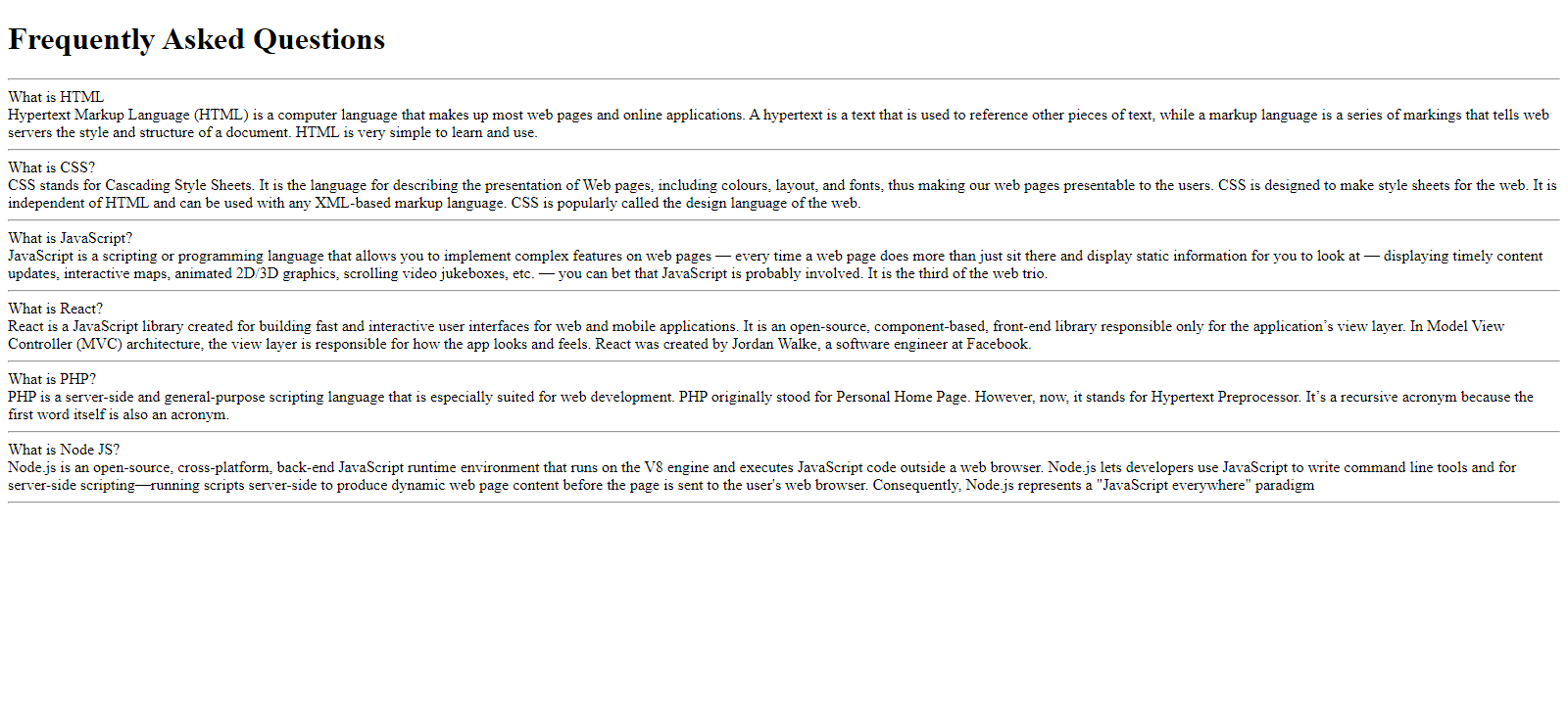
没有CSS的手风琴菜单的样子
如何用CSS为手风琴设计样式
我们当然希望我们的手风琴菜单看起来不错。是时候让一些CSS发挥作用了。我在代码中添加了一些注释,以解释每个部分的作用:
@import url('https://fonts.googleapis.com/css2?family=Rubik:wght@300&display=swap');

/* Sets the background color of the body to blue. Sets font to Rubik */

body {
  background-color: #0A2344;
  font-family: 'rubik', sans-serif;
}

/* Aligns the heading text to the center. */

h1 {
  text-align: center;
}

/* Sets the width for the accordion. Sets the margin to 90px on the top and bottom and auto to the left and right */

.accordion {
  width: 800px;
  margin: 90px auto;
  color: black;
  background-color: white;
  padding: 45px 45px;
}
应用了所有这些样式后,我们的手风琴现在看起来是这样的:
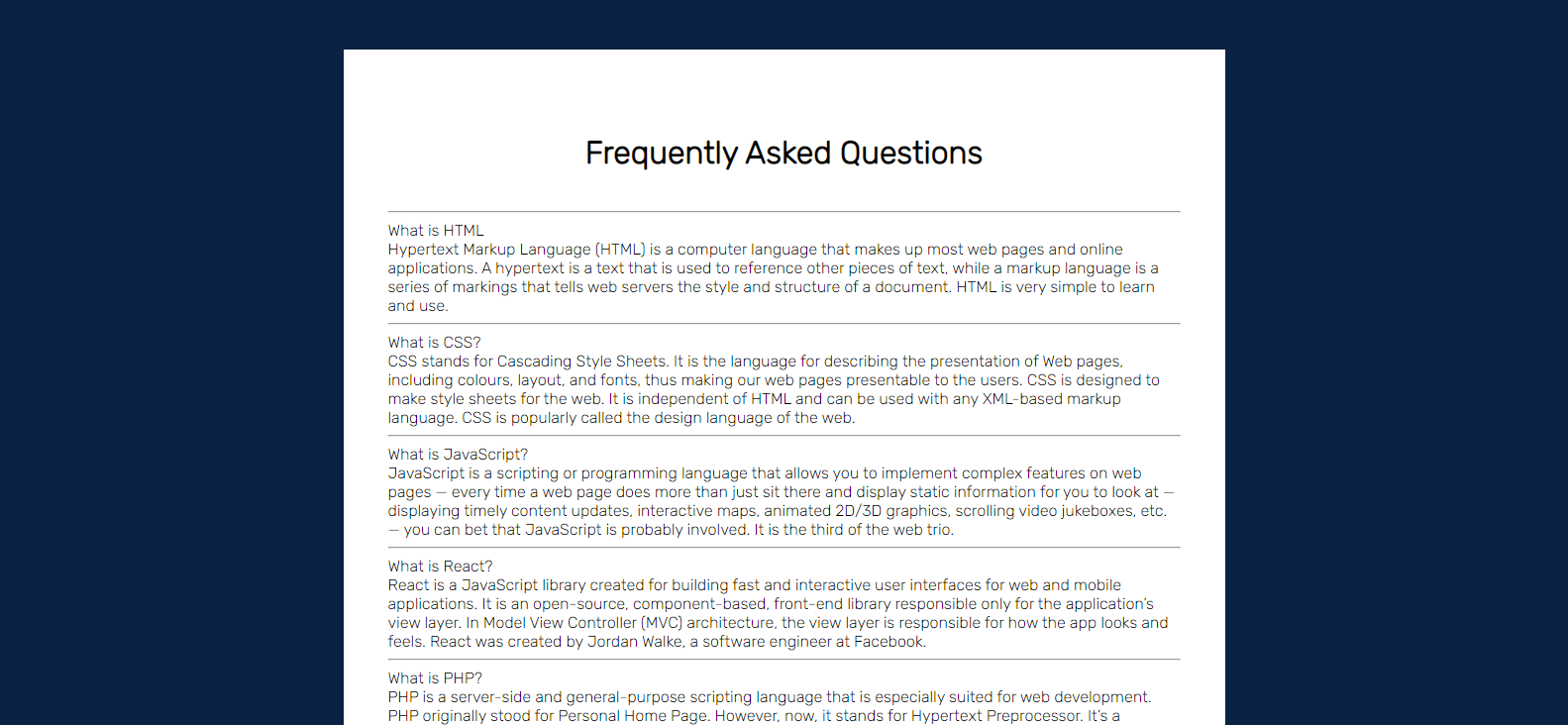
添加到手风琴菜单的样式
现在我们需要开始在内部做一些工作来设置其功能。首先,我们将每个容器(包括标签和内容)的位置属性设置为相对。
这意味着我们现在可以将它的子节点相对于它定位:
.accordion .container {
  position: relative;
  margin: 10px 10px;
}

/* Positions the labels relative to the .container. Adds padding to the top and bottom and increases font size. Also makes its cursor a pointer */

.accordion .label {
  position: relative;
  padding: 10px 0;
  font-size: 30px;
  color: black;
  cursor: pointer;
}
现在你可以注意到下图中的差异:
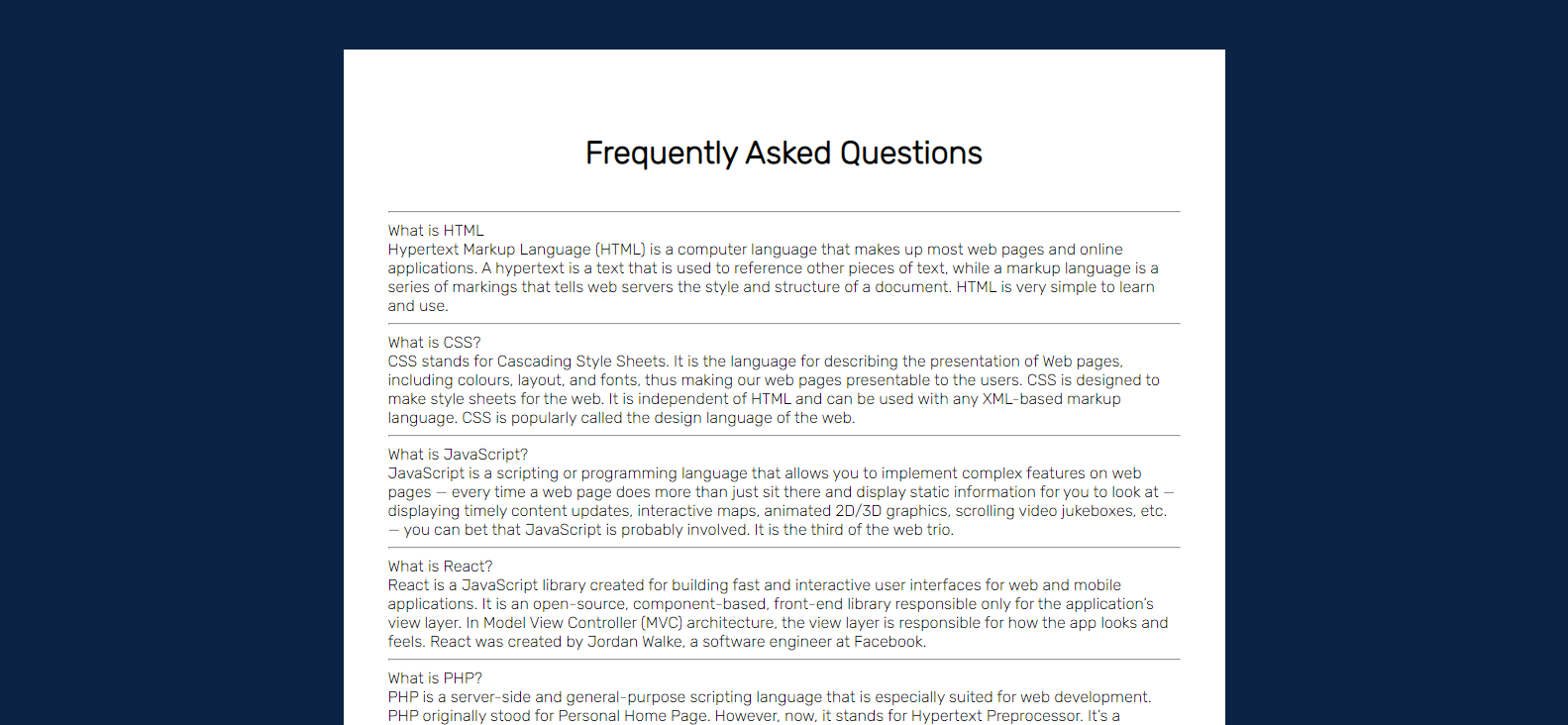
下一个动作将是在每个列表的末尾附加一个小的'+'号。这将让用户知道,他们可以扩展该部分以了解/看到更多。
我们将使用::before 选择器来实现这一目标。::before 和::after 选择器用于在指定元素之前或之后放置内容。
这里,我们在标签前插入'+'。但我们将使用偏移属性top 和right ,把它放在最右角:
/* Positions the plus sign 5px from the right. Centers it using the transform property. */

.accordion .label::before {
  content: '+';
  color: black;
  position: absolute;
  top: 50%;
  right: -5px;
  font-size: 30px;
  transform: translateY(-50%);
}

/* Hides the content (height: 0), decreases font size, justifies text and adds transition */

.accordion .content {
  position: relative;
  background: white;
  height: 0;
  font-size: 20px;
  text-align: justify;
  width: 780px;
  overflow: hidden;
  transition: 0.5s;
}

/* Adds a horizontal line between the contents */

.accordion hr {
  width: 100;
  margin-left: 0;
  border: 1px solid grey;
}
这将使一切变得更好。还要注意的是,现在每个列表的内容都是隐藏的:
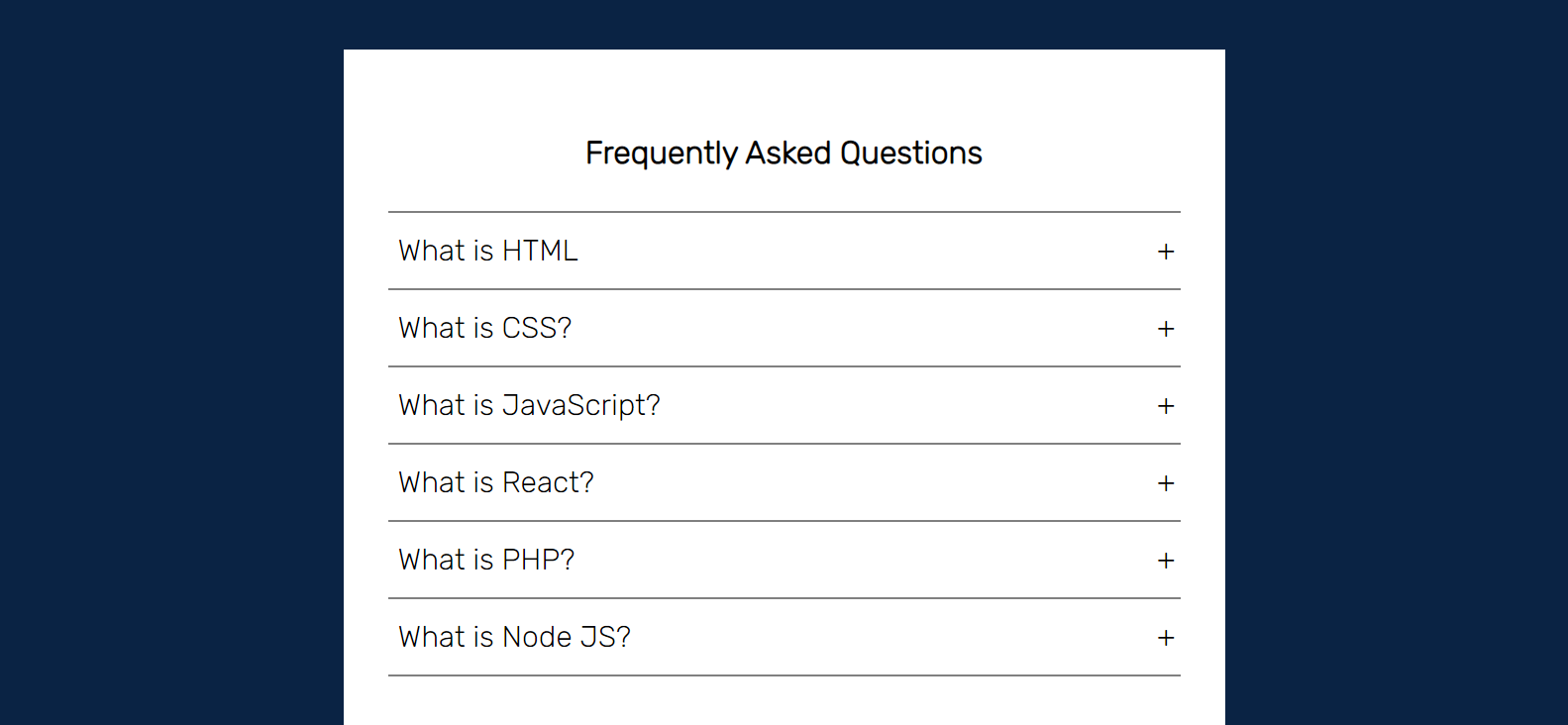
手风琴菜单的内容现在被隐藏了
给我们的手风琴添加JavaScript
在这一点上,我们的手风琴几乎是静态的。为了使容器在用户点击时显示内容,我们将需要引入一些JavaScript。
导航到你的脚本app.js ,并键入以下代码:
const accordion = document.getElementsByClassName('container');

for (i=0; i<accordion.length; i++) {
  accordion[i].addEventListener('click', function () {
    this.classList.toggle('active')
  })
}
这个脚本将通过container ,访问我们所有的列表classname 。
然后我们将在列表中进行循环。对于每个容器,我们只是想为它注册一个事件监听器。当它被点击时,我们要在该元素上切换 "活动 "类。
现在我们要测试一下这个效果。点击第一个标签为What is HTML 的容器,打开你的DevTools(点击F12),并在元素标签中检查它。
你应该发现在它上面注册了active 类:
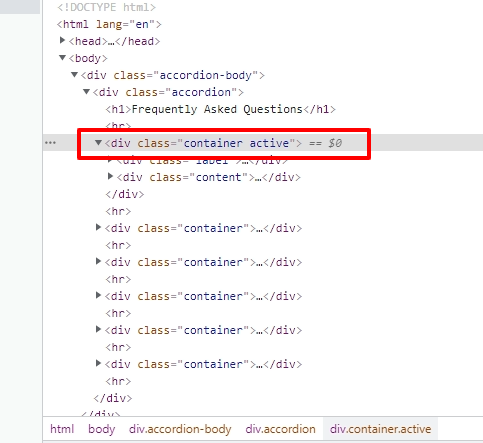
在第一个菜单项上切换了活动类
再次点击该元素将从它身上删除active 类。
如何完成应用程序
还有最后一件事我们需要做。我们需要在一个样式表中创建一个活动类。我们将定义我们希望我们的手风琴看起来如何,一旦JavaScript在一个容器上切换了类:
/* Unhides the content part when active. Sets the height */

.accordion .container.active .content {
  height: 150px;
}

/* Changes from plus sign to negative sign once active */

.accordion .container.active .label::before {
  content: '-';
  font-size: 30px;
}
这就是我们的应用程序最终的外观和行为:
最后的外观
总结
在本教程中,我们使用HTML、CSS和JavaScript建立了一个手风琴菜单。
感谢大家的关注,我希望你能从本教程中学到一些有用的东西。
