

你可以在命令行中输入4个不同的Git命令来列出一个 repo 的所有远程分支。我将向你展示每个命令行的代码示例。
对于所有这些例子,我将使用freeCodeCamp的开放源码库。
命令#1:git branch -r
这个Git命令将显示远程分支。这里的-r 标志是--remotes 的简称:
freecodecamp➜~/web/freeCodeCamp(main)» git branch -r

Output:
  origin/HEAD -> origin/main
  origin/i18n-sync-client
  origin/main
  origin/prod-current
  origin/prod-staging
  origin/renovate/react-i18next-11.x
  origin/renovate/typescript-eslint-monorepo
这是我个人使用的命令。所以,如果你愿意,你可以不看这里,只要你想列出远程git分支,就用git branch -r 。
但为了完整起见,我还附上了另外三个命令,你可以使用,它们返回不同的列表。
命令#2:git ls-remote --heads
这个 Git 命令返回相同的信息,但也包括这些远程分支的哈希值:
freecodecamp➜~/web/freeCodeCamp(main)» git ls-remote --heads

Output:
From git@github.com:freeCodeCamp/freeCodeCamp
12d742a4f0dfdcfae25d1b71aa738b4e91bfcb61	refs/heads/i18n-sync-client
f05262b823f5a578787e5387357383f09df9c5c1	refs/heads/main
6d89576b6c588e3e3daa90bdaf226a6f5cc3d9c5	refs/heads/prod-current
6d89576b6c588e3e3daa90bdaf226a6f5cc3d9c5	refs/heads/prod-staging
750af5a018008c9a7eac683b064adc016b990659	refs/heads/renovate/react-i18next-11.x
08e06f10363ab1d33156b83b2b01cad005c3a2cf	refs/heads/renovate/typescript-eslint-monorepo
命令 #3: git ls-remote
这条Git命令不仅显示了远程仓库的名称,还显示了它们的参考信息,包括Git commit hash:
freecodecamp➜~/web/freeCodeCamp(main)» git ls-remote

Output:

! [origin/HEAD] chore(deps): update dependency @types/validator to v13.7.3
 ! [origin/i18n-sync-client] fix(client): prevent lower jaw breaking on code evaluation (#46154)
  ! [origin/main] chore(deps): update dependency @types/validator to v13.7.3
   ! [origin/prod-current] fix(curriculum): don't block fragment links (#46246)
    ! [origin/prod-staging] fix(curriculum): don't block fragment links (#46246)
     ! [origin/renovate/react-i18next-11.x] fix(deps): update dependency react-i18next to v11.17.0
      ! [origin/renovate/typescript-eslint-monorepo] chore(deps): update typescript-eslint monorepo to v5.27.0
-------
有很多特殊格式的输出,所以我只附上一张截图,让你了解一下:
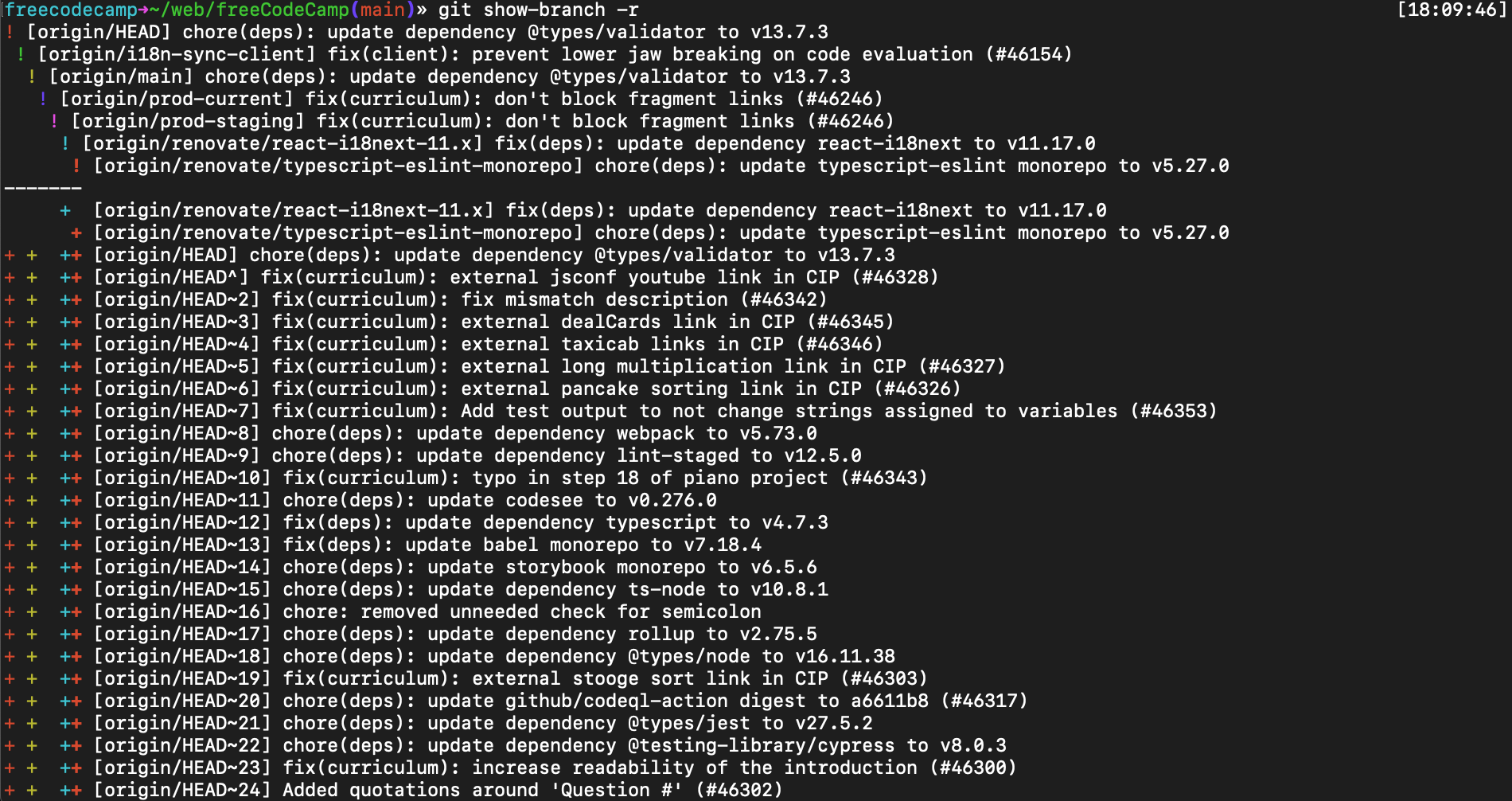
如果你想在你的终端中使用彩色编码和时间戳,我建议使用OhMyZSH。
命令#4:git show-branch -r
你会使用这个Git命令的主要原因是它几乎显示了所有的东西,所以你可以通过control+f来找到一个特定的哈希值。
我不记得以前自己用过这个:
freecodecamp➜~/web/freeCodeCamp(main)» git show-branch -r

Output:

From git@github.com:freeCodeCamp/freeCodeCamp
f05262b823f5a578787e5387357383f09df9c5c1	HEAD
12d742a4f0dfdcfae25d1b71aa738b4e91bfcb61	refs/heads/i18n-sync-client
f05262b823f5a578787e5387357383f09df9c5c1	refs/heads/main
6d89576b6c588e3e3daa90bdaf226a6f5cc3d9c5	refs/heads/prod-current
6d89576b6c588e3e3daa90bdaf226a6f5cc3d9c5	refs/heads/prod-staging
750af5a018008c9a7eac683b064adc016b990659	refs/heads/renovate/react-i18next-11.x
08e06f10363ab1d33156b83b2b01cad005c3a2cf	refs/heads/renovate/typescript-eslint-monorepo
36380c5a67938de35d7011e33855d45bb545300b	refs/pull/10/head
d12e25f250b91afc01a43af0067d7026c39473fa	refs/pull/100/head
56ff814f24385e5f76dc29bc4276c84e38ca9c5f	refs/pull/10006/head
f84bb9a94ea33e0994e2d40c779416f3caa3aa04	refs/pull/10007/head
7193b9c725ed97cd8cc99aba72ceffa40a79c8f8	refs/pull/10008/head

[30,000 more lines]

9656d9030eb472341eebf5e0fb46a3538740701b	refs/pull/9991/head
0545010ab9e1dac4aedca071669b6a86b35cabdc	refs/pull/9995/head
b5365d3106e188fa6782388221b1184dfb2ffc88	refs/pull/9995/merge
0545010ab9e1dac4aedca071669b6a86b35cabdc	refs/pull/9996/head
b5365d3106e188fa6782388221b1184dfb2ffc88	refs/pull/9996/merge
7e35af7b67c22b502cdfdf4663fafc788e75eeec	refs/pull/9997/head
d8f3a9cb2e6d41a95f610ac72efae30ca9952d6f	refs/remotes/origin/pr-39112-with-my-additional-commits-for-tests
d3aaa5a11e09f5996cfd5eb2f8b55f63785b4947	refs/remotes/upstream/master
56d78a11198a0d244bd131a8b9386b247212c5a1	refs/remotes/upstream/production-current
b73c7eac62d30fdc5e533f617dcd1b5e95306984	refs/remotes/upstream/staging
对于freeCodeCamp repo,这个命令返回了超过30,000行的分支。所以我不建议使用这个命令,除非你绝对需要看到所有东西。😅
这就是全部。我希望你有一个美妙的一天,并祝你编码愉快。
