

有的时候,你会想把链接嵌套在段落里,或者把图片变成链接。但你如何在HTML中这样做呢?
在这篇文章中,我将向你展示如何在段落中嵌套链接,以及如何用代码实例将图片变成链接。
如何在段落标签内嵌套锚定标签
如果你想在你的段落中包含链接,那么你可以在段落标签中嵌套锚标签。
在这第一个例子中,我们有 "我爱freeCodeCamp "的文字:
<p>I love freeCodeCamp</p>
如果我想把freeCodeCamp这个词变成一个链接,那么我会把它包在一组锚标签里面:
<p>I love <a href="https://www.freecodecamp.org/">freeCodeCamp</a></p>
我们还可以添加target="_blank" 属性,让该链接在新标签中打开:
<p>I love <a target="_blank" href="https://www.freecodecamp.org/">freeCodeCamp</a></p>
当你把鼠标悬停在freeCodeCamp这个词上时,你会注意到它是一个链接,你现在可以点击它,这将引导你进入网站。
当你想把你的用户引导到与页面上的主要内容有关的额外信息时,在段落标签内嵌套链接是很有帮助的。
在下一个例子中,我有一个关于freeCodeCamp的课程的段落:
<p>I started learning how to code using freeCodeCamp. I really enjoyed their Responsive Web Design course. I am looking forward to starting the JavaScript course soon.</p>
我想首先把freeCodeCamp这个词变成一个链接,把人们引向这个网站:
<p>I started learning how to code using <a href="https://www.freecodecamp.org/">freeCodeCamp</a>. I really enjoyed their Responsive Web Design course. I am looking forward to starting the JavaScript course soon.</p>
现在,我将为 "响应式网页设计课程 "添加另一个链接,这将引导人们进入基于项目的课程:
<p>I started learning how to code using <a href="https://www.freecodecamp.org/">freeCodeCamp</a>. I really enjoyed their <a href="https://www.freecodecamp.org/learn/2022/responsive-web-design/">Responsive Web Design course</a>. I am looking forward to starting the JavaScript course soon.</p>
最后,我将为 "JavaScript课程 "添加一个链接,这将引导用户进入JavaScript课程。
<p>I started learning how to code using <a href="https://www.freecodecamp.org/">freeCodeCamp</a>. I really enjoyed their <a href="https://www.freecodecamp.org/learn/2022/responsive-web-design/">Responsive Web Design course</a>. I am looking forward to starting the <a href="https://www.freecodecamp.org/learn/javascript-algorithms-and-data-structures/">JavaScript course</a> soon.</p>
这就是最终结果在网络浏览器中的样子。
如何把图片变成链接
在HTML中,我们可以使用<img> 元素来在页面上添加图片。在这个例子中,我们要添加一张五只猫的图片:
<img src="https://cdn.freecodecamp.org/curriculum/cat-photo-app/cats.jpg" alt="Five cats looking around a field."/>
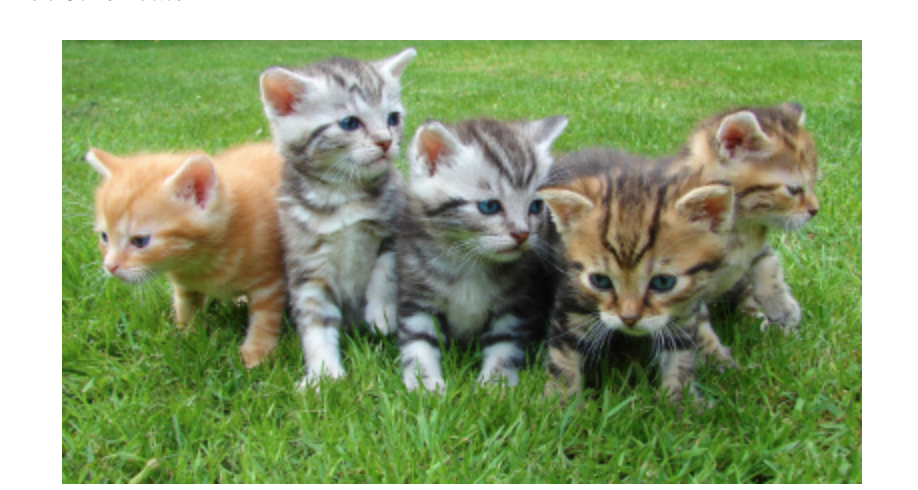
如果我们想把这个图片变成一个可点击的链接,那么我们可以把它放在一组锚标签里面:
<a href="https://en.wikipedia.org/wiki/Cat"><img src="https://cdn.freecodecamp.org/curriculum/cat-photo-app/cats.jpg" alt="Five cats looking around a field."/></a>
我们还可以添加target="_blank" 属性,使该链接在一个新的标签中打开:
<a target="_blank" href="https://en.wikipedia.org/wiki/Cat"><img src="https://cdn.freecodecamp.org/curriculum/cat-photo-app/cats.jpg" alt="Five cats looking around a field." /></a>
当你把鼠标悬停在图片上时,你会看到光标指针,表明它是一个链接,引导你进入一篇关于猫的文章。
总结
在这篇文章中,我们学习了如何在段落中嵌套锚标签,以及如何将图片变成链接。
为了在段落中添加链接,我们可以在段落标签中嵌套锚标签:
<p>I love <a href="https://www.freecodecamp.org/">freeCodeCamp</a></p>
要把图片变成链接,我们可以在锚标签内嵌套一个img 元素:
<a href="https://en.wikipedia.org/wiki/Cat"><img src="https://cdn.freecodecamp.org/curriculum/cat-photo-app/cats.jpg" alt="Five cats looking around a field."/></a>
我希望你喜欢这篇文章,祝你在编程之路上好运。
