

当你在学习网络开发时,你可能很快就会听到HTML和CSS。那么,这些工具是什么,你如何使用它们?
你可以把HTML想象成一栋房子的结构和框架。而当你想让这个结构看起来不错时,你就会添加油漆、装饰和其他功能。这种装饰就是CSS。
如何给HTML代码定型?
HTML是超文本标记语言的缩写。它是一个基于文本的文档,旨在显示在浏览器中。为了使HTML中包含的文本和其他嵌入式元素看起来不错,你需要添加CSS,即层叠样式表。
有3种不同的方式可以为你的HTML设置样式:
- 内联样式。
- 内部样式(也称为嵌入式CSS),以及
- 外部样式表。
在本教程中,我们将尽可能深入地探讨这三种样式设计方法。我们还将研究它们的优点和缺点,以便你可以在你的编码项目中开始使用它们,并选择最适合你的方式。
HTML模板
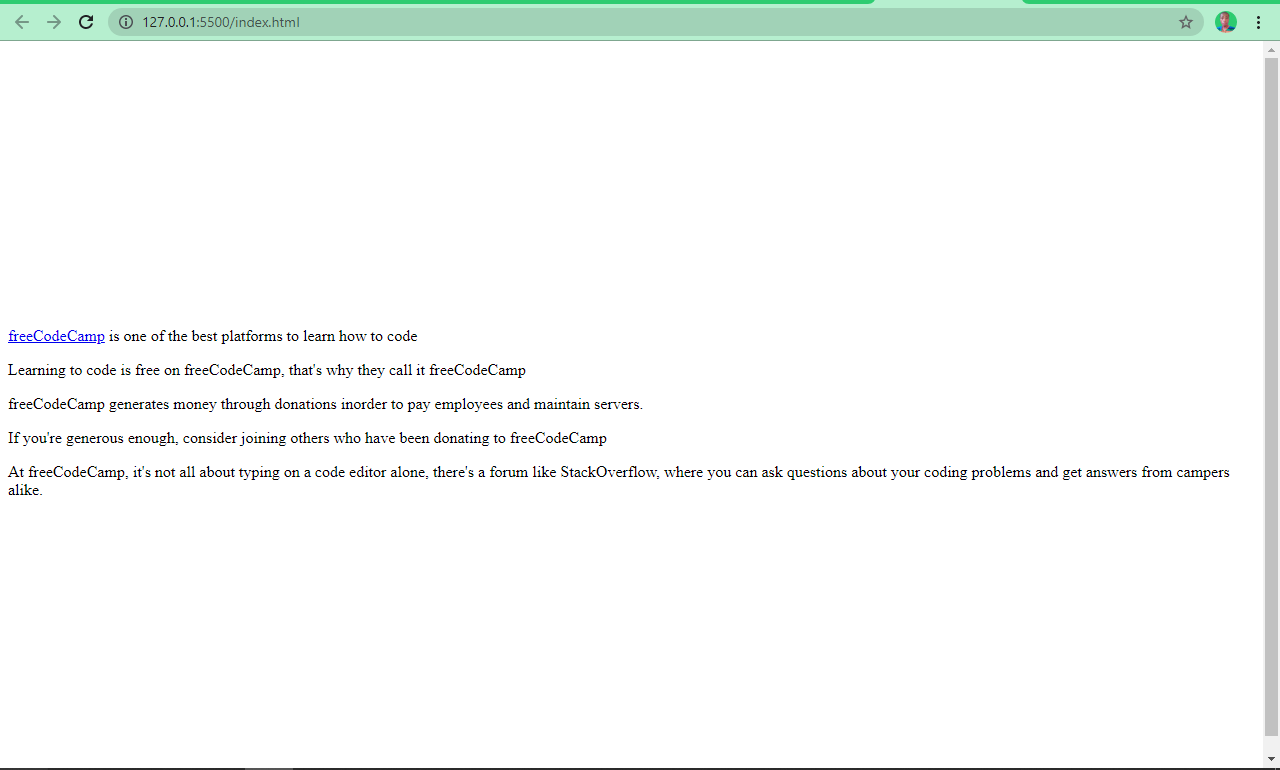
为了使本教程更容易,我准备了一个简单的HTML模板,我们将对其进行样式设计:
<article>
    <p class="paragraph-one">
      freeCodeCamp is one of the best platforms to learn how to code
    </p>
    <p class="paragraph-two">
      Learning to code is free on freeCodeCamp, that's why they call it
      freeCodeCamp
    </p>
    <p class="paragraph-three">
      freeCodeCamp generates money through donations inorder to pay employees
      and maintain servers.
    </p>
    <p id="paragraph-four">
      If you're generous enough, consider joining others who have been
      donating to freeCodeCamp
    </p>
    <p class="paragraph-five">
      At freeCodeCamp, it's not all about typing on a code editor alone,
      there's a forum like StackOverflow, where you can ask questions about
      your coding problems and get answers from campers alike.
    </p>
</article>
HTML中的内联样式
当你使用内联样式时,你直接用样式属性将它们添加到HTML标签中。
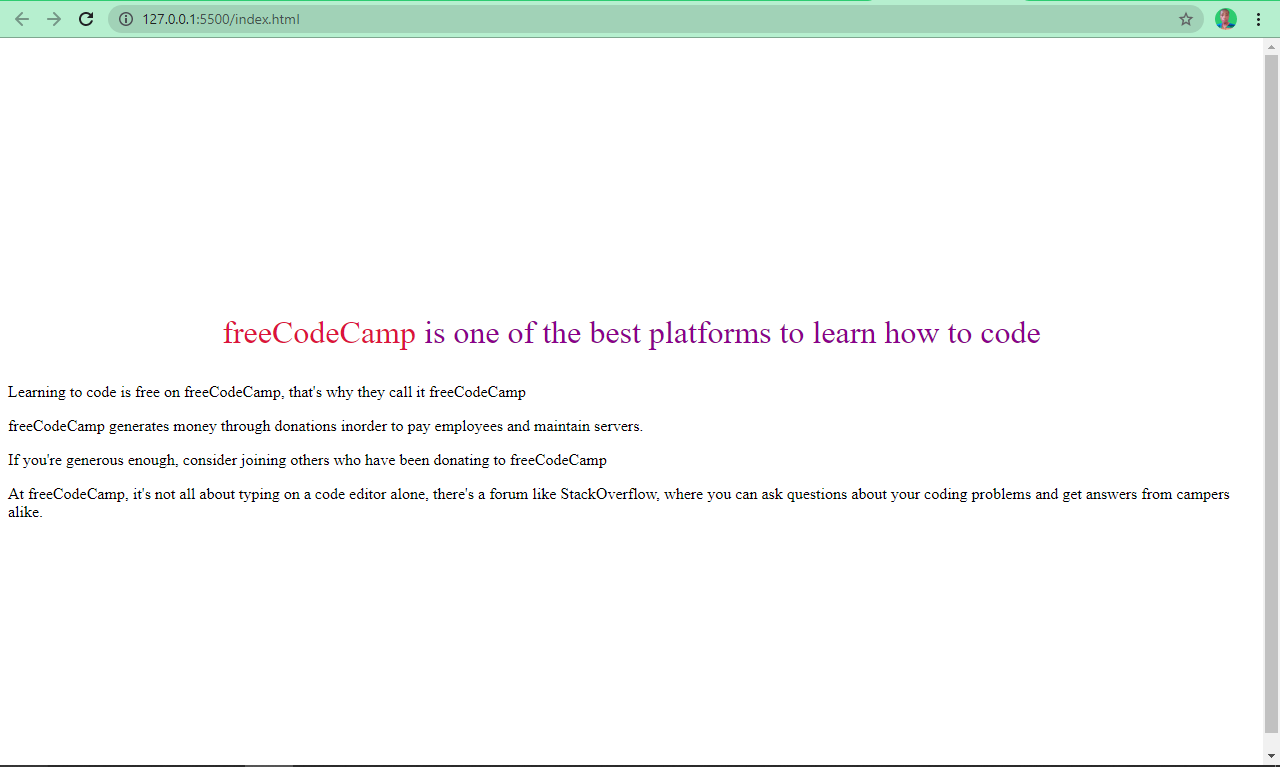
例如,在我们的HTML代码中,我们可以通过在开头的标签中直接写上CSS来为任何一个段落指定颜色。
此外,典型的做法是删除分配给链接的默认下划线和颜色,所以我们也可以在开头的<a> 标签内这样做:
<article>
   <p
     class="paragraph-one"
     style="color: darkmagenta; font-size: 2rem; text-align: center"
   >
     <a href="freecodecamp.org" style="text-decoration: none; color: crimson"
       >freeCodeCamp</a
     >
     is one of the best platforms to learn how to code
   </p>
   <p class="paragraph-two">
     Learning to code is free on freeCodeCamp, that's why they call it
     freeCodeCamp
   </p>
   <p class="paragraph-three">
     freeCodeCamp generates money through donations inorder to pay employees
     and maintain servers.
   </p>
   <p id="paragraph-four">
     If you're generous enough, consider joining others who have been
     donating to freeCodeCamp
   </p>
   <p class="paragraph-five">
     At freeCodeCamp, it's not all about typing on a code editor alone,
     there's a forum like StackOverflow, where you can ask questions about
     your coding problems and get answers from campers alike.
   </p>
 </article>
你能看到现在第一段的可读性下降了吗?这就是使用内联样式的缺点之一,我们将在下面看到。
我们的网页现在看起来像下面的截图:
内联样式的优点
- 适合于快速修复。
- 采取最高的特殊性,所以它可以覆盖任何用内联样式或外部样式表设置的样式。
- 你不需要在文件之间切换或滚动到头部部分来修改CSS
- 浏览器总是在显示网页之前下载HTML、CSS和JavaScript文件,所以使用内联CSS,需要下载的文件更少。
内联样式的缺点
- 使得HTML变得混乱,更难维护,可读性更差。
- 不能在多个HTML文件中重复使用
- 你可能最终会覆盖内部样式或外部样式表。
- 你的样式选择有限
HTML中的内部样式
当你使用内部样式时,你把样式嵌入到HTML文件的样式标签中。你通常把它们放在头部,但它在任何地方都可以使用,甚至在HTML标签的开头和结尾之外(但不要这样做,因为这是一个坏的做法)。
我们可以像这样给我们的HTML代码应用一些内部样式:
<style>
   * {
     padding: 0;
     margin: 0;
     box-sizing: border-box;
 }
 body {
      display: flex;
      align-items: center;
      justify-content: center;
      height: 100vh;
   }

 .paragraph-two {
     font-size: 1.5rem;
      }

 .paragraph-one a {
      text-decoration: none;
      color: crimson;
      font-size: 2rem;
      font-weight: bolder;
     }
 </style>
</head>
 <body>
 <article>
   <p class="paragraph-one">
     <a href="freecodecamp.org">freeCodeCamp</a>
     is one of the best platforms to learn how to code
   </p>
   <p class="paragraph-two">
     Learning to code is free on freeCodeCamp, that's why they call it
     freeCodeCamp
   </p>
   <p class="paragraph-three">
     freeCodeCamp generates money through donations inorder to pay employees
     and maintain servers.
  </p>
   <p id="paragraph-four">
     If you're generous enough, consider joining others who have been
     donating to freeCodeCamp
   </p>
   <p class="paragraph-five">
     At freeCodeCamp, it's not all about typing on a code editor alone,
     there's a forum like StackOverflow, where you can ask questions about
     your coding problems and get answers from campers alike.
   </p>
 </article>
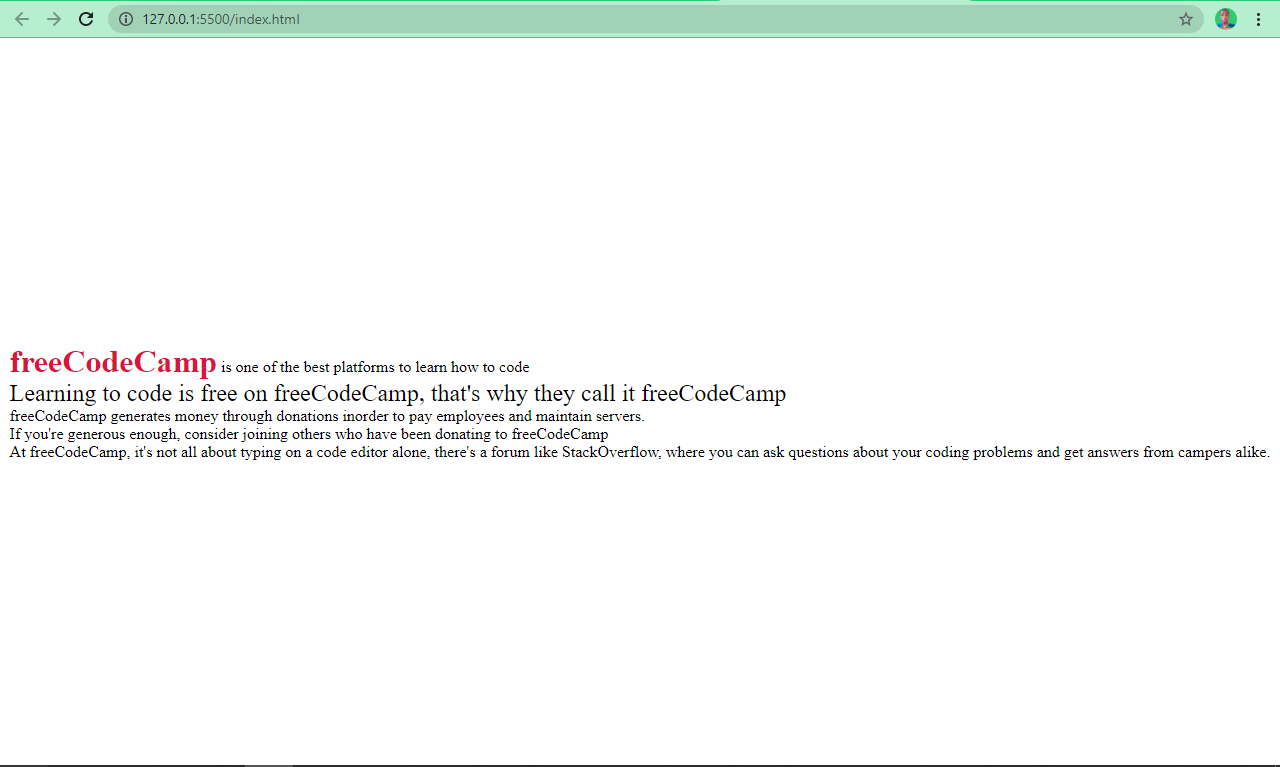
你可以看到,当我们使用内部样式时,我们现在有更多的样式选择。
内部样式的优点
- 减少了浏览器需要下载的文件数量
- 不用在不同的文件之间切换来修改CSS
- 有更多的样式选择,因为你可以使用组合器、类选择器和ID选择器。
如果你想知道什么是组合器,它们是用来连接不同选择器的符号。一个例子是一个空格(),用于选择一个元素的下一个子代,比如任何一段(p ),在一个div 。
类选择器用点表示 (.),id选择器用# 表示。
内部样式的缺点
- 它们不能在多个HTML文件中重复使用。要在另一个HTML文件中添加相同的样式,你需要在头部再次包含它
- 它增加了HTML文件的大小,这可能导致加载速度变慢。
我们的网页现在看起来像这样:
HTML中的外部样式表
这被认为是对你的HTML代码进行样式化的最佳方式。外部样式表是完全独立于HTML的,你把它们放在一个CSS文件中(扩展名是.css )。
要在你的HTML中使用外部样式表,你要在标题中用link标签将它们连接起来。
链接标签的基本语法看起来像这样:
<link rel="stylesheet" href="path-to-css-file">
为了给我们的HTML代码添加样式,我们需要创建一个CSS文件并链接它。链接后,我们的完整HTML文件现在看起来像这样:
<!DOCTYPE html>
<html lang="en">
  <head>
    <meta charset="UTF-8" />
    <meta http-equiv="X-UA-Compatible" content="IE=edge" />
    <meta name="viewport" content="width=device-width, initial-scale=1.0" />
    <title>How to Style HTML</title>
    <link rel="stylesheet" href="styles.css" />
  </head>
  <body>
    <article>
      <p class="paragraph-one">
        <a href="freecodecamp.org">freeCodeCamp</a>
        is one of the best platforms to learn how to code
      </p>
      <p class="paragraph-two">
        Learning to code is free on freeCodeCamp, that's why they call it
        freeCodeCamp
      </p>
      <p class="paragraph-three">
        freeCodeCamp generates money through donations inorder to pay employees
        and maintain servers.
      </p>
      <p id="paragraph-four">
        If you're generous enough, consider joining others who have been
        donating to freeCodeCamp
      </p>
      <p class="paragraph-five">
        At freeCodeCamp, it's not all about typing on a code editor alone,
        there's a forum like StackOverflow, where you can ask questions about
        your coding problems and get answers from campers alike.
      </p>
    </article>
</body>
</html>
你可能想知道为什么CSS文件的路径只有style.css ,这也是文件名。这是因为HTML和CSS文件是在同一个目录下。如果你把样式表放在另一个文件夹里,你必须在文件名前加上文件夹的名称。
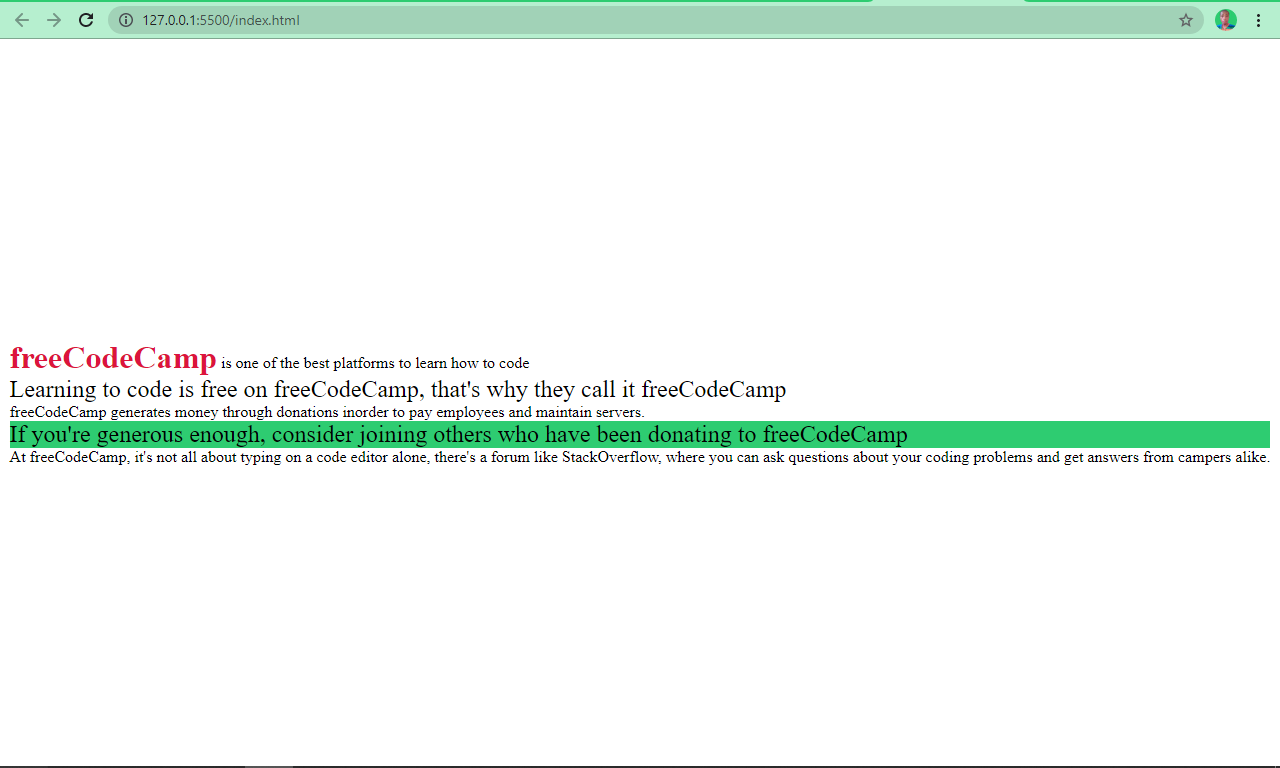
让我们在外部样式表中为我们的HTML应用一些样式:
外部样式表的优点
- 使得样式可以在多个HTML文件中重复使用
- 它更容易维护
- 浏览器在初次加载时对其进行了缓存,使得后续页面的渲染更容易,耗时更少。
- 它可以被托管在CDN上,因此带宽变得最小,并且可以很容易地在世界不同地区传输。
外部样式表的缺点
- 它增加了浏览器需要下载的文件数量
- 浏览器必须对每个文件进行额外的HTTP请求。
总结
我希望本教程能帮助你了解到各种可以为你的HTML设置样式的方法。
现在你也知道了每种方法的优点和缺点,所以你可以选择最适合你的方法。
谢谢你的阅读,并继续编码。
