一、界面搭建
- 使用vue2+Cesium开源引擎开发;
- UI组件使用iview、echarts等;
二、实现功能
2.1 可视化菜单:
2.1.1 移动平台运行轨迹
- 无人机飞行仿真
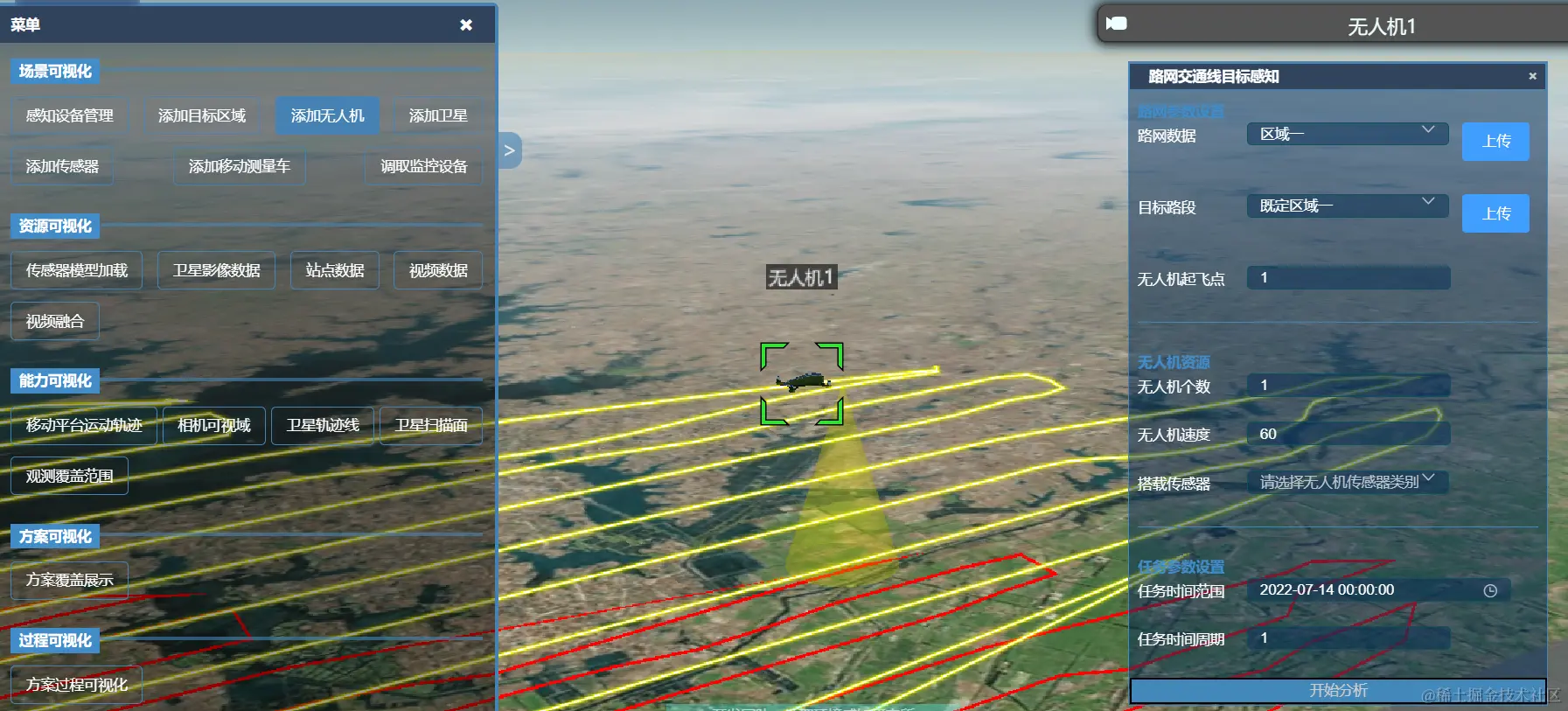
//加载无人机路径函数
startAnalyse() {
if (drone) {
drone.EndRoaming()
console.log('delete drone')
}
let shpPath
if (this.droneForm.roadLines === 'uavlines') {
shpPath = "static/shp/drone/uavline092301.shp"
} else {
shpPath = this.upLoadData
}
let position1 = Cesium.Cartesian3.fromDegrees(
112.62,
30.29,
0
)
if(this.viewer.entities.getById('cugBuildings')){
this.viewer.entities.removeById('cugBuildings')
}
let buildings = this.viewer.entities.add({
id: 'cugBuildings',
position: position1,
model: {
uri: "static/models/building_0.glb",
minimumPixelSize: 1000,
maximumScale: 2000,
},
})
/* 加载线数据 */
let ds6 = shpToGeojson(
this.viewer,
shpPath,
[1.0, 0.0, 0.0, 1.0],
"线",
0.0,
"polyline"
)
let position
let velocity = parseInt(this.droneForm.velocity)
let startPoint = parseInt(this.droneForm.startPoint)
ds6.then((res) => {
let dataSource = res[0]
let polyline = res[1][0].polyline
position = polyline.positions._value
drone = new DroneRoaming(this.viewer, {
name: "无人机1",
pathColor: Cesium.Color.YELLOW,
uri: `static/models/CesiumDrone.glb`,
velocity: velocity, //km/h
position: position,
startPoint: startPoint,
startTime: this.droneForm.date1,
dataSource: dataSource,
sensorType:this.droneForm.sensorType,
scanItem: [
{
type: "建筑物",
lon: -112,
lat: 30,
sum: 85,
},
],
})
console.log(drone.startTime)
console.log(this.droneForm.date1)
})
},
- 卫星轨迹模拟
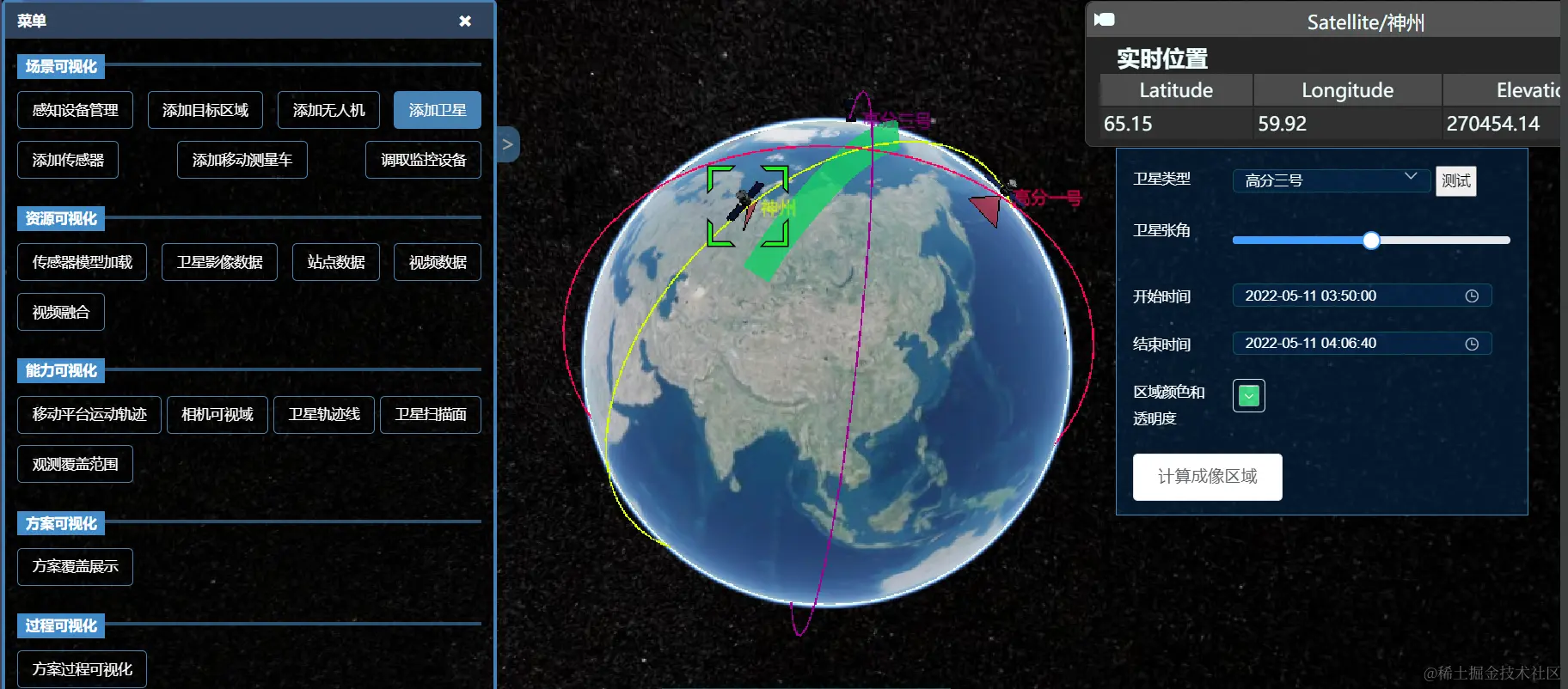
//卫星扫描
CalScan() {
let arr = this.satForm.color
.split("(")[1]
.split(")")[0]
.split(",")
let r = parseFloat(arr[0])
let g = parseFloat(arr[1])
let b = parseFloat(arr[2])
let a = parseFloat(arr[3])
this.satModel.forEach((item) => {
if (item.sat) {
let sat1
item.sat.then(res => {
if(this.viewer.entities.getById(res.name+'tri')){
this.viewer.entities.removeById(res.name+'tri')
}
let ellipsoid = this.viewer.scene.globe.ellipsoid
sat1 = res.entities.getById(item.id)
let time = this.viewer.clock.startTime
let posArr=this.timePositionChange(sat1,time,ellipsoid)//卫星开始时间的经纬度
//扫描线
let coordinates = []
let julian_start = Cesium.JulianDate.fromDate(this.satForm.startTime)
let julian_end = Cesium.JulianDate.fromDate(this.satForm.endTime)
for (let ind = 0
let current = Cesium.JulianDate.addSeconds(julian_start, 300 * ind, new Cesium.JulianDate())
if(Cesium.JulianDate.lessThanOrEquals(current,julian_end)){
let LineArr=this.timePositionChange(sat1,current,ellipsoid)
coordinates.push(...LineArr)
}else{
break
}
}
let yellowLine = this.viewer.entities.add({
id: res.name,
polyline: {
positions:Cesium.Cartesian3.fromDegreesArray(coordinates),
width: new Cesium.CallbackProperty(()=>{
return this.satForm.triAngle/2
},false),
material: new Cesium.Color(r / 255, g / 255, b / 255, a),
},
})
})
}
})
},
2.1.2 感知资源可视化
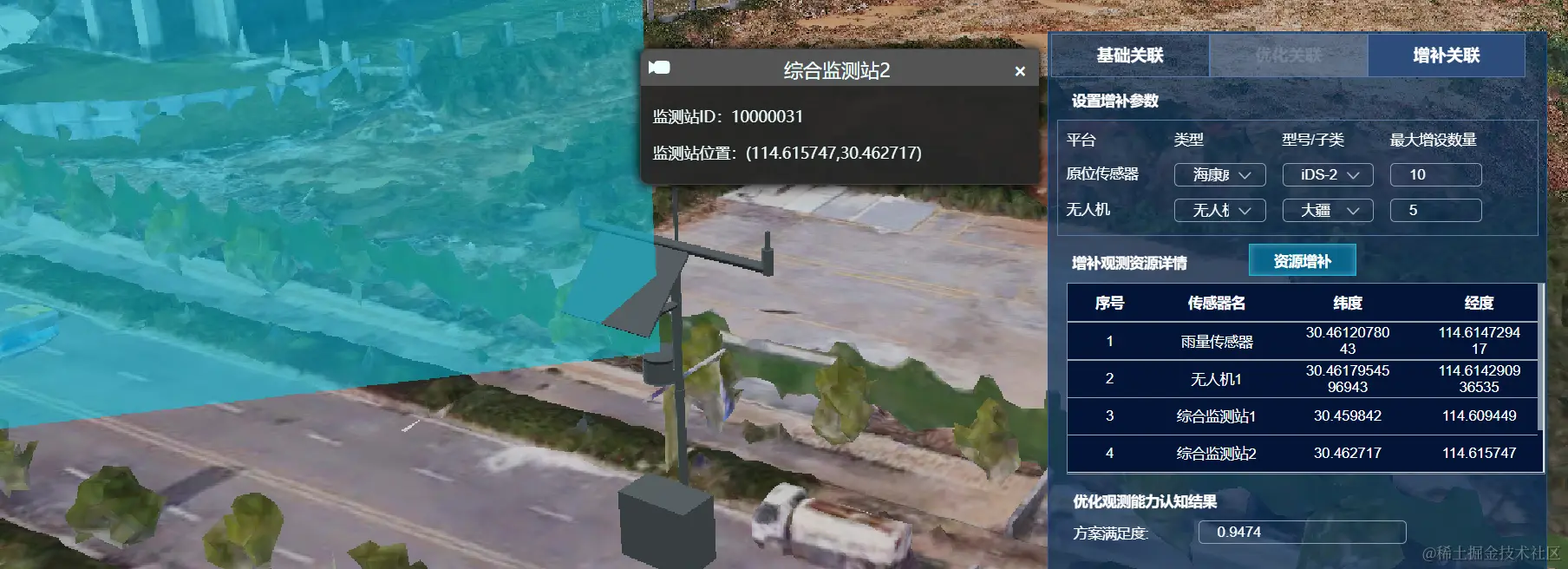
- 三维模型
- 二维站点
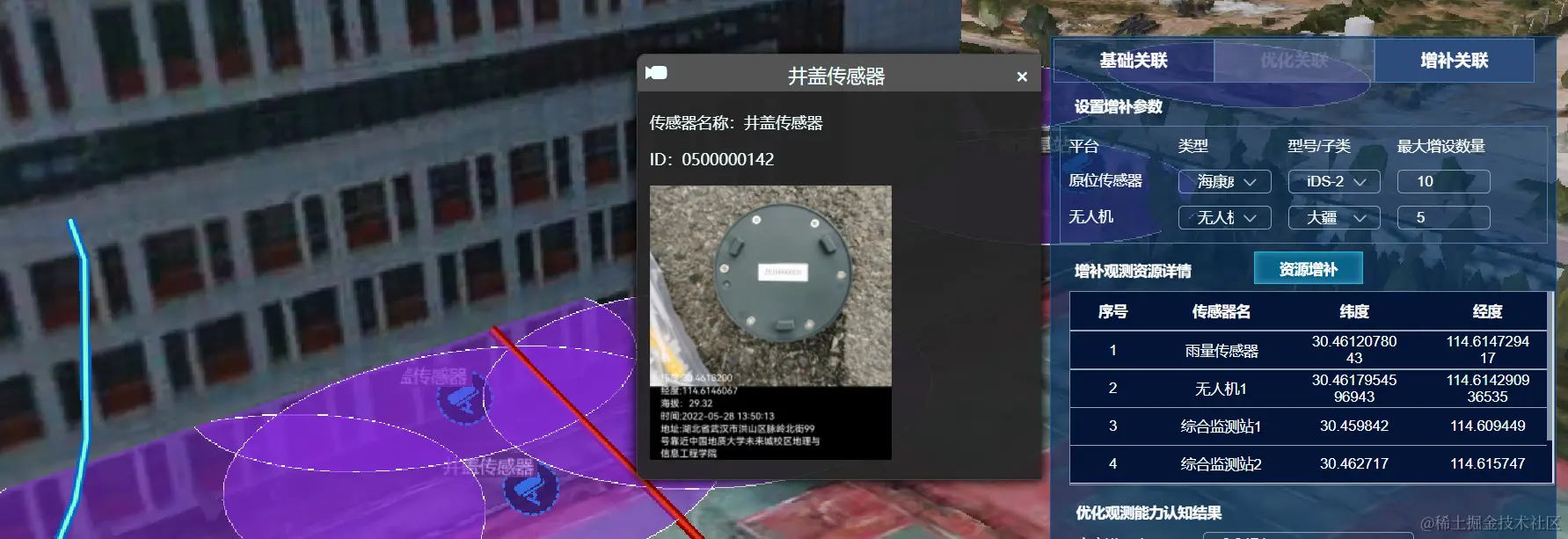
setVideoFusion(){
this.videoShow =! this.videoShow
this.load3dTilesWL()
this.initPoints()
this.viewer.entities.add({
position:Cesium.Cartesian3.fromDegrees(114.61360738763466,30.461423820341555,2.5),
model:{
uri : 'static/models/security_camera/scene.gltf',
scale:0.001
},
orientation: Cesium.Transforms.headingPitchRollQuaternion(
Cesium.Cartesian3.fromDegrees(114.61360738763466,30.461423820341555,2.5),
new Cesium.HeadingPitchRoll(
Cesium.Math.toRadians(90),
Cesium.Math.toRadians(0),
Cesium.Math.toRadians(0)
)
),
})
let videoElement = document.getElementById('trailer');
this.viewer.entities.add({
polygon: {
hierarchy: Cesium.Cartesian3.fromDegreesArrayHeights([
114.61360738763466,30.461423820341555,-4,
114.61379802554978,30.46151654173604,-4,
114.6138444472168,30.46138124628038,-4,
114.61360738763466,30.461423820341555,-4,
]),
clampToGround: true,
material: videoElement,
classificationType: Cesium.ClassificationType.BOTH
}
});
},
2.1.3 感知过程可视化
- 卫星仿真覆盖时间轴

//加载时间轴
document.getElementById("ccanvas").innerHTML =
"<canvas id='timeline' width='" +
window.innerWidth * 0.85 +
"'" +
"height=" +
80 +
"'" +
" style='cursor: pointer
//align-self: flex-end
var alldatas = timecell
this.cells = alldatas.map(function (i) {
var r = new TimeCell(i)
r.isCall = 0
return r
})
this.TL = $("#timeline")
this.TL.TimeSlider({
init_cells: alldatas,
})
this.TL.TimeSlider(this.AutomaticMode())
//设置时间轴的时间
var settime = (nativeTime, location) => {
clearInterval(this.setTimeMove)
this.__time = new Date(nativeTime).getTime()
this.TL.TimeSlider("set_time_to_middle", this.__time)
this.AutomaticMode()
}
//筛选标签
var filter_tag = (filters) => {
clearInterval(this.setTimeMove)
var tmpalldatas = new Array(filters.length)
if (filters.length > 0) {
tmpalldatas = alldatas.filter(function (i) {
if (i.group != null && i.group.search(",") != -1) {
var j
var len = i.group.split(",")
for (j = 0
if (filters.split(",").indexOf(len[j]) >= 0) {
return filters.split(",").indexOf(len[j]) >= 0
}
}
} else {
return filters.split(",").indexOf(i.group) >= 0
}
})
} else {
tmpalldatas = alldatas
}
//重置时间轴
this.TL.TimeSlider("init", this.__time, tmpalldatas)
var tmpcells = tmpalldatas.map(function (i) {
var r = new TimeCell(i)
r.isCall = 0
return r
})
//重置时间轴上的事件
this.ValueChange(new Date(2020, 2, 18, 14, 23, 30, 0).getTime(), false)
this.cells = tmpalldatas.map(function (i) {
var r = new TimeCell(i)
r.isCall = 0
return r
})
this.AutomaticMode
}