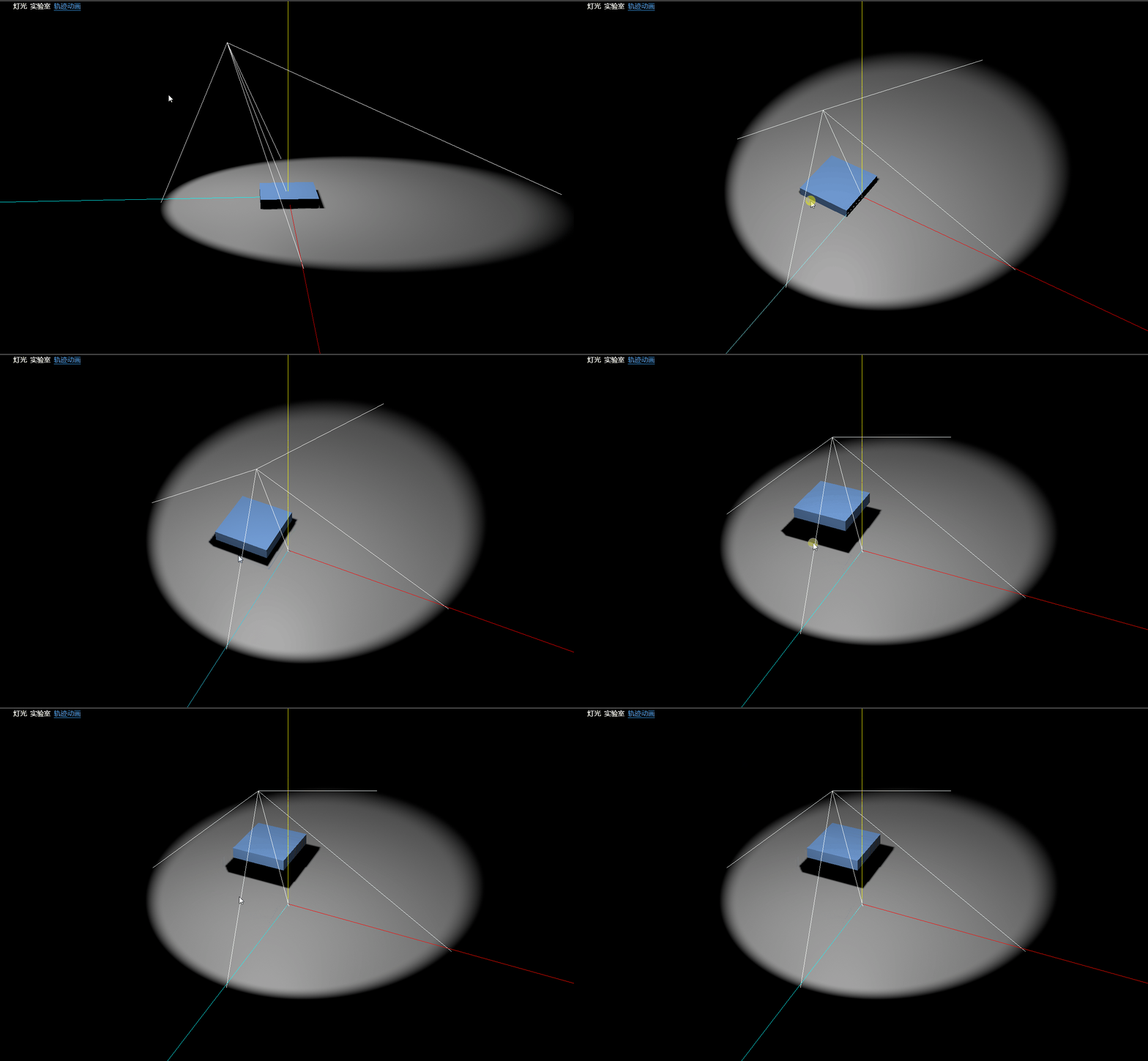
灯光 - 聚光灯
const spotLight = new THREE.SpotLight(0xffffff);
spotLight.position.set(10, 10, 10);
spotLight.angle = Math.PI / 7;
spotLight.penumbra = 0.1;
spotLight.decay = 1;
spotLight.distance = 200;
spotLight.power = parseInt(lux) / 150
spotLight.castShadow = true;
spotLight.shadow.mapSize.width = 512;
spotLight.shadow.mapSize.height = 512;
spotLight.shadow.camera.near = 10;
spotLight.shadow.camera.far = 200;
spotLight.shadow.focus = 1;
spotLight.target = target
SpotLight
色温所对应颜色表
轨迹动画
物体位置移动动画
export function positionAnimation(box, positions, onFinished) {
const DURATION = 3
const animationGroup = new THREE.AnimationObjectGroup()
animationGroup.add(box)
const times = Array.from({length: positions.length / 3}, (_, i) => i)
const frameKey = new THREE.VectorKeyframeTrack('.position', times, positions)
const clip = new THREE.AnimationClip('default', DURATION, [frameKey])
const mixer = new THREE.AnimationMixer(animationGroup)
const clipAction = mixer.clipAction(clip)
clipAction.play()
clipAction.setLoop(THREE.LoopOnce)
clipAction.clampWhenFinished = true
const callback = (e) => {
onFinished && onFinished(e)
mixer.removeEventListener('finished', callback)
}
mixer.addEventListener('finished', callback)
const clock = new THREE.Clock();
const update = () => {
mixer.update(clock.getDelta());
}
return update
}
使用方式
const material = new THREE.MeshPhongMaterial( { color: 0x4080ff, dithering: true } );
const geometry = new THREE.BoxGeometry(15, 3, 15);
const mesh = new THREE.Mesh( geometry, material );
mesh.position.set( 0, 0, 0 );
const positions = [
0, 0, 0,
-10, 0, 0,
-10, 10, 0,
-10, 10, -10
]
const update = positionAnimation(mesh, positions, () => {
console.log('播放结束了')
})
function animate() {
update();
renderer.render( scene, camera );
requestAnimationFrame(animate);
}
animate()