

当任何 Python 脚本执行时,都会设置一些特殊的变量。__name__变量就是其中之一。Python 文件以**'.py'为扩展名保存,每个 Python 文件都被称为一个模块。类、函数和变量是由模块定义的。如果 Python 解释器在主程序中运行一个模块,则__name__变量被设置为__main__。如果 Python 文件从另一个模块导入模块,__name__**变量被设置为模块的名称。**if __name__ == __main__'**语句被用来检查模块是否被导入。本教程中已经展示了该语句的不同用法。
例一:__name__变量的简单使用
用下面的脚本创建一个 Python 文件,如果**__name__变量的值是__main__,则调用main()**函数。main()函数已经在脚本中声明,以定义语句。在调用main()函数后,将打印出一个字符串值和一个数字值。脚本中没有导入任何模块。所以,'if'语句将返回True,**main()**函数将被调用。
#Define the main function

def main():

#Print a simple message

print("Testing the use of __name__ variable.")

#Initialize the variable with the number

n = 15

#Print the value of the variable

print("The value of n is ", n)

#Check the value of __name__

if __name__ == "__main__" :

#Call the main() function

main()
输出
在执行上述脚本之后,会出现以下输出。该输出显示**"if "条件已经返回True,并且main()**函数已经被调用。

例 2: 打印 __name__ 变量的值
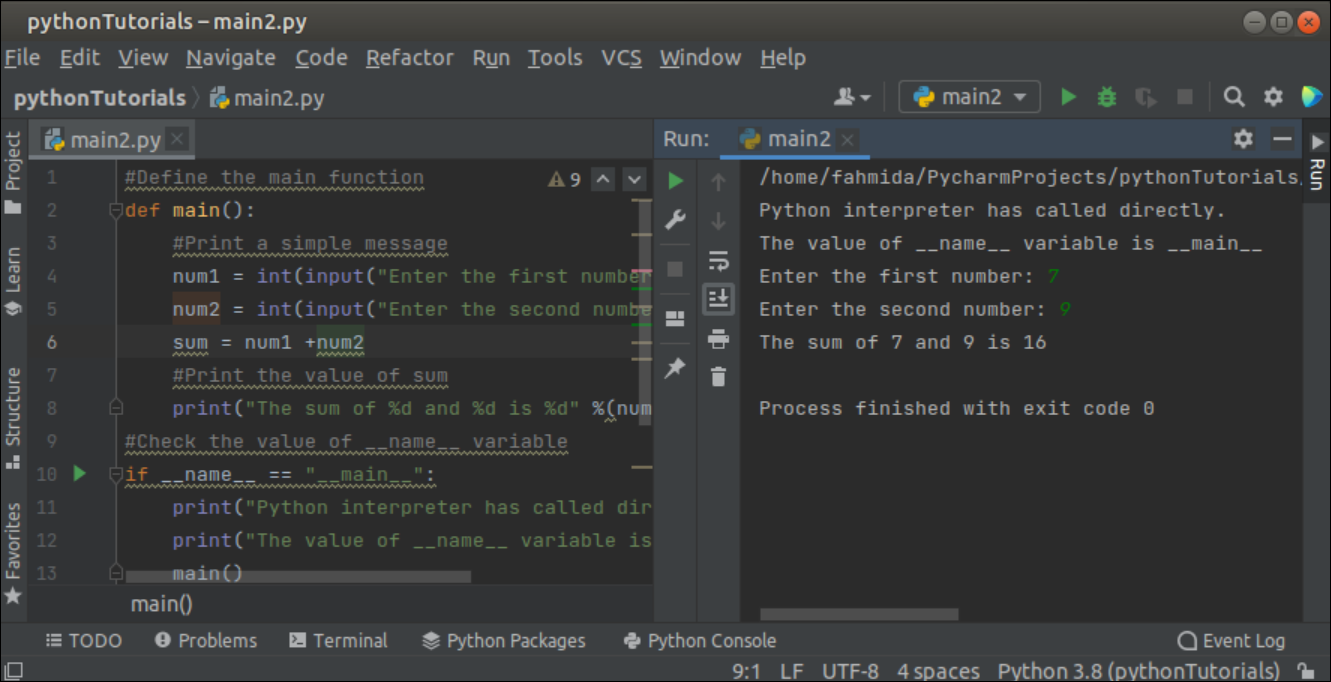
用下面的脚本创建一个 Python 文件,如果**__name__变量的值是__main__,就像前面的例子一样,调用main()函数。将从用户那里获取两个数字值,并在调用main()函数后打印数字的总和。if'条件将检查__name__变量的值。如果条件返回True**,那么将打印一条信息,__name__变量的值将被打印出来,main函数将被调用。如果条件返回False,那么将打印一条消息,并打印__name__变量的值。
#Define the main function

def main():

#Print a simple message

num1 = int(input("Enter the first number: "))

num2 = int(input("Enter the second number: "))

sum = num1 +num2

#Print the value of sum

print("The sum of %d and %d is %d" %(num1, num2, sum))

#Check the value of __name__ variable

if __name__ == "__main__":

print("Python interpreter has called directly.")

print("The value of __name__ variable is "+__name__)

main()

else:

print("Python interpreter has not called directly.")

print("Value of __name__ attribute is "+__name__)
输出
执行上述脚本后会出现以下输出。输出显示main()函数已经被调用,因为__name__变量的值是**__main__**。7和9已经被作为用户的输入,7和9的总和是16,已经被打印在输出中。
例三:在类中使用 __name__ 变量
用下面的脚本创建一个Python文件,定义一个类来计算圆和矩形的面积。如果 __name__变量的值是**__main__,那么将从用户那里获得输入。接下来,该类的对象将被创建。如果输入值为'circle',circle_area() 方法将被调用。如果输入值为"矩形",将调用rectangle_area()方法。如果输入值与"圆 "或"矩形 "**不匹配,将打印一条信息。
#Declare the class

class CalculateArea:

#Declare constructor

def __init__(self, type):

self.type = type

#Declare method for calculating circle area

def circle_area(self, radius):

self.radius = radius

area = 3.14 * self.radius * self.radius

print("The area of the circle is ", area)

#Declare method for calculating rectangle area

def rectangle_area(self, h, w):

self.height = h

self.width = w

area = self.height * self.width

print("The area of the rectangle is ", area)

#Check the __name__ variable

if __name__ == '__main__':

areaType = input("Circle or Rectangle?\n")

object = CalculateArea(areaType.lower())

if object.type == 'circle':

object.circle_area(4)

elif object.type == 'rectangle':

object.rectangle_area(10, 20)

else:

print("No matching type found.")
输出

执行上述脚本后会出现以下输出。在下面的输出中,'**circle'**已经被作为输入值,半径为4的圆的面积已经被打印在输出中。
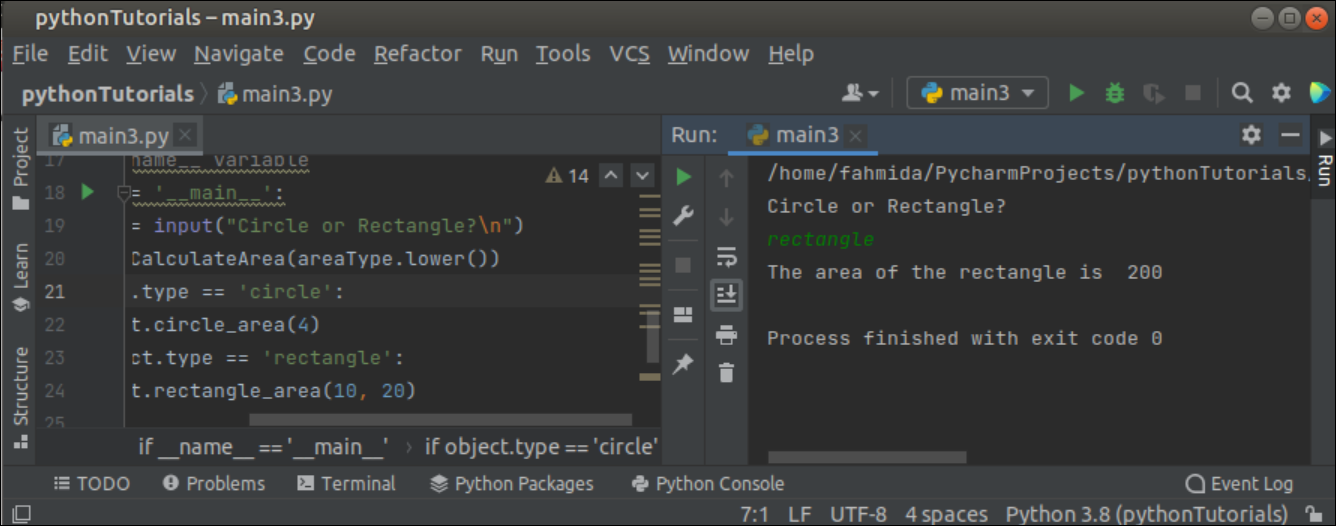
在下面的输出中,"**矩形 "**被作为输入值,矩形的面积(高度为10,宽度为20)已被打印在输出中。
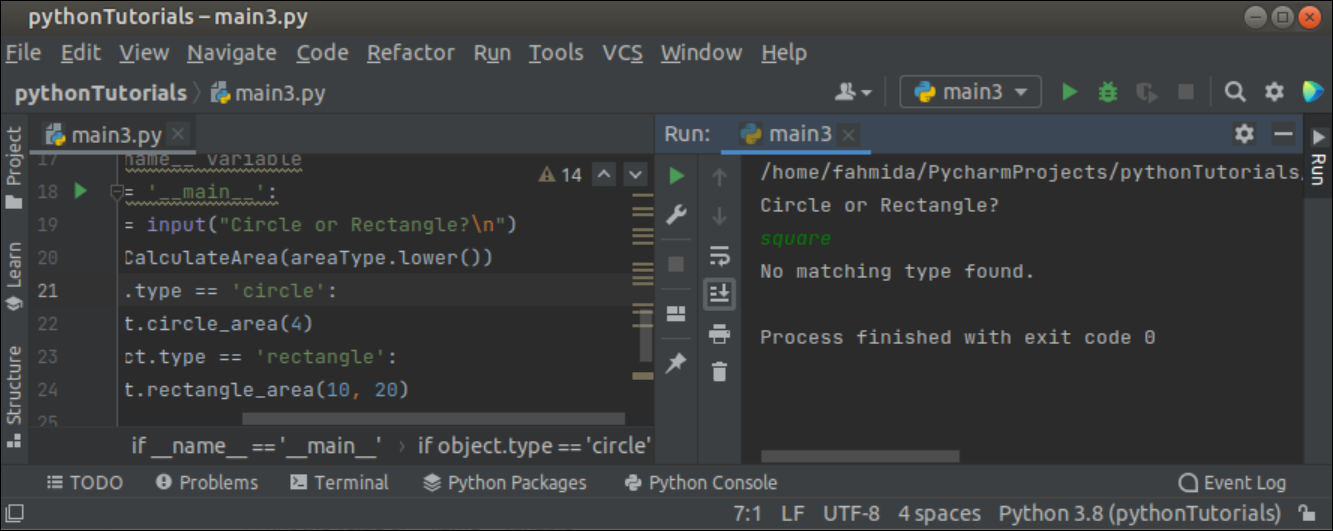
在下面的输出中,'**正方形'**被作为输入值,与'**圆'**或'矩形'不匹配。
例子-4:导入一个模块后__name__变量的使用
创建一个名为file1.py的 Python 文件,其中包含以下脚本,它将被导入另一个 Python 文件。这个脚本将打印一个简单的信息,以及一个基于**__name__**变量的信息。
file1.py

# Python file one module

#Print a simple message

print("Message from file1.py")

#Print the value of __name__ variable

print("The value of __name__ is ", __name__)

if __name__ == "__main__":

print("Python interpreter has called directly.")

else:

print("Python interpreter has not called directly.")
用下面的脚本创建另一个Python文件,该脚本将导入file1.py 作为脚本中的一个模块。这个脚本将打印一个简单的信息,以及在导入file1模块后基于**__name__**变量的信息。
#Import file1.py

import file1

#Print a simple message

print("Welcome to LinuxHint")

#Print the value of __name__ variable

print("The value of __name__ is ", __name__)

if __name__ == "__main__":

print("Python interpreter has called directly.")

else:

print("Python interpreter has not called directly.")
输出
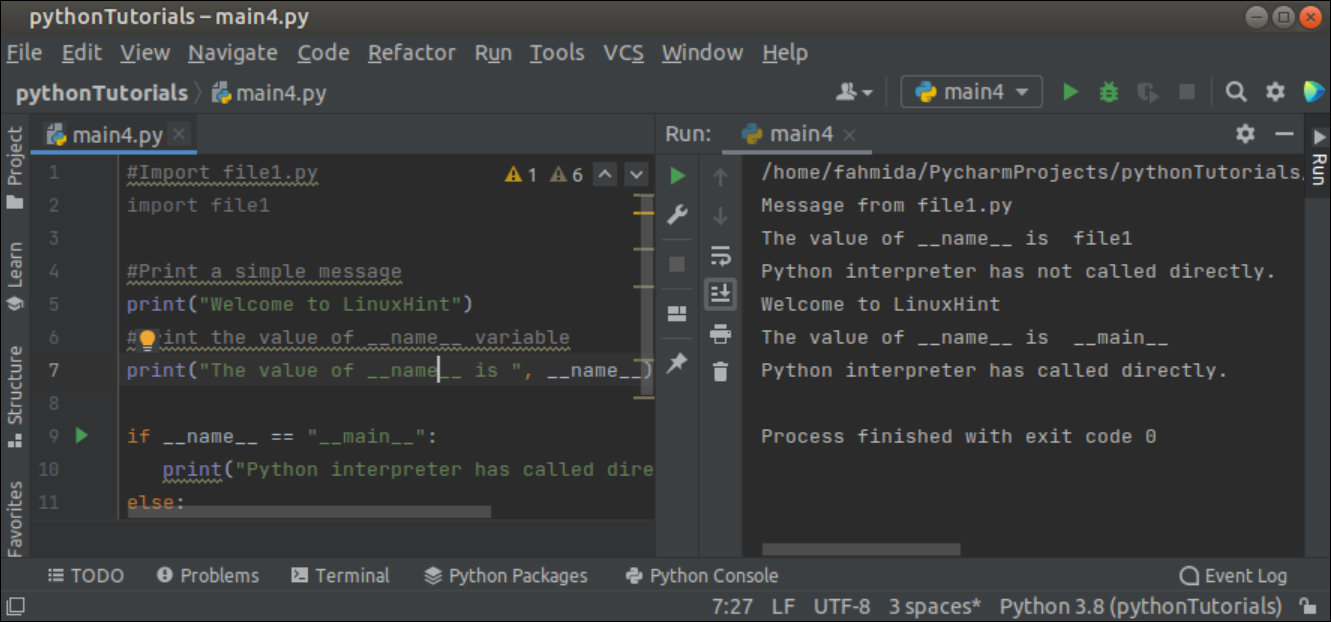
执行上述脚本后会出现以下输出。输出显示,在脚本中导入另一个模块后, __name__变量的值被改为模块名称。
结论
本教程通过不同类型的例子解释了使用**__name__**变量的目的,以帮助用户在他们的脚本中正确使用它。

