案例:天气预报
案例展示:
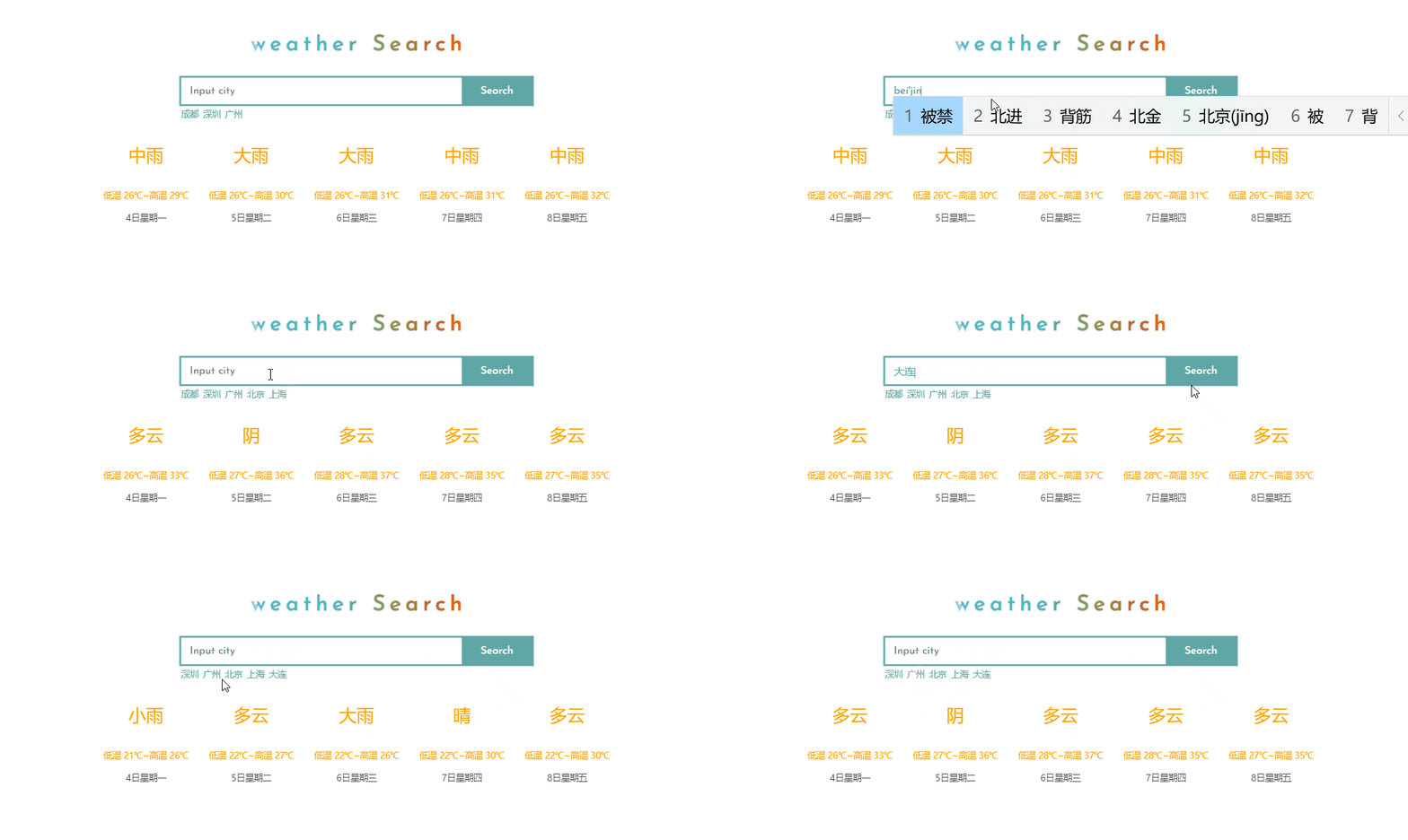
主体:
<section class="weather" id="weather" @keyup.enter="getWeather()">
<header class="main-head">
<h2>weather Search</h2>
</header>
<section class="main-search">
<div class="search-city">
<input type="text" placeholder="Input city" class="text-search" v-model="city">
<input type="button" value="Search" class="text-button" @click="getWeather()">
</div>
<div class="save-city">
<span v-for="item in aCity" @click="getWeather(item)">{{item}}</span>
</div>
</section>
<footer class="main-showInfo">
<div class="weather-text" v-for="item in oWeather">
<div class="weather-top" v-text="item.type"></div>
<div class="weather-mid">{{item.low}}~{{item.high}}</div>
<div class="weather-bom" v-text="item.date"></div>
</div>
</footer>
</section>
功能:
- 输入框数据回车查询 -
v-on:keyup.enter, v-for
- 点击查询按钮进行查询展示 -
v-on:click, v-for
- 查询过的数据进行缓存 -
v-model
- 创建axios查询实例进行数据查询
<script src="https://unpkg.com/axios/dist/axios.min.js"></script>
<script src="https://cdn.jsdelivr.net/npm/vue@2/dist/vue.js"></script>
<script>
let oVue = new Vue({
el: '#weather',
data: {
city: '',
aCity: [],
oWeather: {}
},
methods: {
getWeather(inputCity) {
this.city = inputCity ? inputCity : this.city;
if (!!this.city) {
const that = this;
axios.get(`http://wthrcdn.etouch.cn/weather_mini?city=${that.city}`)
.then((res) => {
that.city = '';
const oData = res.data.data;
const bRepeat = that.aCity.findIndex((item) => {
return item === oData.city
}) > -1 ? true : false;
if (that.aCity.length >= 5 && !inputCity) {
that.aCity.shift()
}
if (!bRepeat) {
that.aCity.push(oData.city)
}
that.oWeather = oData.forecast
})
.catch((err) => {
alert(err)
})
}
}
}
})
</script>
样式:
<style>
@import url('https://fonts.googleapis.com/css2?family=Josefin+Sans:wght@500&family=ZCOOL+XiaoWei&display=swap');
* {
margin: 0;
padding: 0;
box-sizing: border-box;
}
ul li {
list-style: none;
}
.weather {
display: flex;
flex-direction: column;
width: 100%;
height: 600px;
margin: 100px auto;
text-align: center;
align-items: center;
justify-content: center;
}
.main-head {
flex: 1;
display: flex;
}
.main-head h2 {
margin: auto;
font-size: 50px;
letter-spacing: 10px;
text-indent: 10px;
font-family: 'Josefin Sans', sans-serif;
-webkit-background-clip: text;
-moz-background-clip: text;
-ms-background-clip: text;
background-clip: text;
background-image: linear-gradient(45deg, rgb(128, 208, 226), rgb(47, 200, 234), rgb(153, 147, 68), rgb(255, 15, 15));
color: transparent;
}
.main-search {
flex: 1;
width: 800px;
flex-direction: column;
color: rgb(96, 166, 166);
}
.main-search .search-city {
display: flex;
font-size: 0;
box-shadow: 0px 0px 0px 4px rgb(96, 166, 166);
}
.main-search input {
outline: none;
border: none;
height: 60px;
font-family: 'Josefin Sans', sans-serif;
font-size: 24px;
vertical-align: bottom
}
.text-search {
flex: 8;
text-indent: 20px;
color: rgb(96, 166, 166);
}
.text-button {
flex: 2;
color: #fff;
background-color: rgb(96, 166, 166);
}
.main-search .save-city {
padding-top: 10px;
text-align: left;
}
.main-search .save-city span {
margin-right: 10px;
font-size: 20px;
cursor: pointer;
}
.main-search .save-city span:hover {
color: brown;
}
.main-showInfo {
flex: 2;
width: 1200px;
display: flex;
flex-direction: row;
}
.main-showInfo .weather-text{
flex: 1;
display: flex;
flex-direction: column;
height: 70%;
}
.weather-text div {
font-size: 20px;
color: orange;
}
.weather-text .weather-top {
flex: 2;
font-size: 40px;
}
.weather-text .weather-mid {
flex: 1;
}
.weather-text .weather-bom {
flex: 1;
color: rgb(80, 80, 80);
}
</style>