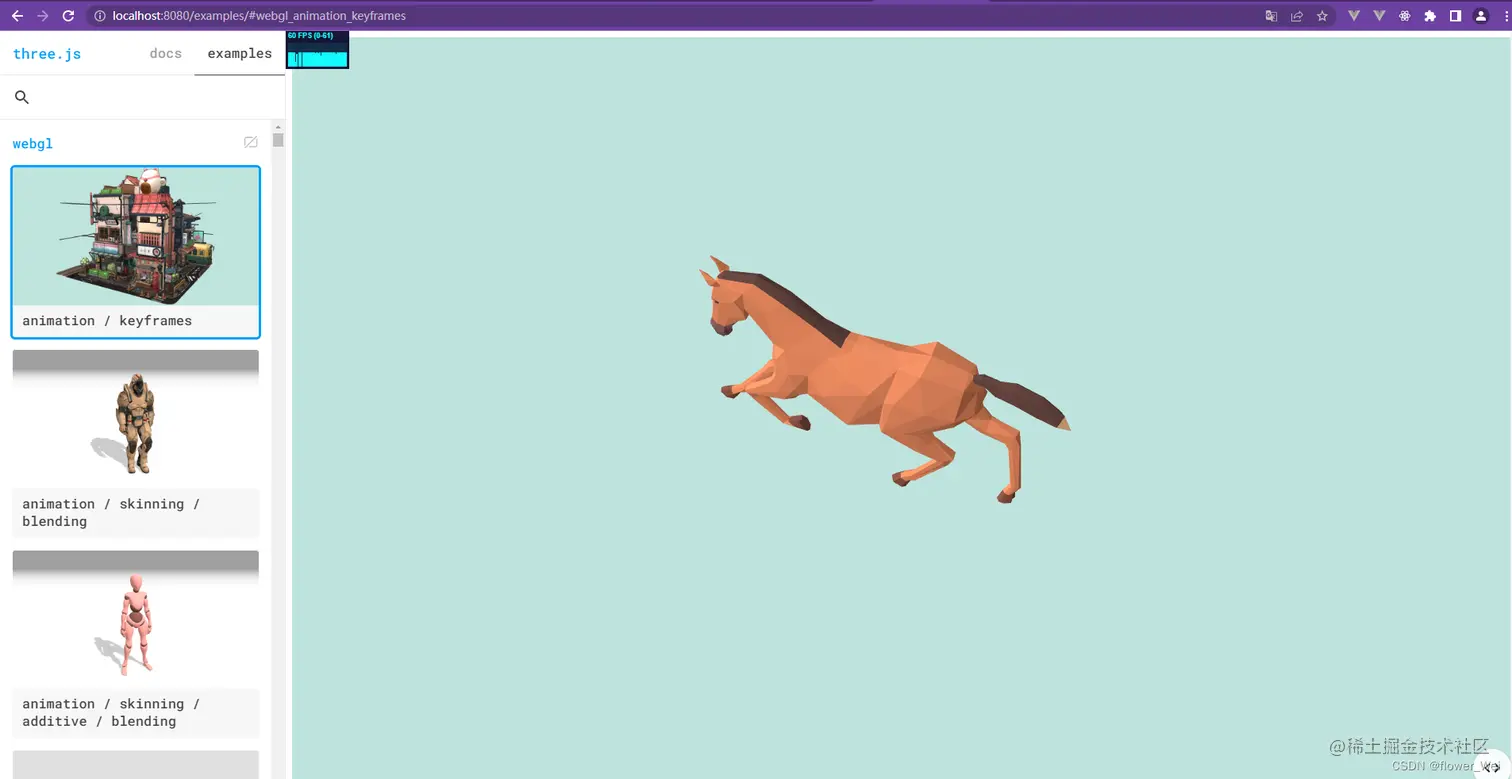
<!DOCTYPE html>
<html lang="en">
<head>
<title>three.js webgl - animation - keyframes</title>
<meta charset="utf-8">
<meta name="viewport" content="width=device-width, user-scalable=no, minimum-scale=1.0, maximum-scale=1.0">
</head>
<body>
<div id="container"></div>
<script type="importmap">
{
"imports": {
"three": "../build/three.module.js"
}
}
</script>
<script type="module">
import * as THREE from 'three';
import Stats from './jsm/libs/stats.module.js';
import { OrbitControls } from './jsm/controls/OrbitControls.js';
import { RoomEnvironment } from './jsm/environments/RoomEnvironment.js';
import { GLTFLoader } from './jsm/loaders/GLTFLoader.js';
import { DRACOLoader } from './jsm/loaders/DRACOLoader.js';
let mixer;
const clock = new THREE.Clock();
const container = document.getElementById( 'container' );
const stats = new Stats();
container.appendChild( stats.dom );
const renderer = new THREE.WebGLRenderer( { antialias: true } );
renderer.setPixelRatio( window.devicePixelRatio );
renderer.setSize( window.innerWidth, window.innerHeight );
renderer.outputEncoding = THREE.sRGBEncoding;
container.appendChild( renderer.domElement );
const pmremGenerator = new THREE.PMREMGenerator( renderer );
const scene = new THREE.Scene();
var point = new THREE.PointLight(0xffffff);
point.position.set(400, 200, 300);
scene.add(point);
var ambient = new THREE.AmbientLight(0x0000);
scene.add(ambient);
scene.background = new THREE.Color( 0xbfe3dd );
scene.environment = pmremGenerator.fromScene( new RoomEnvironment(), 0.04 ).texture;
const camera = new THREE.PerspectiveCamera( 40, window.innerWidth / window.innerHeight, 1, 100 );
camera.position.set( 5, 2, 8 );
const controls = new OrbitControls( camera, renderer.domElement );
controls.target.set( 0, 0.5, 0 );
controls.update();
controls.enablePan = false;
controls.enableDamping = true;
const dracoLoader = new DRACOLoader();
dracoLoader.setDecoderPath( 'js/libs/draco/gltf/' );
const loader = new GLTFLoader();
loader.setDRACOLoader( dracoLoader );
loader.load( 'models/gltf/Horse.glb', function ( gltf ) {
console.log("@@@",gltf)
const model = gltf.scene;
model.position.set( 1, 1, 0 );
model.scale.set( 0.01, 0.01, 0.01 );
scene.add( model );
mixer = new THREE.AnimationMixer( model );
mixer.clipAction( gltf.animations[ 0 ] ).play();
animate();
}, undefined, function ( e ) {
console.error( e );
} );
function animate() {
requestAnimationFrame( animate );
const delta = clock.getDelta();
mixer.update( delta );
controls.update();
stats.update();
renderer.render( scene, camera );
}
</script>
</body>
</html>