在本教程中,我们将解释如何使用Python进行网络抓取。
现在问题来了,什么是Web Scraping?Web Scraping是一个从网站上提取数据的过程。刮削软件向网站或网页发出请求,并提取带有数据的底层HTML代码,以便在其他网站上进一步使用。
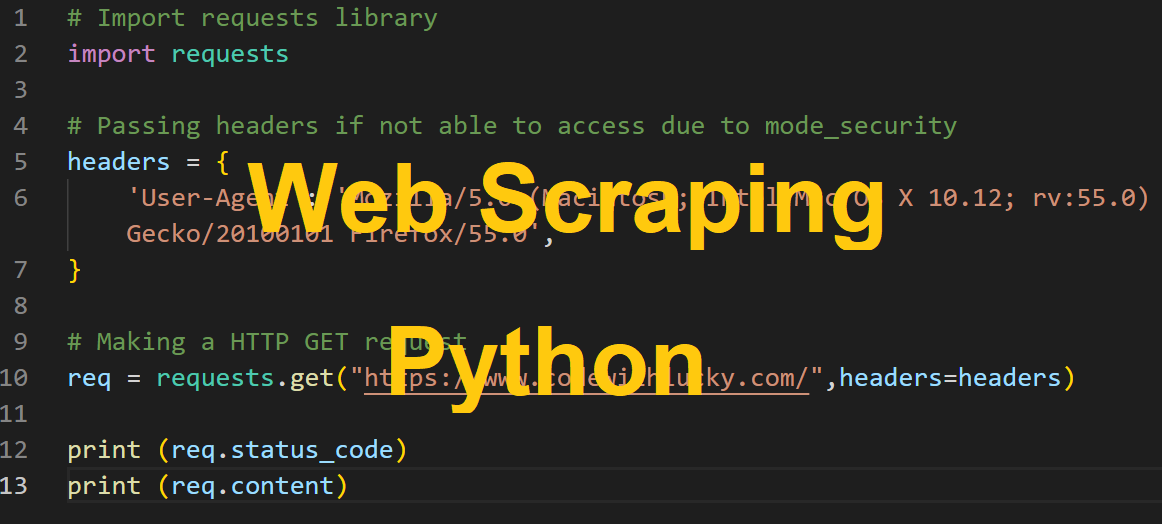
在本教程中,我们将讨论如何使用Python中的requests 和beautifulsoup 库进行网络刮削。
因此,让我们继续进行网络抓取。
应用程序的设置
首先,我们将使用以下命令创建我们的应用程序目录web-scraping-python 。
$ mkdir web-scraping-python
我们把它移到项目目录下
$ cd web-scraping-python
安装所需的Python库
我们需要Python中的requests 和beautifulsoup 库来进行刮削。所以我们需要安装这些。
- requests。这个模块提供了进行HTTP请求(GET、POST、PUT、PATCH或HEAD请求)的方法。所以我们需要这个模块来向另一个网站发出
GETHTTP请求。我们将使用下面的命令来安装它。
pip install requests
- beautifulsoup。这个库用来解析HTML和XML文档。我们将使用下面的命令来安装它。
pip install beautifulsoup
向URI发出HTTP请求
我们将从给定的服务器向URI发出HTTPGET 请求。GET 方法将编码的信息与页面请求一起发送。
# Import requests library
import requests

# Making a HTTP GET request
req = requests.get("https://www.codewithlucky.com/")

print (req.content)
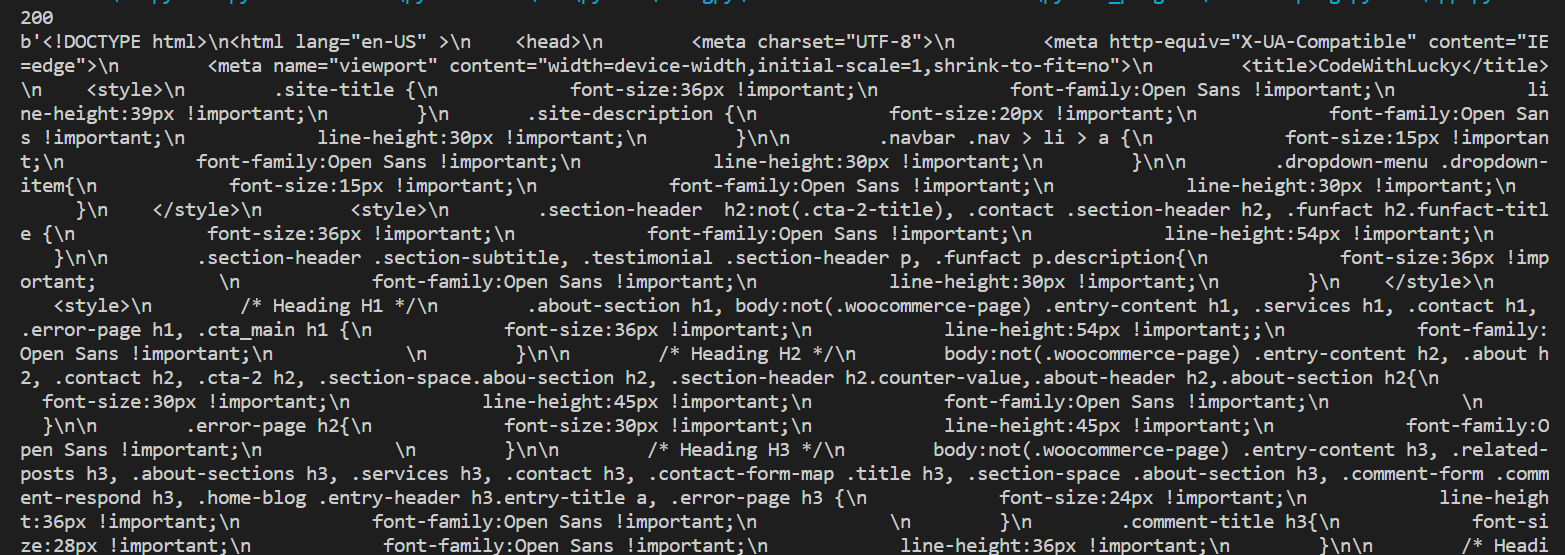
当我们向URI发出请求时,它会返回一个响应对象。响应对象有许多函数(status_code, url, content)来获取请求和响应的细节。
输出
使用BeautifulSoup库刮取信息
在向URI发出HTTP请求后,我们有了响应数据对象。但是响应数据仍然没有用,因为它需要解析以提取有用的数据。
因此,现在我们将使用BeautifulSoup 库来解析这些响应数据。我们将包括BeautifulSoup 库,并使用库解析响应的HTML。
import requests
from bs4 import BeautifulSoup

# Passing headers if not able to access due to mode_security
headers = {
    'User-Agent': 'Mozilla/5.0 (Macintosh; Intel Mac OS X 10.12; rv:55.0) Gecko/20100101 Firefox/55.0',
}

# Making a HTTP GET request
req = requests.get("https://www.codewithlucky.com/",headers=headers)

soup = BeautifulSoup(req.content, 'html.parser')

print (soup.prettify())
结果
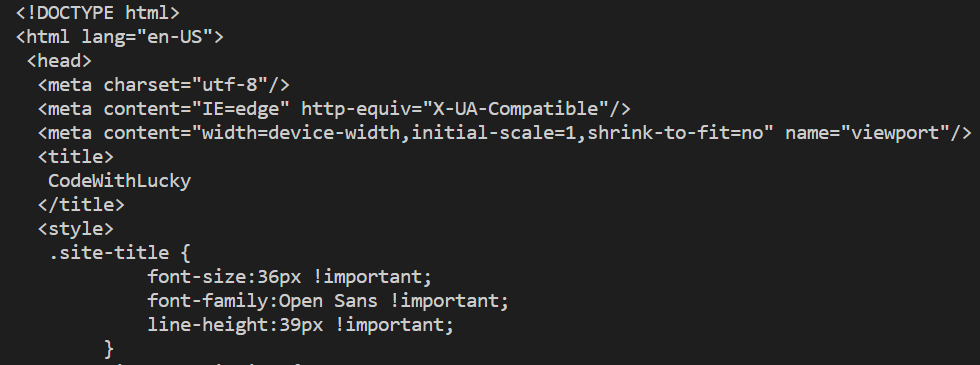
我们使用prettify() ,解析并美化了响应的HTML,但它仍然没有用,因为它显示的是所有的响应HTML。
1.按元素类别提取信息
现在我们想从下面的网站中提取一些特定的HTML。我们将从页面的特定类别中提取所有段落文本。
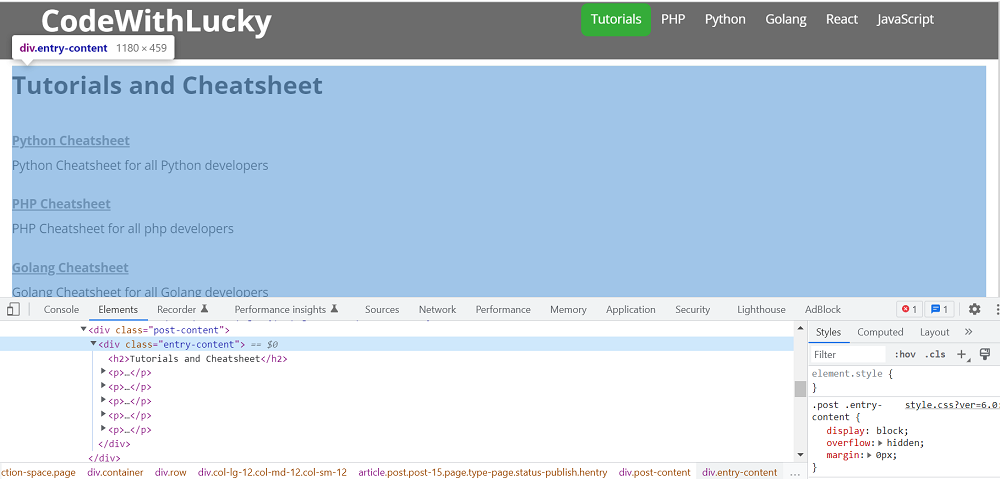
我们可以看到,在页面源码中,段落在<div class="entry-content"> ,所以我们将找到所有存在于该DIV中的P 标签与类。我们将使用find() 函数从DIV中找到该特定类的对象。我们将使用find_all() 函数从该对象中获得所有P 标签。
import requests
from bs4 import BeautifulSoup

# Passing headers if not able to access due to mode_security
headers = {
    'User-Agent': 'Mozilla/5.0 (Macintosh; Intel Mac OS X 10.12; rv:55.0) Gecko/20100101 Firefox/55.0',
}

# Making a HTTP GET request
req = requests.get("https://www.codewithlucky.com/",headers=headers)

soup = BeautifulSoup(req.content, 'html.parser')

entryContent = soup.find('div', class_='entry-content')

for paragraph in entryContent.find_all('p'):
    print (paragraph.text)
输出
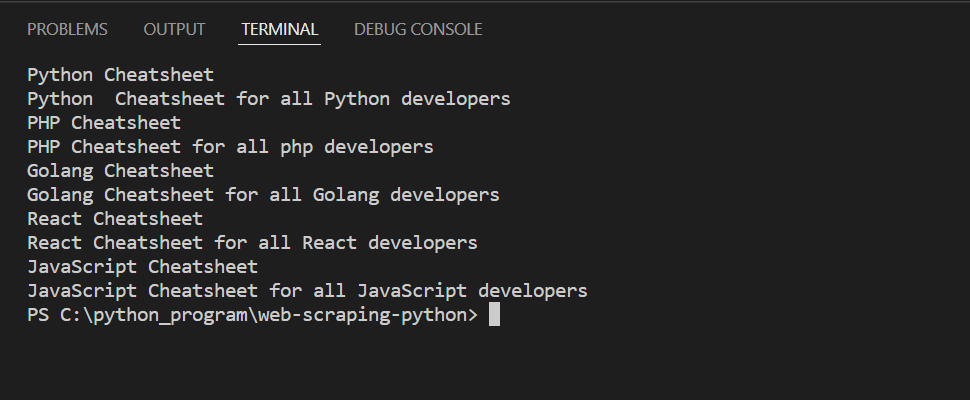
2.按元素ID提取信息
现在,我们将按元素的ID提取所有的顶部菜单文本。我们将有以下HTML源。
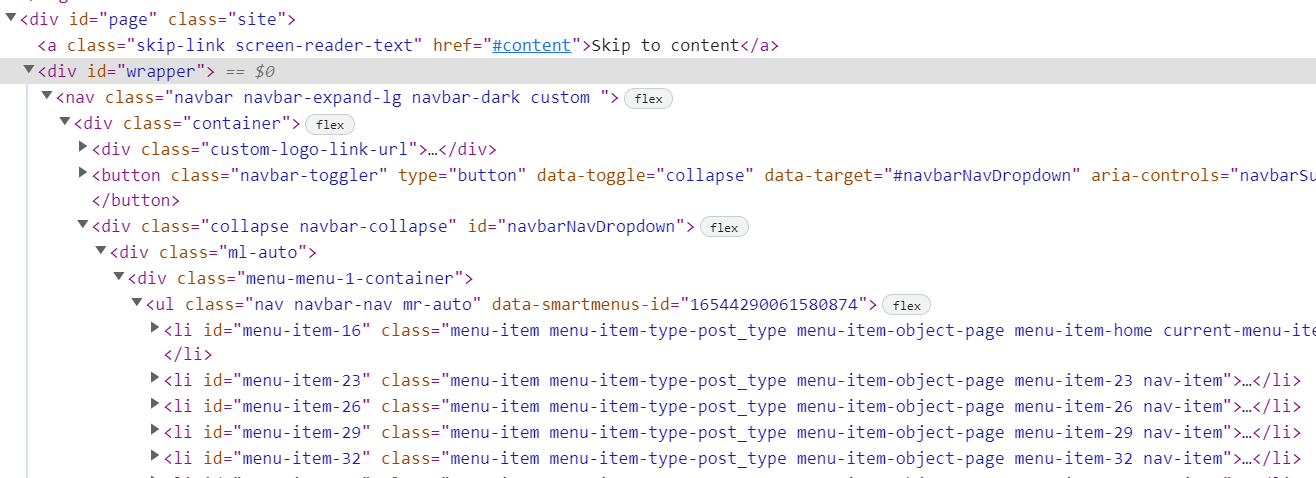
我们将通过ID找到DIV 对象。然后我们将从该对象中找到UL 元素。然后我们将从这个UL 元素中找到所有的li 元素,并得到文本。
import requests
from bs4 import BeautifulSoup

# Passing headers if not able to access due to mode_security
headers = {
    'User-Agent': 'Mozilla/5.0 (Macintosh; Intel Mac OS X 10.12; rv:55.0) Gecko/20100101 Firefox/55.0',
}

# Making a HTTP GET request
req = requests.get("https://www.codewithlucky.com/",headers=headers)

soup = BeautifulSoup(req.content, 'html.parser')

wrapper = soup.find('div', id='wrapper')

navBar = wrapper.find('ul', class_='navbar-nav')

for list in navBar.find_all('li'):
    print (list.text)
输出
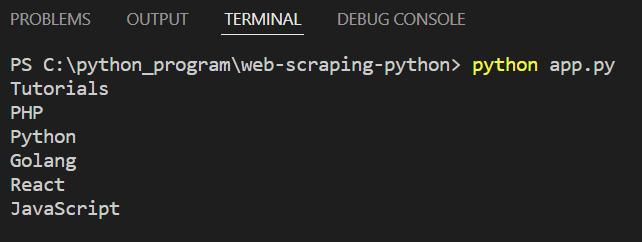
3.提取链接
现在我们将从一个特定的div中提取所有的链接数据。
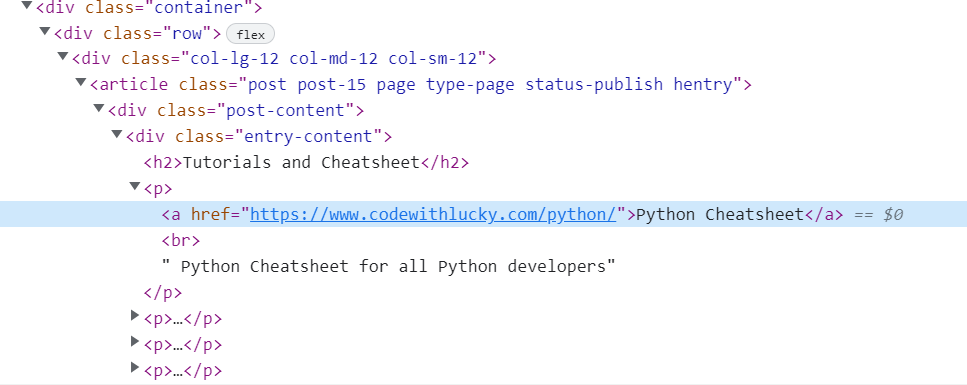
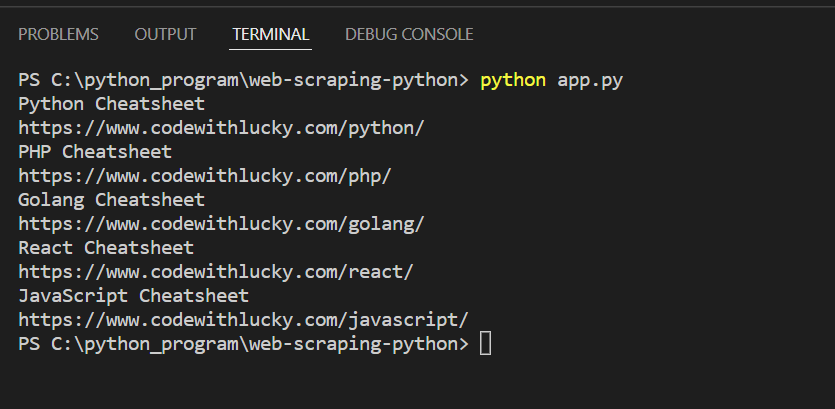
我们将找到类别为entry-content 的DIV 对象,然后找到所有的锚点a 标签,并通过循环来获得锚点的href和文本。
import requests
from bs4 import BeautifulSoup

# Passing headers if not able to access due to mode_security
headers = {
    'User-Agent': 'Mozilla/5.0 (Macintosh; Intel Mac OS X 10.12; rv:55.0) Gecko/20100101 Firefox/55.0',
}

# Making a HTTP GET request
req = requests.get("https://www.codewithlucky.com/",headers=headers)

soup = BeautifulSoup(req.content, 'html.parser')

entryContent = soup.find('div', class_='entry-content')

for link in entryContent.find_all('a'):
    print (link.text)
    print (link.get('href'))
输出
4.将搜刮到的数据保存到CSV中
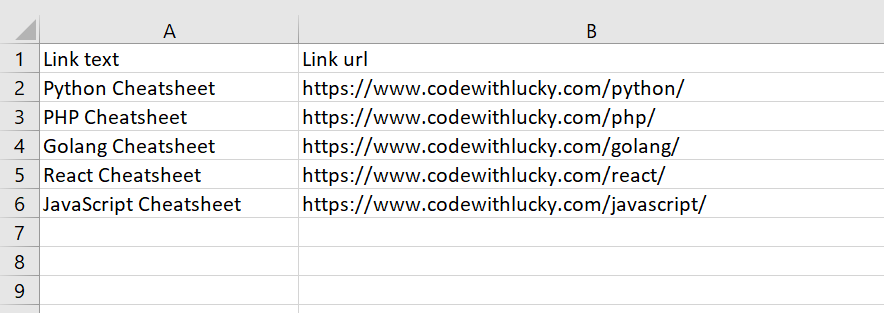
现在我们将把搜刮的数据保存到CSV文件中。在这里,我们将提取锚的详细信息并保存到CSV文件。
我们将导入csv 库。然后我们将获得所有的链接数据并追加到一个列表中。然后,我们将保存列表数据到CSV文件。
import requests
from bs4 import BeautifulSoup
import csv

# Passing headers if not able to access due to mode_security
headers = {
    'User-Agent': 'Mozilla/5.0 (Macintosh; Intel Mac OS X 10.12; rv:55.0) Gecko/20100101 Firefox/55.0',
}

# Making a HTTP GET request
req = requests.get("https://www.codewithlucky.com/",headers=headers)

soup = BeautifulSoup(req.content, 'html.parser')

anchorsList = []

entryContent = soup.find('div', class_='entry-content')

linkCount = 1
for link in entryContent.find_all('a'):
    anchor = {}
    anchor['Link text'] = link.text
    anchor['Link url'] = link.get('href')
    linkCount += 1
    anchorsList.append(anchor)

fileName = 'links.csv'
with open(fileName, 'w', newline='') as f:
    w = csv.DictWriter(f,['Link text','Link url'])
    w.writeheader()

    w.writerows(anchorsList)
输出