

创建数据库
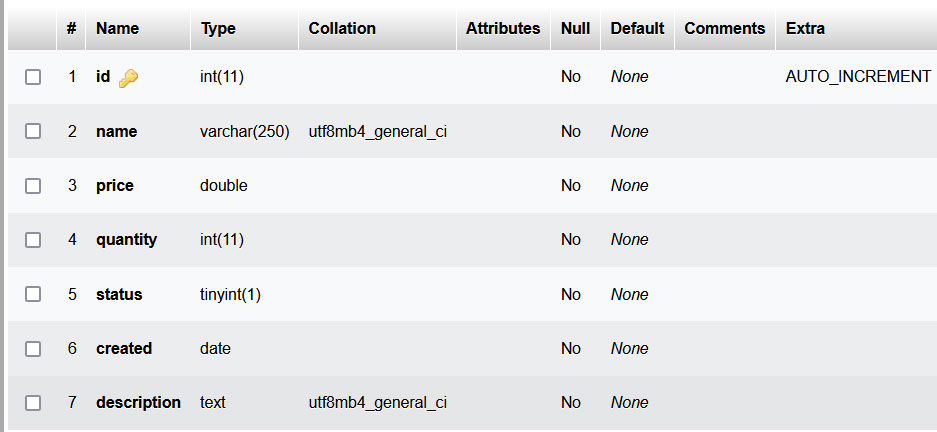
创建名为laravel_db的新数据库。在这个数据库中,创建新的表,命名为产品,如下所示。
产品表的结构
(adsbygoogle = window.adsbygoogle || []).push({});
产品表的数据
安装Laravel
-
从getcomposer.org/download/下载并安装最新版本的Composer.
-
在Visual Studio Code中打开Windows终端,用下面的命令安装Laravel安装程序。
composer global require laravel/installer(adsbygoogle = window.adsbygoogle || []).push({});
-
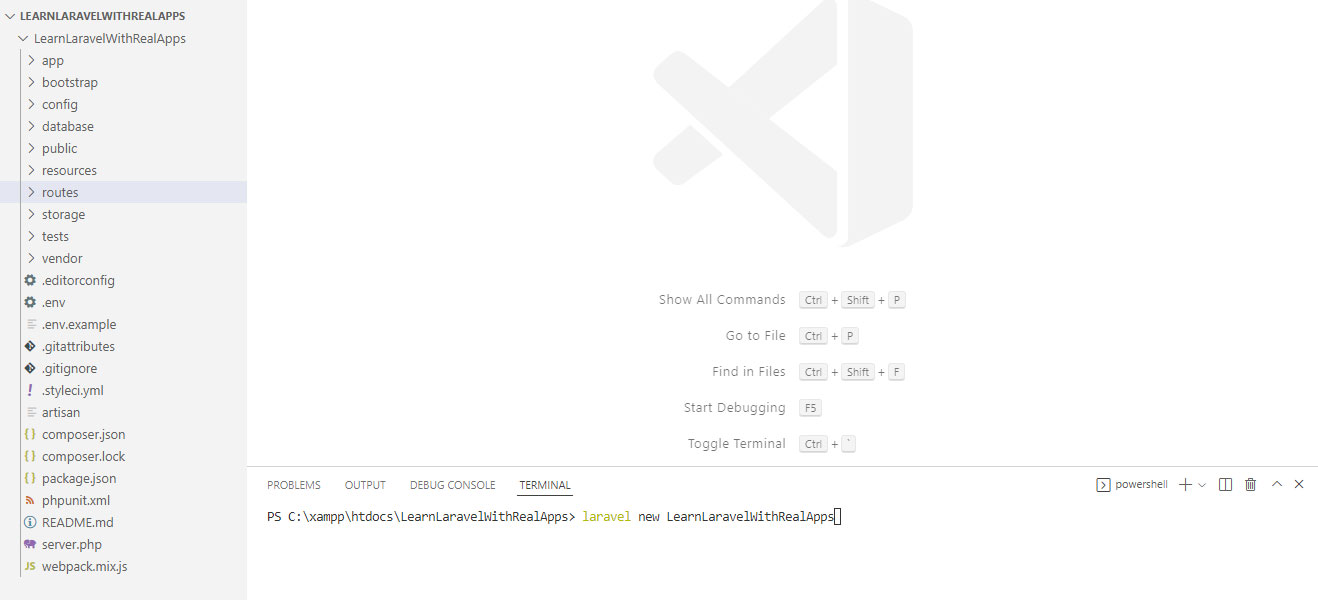
创建新的文件夹命名为LearnLaravelWithRealApps.使用Visual Studio Code打开LearnLaravelWithRealApps文件夹。在这个文件夹中,创建名为LearnLaravelWithRealApps的新项目,命令如下。
laravel new LearnLaravelWithRealApps(adsbygoogle = window.adsbygoogle || []).push({});
-
运行LearnLaravelWithRealApps项目,命令如下。
php artisan serve -
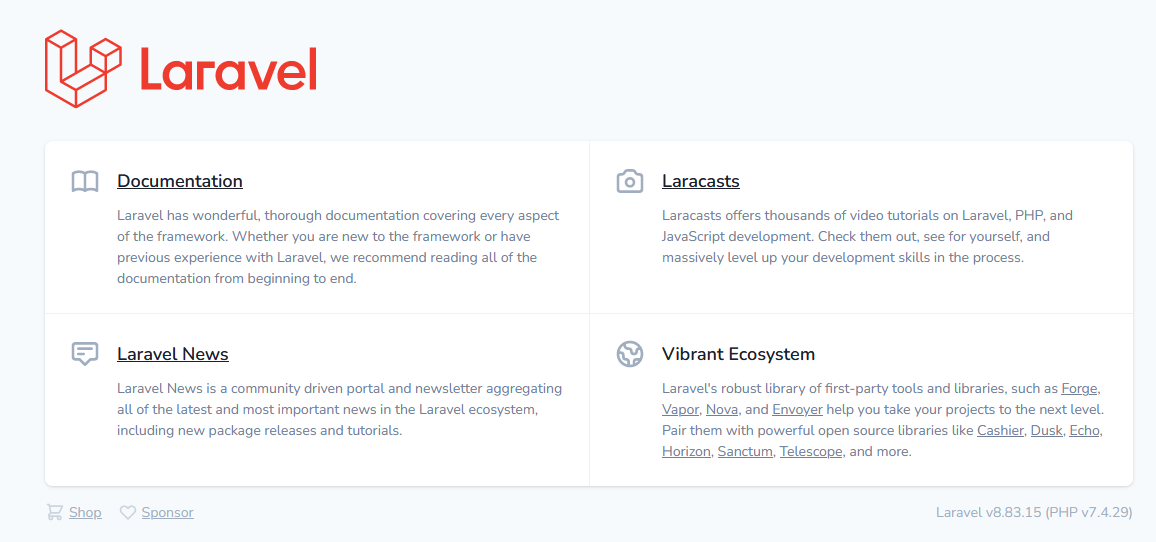
打开LearnLaravelWithRealApps项目,网址如下。
http://localhost:8000(adsbygoogle = window.adsbygoogle || []).push({});
(addsbygoogle = window.addsbygoogle || []).push({});
连接到数据库
打开根文件夹中的**.env**文件。添加下面的值,连接到数据库。
DB_CONNECTION=mysql
DB_HOST=localhost
DB_PORT=3306
DB_DATABASE=laravel_db
DB_USERNAME=root
DB_PASSWORD=
(adsbygoogle = window.adsbygoogle || []).push({})。
清除配置缓存
在Visual Studio Code中打开Windows终端,用以下命令清除配置缓存。
php artisan config:clear
(adsbygoogle = window.adsbygoogle || []).push({})。
创建产品模型
在app/Models文件夹下创建名为Product.php的新PHP文件,如下所示。
<?php

namespace App\Models;

use Illuminate\Database\Eloquent\Model;

class Product extends Model
{
    protected $table = 'product';
    public $timestamps = false;
}
创建ProductRepository接口
创建名为Repositories的新文件夹。在Repositories文件夹中,创建名为Product的新文件夹。在app/Repositories/Product文件夹下创建名为ProductRepository.php的新PHP文件,如下所示。
<?php

namespace App\Repositories\Product;

interface ProductRepository
{
    public function sum();
}
(adsbygoogle = window.adsbygoogle || []).push({})。
创建ProductRepositoryImpl类
在app/Repositories/Product文件夹下创建名为ProductRepositoryImpl.php的新PHP文件,如下所示。
<?php

namespace App\Repositories\Product;

use App\Models\Product;

class ProductRepositoryImpl implements ProductRepository
{
    public function sum()
    {
        return Product::sum('quantity');
    }
}
(adsbygoogle = window.adsbygoogle || []).push({})。
声明产品仓库
打开app/Providers文件夹下的AppServiceProvider.php文件,添加声明新的资源库到注册方法,如下所示。
<?php

namespace App\Providers;

use App\Repositories\Product\ProductRepository;
use App\Repositories\Product\ProductRepositoryImpl;
use Illuminate\Support\ServiceProvider;

class AppServiceProvider extends ServiceProvider
{
    public function register()
    {
        $this->app->bind(ProductRepository::class, ProductRepositoryImpl::class);
    }

    public function boot()
    {
    }
}
(adsbygoogle = window.adsbygoogle || []).push({})。
控制器
在app/Http/Controllers文件夹下创建名为DemoController.php的新PHP文件,如下所示。
<?php

namespace App\Http\Controllers;

use App\Repositories\Product\ProductRepository;

class DemoController extends Controller
{
    protected $productRepository;

    public function __construct(ProductRepository $productRepository)
    {
        $this->productRepository = $productRepository;
    }

    public function index()
    {
        $data = array(
            'result' => $this->productRepository->sum()
        );
        return view('demo/index')->with($data);
    }
}
(adsbygoogle = window.adsbygoogle || []).push({})。
观点
在resources/views文件夹下创建名为demo的新文件夹。在这个文件夹中,创建名为index.blade.php的新刀片文件,如下所示。
<html>

    <head>
        <title>Laravel</title>
    </head>

    <body>

        Sum: {{$result}}

    </body>

</html>
(adsbygoogle = window.adsbygoogle || []).push({})。
路由
打开routes文件夹中的web.php文件, 添加新的路由,如下所示:
<?php

use Illuminate\Support\Facades\Route;

use App\Http\Controllers\DemoController;

Route::get('/', [DemoController::class, 'index']);
Route::get('/demo', [DemoController::class, 'index']);
Route::get('/demo/index', [DemoController::class, 'index']);
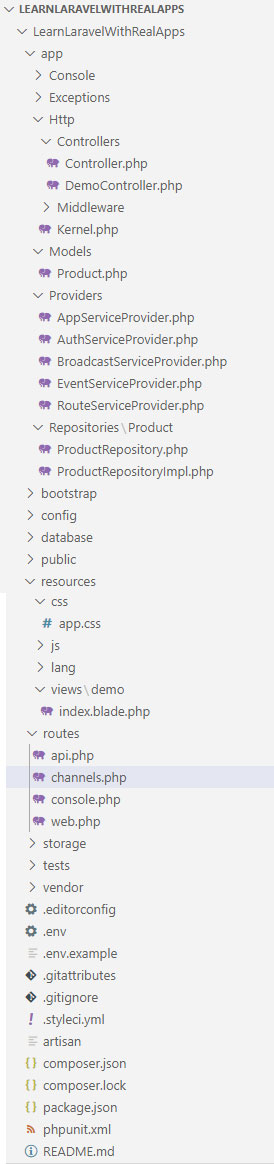
Laravel项目的结构
(adsbygoogle = window.adsbygoogle || []).push({});
运行应用程序
在Demo控制器中访问index动作,其URL如下。
输出
Sum: 53
The postSum in Eloquent ORM in Laravel Frameworkappeared first onLearn Programming with Real Apps.
