原理图
基本操作
分支管理
git branch <branchName>
git branch -d <branchName>
git branch -v
提交代码
查看状态
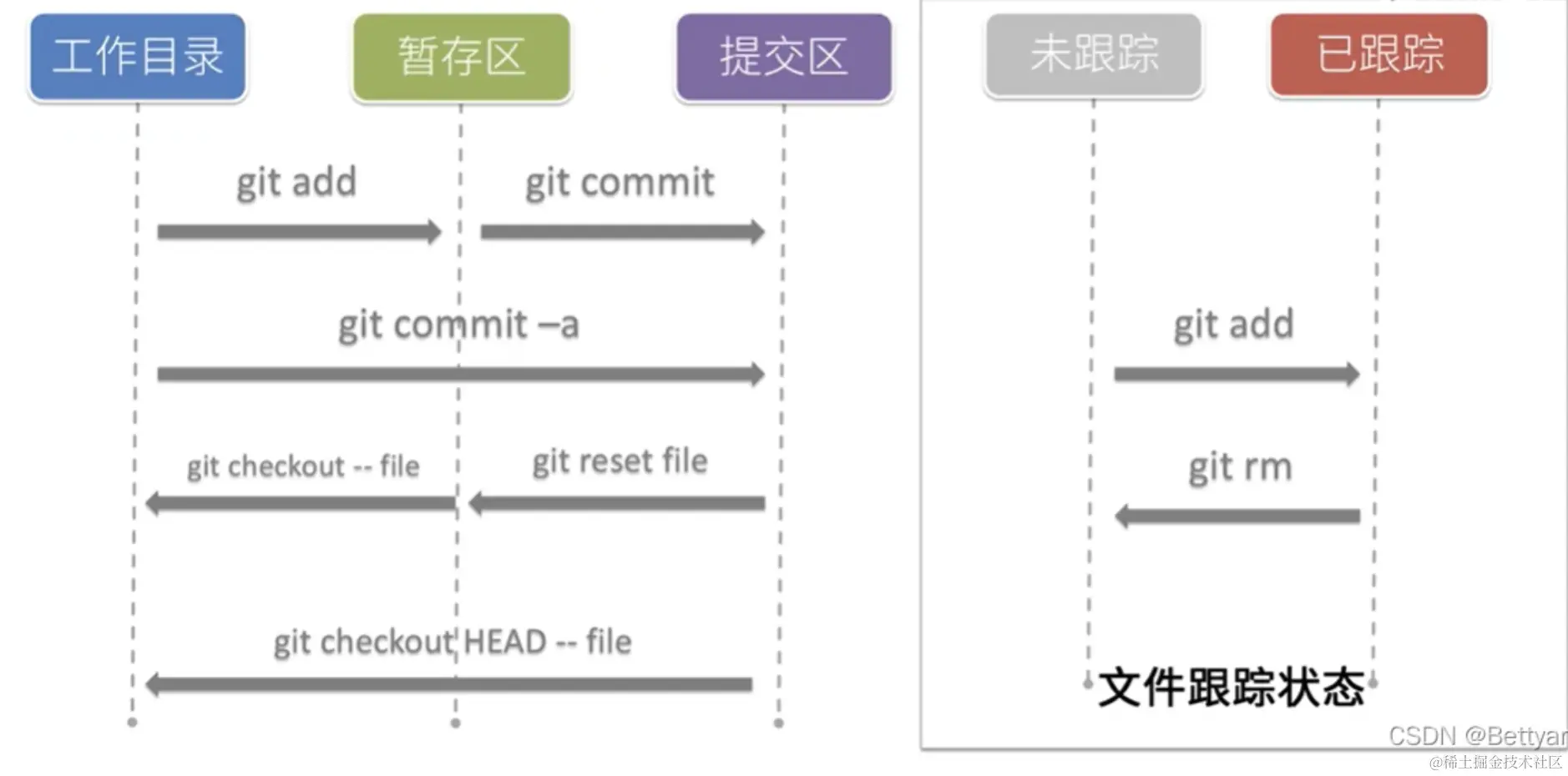
添加文件到暂存区
//添加文件内容到暂存区(同时文件被跟踪)
git add

//添加所有文件
git add .
提交代码
git -commit -m 'first commit'
撤销
git checkout -- <file>
git reset HEAD <file>
git checkout HEAD -- <file>
日志
git log //查看提交历史记录
git log
git log
git 命令
git branch
git branch <branchName>
git branch -d <branchName>
git branch -v
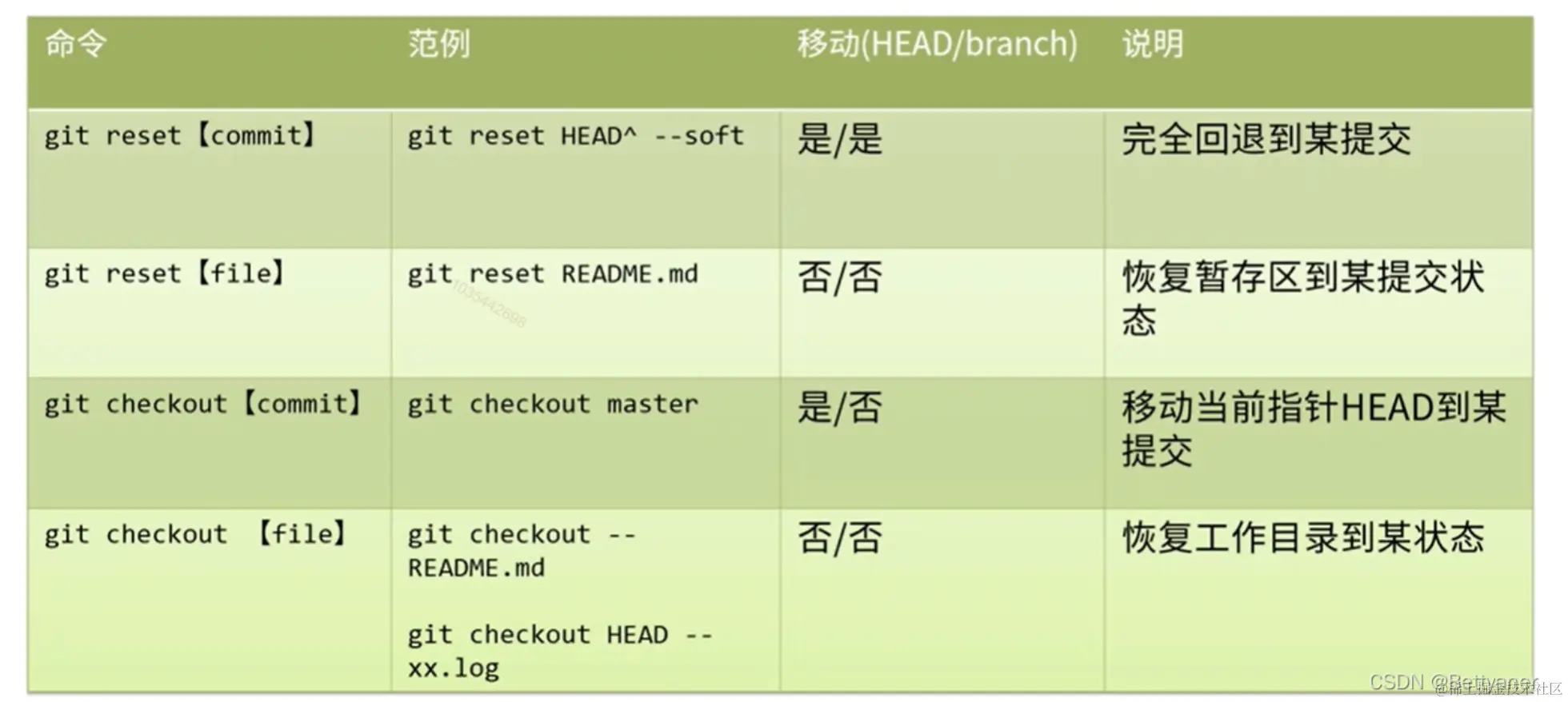
git checkout
git checkout <branchName>
git checkout -b <branchName>
git checkout <reference>
git checkout -
git reset
//git reset   将当前分支回退到历史某个版本
git reset --mixed <commit> //(默认)
git reset --soft<commit>
git reset --hard <commit>

git reflog
git stash
git stash save "push to stash area"
git stash llist
git stash apply stash@{0}
git stash drop stash@{0}
git stash pop
参考教程