

在这篇文章中,我们将讨论如何在多个Fauna实例中应用模式缝合。我们还将讨论如何将其他GraphQL服务和数据源与Fauna结合在一个图中。
什么是模式缝合?
模式拼接是指从多个底层GraphQL API中创建一个单一的GraphQL API的过程。
它在哪里有用?
在构建大规模的应用程序时,我们经常将各种功能和业务逻辑分解为微服务。它可以确保关注点的分离。然而,有一段时间,我们的客户应用程序需要从多个来源查询数据。最好的做法是将一个统一的图暴露给所有的客户应用程序。然而,这可能是一个挑战,因为我们不希望最终出现一个紧密耦合的、单体的GraphQL服务器。如果你使用Fauna,每个数据库都有自己的本地GraphQL。理想情况下,我们希望尽可能地利用Fauna的本地GraphQL,避免编写应用层代码。然而,如果我们使用多个数据库,我们的前端应用程序将不得不连接到多个GraphQL实例。这样的安排会产生紧密的耦合。我们希望避免这种情况,以支持一个统一的GraphQL服务器。
为了补救这些问题,我们可以使用模式缝合。模式缝合将使我们能够把多个GraphQL服务合并到一个统一的模式中。在这篇文章中,我们将讨论
- 将多个Fauna实例组合成一个GraphQL服务
- 将Fauna与其他GraphQL APIs和数据源相结合
- 如何用AWS Lambda构建一个无服务器的GraphQL网关?
将多个Fauna实例合并为一个GraphQL服务
首先,让我们来看看如何将多个Fauna实例组合成一个GraphQL服务。想象一下,我们有三个Fauna数据库实例Product,Inventory, 和Review 。每一个都是独立的。每个都有它的图(我们将把它们称为子图)。我们想创建一个统一的图接口,并将其暴露给客户端应用程序。客户端将能够查询下游数据源的任何组合。

我们将调用统一的图来对接我们的网关服务。让我们继续写这个服务。
我们将从一个新的节点项目开始。我们将创建一个新的文件夹。然后在里面导航,用以下命令启动一个新的节点应用。
mkdir my-gateway
cd my-gateway
npm init --yes
接下来,我们将创建一个简单的Express GraphQL服务器。因此,让我们继续用以下命令安装express 和express-graphql包。
npm i express express-graphql graphql --save
创建网关服务器
我们将创建一个名为gateway.js 的文件。这是我们进入应用程序的主要入口。我们将首先创建一个非常简单的GraphQL服务器。
const express = require('express');
const { graphqlHTTP } = require('express-graphql');
const { buildSchema }  = require('graphql');

// Construct a schema, using GraphQL schema language
const schema = buildSchema(`
  type Query {
    hello: String
  }
`);

// The root provides a resolver function for each API endpoint
const rootValue = {
    hello: () => 'Hello world!',
};

const app = express();

app.use(
  '/graphql',
  graphqlHTTP((req) => ({
    schema,
    rootValue,
    graphiql: true,
  })),
);

app.listen(4000);
console.log('Running a GraphQL API server at <http://localhost:4000/graphql>');
在上面的代码中,我们创建了一个带有样本查询和解析器的裸体express-graphql 服务器。让我们通过运行以下命令来测试我们的应用程序。
node gateway.js
导航到[<http://localhost:4000/graphql>](<http://localhost:4000/graphql>) ,你将能够与GraphQL游戏场互动。

创建Fauna实例
接下来,我们将创建三个Fauna数据库。它们中的每一个都将作为GraphQL服务。让我们到fauna.com去,创建我们的数据库。我将把它们命名为Product,Inventory 和Review
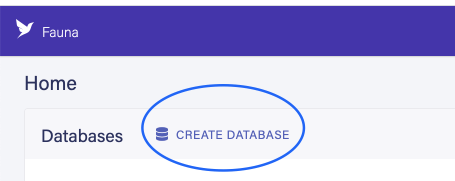

一旦数据库被创建,我们将为它们生成管理密钥。这些密钥是连接到我们的GraphQL APIs所需要的。

让我们创建三个不同的GraphQL模式,并将它们上传到各自的数据库中。下面是我们的模式的样子。
# Schema for Inventory database
type Inventory {
  name: String
  description: String
  sku: Float
  availableLocation: [String]
}
# Schema for Product database
type Product {
  name: String
  description: String
  price: Float
}
# Schema for Review database
type Review {
  email: String
  comment: String
  rating: Float
}
前往相关数据库,从侧边栏中选择GraphQL,并为每个数据库导入模式。

现在我们有三个GraphQL服务在Fauna上运行。我们可以通过Fauna内部的GraphQL操场与这些服务进行交互。如果你正在跟随,请随意输入一些假数据。它在以后查询多个数据源时将会很方便。
设置网关服务
接下来,我们将通过模式缝合将这些数据合并成一个图。要做到这一点,我们需要一个网关服务器。让我们创建一个新的文件gateway.js 。我们将使用graphql工具的几个库来缝合图。
让我们继续在我们的网关服务器上安装这些依赖项。
npm i @graphql-tools/schema @graphql-tools/stitch @graphql-tools/wrap cross-fetch --save
在我们的网关中,我们将创建一个新的通用函数,名为makeRemoteExecutor 。这个函数是一个工厂函数,返回另一个函数。返回的异步函数将进行GraphQL查询API调用。
// gateway.js

const express = require('express');
const { graphqlHTTP } = require('express-graphql');
const { buildSchema }  = require('graphql');

 function makeRemoteExecutor(url, token) {
    return async ({ document, variables }) => {
      const query = print(document);
      const fetchResult = await fetch(url, {
        method: 'POST',
        headers: { 'Content-Type': 'application/json', 'Authorization': 'Bearer ' + token },
        body: JSON.stringify({ query, variables }),
      });
      return fetchResult.json();
    }
 }

// Construct a schema, using GraphQL schema language
const schema = buildSchema(`
  type Query {
    hello: String
  }
`);

// The root provides a resolver function for each API endpoint
const rootValue = {
    hello: () => 'Hello world!',
};

const app = express();

app.use(
  '/graphql',
  graphqlHTTP(async (req) => {
    return {
      schema,
      rootValue,
      graphiql: true,
    }
  }),
);

app.listen(4000);
console.log('Running a GraphQL API server at http://localhost:4000/graphql');
正如你在上面看到的,makeRemoteExecutor 有两个被解析的参数。url 参数指定了远程 GraphQL 网址,token 参数指定了授权令牌。
我们将创建另一个名为makeGatewaySchema 的函数。在这个函数中,我们将使用先前创建的makeRemoteExecutor 函数对远程 GraphQL APIs 进行代理调用。
// gateway.js

const express = require('express');
const { graphqlHTTP } = require('express-graphql');
const { introspectSchema } = require('@graphql-tools/wrap');
const { stitchSchemas } = require('@graphql-tools/stitch');
const { fetch } = require('cross-fetch');
const { print } = require('graphql');

function makeRemoteExecutor(url, token) {
  return async ({ document, variables }) => {
    const query = print(document);
    const fetchResult = await fetch(url, {
      method: 'POST',
      headers: { 'Content-Type': 'application/json', 'Authorization': 'Bearer ' + token },
      body: JSON.stringify({ query, variables }),
    });
    return fetchResult.json();
  }
}

async function makeGatewaySchema() {

    const reviewExecutor = await makeRemoteExecutor('https://graphql.fauna.com/graphql', 'fnAEQZPUejACQ2xuvfi50APAJ397hlGrTjhdXVta');
    const productExecutor = await makeRemoteExecutor('https://graphql.fauna.com/graphql', 'fnAEQbI02HACQwTaUF9iOBbGC3fatQtclCOxZNfp');
    const inventoryExecutor = await makeRemoteExecutor('https://graphql.fauna.com/graphql', 'fnAEQbI02HACQwTaUF9iOBbGC3fatQtclCOxZNfp');

    return stitchSchemas({
        subschemas: [
          {
            schema: await introspectSchema(reviewExecutor),
            executor: reviewExecutor,
          },
          {
            schema: await introspectSchema(productExecutor),
            executor: productExecutor
          },
          {
            schema: await introspectSchema(inventoryExecutor),
            executor: inventoryExecutor
          }
        ],

        typeDefs: 'type Query { heartbeat: String! }',
        resolvers: {
          Query: {
            heartbeat: () => 'OK'
          }
        }
    });
}

// ...
我们正在使用makeRemoteExecutor 函数来制作我们的远程 GraphQL 执行器。我们这里有三个远程执行器,一个指向Product 、Inventory 和Review 服务。由于这是一个演示应用程序,我在代码中直接硬编码了Fauna的管理API密钥。避免在真实的应用程序中这样做。这些秘密在任何时候都不应该暴露在代码中。 请使用环境变量或秘密管理器在运行时提取这些值。
正如你可以从上面突出显示的代码中看到,我们正在从@graphql-tools ,返回switchSchemas 函数的输出。该函数有一个名为subschemas的参数属性。在这个属性中,我们可以传入一个我们想要获取和组合的所有子图的数组。我们还使用了一个名为introspectSchema 的函数,来自graphql-tools 。这个函数负责转换来自网关的请求,并向下游服务发出代理API请求。
你可以在graphql-tools文档网站上了解更多关于这些函数的信息。
最后,我们需要调用makeGatewaySchema 。我们可以从我们的代码中删除之前的硬编码模式,用缝合的模式取代它。
// gateway.js

// ...

const app = express();

app.use(
  '/graphql',
  graphqlHTTP(async (req) => {
    const schema = await makeGatewaySchema();
    return {
      schema,
      context: { authHeader: req.headers.authorization },
      graphiql: true,
    }
  }),
);

// ...
当我们重新启动我们的服务器并回到localhost ,我们将看到来自所有Fauna实例的查询和突变在我们的GraphQL操场上可用。


让我们写一个简单的查询,它将同时从所有Fauna实例中获取数据。


缝合第三方GraphQL APIs
我们也可以将第三方GraphQL APIs缝合到我们的网关中。在这个演示中,我们将把SpaceX的开放GraphQL API与我们的服务相连接。
这个过程和上面一样。我们创建一个新的执行器,并将其添加到我们的子图阵列中。
// ...

async function makeGatewaySchema() {

  const reviewExecutor = await makeRemoteExecutor('https://graphql.fauna.com/graphql', 'fnAEQdRZVpACRMEEM1GKKYQxH2Qa4TzLKusTW2gN');
  const productExecutor = await makeRemoteExecutor('https://graphql.fauna.com/graphql', 'fnAEQdSdXiACRGmgJgAEgmF_ZfO7iobiXGVP2NzT');
  const inventoryExecutor = await makeRemoteExecutor('https://graphql.fauna.com/graphql', 'fnAEQdR0kYACRWKJJUUwWIYoZuD6cJDTvXI0_Y70');

  const spacexExecutor = await makeRemoteExecutor('https://api.spacex.land/graphql/')

  return stitchSchemas({
    subschemas: [
      {
        schema: await introspectSchema(reviewExecutor),
        executor: reviewExecutor,
      },
      {
        schema: await introspectSchema(productExecutor),
        executor: productExecutor
      },
      {
        schema: await introspectSchema(inventoryExecutor),
        executor: inventoryExecutor
      },
      {
        schema: await introspectSchema(spacexExecutor),
        executor: spacexExecutor
      }
    ],

    typeDefs: 'type Query { heartbeat: String! }',
    resolvers: {
      Query: {
        heartbeat: () => 'OK'
      }
    }
  });
}

// ...
部署网关
为了使这成为一个真正的无服务器解决方案,我们应该将我们的网关部署到一个无服务器函数中。在这个演示中,我将把网关部署到AWS的lambda函数中。Netlify和Vercel是AWS Lambda的另外两个替代品。
我将使用无服务器框架将代码部署到AWS。让我们来安装它的依赖项。
npm i -g serverless # if you don't have the serverless framework installed already
npm i serverless-http body-parser --save
接下来,我们需要制作一个配置文件,名为serverless.yaml
# serverless.yaml

service: my-graphql-gateway

provider:
  name: aws
  runtime: nodejs14.x
  stage: dev
  region: us-east-1

functions:
  app:
    handler: gateway.handler
    events:
      - http: ANY /
      - http: 'ANY {proxy+}'
在serverless.yaml ,我们定义云提供商、运行时间和我们的lambda函数的路径等信息。请随时查看无服务器框架的官方文档,以了解更深入的信息。
在将我们的代码部署到AWS之前,我们需要对其做一些小的修改。
npm i -g serverless # if you don't have the serverless framework installed already
npm i serverless-http body-parser --save
注意上面的高亮代码。我们添加了body-parser 库来解析JSON体。我们还添加了serverless-http 库。用无服务器函数包裹Express应用实例,将处理所有的底层lambda配置。
我们可以运行以下命令,将其部署到AWS Lambda。
serverless deploy
这将需要一两分钟的时间来部署。一旦部署完成,我们将在终端看到API的URL。

请确保你在生成的URL的末尾加上/graphql 。(比如说。[](https://gy06ffhe00.execute-api.us-east-1.amazonaws.com/dev/graphql)https://gy06ffhe00.execute-api.us-east-1.amazonaws.com/dev**/graphql**).
这就是你的成果。我们已经完全实现了无服务器的涅槃😉。我们现在正在运行三个Fauna实例,它们相互独立,并通过GraphQL网关缝合在一起。
总结
模式缝合是打破单体和实现数据源之间关注点分离的最流行的解决方案之一。然而,也有其他的解决方案,如Apollo联盟,其工作方式基本相同。如果你想看到一篇类似于Apollo Federation的文章,请在评论区告诉我们。今天就到这里,下回见。
