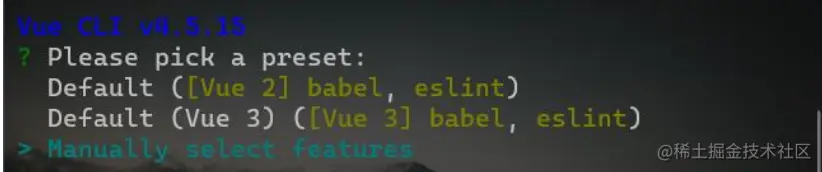
1.创建一个element-demo,打开cmd黑窗口,输入指令vue create element-demo
2.选择 Manually select features
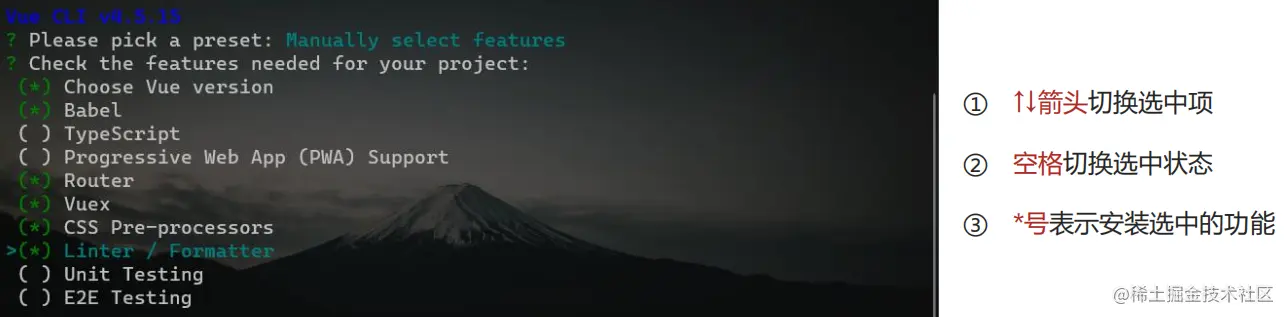
3.选择并安装以下的 6 个功能:
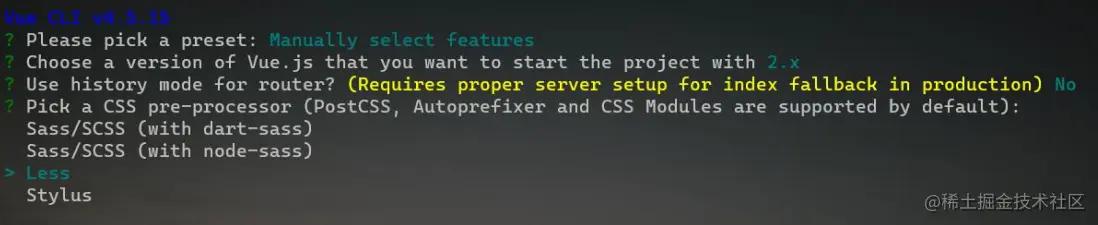
4.选择要安装的 vue 版本(建议选择 2.x)

5.是否使用 history 模式的路由(建议输入 n)

6.选择要使用的 CSS 预处理器(建议选择 Less)
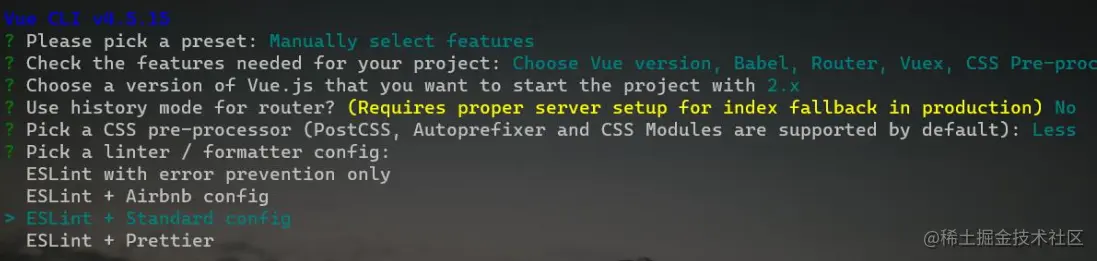
7.选择要使用的 ESLint 语法规则(建议选择 ESLint + Standard config)
8.选择额外的 lint 功能(建议选择 Lint on save,在 Ctrl + S 的时候检测代码是否符合规范)

9.把第三方插件的配置选项放到哪个配置文件中(建议选择 In dedicated config files,表示:独立的配置文件)
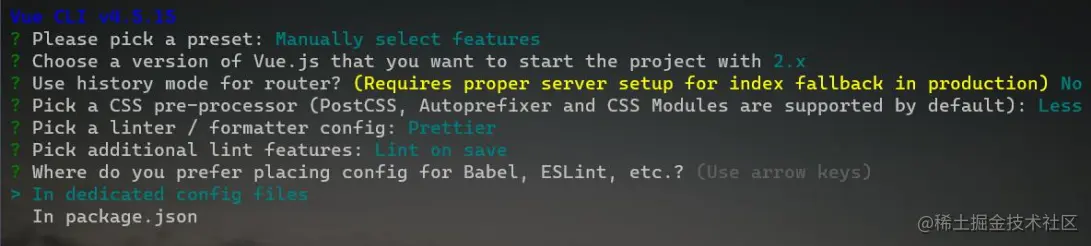
10.把刚才所有的操作保存为预设,方便下次直接基于预设,一键生成项目,输入n
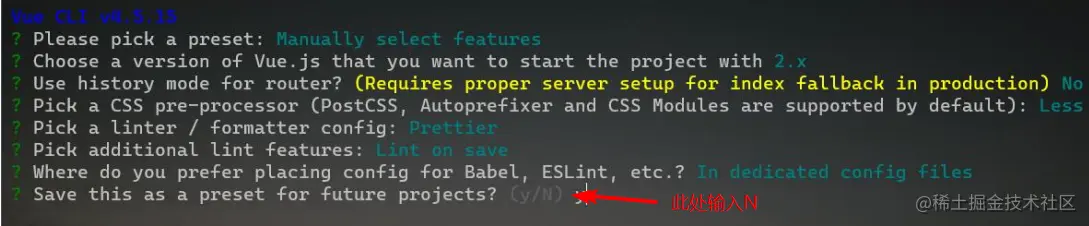
11.在项文件夹终端里面输入 yarn add element-ui [安装elementUI]
(https:
12.引入 Element ,在 main.js 中写入以下内容
import ElementUI from 'element-ui'
import 'element-ui/lib/theme-chalk/index.css'
Vue.use(ElementUI)
13.在文件夹终端输入yarn serve重启一下文件