1.组件-插槽
 语法口诀:
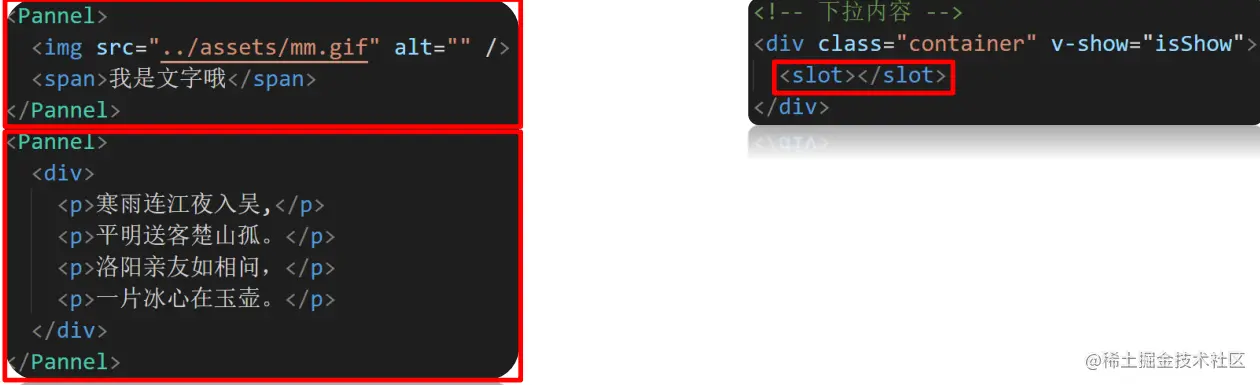
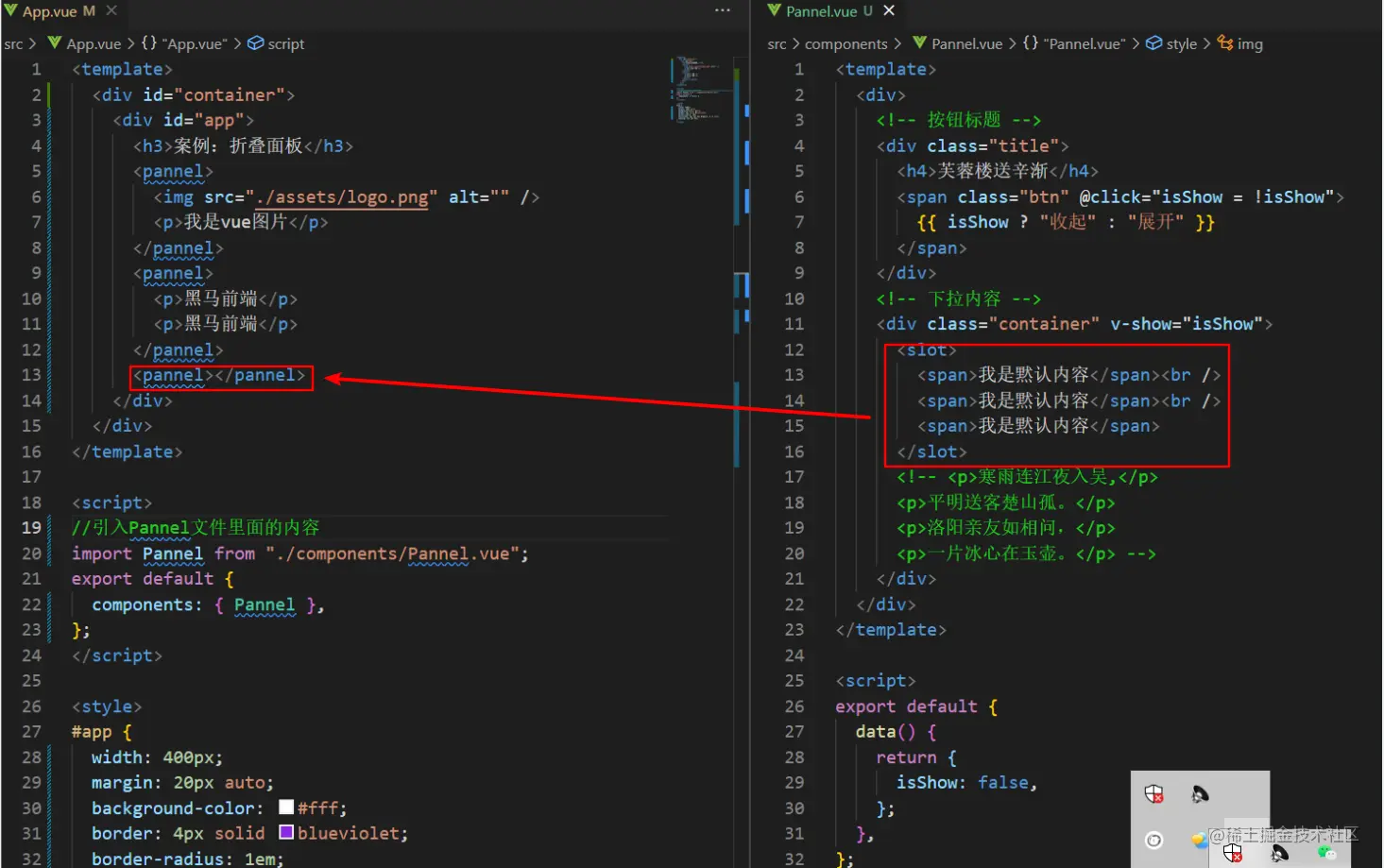
        1. 子组件内用<slot></slot>占位
        2. 使用子组件时<Pannel></Pannel>夹着的地方, 传入标签替换slot
 插槽具体如何使用?
             1. 先在组件内用slot占位
             2. 使用组件时, 传入具体标签插入
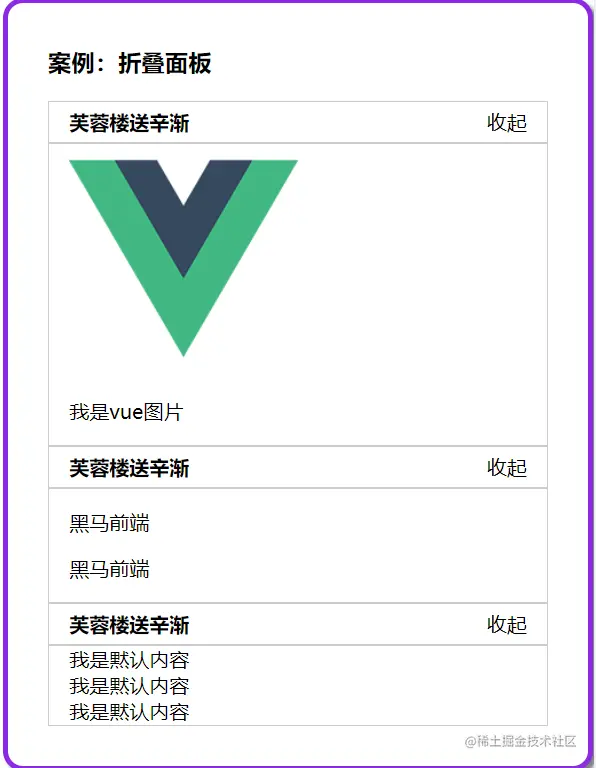
插槽运行效果?
         传入的标签会替换掉slot显示
2.组件-插槽_默认内容
 口诀: <slot>内放置内容, 作为默认显示内容
 效果:
     不给子组件传标签. slot内容原地显示
     给子组件内传标签, 则slot整体被换掉
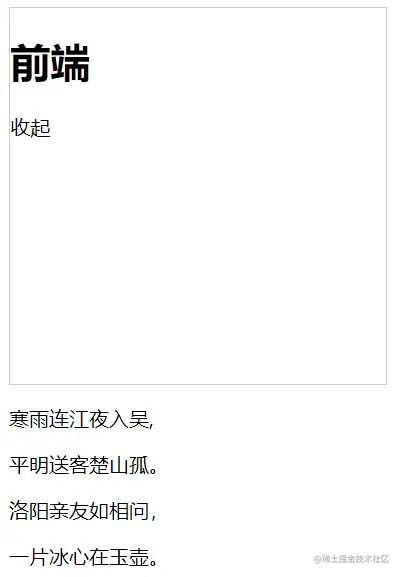
3.组件-具名插槽
 具名插槽的使用步骤是什么?
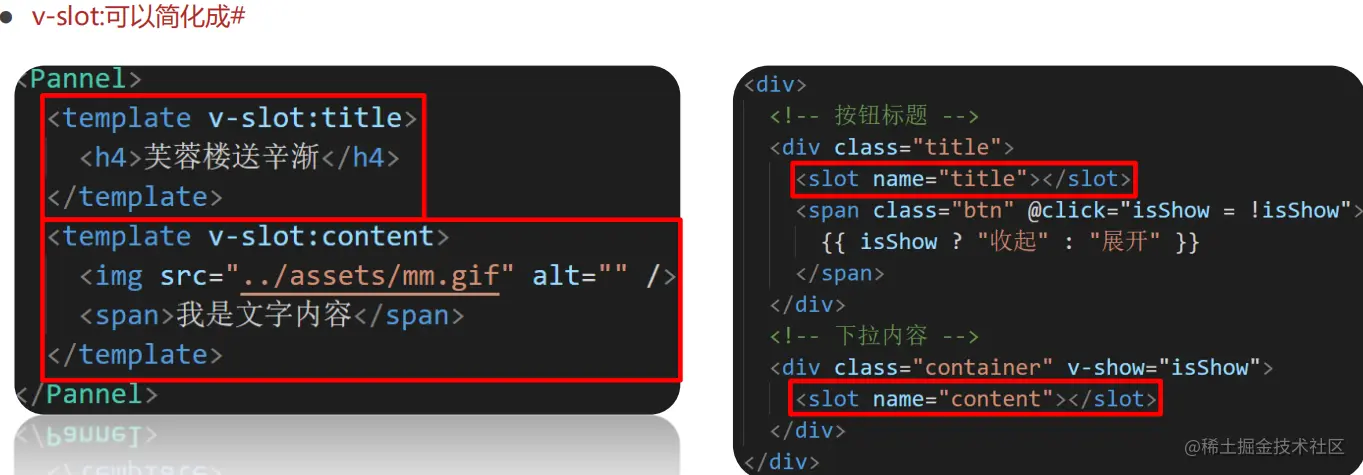
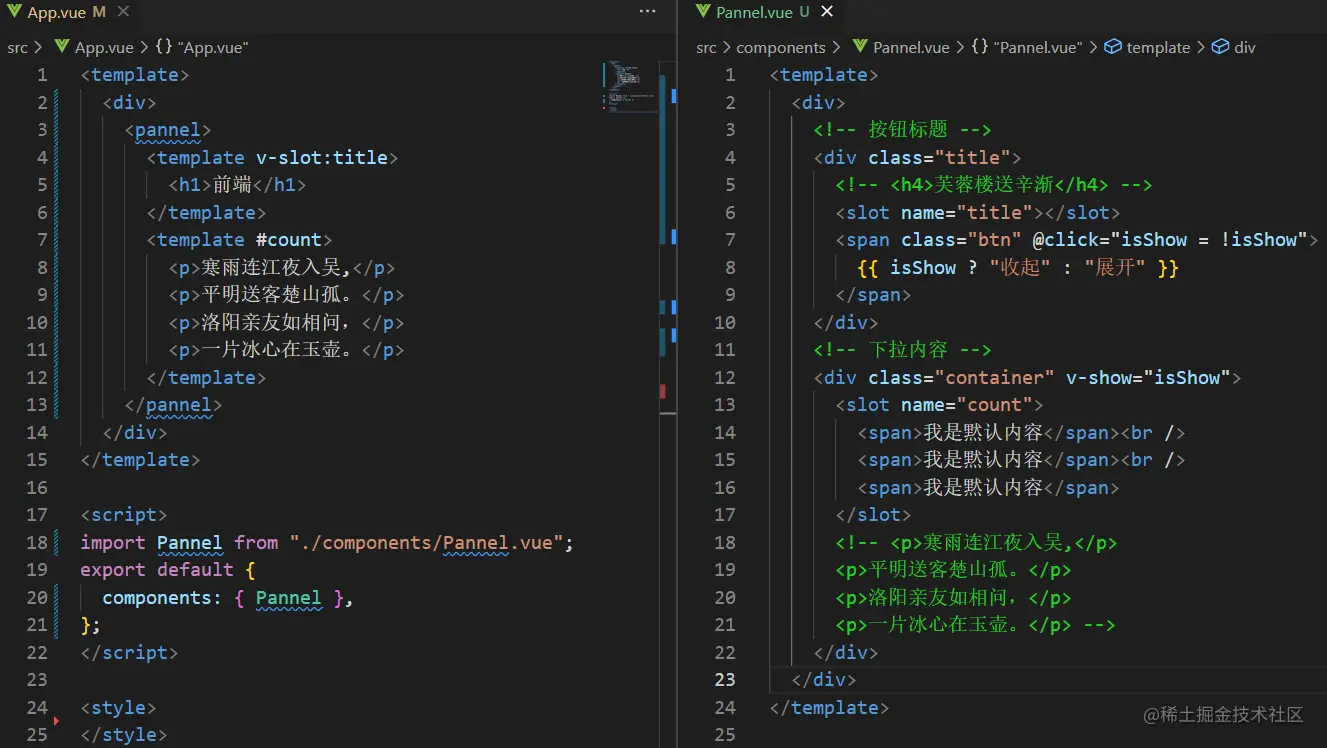
     组件内: slot占位, 设置 name 属性用于区分
     使用者: template 配合 v-slot:name 指定替换 slot
语法:
     1. 子组件slot使用name属性区分名字
     2. 父组件template配合v-slot:名字来分发对应标签
4.组件-编译作用域
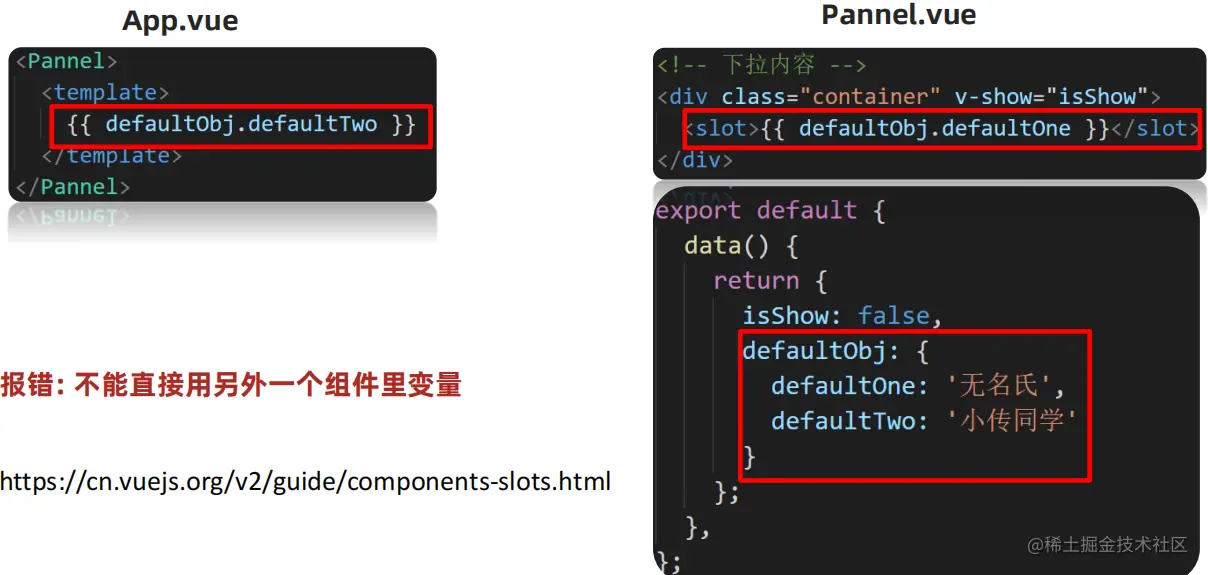
1. 使用插槽时, 父组件能使用子组件内的变量?
   不可以
2. 编译作用域?
          父级模板里的所有内容都是在父级作用域中编译的
          子模板里的所有内容都是在子作用域中编译的
5.组件-作用域插槽
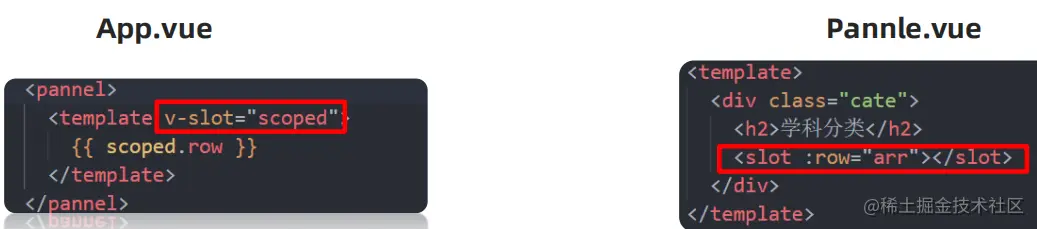
 作用域插槽什么时候使用?
 使用组件插槽技术时, 需要用到子组件内变量
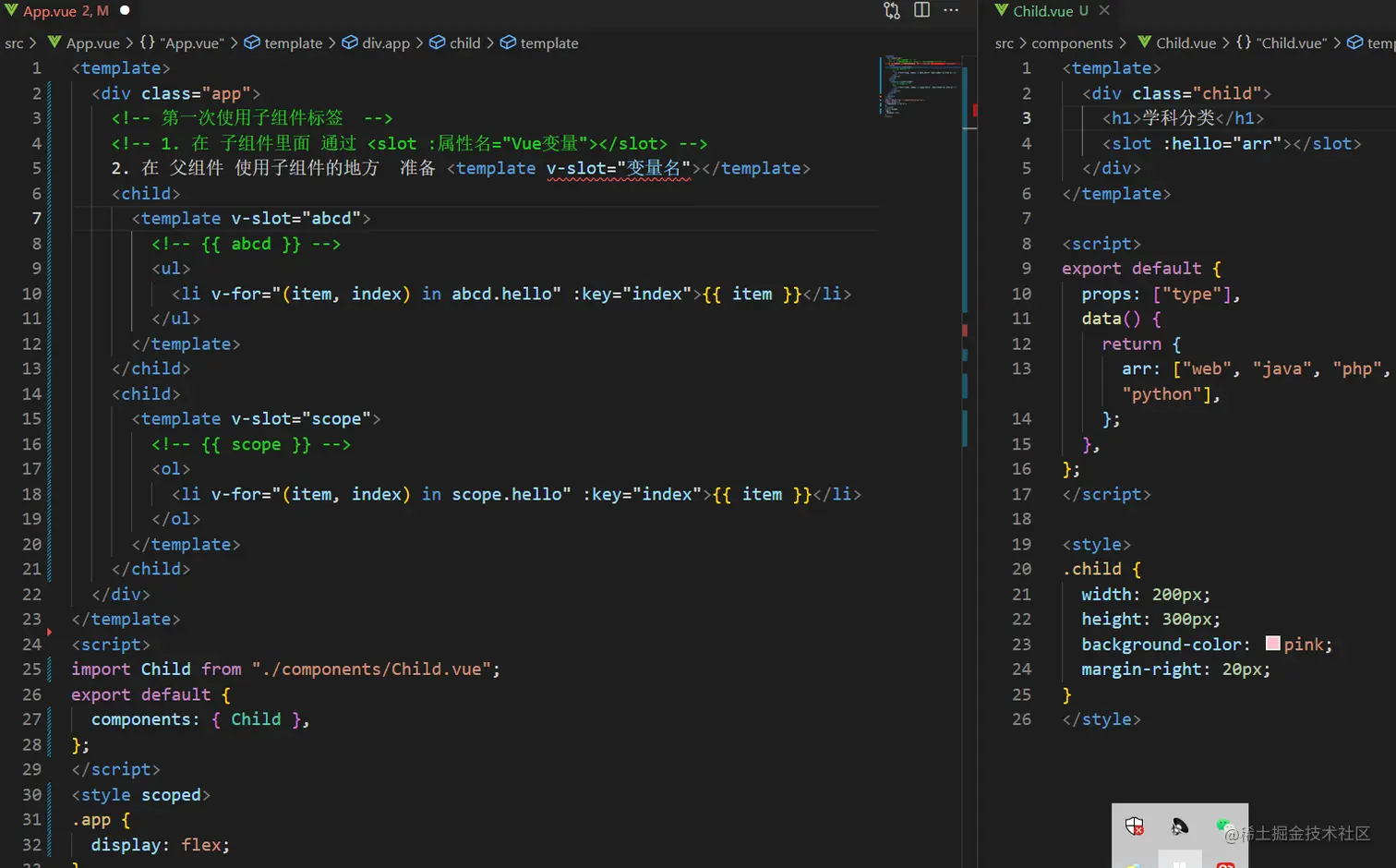
 口诀:
     1. 子组件, 在slot上绑定属性和子组件内的值
     2. 使用组件, 传入自定义标签, 用template和v-slot="自定义变量名"
     3. scope变量名自动绑定slot上所有属性和值
        scope = {row: defaultObj}
6.组件-作用域插槽_使用场景
<template>
<div>
<my-table :list="list">
<template v-slot="scope">
<img :src="scope.row" alt="" />
</template>
</my-table>
<hr />
<my-table :list="list">
<template v-slot="sp">
<a :href="sp.row" target="_blank">
<img :src="sp.row" alt="" />
</a>
</template>
</my-table>
</div>
</template>
<script>
import MyTable from "./components/MyTable.vue";
export default {
components: { MyTable },
data() {
return {
list: [
{
name: "小传同学",
age: 18,
headImgUrl:
"http://yun.itheima.com/Upload/./Images/20210303/603f2d2153241.jpg",
},
{
name: "小黑同学",
age: 25,
headImgUrl:
"http://yun.itheima.com/Upload/./Images/20210304/6040b101a18ef.jpg",
},
{
name: "智慧同学",
age: 21,
headImgUrl:
"http://yun.itheima.com/Upload/./Images/20210302/603e0142e535f.jpg",
},
],
};
},
};
</script>
<style>
</style>
<template>
<div>
<table border="1">
<thead>
<tr>
<th>序号</th>
<th>姓名</th>
<th>年龄</th>
<th>头像</th>
</tr>
</thead>
<tbody>
<tr v-for="(item, index) in list" :key="index">
<td>{{ index + 1 }}</td>
<td>{{ item.name }}</td>
<td>{{ item.age }}</td>
<td>
<slot :row="item.headImgUrl"></slot>
</td>
</tr>
</tbody>
</table>
</div>
</template>
<script>
export default {
props: {
list: {
type: Array,
required: true,
},
},
};
</script>

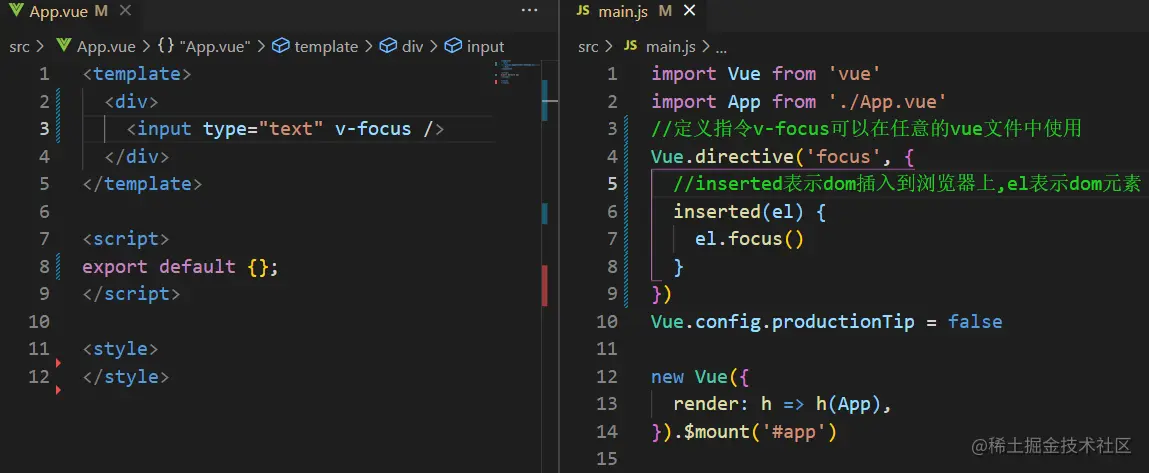
7.自定义指令-注册
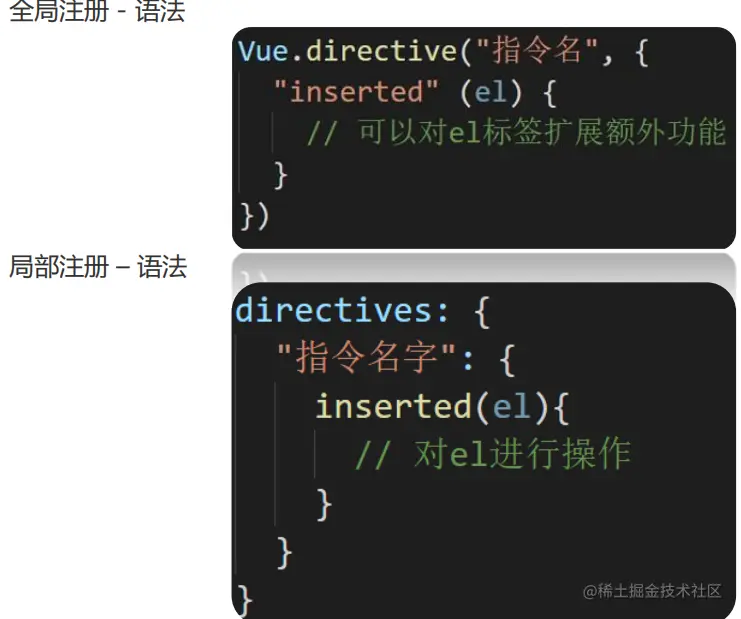
全局注册

局部注册
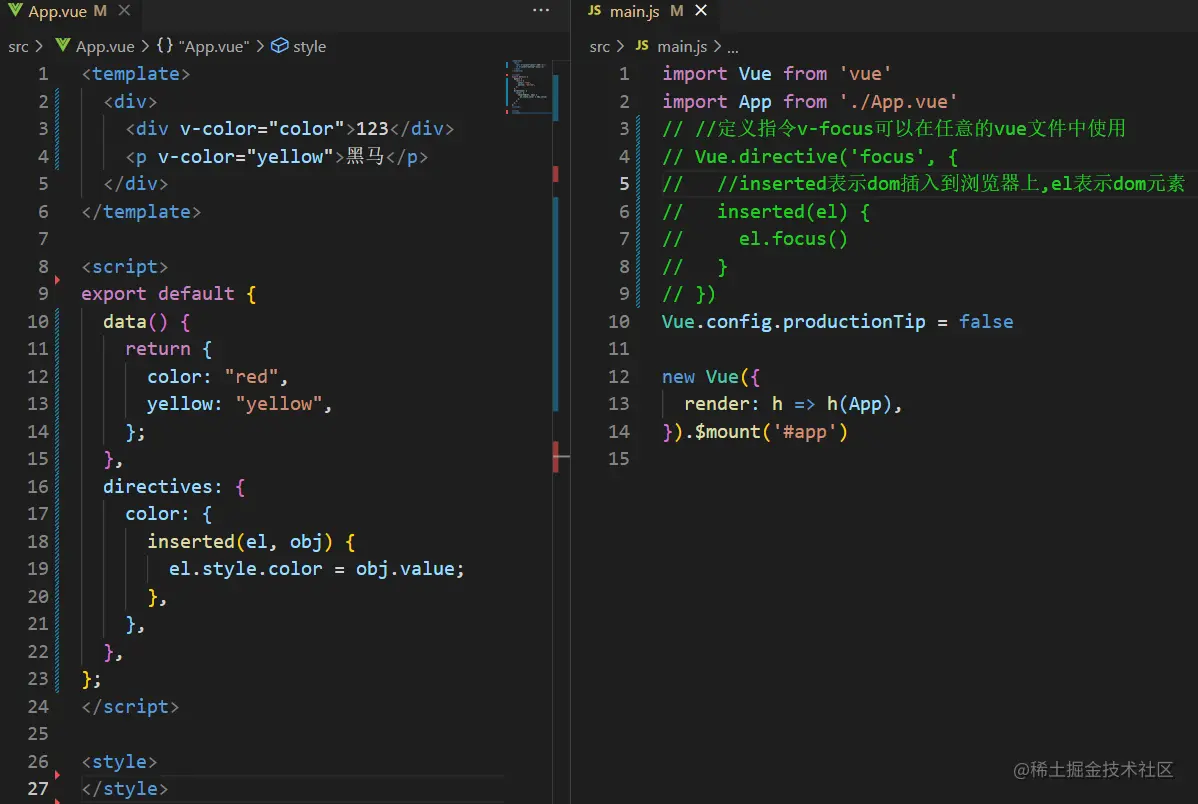
8.知识扩展:
9.$refs-获取DOM
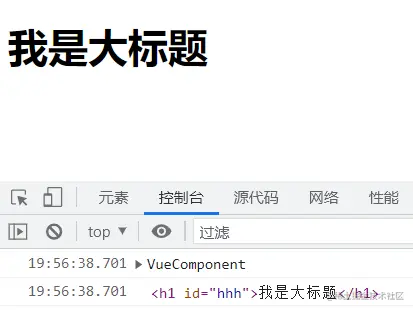
 Vue中如何获取原生DOM呢?
       用id属性或者ref属性都可以
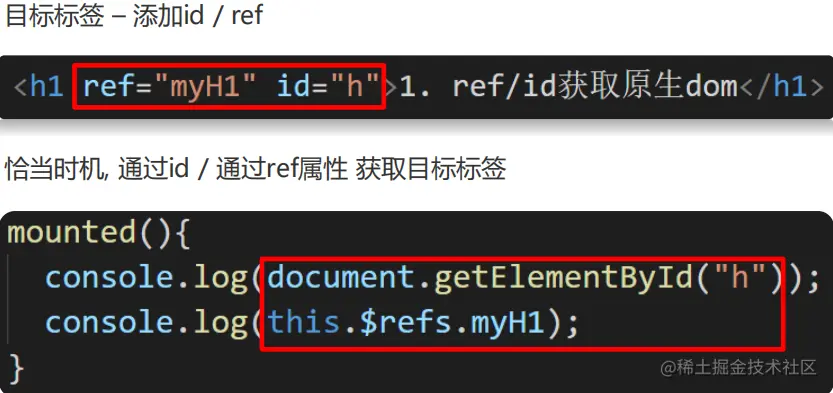
 <template>
  <div>
     <h1 id="hhh" ref="hh">我是大标题</h1>
 </div>
</template>
<script>
     export default {
      mounted() {
     console.log(this);
     console.log(this.$refs.hh);
   },
  };
</script>
<style>
</style>
10.$refs-获取组件对象
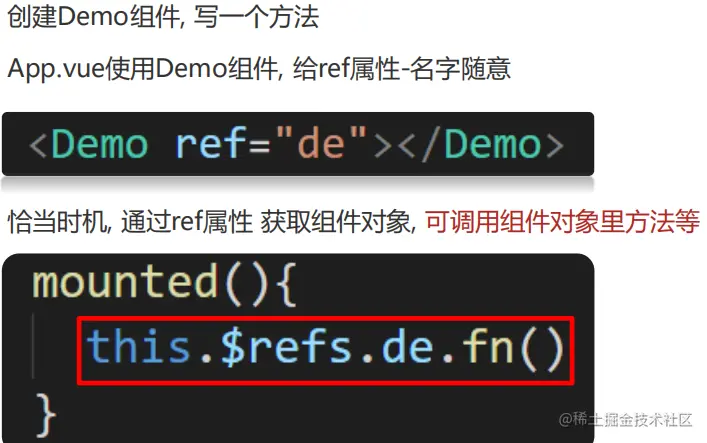
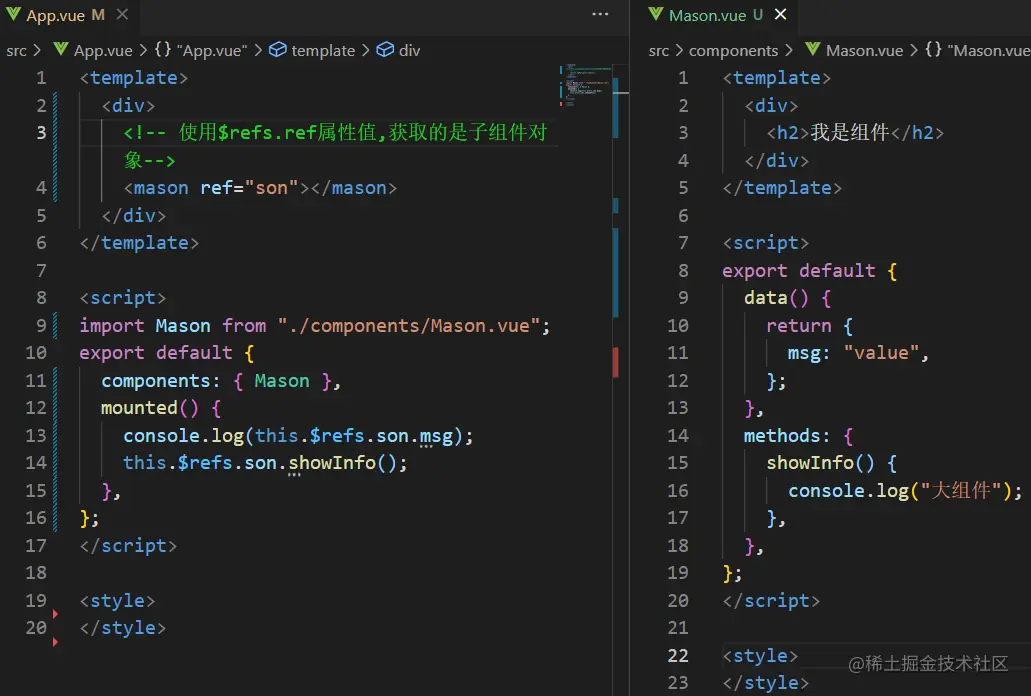
 如何获取组件对象呢?
    目标组件添加ref属性
    this.$refs.名字 获取组件对象
拿到组件对象能做什么?
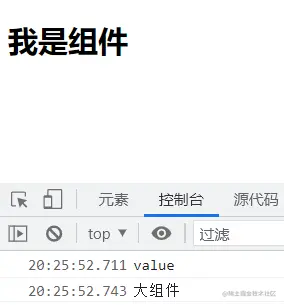
    调用组件里的属性/方法
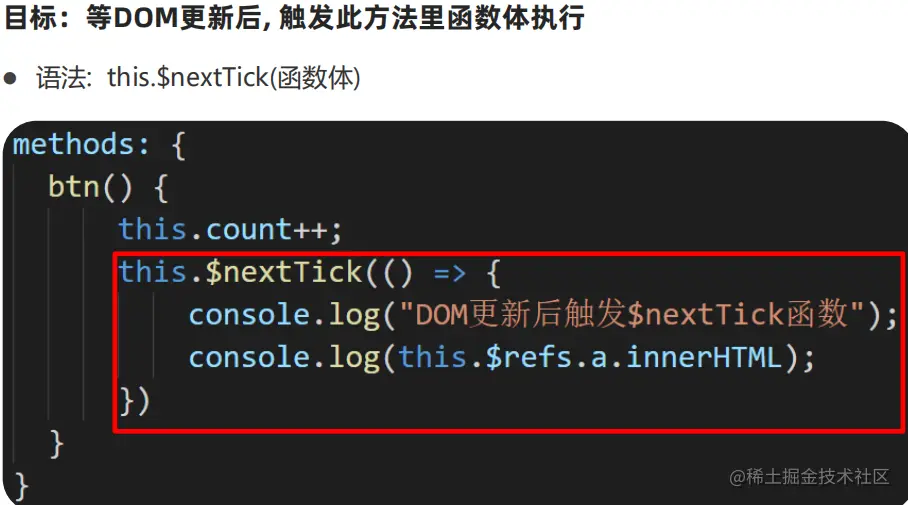
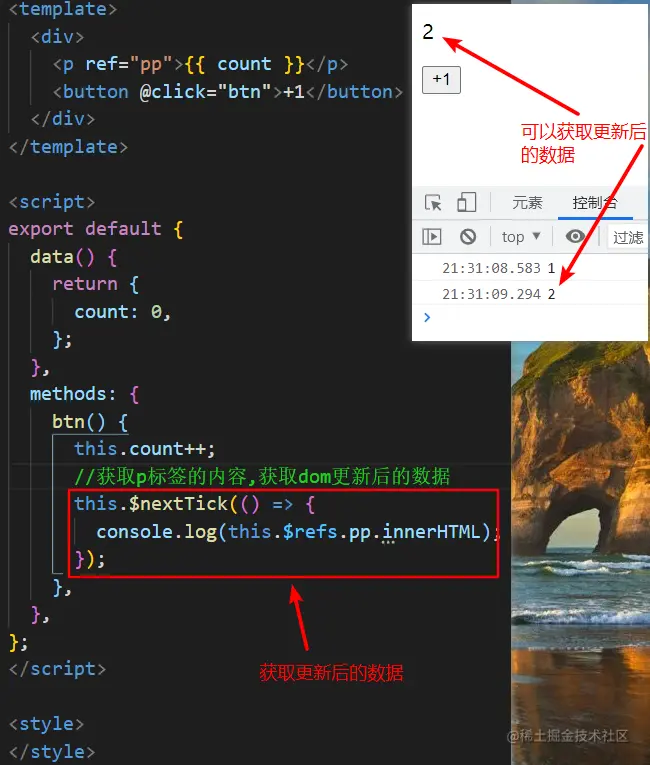
11.$nextTick使用
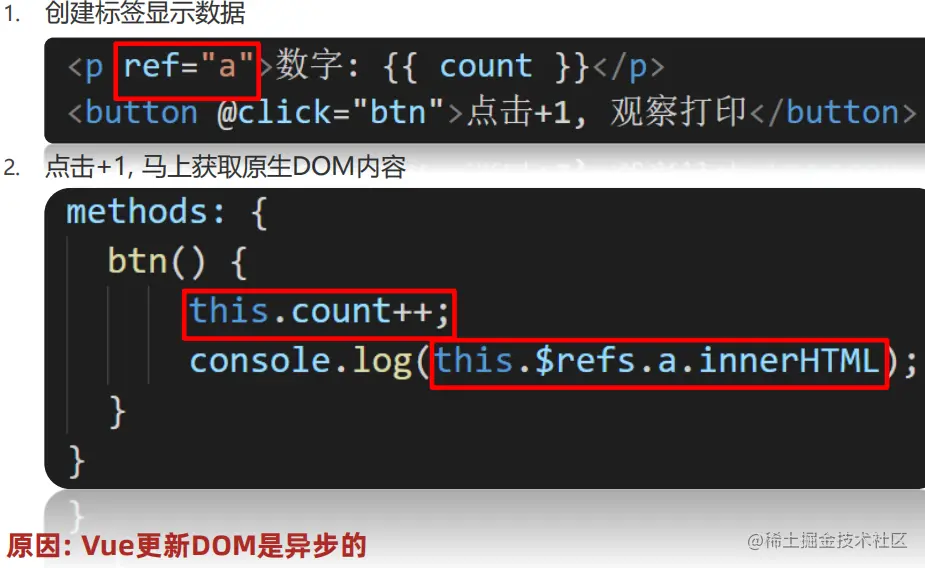
目标:点击改data, 获取原生DOM内容
12.$nextTick使用场景
 $nextTick函数原地返回什么?
  Promise对象
 如何在JS中主动触发标签的事件呢?
  获取到DOM对象, 调用事件方法
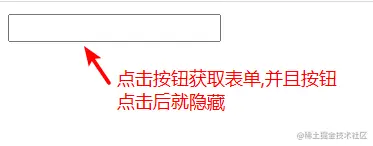
案例:需求:点击按钮 让 按钮消失 让输入框显示 并且 输入框需要聚焦
<template>
<div>
<input type="text" v-if="isShow" ref="input" />
<button v-else @click="btn">点击</button>
</div>
</template>
<script>
export default {
data() {
return {
isShow: false,
};
},
methods: {
async btn() {
this.isShow = true;
await this.$nextTick();
this.$refs.input.focus();
},
},
};
</script>
<style>
</style>
12.v-model的本质
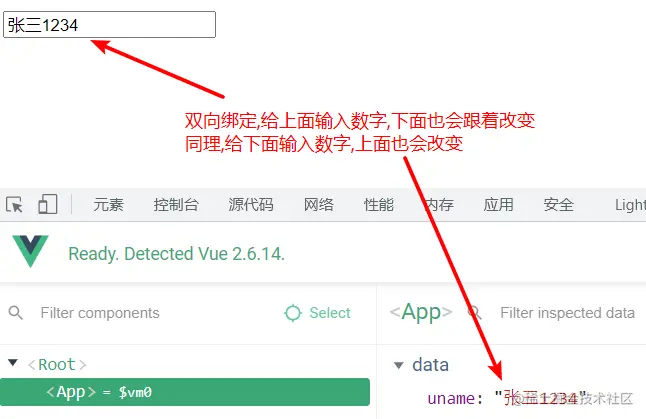
v-model的本质:
1. 给:value属性赋值
2. 接收@input事件, 把值赋予给变量
<template>
<div>
<input type="text" :value="uname" @input="fn" />
</div>
</template>
<script>
export default {
data() {
return {
uname: "张三",
};
},
methods: {
fn(e) {
this.uname = e.target.value;
},
},
};
</script>
<style>
</style>
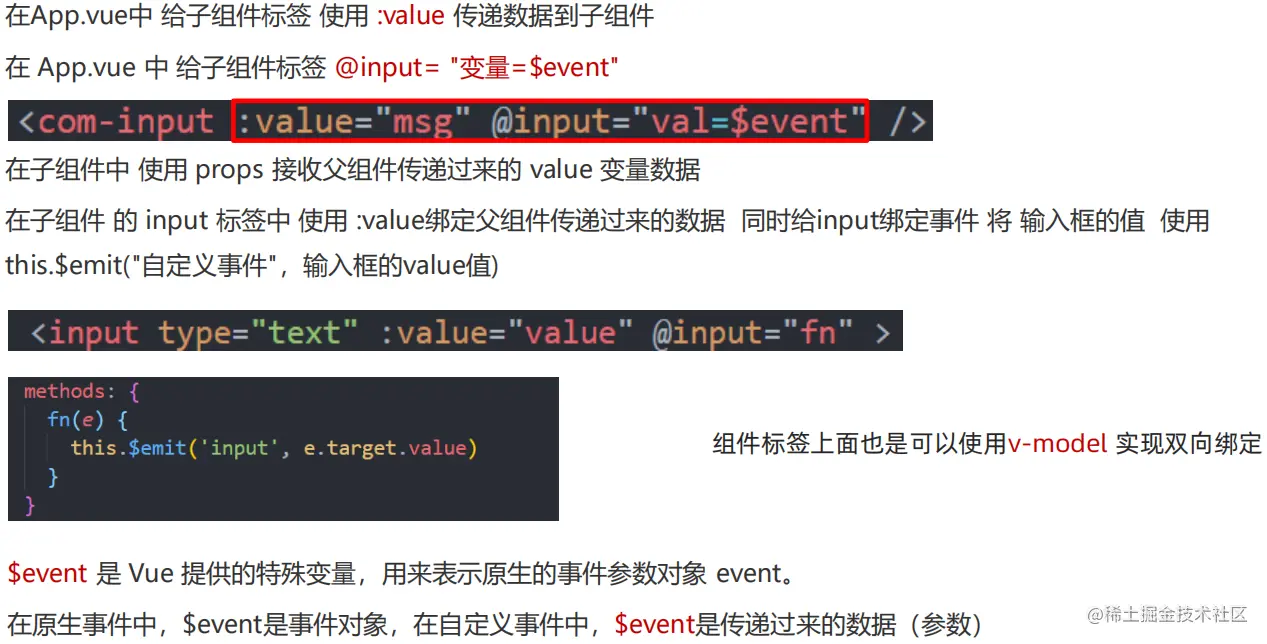
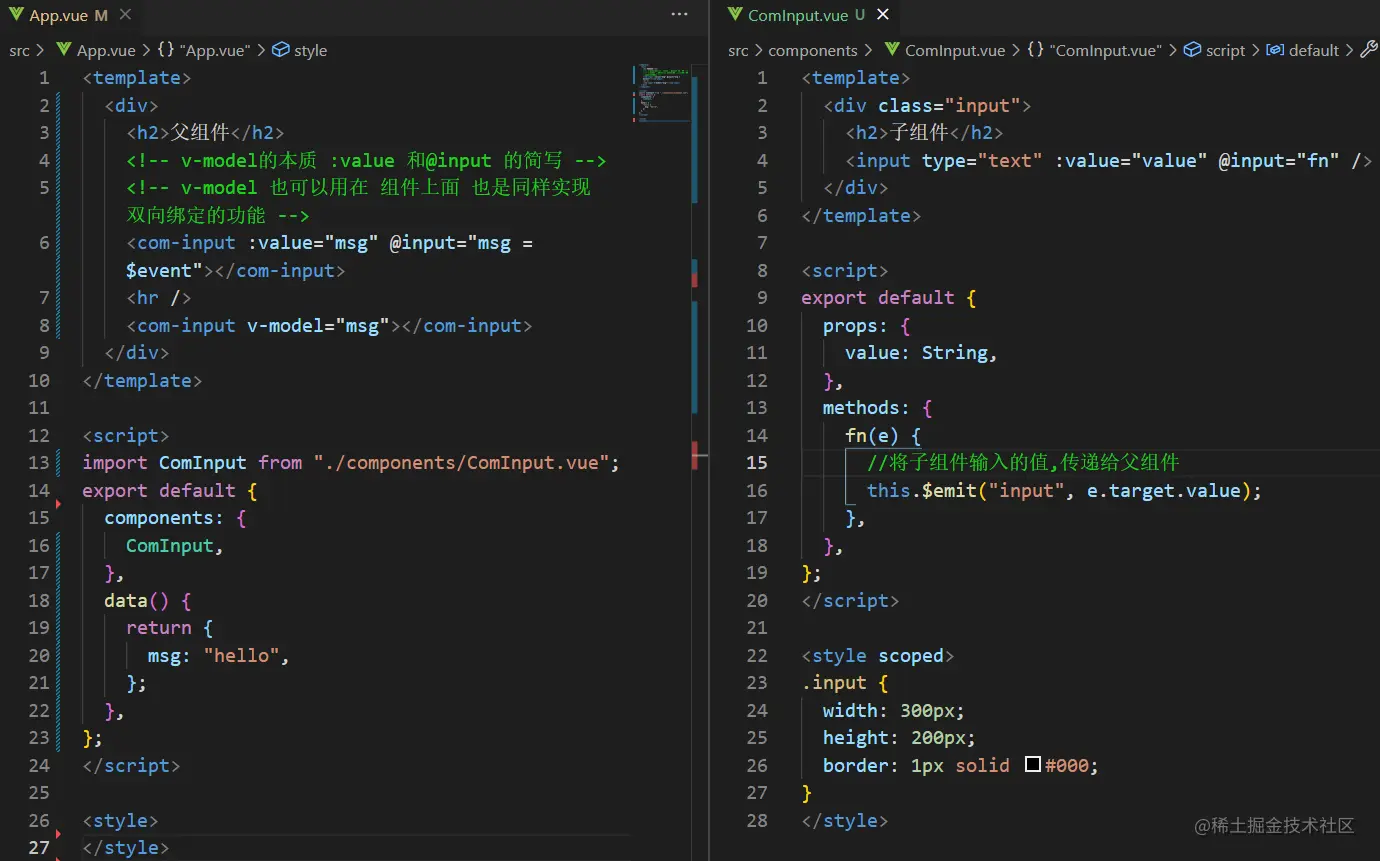
13.v-model的本质
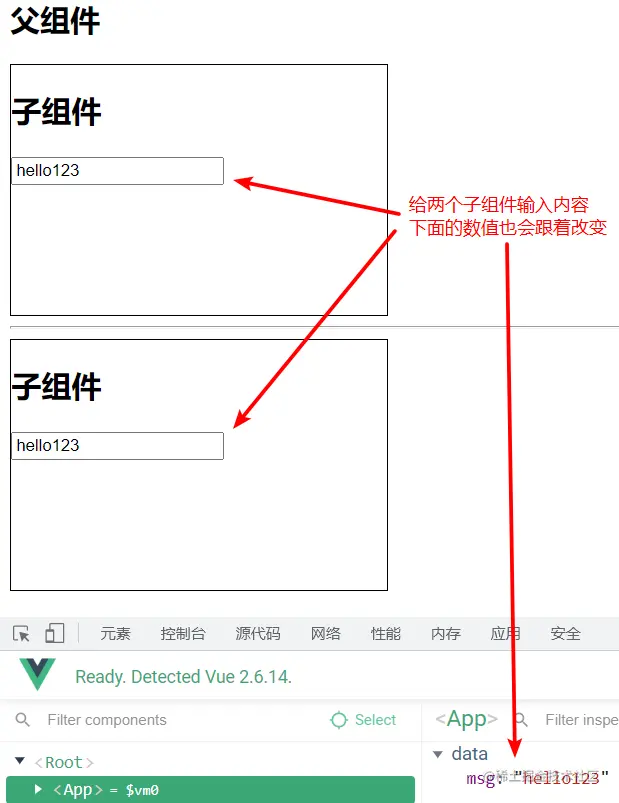
v-model也可以实现组件上面的数据双向绑定