1.Vue生命周期
从创建 到 销毁 的整个过程就是 – Vue实例的 - 生命周期
2.Vue-钩子函数
 作用: 特定的时间点,执行特定的操作
 场景: 组件创建完毕后,可以在created 生命周期函数中发起Ajax 请求,从而初始化 data 数据
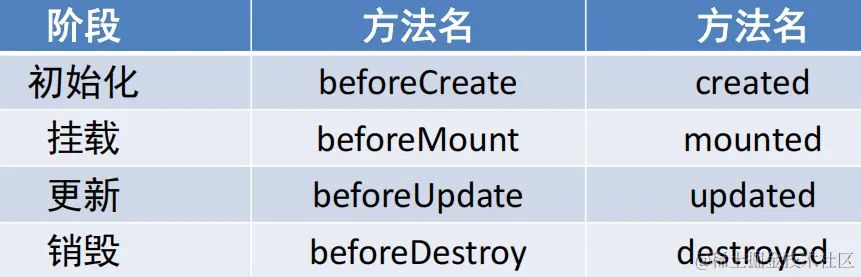
 分类: 4大阶段8个方法
 钩子函数有哪些?
 初始化 / 挂载 / 更新 / 销毁
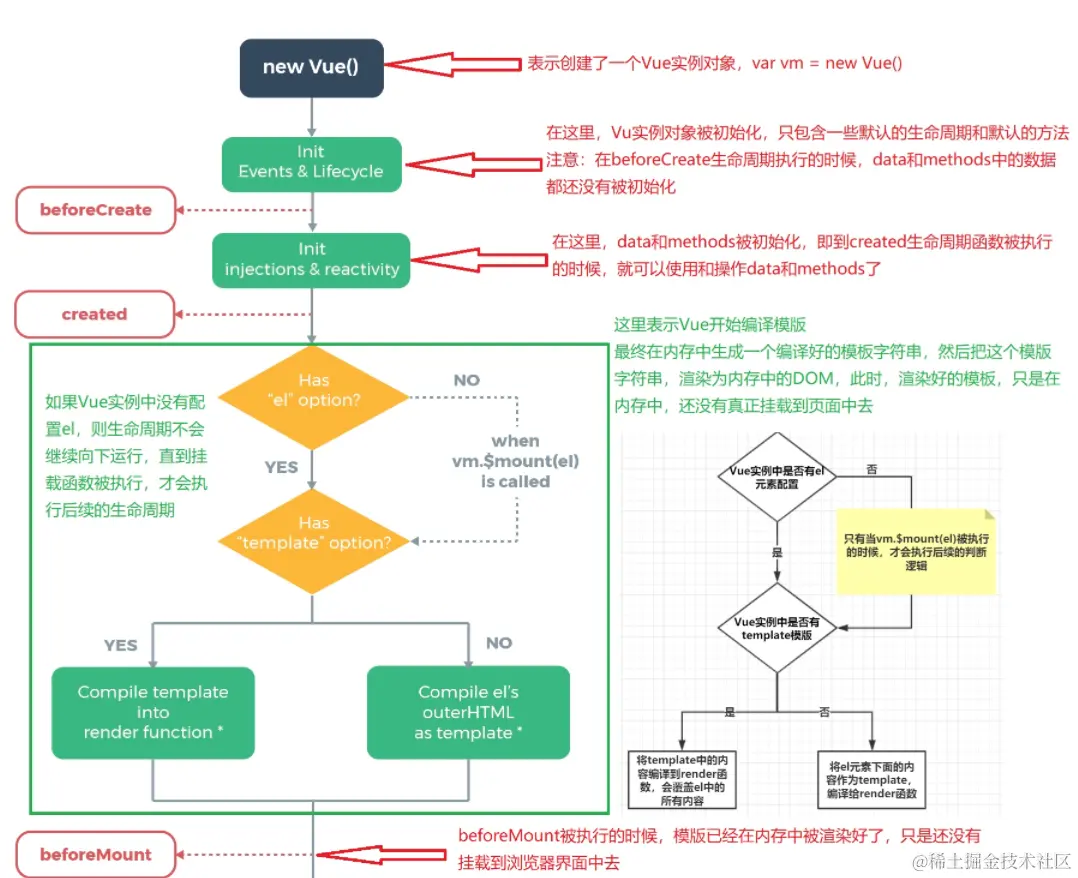
3.Vue-初始化阶段beforeCreate和created
 1. new Vue() – Vue实例化(组件也是一个小的Vue实例)
 2. Init Events & Lifecycle – 初始化事件和生命周期函数
 3. beforeCreate – 生命周期钩子函数被执行
 4. Init injections&reactivity – Vue内部添加data和methods等
 5. created – 生命周期钩子函数被执行, 实例创建
 6. 接下来是编译模板阶段 –开始分析
 7. Has el option? – 是否有el选项 – 检查要挂到哪里
 没有. 调用$mount()方法
 有, 继续检查template选项
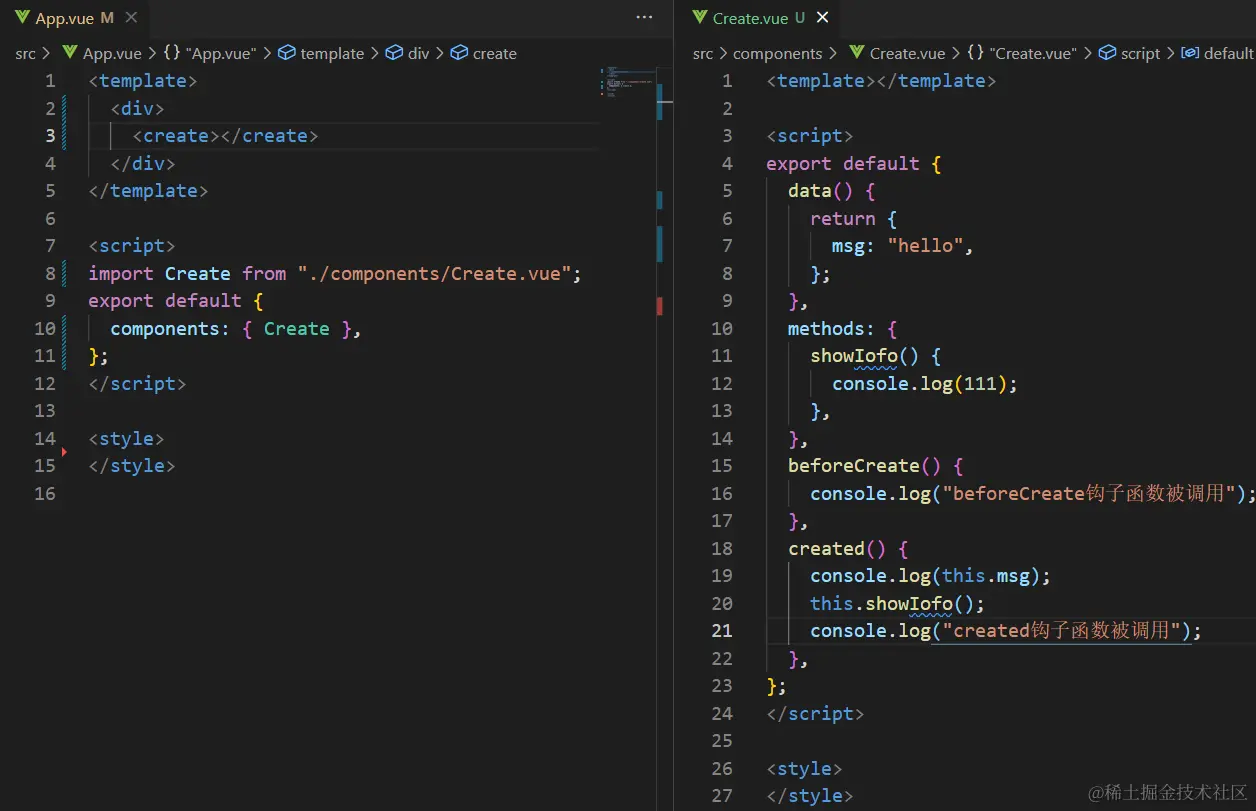
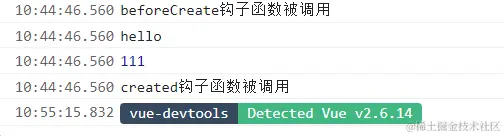
 8.当beforeCreate被触发后,created可以访问data里面的变量和methods里面的函数
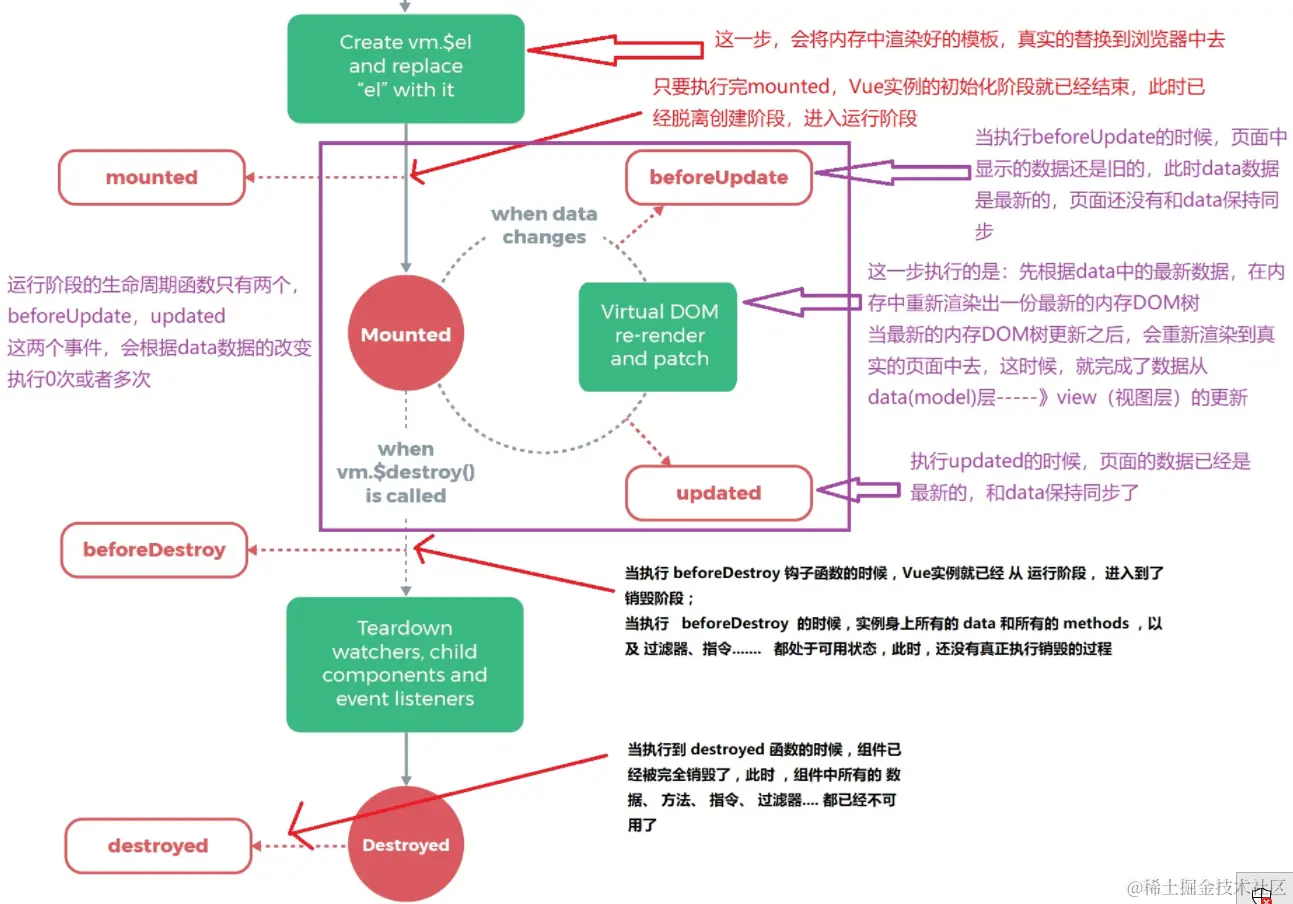
vue生命周期表
4.Vue-挂载阶段beforeMount和mounted
 Vue实例从创建到显示都经历了哪些钩子函数?
 beforeCreate / created / beforeMount / mounted
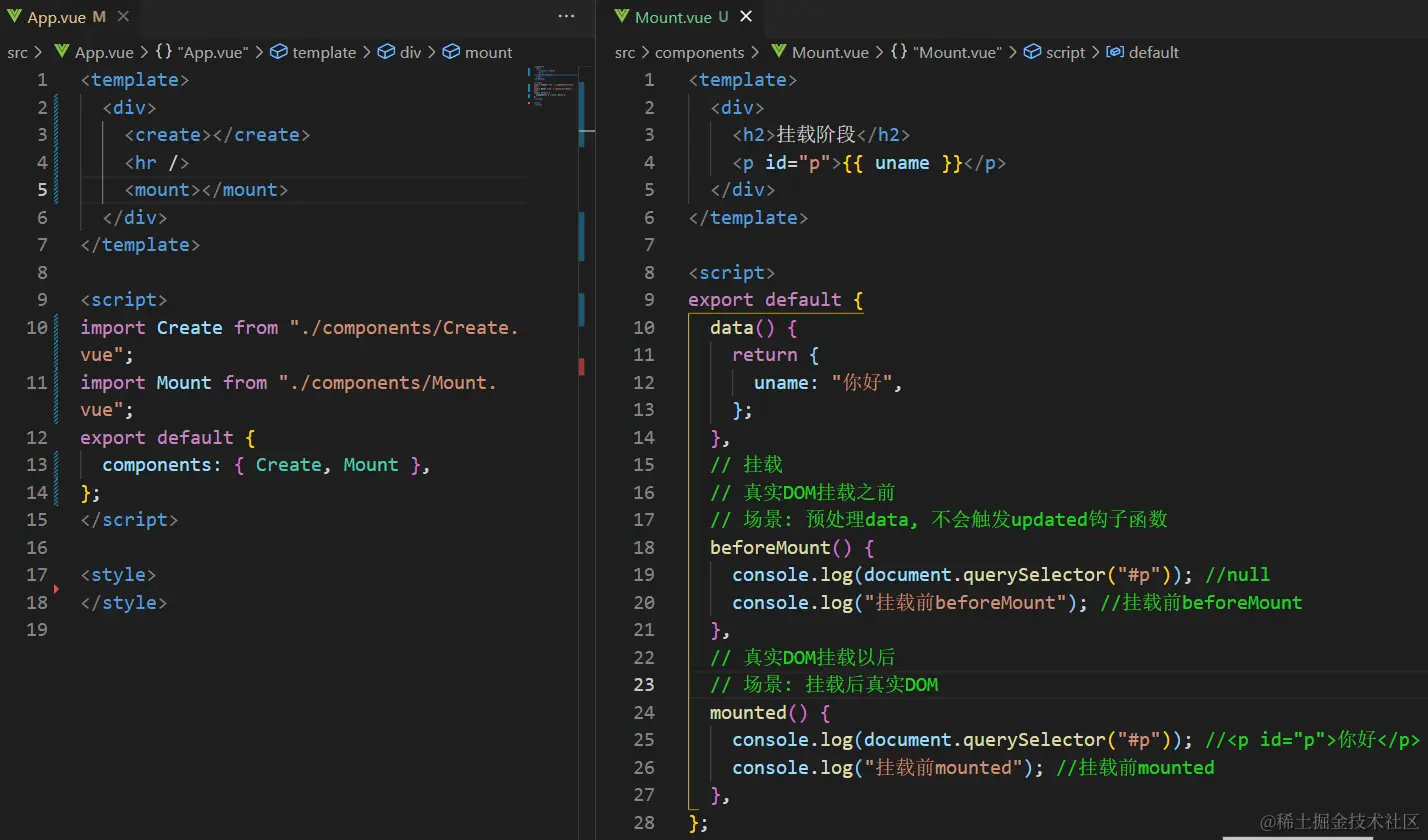
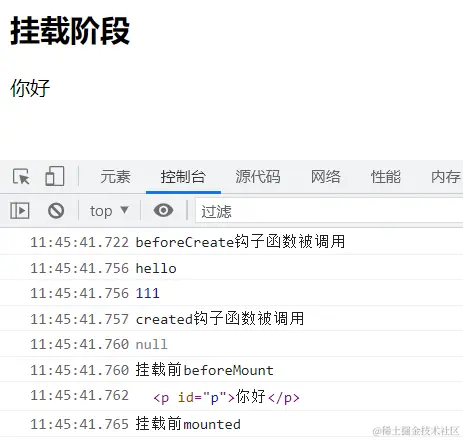
 在mounted钩子函数里可以获取真实DOM
 下图如果想要获取p标签里面的值,只能在mounted钩子函数里获取
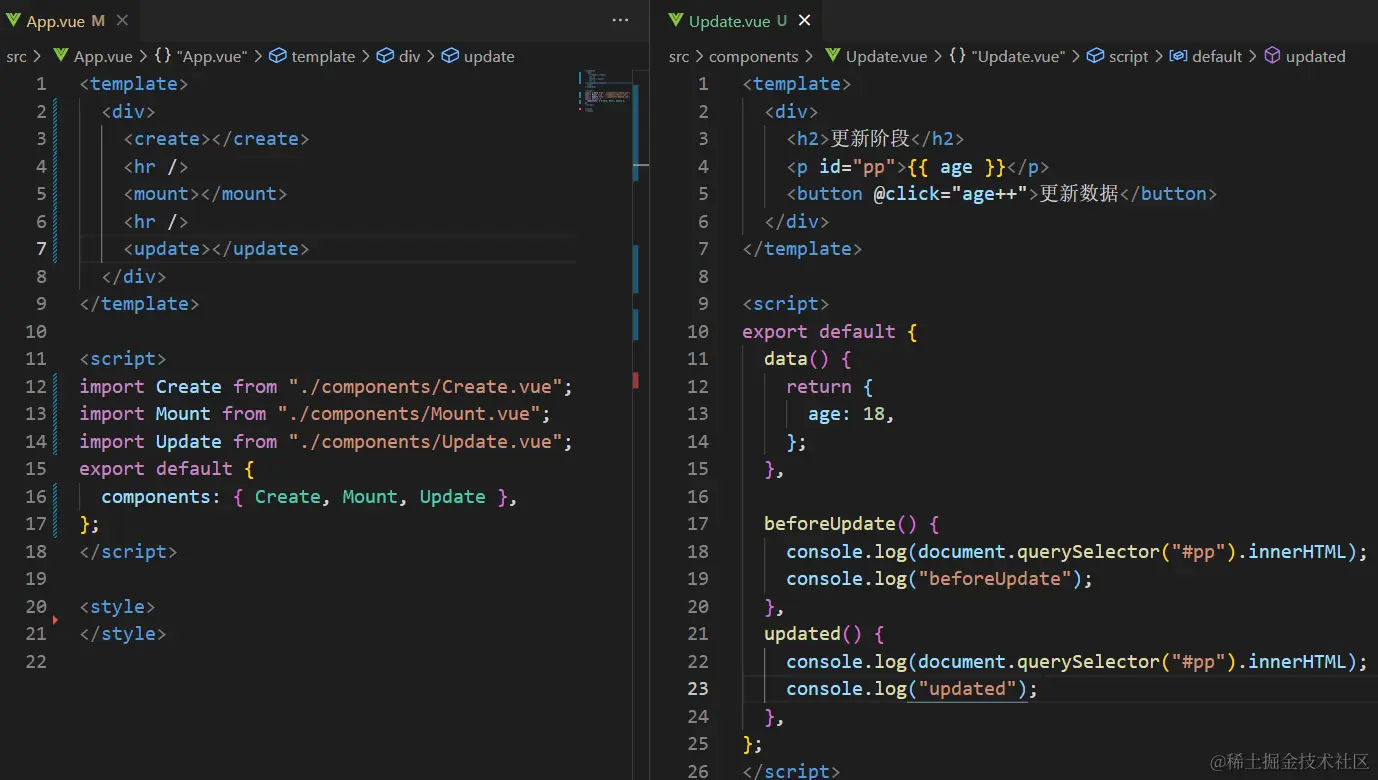
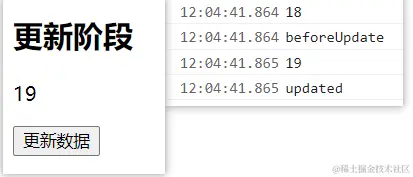
5.Vue-更新阶段beforeUpdate和updated
 1. 当data里数据改变, 更新DOM之前
 2. beforeUpdate – 生命周期钩子函数被执行
 3. Virtual DOM…… – 虚拟DOM重新渲染, 打补丁到真实DOM
 4. updated – 生命周期钩子函数被执行
 5. 当有data数据改变 – 重复这个循环
 注:如果想要获取到更新后的dom内容只能在updated里面获取
6.Vue-销毁阶段beforeDestroy与destroyed
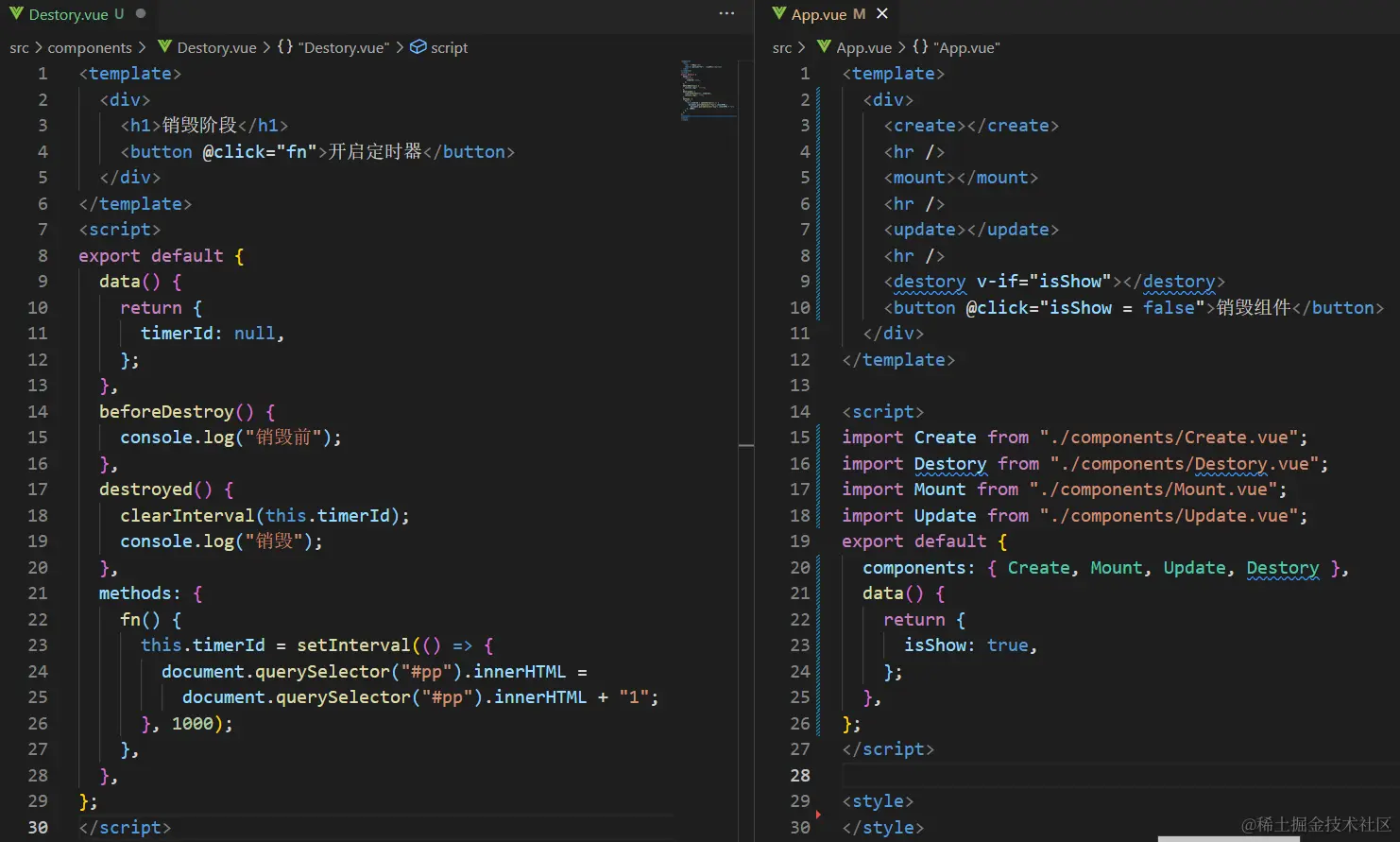
1. 当$destroy()被调用 – 比如组件DOM被移除(例v-if)
2. beforeDestroy – 生命周期钩子函数被执行
3. 拆卸数据监视器、子组件和事件侦听器
4. 实例销毁后, 最后触发一个钩子函数
5. destroyed – 生命周期钩子函数被执行
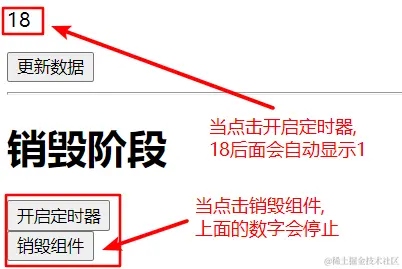
一般在beforeDestroy/destroyed里做手动消除计时器/定时器/全局事件
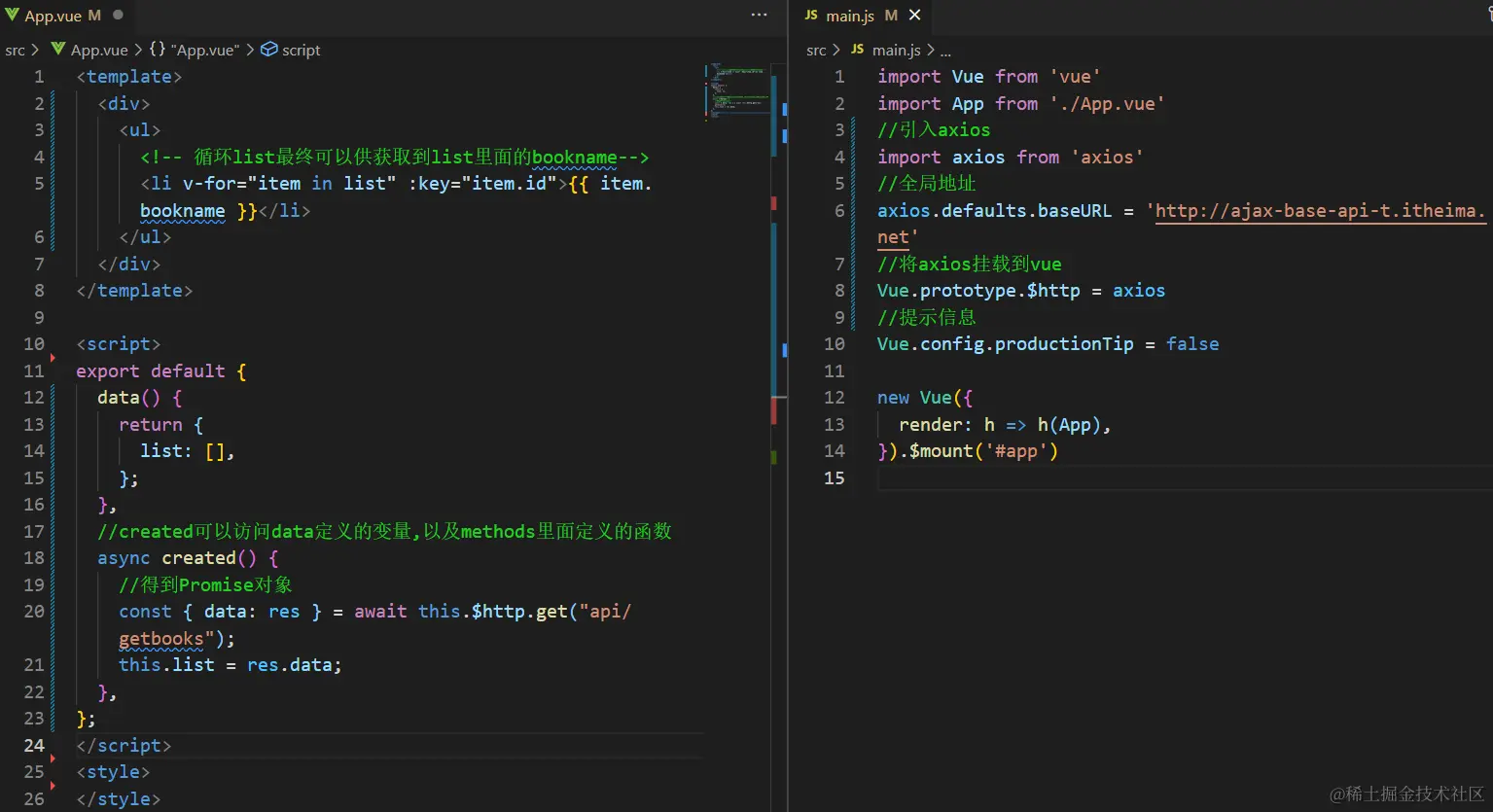
7.axios-基本使用---全局引入
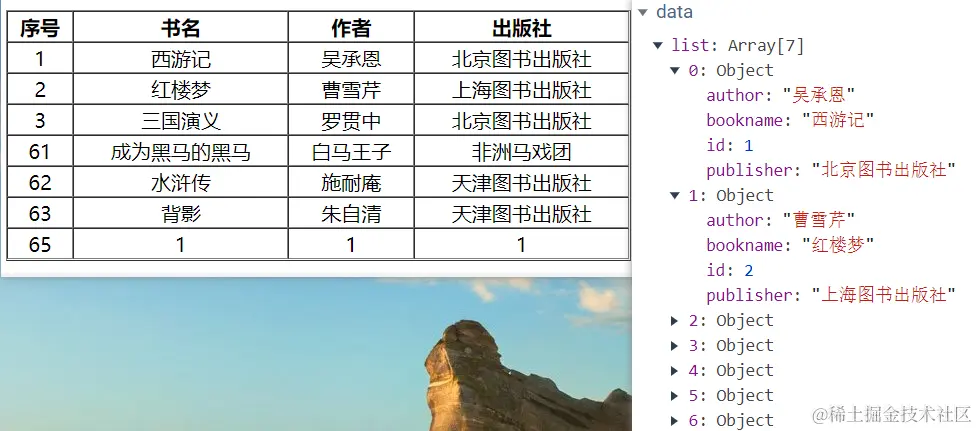
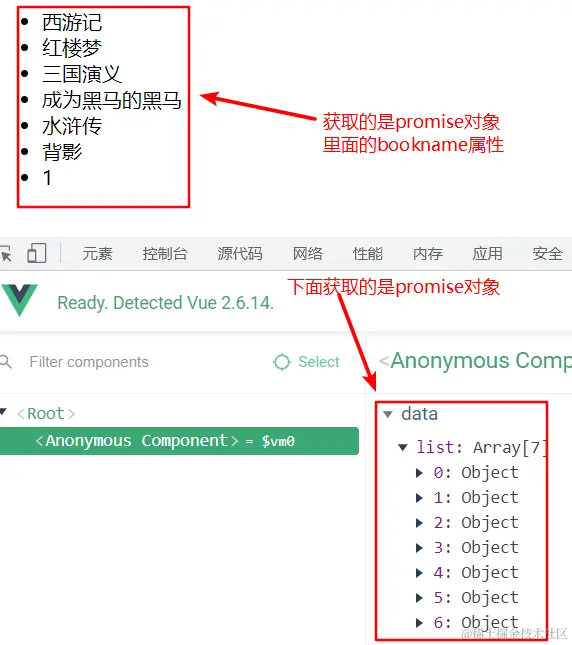
 目标1: 获取所有图书信息
 1. 下载axios    yarn  add   axios
 2. 引入axios    import axios from "axios";
 3.配置地址 axios.defaults.baseURL = "http://ajax-base-api-t.itheima.net"
 4. 发起axios请求
8.axios-基本使用---局部引入
目标1: 获取所有图书信息
1. 下载axios yarn add axios
2. 引入axios import axios from "axios";
3.配置地址 axios.defaults.baseURL = "http://ajax-base-api-t.itheima.net"
4. 发起axios请求
<template>
<div>
<table align="center" width="500" height="70" border="1" cellspacing="0">
<tr>
<th>序号</th>
<th>书名</th>
<th>作者</th>
<th>出版社</th>
</tr>
<tr v-for="item in list" :key="item.id">
<td>{{ item.id }}</td>
<td>{{ item.bookname }}</td>
<td>{{ item.author }}</td>
<td>{{ item.publisher }}</td>
</tr>
</table>
</div>
</template>
<script>
import axios from "axios";
axios.defaults.baseURL = "http://ajax-base-api-t.itheima.net";
export default {
data() {
return {
list: [],
};
},
methods: {
async getbooks() {
const { data: res } = await axios.get("/api/getbooks");
this.list = res.data;
},
},
created() {
this.getbooks();
},
};
</script>
<style>
td {
text-align: center;
}
</style>