


React Native Swiper简介
Swiper可以被定义为最新的免费移动触摸滑块,它具有惊人的原生行为和硬件加速的转换功能。它主要用于移动原生/混合应用、移动网站和移动网络应用。Swiper的主要缺点是它不兼容呼叫平台,所以它是一个现今的触摸滑块,主要集中在现今的平台或应用程序,带来最好的用户体验和用户界面。在Iconic框架中,Swiper是一个默认的滑块组件。Framework7是一个用于构建Android和iOS应用程序的全功能框架,由Swiper和其他伟大的组件组成。它作为开发滑块的最佳平台,可以非常有效地开发React Native。在这个话题中,我们将学习React Native Swiper。
导入React Native Swiper的语法
import React, { Component } from "react"; import Swiper from "react-native-custom-swiper";
或
import React from "react"; import {View,Text,StyleSheet} from "react-native";
import Swiper from "react-native-web-swiper";
如何在React Native中创建Swiper并举例说明?
以下是创建Swiper的例子。
例子#1
React Native中的简单滑块
代码。
import React, { Component } from 'react'; import { StyleSheet, View, Text } from 'react-native'; import Swiper from 'react-native-swiper'; export default class App extends Component { render() { return ( <Swiper style={styles.wrapper} showsButtons> <View style={styles.slide1}> <Text style={styles.text}>Slide1</Text> </View> <View style={styles.slide2}> <Text style={styles.text}>Slide2</Text> </View> </Swiper> ); } } const styles = StyleSheet.create({ wrapper: { }, slide1: { flex: 1, justifyContent: 'center', alignItems: 'center', }, slide2: { flex: 1, justifyContent: 'center', alignItems: 'center', }, text: { color: '#0a0a0a', fontSize: 25, fontWeight: 'bold' } });
输出。
图片1和图片2显示了一个简单的Swiper是如何在基于React Native的应用程序中开发的。
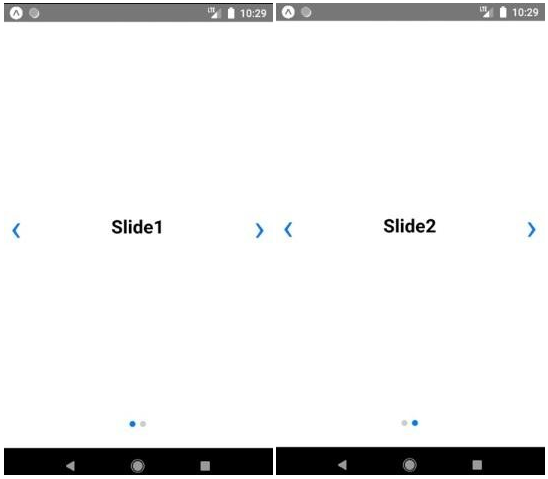
图片1和图片2
例子 #2
带有背景颜色的刷卡器
代码。
import React, { Component } from 'react'; import { StyleSheet , View , Text } from 'react-native'; import Swiper from 'react-native-swiper'; export default class App extends Component { render() { return ( <Swiper style={styles.wrapper} showsButtons> <View style={styles.slide1}> <Text style={styles.text}>Welcome to Swiper</Text> </View> <View style={styles.slide2}> <Text style={styles.text}>You are beautiful</Text> </View> <View style={styles.slide3}> <Text style={styles.text}>You are amazing</Text> </View> </Swiper> ); } } const styles = StyleSheet.create({ wrapper: { }, slide1: { flex: 1, justifyContent: 'center', alignItems: 'center', backgroundColor: '#caff75' }, slide2: { flex: 1, justifyContent: 'center', alignItems: 'center', backgroundColor: '#fffa73' }, slide3: { flex: 1, justifyContent: 'center', alignItems: 'center', backgroundColor: '#6cf5d9' }, text: { color: '#6e596d', fontSize: 25, fontWeight: 'bold' } });
输出。
图片3、图片4和图片5显示了不同背景颜色的Swiper在基于iOS平台上的工作情况。图片6、图片7和图片8显示了不同背景颜色的Swiper在基于Android平台上的工作情况。
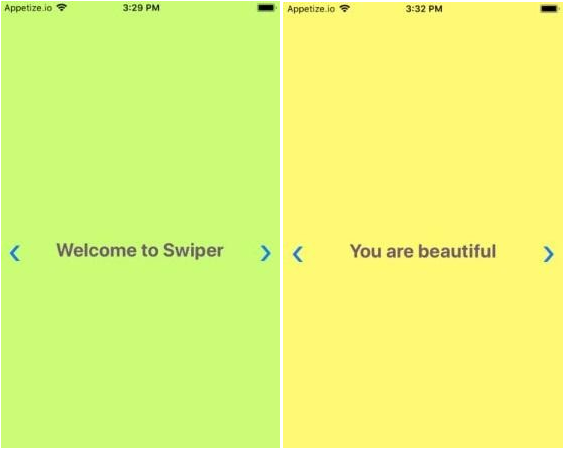
图片3和图片4

图片5
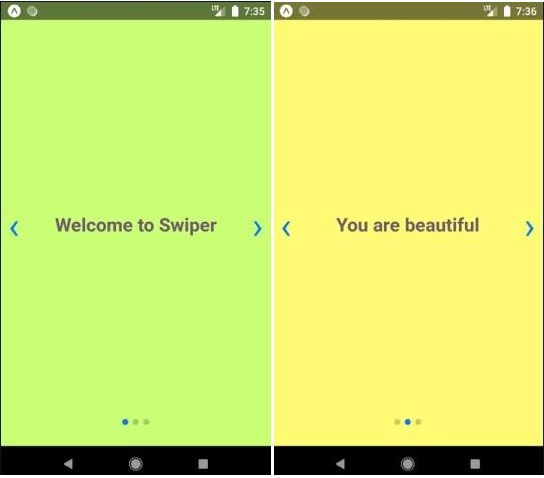
图片6和图片7

图片8
例子 #3
通过上一个和下一个按钮滑动的刷卡器
代码。
import React from "react"; import {View,Text,StyleSheet} from "react-native"; import Swiper from "react-native-web-swiper"; const styles = StyleSheet.create({ container: { flex: 1 }, slideContainer: { flex: 1, alignItems: "center", justifyContent: "center" }, slide1: { backgroundColor: "#ffbb45" }, slide2: { backgroundColor: "#3bbceb" }, slide3: { backgroundColor: "#ed3b9d" }, }); export default class Screen extends React.Component { render() { return ( <View style={styles.container}> <Swiper> <View style={[styles.slideContainer,styles.slide1]}> <Text>Slide A</Text> </View> <View style={[styles.slideContainer,styles.slide2]}> <Text>Slide B</Text> </View> <View style={[styles.slideContainer,styles.slide3]}> <Text>Slide C</Text> </View> </Swiper> </View> ) } }
输出。
图片9、图片10和图片11显示了一个带有Prev和Next按钮的刷卡器,可以刷到下一个和上一个幻灯片。

图片9和图片10
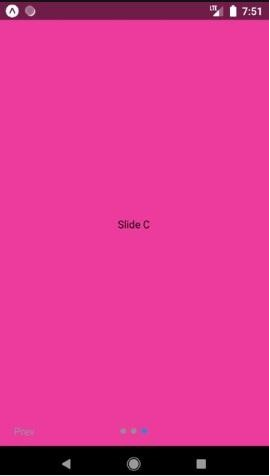
图片11
例子 #4
带模版的滑动器
代码。
import React, { Component } from "react"; import { Text, View, Modal, Dimensions } from "react-native"; import Swiper from "react-native-swiper"; import { Button } from "react-native-elements"; var width = Dimensions.get("window").width; var height = Dimensions.get("window").height; export default class extends Component { constructor(props) { super(props); this.state = { items:[ { css: thisstyles.slide1, title: "Hello! Welcome to Swiper" }, { css: thisstyles.slide2, title: "Display 1" }, { css: thisstyles.slide3, title: "Display 2" }, { css: thisstyles.slide4, title: "Display 3" } ], modalVisible: false }; } componentDidMount() { } toggleModalVisible = () => { this.setState({ modalVisible: !this.state.modalVisible }); }; renderFullScreen() { if (!this.state.modalVisible) { return null; } return ( <Modal isVisible={this.state.visible} backdropOpacity={0.1} swipeDirection="left" onSwipe={this.closeModal} onBackdropPress={this.closeModal} > <View style={thisstyles.modalFullScreen}> <Text>Component and text are present here</Text> <Swiper style={thisstyles.wrapper} showsButtons={true}> {this.state.items.map((item, key) => { console.log("item", item); return ( <View key={key} style={item.css}> <Text style={thisstyles.text}>{item.title}</Text> </View> ); })} </Swiper> </View> </Modal> ); } render() { return ( <Swiper style={thisstyles.wrapper} showsButtons={true}> {this.state.items.map((item, key) => { console.log("item", item); return ( <View key={key} style={item.css}> <Text style={thisstyles.text}>{item.title}</Text> {this.renderFullScreen()} <Button title="modal" onPress={() => this.toggleModalVisible()} icon={{ name: "close", type: "bold" }} /> </View> ); })} </Swiper> ); } } const thisstyles = { modalFullScreen: { height: height, width: width }, wrapper: {}, slide1: { flex: 1, justifyContent: "center", alignItems: "center", backgroundColor: "#c769fa" }, slide2: { flex: 1, justifyContent: "center", alignItems: "center", backgroundColor: "#f369fa" }, slide3: { flex: 1, justifyContent: "center", alignItems: "center", backgroundColor: "#fa6994" }, slide4: { flex: 1, justifyContent: "center", alignItems: "center", backgroundColor: "#ffe263" }, text: { color: "#615e4f", fontSize: 25, fontWeight: "italic" } };
输出。
图片12、图片13、图片14和图片15显示了一个带有模态的刷卡器,图片16显示了当模态被点击时,顶部会出现一个带有文本的窗口。
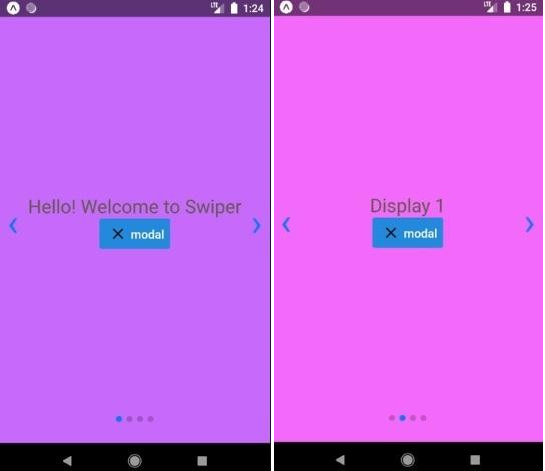
图片12和图片13
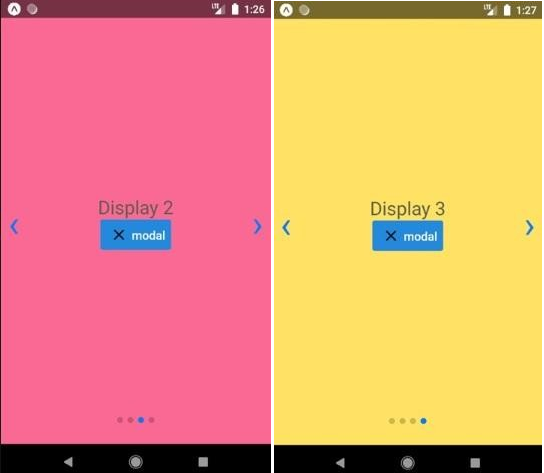
图片14和图片15
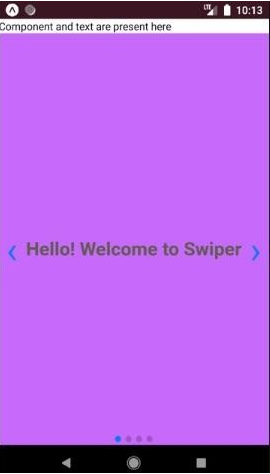
图片16
结论
在上述讨论的基础上,我们了解到Swipers只是滑块的升级版,我们也了解到不同类型的Swipers可以在基于应用程序中开发。我们已经开发了各种类型的刷卡器,比如。
- 简单的滑动器
- 带有背景颜色的滑动器
- 带有上一页和下一页按钮的滑动器
- 带模式的刷卡器
尽管在基于React-Native的应用程序中还可以开发更多的刷卡器,如带gif的刷卡器,带动画的刷卡器等。在React Native中,人们可以非常容易和有效地开发刷卡器。它提供了各种选项来开发这些刷卡器,也提供了最好的用户界面和用户体验。
推荐文章
这是一个关于React Native Swiper的指南。在这里我们讨论了如何在React Native中创建Swiper以及例子和语法。你也可以看看下面的文章来了解更多
