

安装Laravel
-
从getcomposer.org/download/下载并安装最新版本的Composer.
-
在Visual Studio Code中打开Windows终端,用下面的命令安装Laravel安装器。
composer global require laravel/installer(adsbygoogle = window.adsbygoogle || []).push({});
-
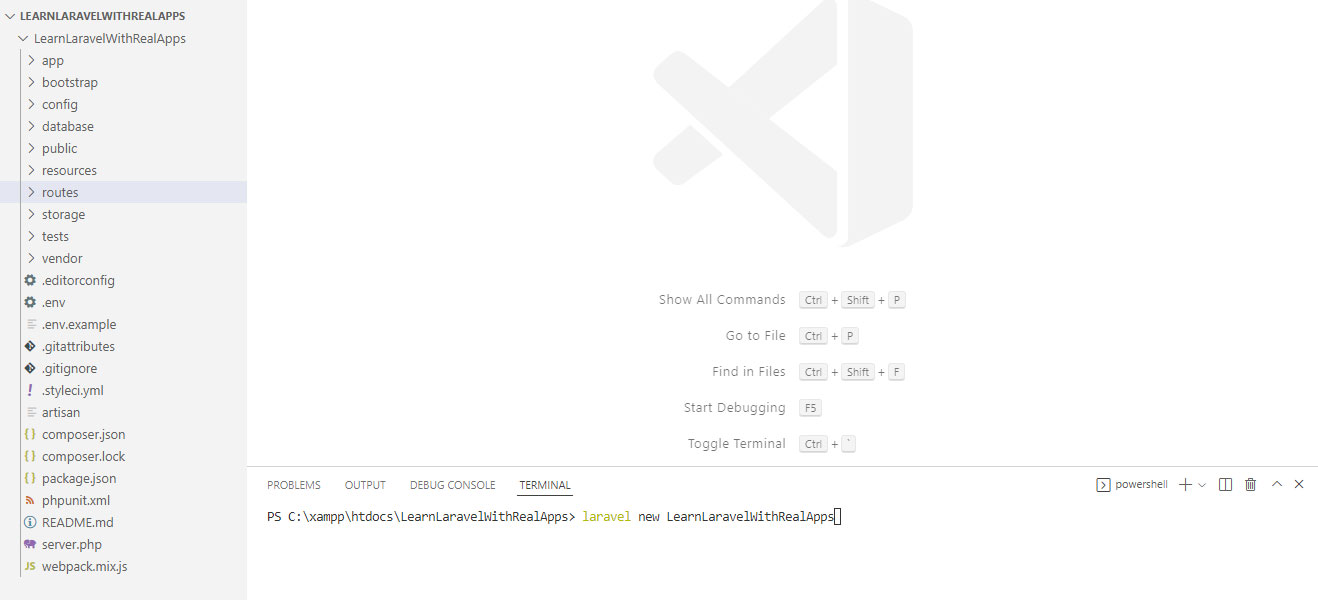
创建新的文件夹命名为LearnLaravelWithRealApps.使用Visual Studio Code打开LearnLaravelWithRealApps文件夹。在这个文件夹中,创建名为LearnLaravelWithRealApps的新项目,命令如下。
laravel new LearnLaravelWithRealApps(adsbygoogle = window.adsbygoogle || []).push({});
-
运行LearnLaravelWithRealApps项目,命令如下。
php artisan serve -
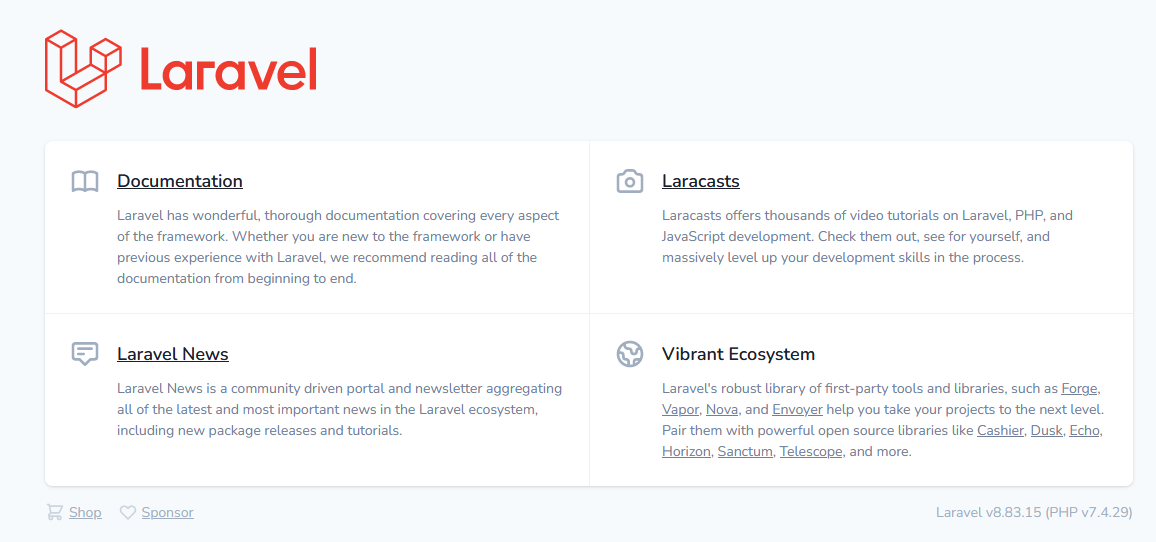
打开LearnLaravelWithRealApps项目,网址如下。
http://localhost:8000(adsbygoogle = window.adsbygoogle || []).push({});
(addsbygoogle = window.addsbygoogle || []).push({});
自定义验证
在app文件夹中创建名为Rules的新文件夹。在app/Rules文件夹下创建名为UsernameRule.php的新PHP文件,如下所示。
<?php

namespace App\Rules;

use Illuminate\Contracts\Validation\Rule;

class UsernameRule implements Rule
{
	public function __construct()
	{
	}

	public function passes($attribute, $value)
	{
		return 'abc' !== $value;
	}

	public function message()
	{
		return 'Username Exists';
	}
}
(adsbygoogle = window.adsbygoogle || []).push({})。
控制器
在app/Http/Controllers文件夹下创建名为DemoController.php的新PHP文件,如下所示。
<?php

namespace App\Http\Controllers;

use Illuminate\Http\Request;

use App\Rules\UsernameRule;

class DemoController extends Controller
{
	public function index()
	{
		return view('demo/index');
	}

	public function save(Request $request)
	{
		$this->validate($request, [
			'username' => [
				'required',
				'min:3',
				'max:8',
				new UsernameRule(),
			]
		]);
		return view('demo/success');
	}
}
(adsbygoogle = window.adsbygoogle || []).push({})。
视图
演示视图
在resources/views文件夹下创建名为demo的新文件夹。在Demo文件夹中,创建新的视图,如下所示。
索引视图
在resources/views/demo中创建名为index.blade.php的新PHP文件,如下所示。
<html>
<head>
<title>Laravel</title>
</head>
<body>
<h3>Register</h3>
@if (count($errors) > 0)
<div class="alert alert-danger">
<ul>
@foreach ($errors->all() as $error)
<li>{{ $error }}</li>
@endforeach
</ul>
</div>
@endif
<form method="post" action="{{url('/demo/save')}}">
{{ csrf_field() }}
<table border="0">
<tr>
<td>Username</td>
<td><input type="text" name="username" value="{{ old('username') }}"></td>
<td>
{!! $errors->first('username', '<p class="help-block">:message</p>') !!}
</td>
</tr>
<tr>
<td> </td>
<td><input type="submit" value="Save"></td>
</tr>
</table>
</form>
</body>
</html>
(adsbygoogle = window.adsbygoogle || []).push({})。
欢迎视图
在resources/views/demo中创建名为success.blade.php的新 PHP 文件,如下所示。
<html>

	<head>
		<title>Laravel</title>
	</head>

	<body>

		Success

	</body>

</html>
(adsbygoogle = window.adsbygoogle || []).push({})。
路由
打开routes文件夹中的web.php文件,添加新的路线,如下所示。
<?php

use Illuminate\Support\Facades\Route;

use App\Http\Controllers\DemoController;

Route::group([], function () {
	Route::get('/', [DemoController::class, 'index']);
	Route::get('/demo', [DemoController::class, 'index']);
	Route::get('/demo/index', [DemoController::class, 'index']);
	Route::post('/demo/save', [DemoController::class, 'save']);
});
(adsbygoogle = window.adsbygoogle || []).push({});
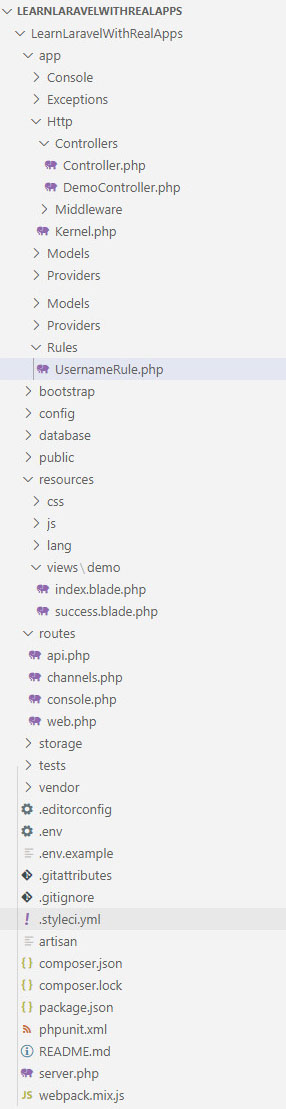
Laravel项目的结构
(adsbygoogle = window.adsbygoogle || []).push({});
运行应用程序
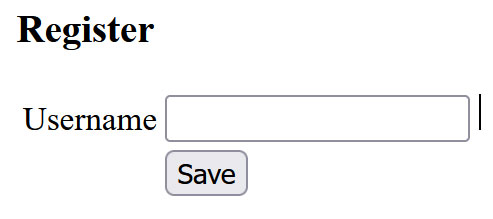
在Demo控制器中访问索引动作,网址如下:http://localhost:8000/demo/index
输出
(adsbygoogle = window.adsbygoogle || []).push({})。
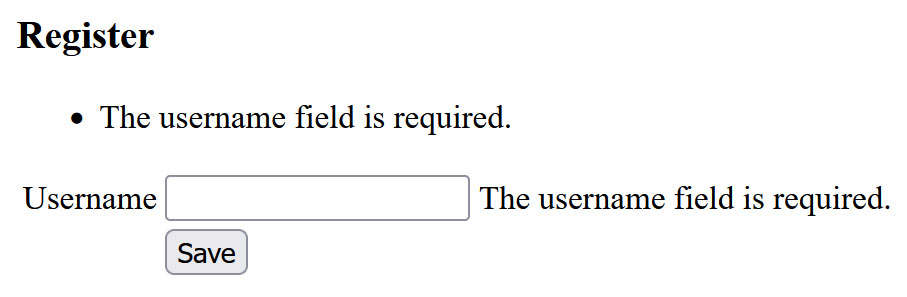
点击保存按钮提交表单,在Demo控制器中保存无效数据的动作,如下所示。
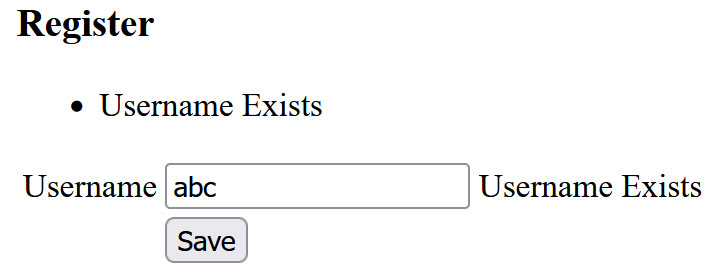
点击 "保存"按钮,提交表单,在Demo控制器中保存有效数据的动作。
输出
