let button = document.querySelector('button')
        button.addEventListener('click', function () {
            let xhr = new XMLHttpRequest()
            xhr.open('get', 'http://www.itcbc.com:3006/api/getbooks')
            xhr.send(null)
            xhr.addEventListener('load', function () {

                console.log(JSON.parse(xhr.response), typeof JSON.parse(xhr.response));
            })
        })
        let button = document.querySelector('button')
        button.addEventListener('click', function () {
            let xhr = new XMLHttpRequest()
            xhr.open('get', 'http://www.itcbc.com:3006/?id=xxx&xxx')
            xhr.send(null)
            xhr.addEventListener('load', function () {

                console.log(JSON.parse(xhr.response));
            })
        })
<form class="card-body bg-light" id="addForm">
<!-- 书名 -->
<div class="input-group mb-3">
<div class="input-group-prepend">
<span class="input-group-text">书名</span>
</div>
<input
type="text"
class="form-control"
placeholder="请输入图书名称"
name="bookname"
/>
</div>
<!-- 作者 -->
<div class="input-group mb-3">
<div class="input-group-prepend">
<span class="input-group-text">作者</span>
</div>
<input
type="text"
class="form-control"
placeholder="请输入作者名字"
name="author"
/>
</div>
<!-- 出版社 -->
<div class="input-group mb-3">
<div class="input-group-prepend">
<span class="input-group-text">出版社</span>
</div>
<input
type="text"
class="form-control"
placeholder="请输入出版社名称"
name="publisher"
/>
</div>
<input type="button" value="添加" class="btn btn-dark btnadd" />
</form>
<script src="./lib/axios.js"></script>
<script>
let btnadd = document.querySelector('.btnadd')
let bookname = document.querySelector('[name="bookname"]')
let author = document.querySelector('[name="author"]')
let publisher = document.querySelector('[name="publisher"]')
btnadd.addEventListener('click', function() {
let booknameV = bookname.value
let authorV = author.value
let publisherV = publisher.value
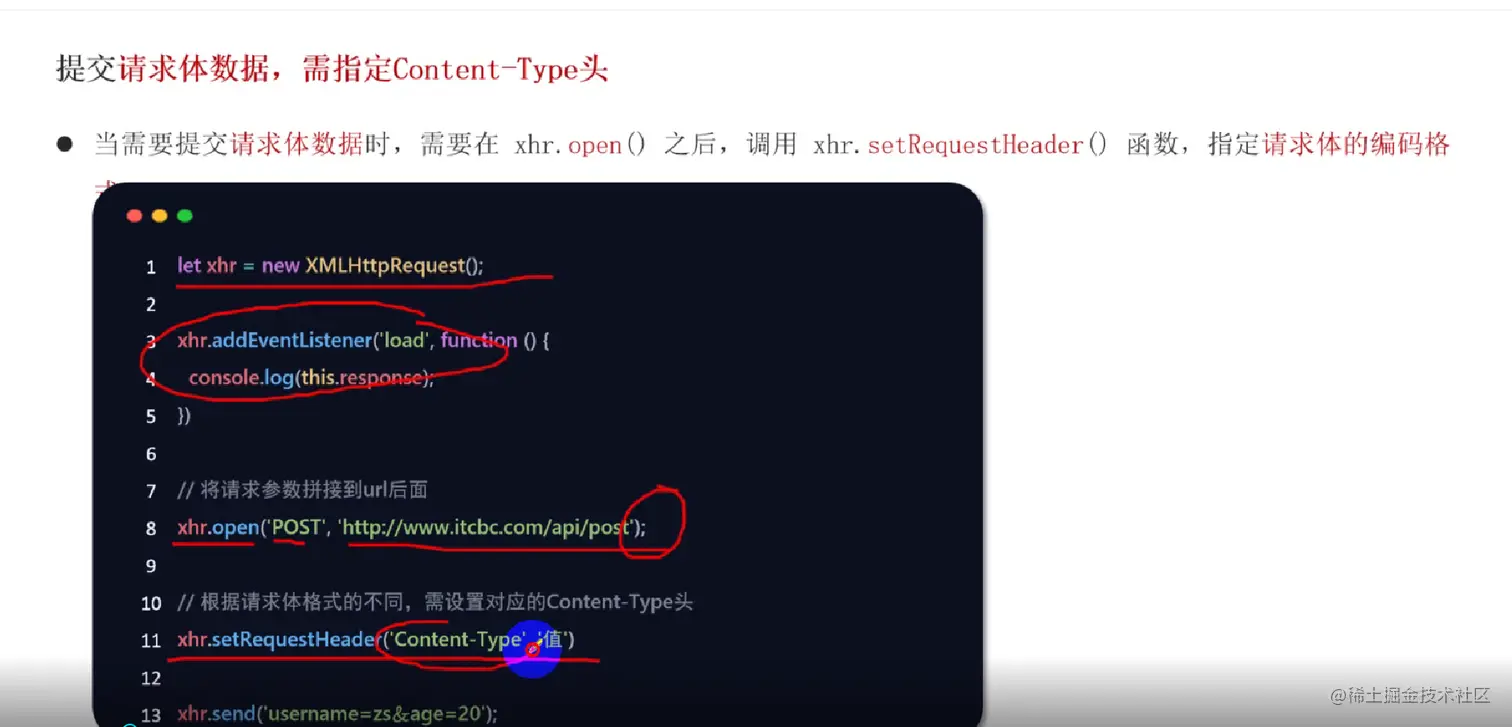
let xhr = new XMLHttpRequest()
xhr.open('post', 'http://www.itcbc.com:3006/api/addbook')
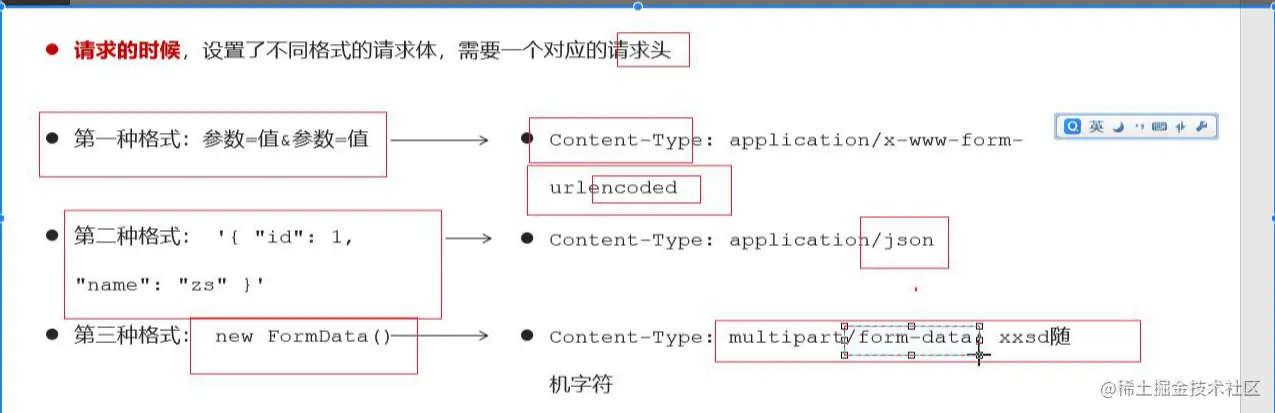
xhr.setRequestHeader('Content-Type', 'application/json')
xhr.send(
JSON.stringify({
bookname: booknameV,
author: authorV,
publisher: publisherV
})
)
xhr.addEventListener('load', function() {
console.log(JSON.parse(xhr.response))
})
})