代码结构
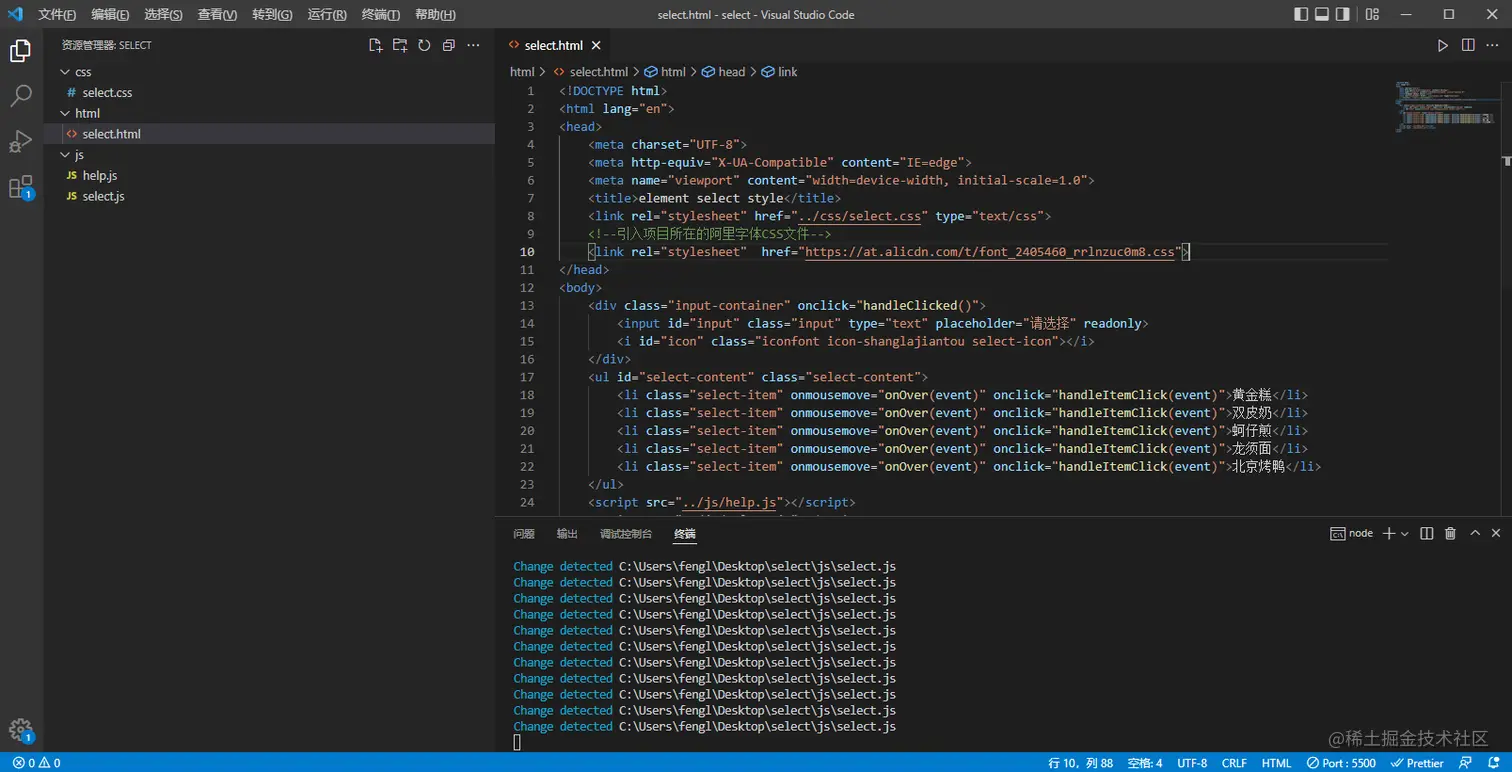
源码(仅作记录,不做功能上的截图分享)
<!DOCTYPE html>
<html lang="en">
<head>
<meta charset="UTF-8">
<meta http-equiv="X-UA-Compatible" content="IE=edge">
<meta name="viewport" content="width=device-width, initial-scale=1.0">
<title>element select style</title>
<link rel="stylesheet" href="../css/select.css" type="text/css">
<link rel="stylesheet" href="https://at.alicdn.com/t/font_2405460_rrlnzuc0m8.css">
</head>
<body>
<div class="input-container" onclick="handleClicked()">
<input id="input" class="input" type="text" placeholder="请选择" readonly>
<i id="icon" class="iconfont icon-shanglajiantou select-icon"></i>
</div>
<ul id="select-content" class="select-content">
<li class="select-item" onmousemove="onOver(event)" onclick="handleItemClick(event)">黄金糕</li>
<li class="select-item" onmousemove="onOver(event)" onclick="handleItemClick(event)">双皮奶</li>
<li class="select-item" onmousemove="onOver(event)" onclick="handleItemClick(event)">蚵仔煎</li>
<li class="select-item" onmousemove="onOver(event)" onclick="handleItemClick(event)">龙须面</li>
<li class="select-item" onmousemove="onOver(event)" onclick="handleItemClick(event)">北京烤鸭</li>
</ul>
<script src="../js/help.js"></script>
<script src="../js/select.js"></script>
</body>
</html>
* {
padding: 0;
margin: 0;
}
ul {
list-style: none;
}
.input-container {
margin: 20px 0 0 20px;
position: relative;
cursor: pointer;
}
.input {
background-color: #fff;
border-radius: 4px;
border: 1px solid #dcdfe6;
box-sizing: border-box;
color: #606266;
height: 40px;
line-height: 40px;
outline: none;
padding: 0 15px;
transition: border-color .2s cubic-bezier(.645,.045,.355,1);
width: 240px;
cursor: pointer;
}
.input:focus {
border: 1px solid #409eff;
}
.rotate-down {
transform: rotate(0deg);
transition: all 0.2s ease 0s;
}
.select-icon {
position: absolute;
left: 210px;
top: 12px;
}
.rotate-up {
transform: rotate(-180deg);
transition: all 0.2s ease 0s;
}
.select-content {
margin: 8px 0 0 20px;
width: 240px;
display: none;
padding: 9px 0;
background: #fff;
border: 1px solid #dcdce0;
}
.select-content:before {
position: absolute;
content: '';
left: 50px;
top: 62px;
height:0px;
width:0px;
border-bottom: 8px solid #dcdce0;
border-left:8px solid transparent;
border-right:8px solid transparent;
}
.select-content:after {
position: absolute;
content: '';
left: 51px;
top: 64px;
height:0px;
width:0px;
z-index: 9999;
border-bottom: 7px solid #fff;
border-left:7px solid transparent;
border-right:7px solid transparent;
}
.select-item {
padding-left: 20px;
height: 40px;
line-height: 40px;
font-size:14px;
cursor: pointer;
}
function _getElementById(id) {
return document.getElementById(id)
}
function _getElementsByTagName(tagName) {
return document.getElementsByTagName(tagName)
}
var up = false
var body = document.documentElement
function goDown() {
_getElementById('icon').className =
'iconfont icon-shanglajiantou select-icon rotate-down'
_getElementById('select-content').style.display = 'none'
}
function handleClicked() {
up = !up
if (up) {
_getElementById('icon').className =
'iconfont icon-shanglajiantou select-icon rotate-up'
_getElementById('select-content').style.display = 'block'
} else {
this.goDown()
}
}
function onOver(event) {
const listArr = _getElementsByTagName('li')
for (let i = 0; i < listArr.length; i++) {
listArr[i].style.backgroundColor = '#fff'
}
event.target.style.backgroundColor = '#f5f7fa'
}
function handleItemClick(event) {
up = !up
const listArr = _getElementsByTagName('li')
for (let i = 0; i < listArr.length; i++) {
listArr[i].style.color = '#000000'
listArr[i].style.fontWeight = 400
}
event.target.style.color = '#409eff'
event.target.style.fontWeight = 700
_getElementById('input').style.border = '1px solid #409eff'
_getElementById('input').value = event.target.innerHTML
this.goDown()
}
body.onclick = function (e) {
if (['html', 'body'].includes(e.target.localName)) {
up = !up
goDown()
_getElementById('input').style.border = '1px solid #dcdfe6'
} else if (e.target.localName == 'input') {
_getElementById('input').style.border = '1px solid #409eff'
}
}