本文已参与「新人创作礼」活动,一起开启掘金创作之路。
1、Kafka 开启ACL
1.1 开启acl认证
在kafka中server.properties文件中添加如下配置:
# 配置kafka中对权限的认证
authorizer.class.name=kafka.security.auth.SimpleAclAuthorizer
# 配置kafka认证的超级管理员
super.users=User:kafka
修改整个集群中的配置文件后,滚动重启kafka集群。
2、设置Kafka主题Acl权限
2.1 查看现有的认证主体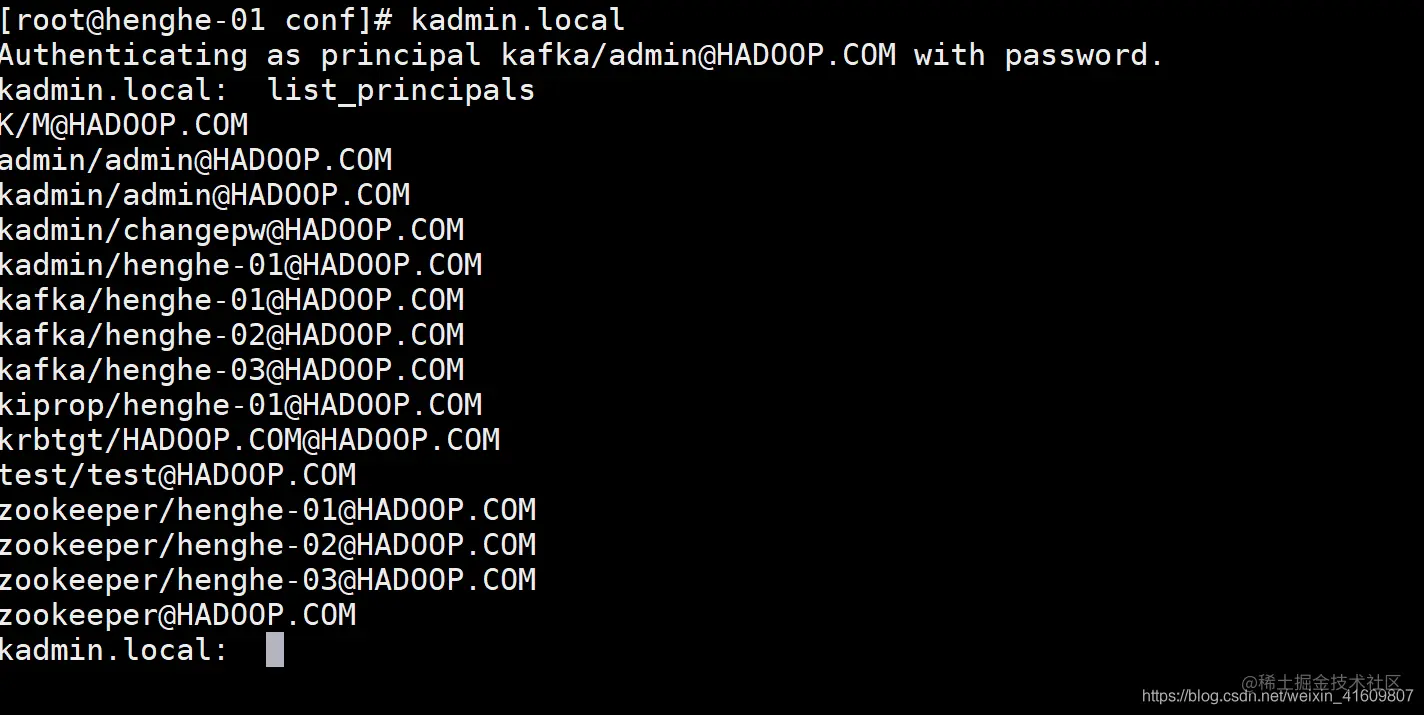
列出的认证主体中有我们之前添加的测试用户(test/test@HADOOP.COM),现在我们选择一个topic设置此topic的权限是test用户。
2.2 添加主题权限
- test用户添加到test-topic主题
#添加权限
 bin/kafka-acls.sh --authorizer-properties zookeeper.connect=henghe-01:2181 --add --allow-principal User:test --operation Read --operation Write --topic test-topic
# 删除权限
 bin/kafka-acls.sh --authorizer-properties zookeeper.connect=henghe-01:2181 --remove --allow-principal User:test --operation Read --operation Write --topic test-topic
下图消费无权限的topic
- test-topic的消费组权限
#添加消费组权限
 bin/kafka-acls.sh --authorizer-properties zookeeper.connect=henghe-01:2181 --add --allow-principal User:test --consumer --topic test-topic --group test
# 删除消费组权限
 bin/kafka-acls.sh --authorizer-properties zookeeper.connect=henghe-01:2181 --consumer --remove --allow-principal User:test --operation Read --operation Write --topic test-topic
下图消费组无权限消费Topic
3、Client测试Acl
3.1 启动控制台生产者
bin/kafka-console-producer.sh --topic test-topic --broker-list henghe-02:9092 --producer.config config/console-producer.properties
3.2 Client消费
KafkaClient {
    com.sun.security.auth.module.Krb5LoginModule required
    useKeyTab=true
    storeKey=true
    keyTab="D:\\kafka-connect\\5.5.0\\kafka-schema-test\\src\\main\\resources\\test.service.keytab"
    useTicketCache=false
    principal="test/testuser@HENGHE.COM"
    serviceName=kafka;
};