本文已参与「新人创作礼」活动,一起开启掘金创作之路。
CSDN的广告真是多的让人烦躁,像牛皮癣似得,笔者为了解决这个问题专门写了个脚本去除。
代码:
// ==UserScript==
// @name        csdn论坛改造
// @namespace   Greasemonkey Scripts
// @match       https://bbs.csdn.net/*
// @grant       none
// @version     1.0
// @author      sysdzw
// @description 2020/7/14 下午2:48:00
// ==/UserScript==

//设置发帖按钮
$(".btns").prepend("<li style='background:green;border-radius:5px;height: 32px; margin-top: 6px;'><a style='color:#fff; line-height:32px;' href='" + $("a:contains('我要发贴')").attr("href") + "'>发帖</a></li>");
$("#rightList").remove();//移除右侧栏
$("#post_feed_wrap").remove();
$(".post_recommend").remove();
$("#left-box").css("cssText","float: left;width:100% !important;");//加宽左框
$(".topic_r").css("width","100%");//加宽帖子正文区域
$(".control").css("cssText","bottom:0px !important;");//时间靠底部

//到底部自动翻页
$(window).scroll(function(){
  var scrollTop = $(this).scrollTop();
  var windowHeight = $(this).height();
  var scrollHeight = $(document).height();
  if(scrollTop + windowHeight == scrollHeight){
    $(".next_page")[0].click();
  }
});

//去掉展开阅读全文
$(document).ready(function(){
  if($(".omit_wrap").css("display")=="block"){
    $(".tips").click();
  }
});
使用方法(以Firefox为例):
安装好油猴子后右上角会出现猴头的图标,点击它,然后再点“新建用户脚本”,将里面自带的代码删掉,将我上面的代码(包含//注释的代码)都复制进去Ctrl+S即可。
效果参考:
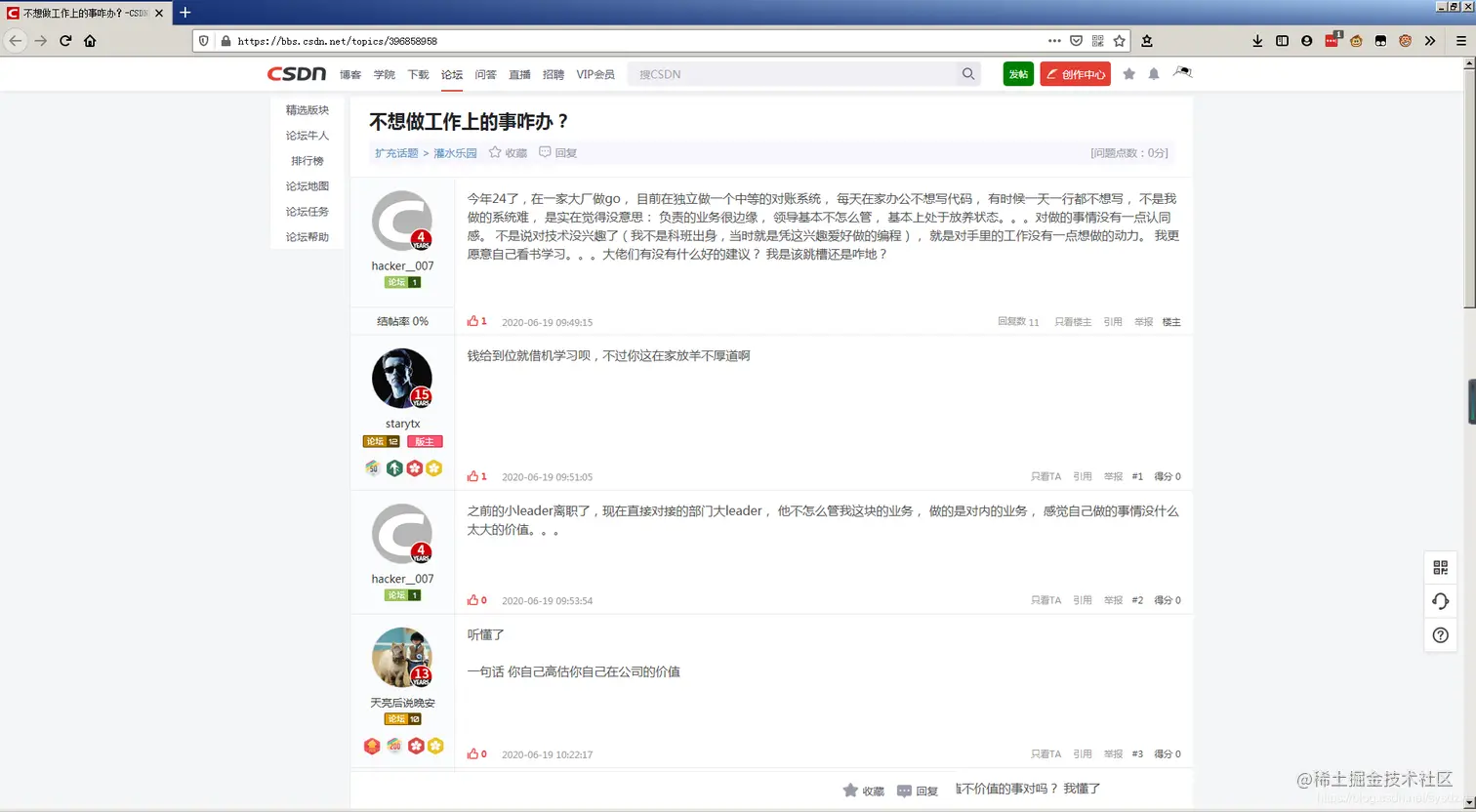

****脚本改造前的样子: