产品功能截图如下:
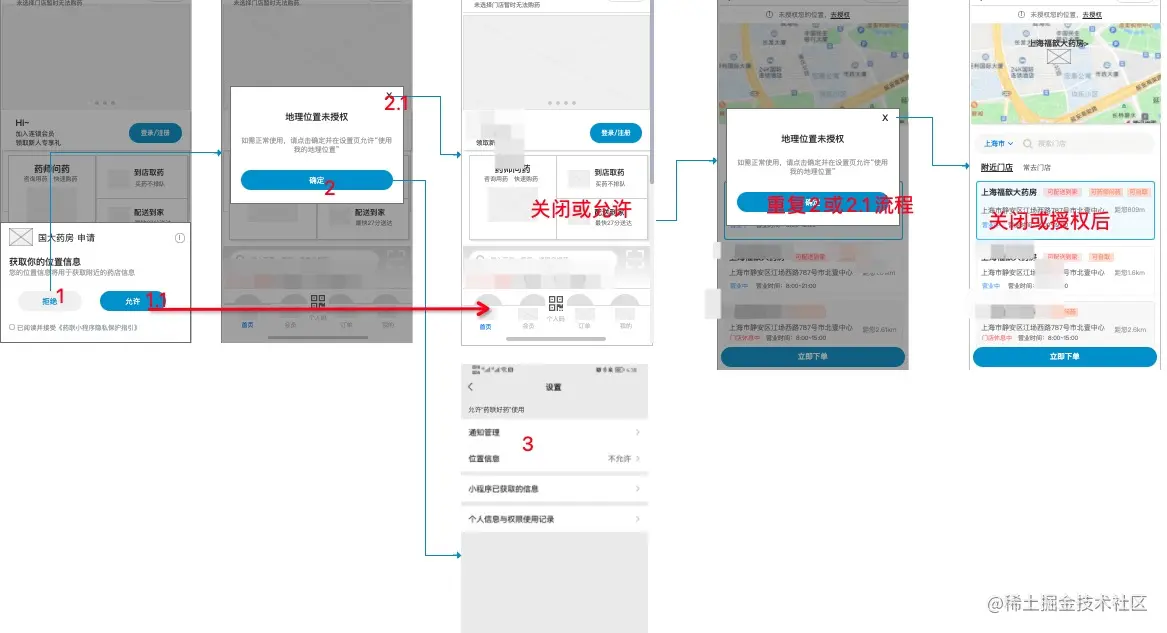
简要描述:
每次进入程序通过调用uni.getSetting接口判断当前是否获得授权,要求用户进行授权,调用authorize判断用户是什么操作,用户【允许】则getLocation获取地理位置;用户【拒绝】则给出弹框提示。再次进入页面,也给出弹框提示,用户可以关闭或者同意后openSetting弹出授权界面。
import store from '../store'
import amapFile from './amap-wx.js'
import {GD_KEY} from './constant'
const storeInfo = store.state.currentShippingAddrInfo.storeInfo
export const isGetLocation = ()=> {
return new Promise((resolve,reject)=>{
uni.getSetting({
success:async(res)=> {
if (!res.authSetting["scope.userLocation"]) {
try {
await getAuth()
const resdata = await getLocationFn()
await getSroreAddress(resdata)
await resolve()
} catch (error) {
reject()
}
} else {
const resdata =await getLocationFn()
await getSroreAddress(resdata)
await resolve()
}
}
});
})
}
function getAuth(){
return new Promise((resolve,reject)=>{
uni.authorize({
scope: 'scope.userLocation',
success: async()=> {
resolve()
},
fail() {
reject('拒绝了授权')
}
})
})
}
export function getLocationFn() {
return new Promise((resolve,reject)=>{
uni.getLocation({
type: 'gcj02',
geocode:true,
success: async(res)=> {
resolve(res)
},
fail: function() {
getLocationFail()
}
})
})
}
export function getLocationFail() {
uni.showModal({
title: '地理位置未授权',
content: '如需正常使用,请点击确认并在设置页允许"使用我的地理位置"',
confirmText: '确认',
success: function(res) {
if (res.confirm) {
uni.openSetting({
success(resSetting) {
console.log('authSettingres',resSetting)
}
});
}
}
})
}
function setLatLnt(res){
uni.setStorageSync('longitude', res.longitude)
uni.setStorageSync('latitude', res.latitude);
store.dispatch('infoInfo/setLonLat',({
longitude: res.longitude,
latitude: res.latitude,
address: res.address
}))
}
export const getSroreAddress = async(res) =>{
return new Promise((resolve,reject)=>{
const {latitude, longitude} = res
var myAmapFun = new amapFile.AMapWX({ key: GD_KEY});
myAmapFun.getRegeo({
location: `${longitude},${latitude}`,
success: function (e) {
const address = e[0].regeocodeData.addressComponent.city;
setLatLnt({
longitude:longitude,
latitude:latitude,
address:address
})
resolve(e)
},
fail: function (err) {
console.log(err);
},
});
})
}
使用如下:
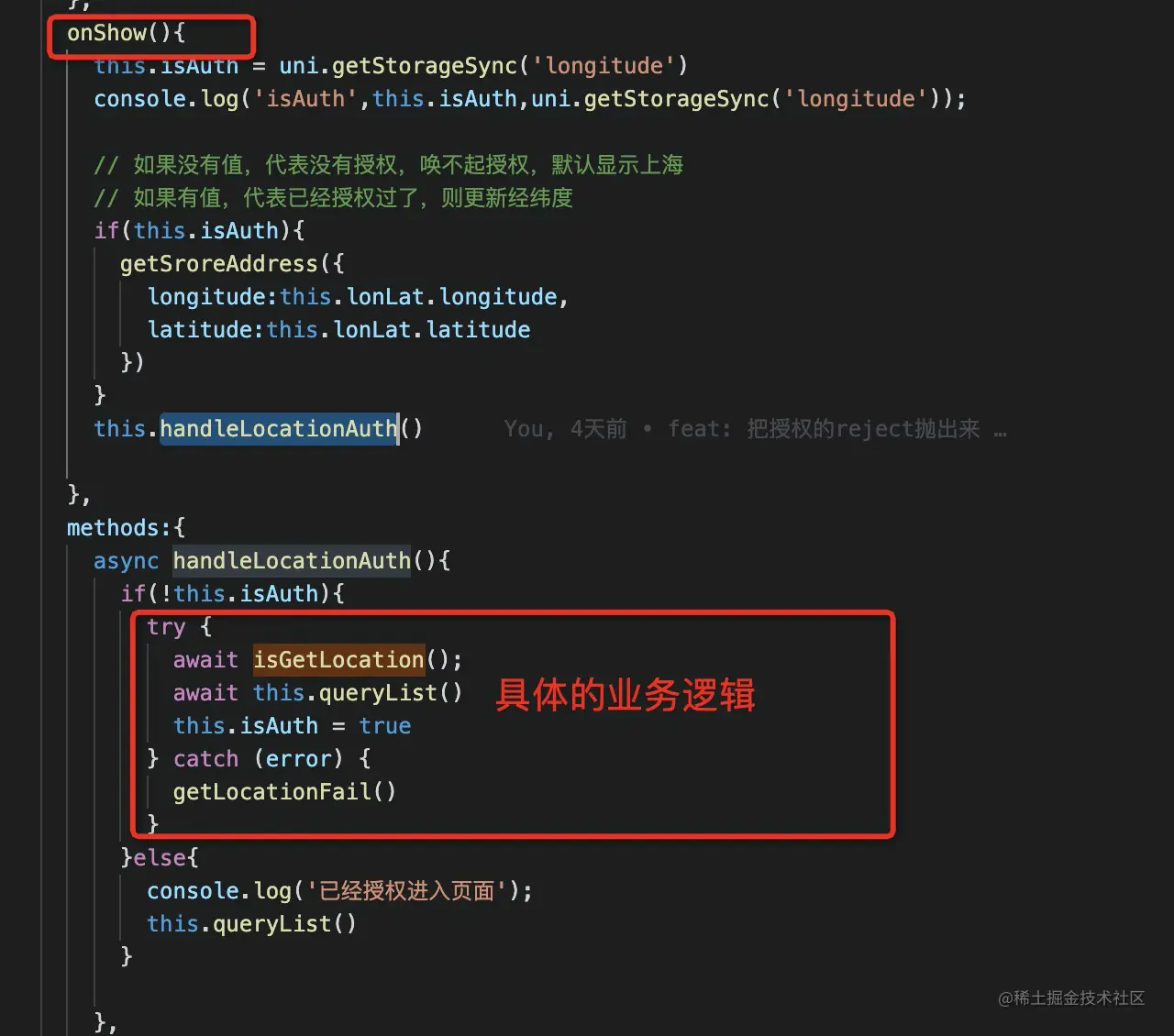
import {isGetLocation,getLocationFail,getSroreAddress} from '../../common/location';

try {
  await isGetLocation();
  await this.queryList()
  this.isAuth = true
} catch (error) {
  getLocationFail()
}
具体实现就是如上啦~
多多指教,共同成长💪