在有些面试中经常被问到一些用css实现一些三角形这样这样的实例!
第一步整一个正方形
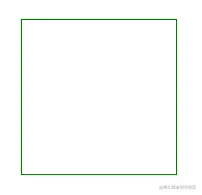
<style>
.triangle{
width: 100px;
height: 100px;
border: 1px solid green;
}
</style>
<!-- 盒子模型 -->
<body>
<div class="triangle"></div>
</body>
第二步 把border数值调大
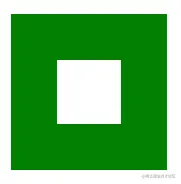
<style>
.triangle{
width:100px;
height: 100px;
border:30px solid green;
}
</style>
<!-- 盒子模型 -->
<body>
<div class="triangle"></div>
</body>
第三步 把每个边框设置成不同的颜色
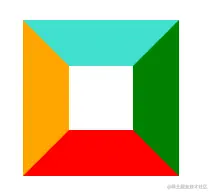
<style>
.triangle{
width:100px;
height: 100px;
border:30px solid green;
border-color: turquoise green red orange;
}
</style>
<!-- 盒子模型 -->
<body>
<div class="triangle"></div>
</body>
第四步 把div中的宽高设置成0
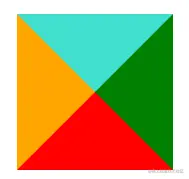
<style>
.triangle{
width:0;
height: 0;
border:30px solid green;
border-color: turquoise green red orange;
}
</style>
<!-- 盒子模型 -->
<body>
<div class="triangle"></div>
</body>
第五步 然后把想要的三角行留下其他的设置成透明就可以了
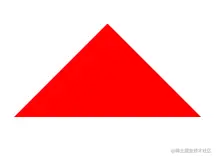
<style>
.triangle{
width:0;
height: 0;
border:60px solid green;
border-color: transparent transparent red transparent;
}
</style>
<!-- 盒子模型 -->
<body>
<div class="triangle"></div>
</body>