原文
github
dps生成首页骨架屏
- npm i draw-page-structure –g
- cnpm install puppeteer -g
- dps init
- 修改 dps.config.js 进行相关配置
- dps start 开始生成骨架屏
- animation: 'opacity 1s linear infinite;'配置动效
- 将生成的html内容放到项目的html中
const dpsConfig = {
url: 'http://localhost:8080/#/',
output: {
filepath: '',
injectSelector: '#app'
},
animation: 'opacity 1s linear infinite;',
init: function() {
}
}
module.exports = dpsConfig;
组件骨架屏 - vue-content-loader
文档地址
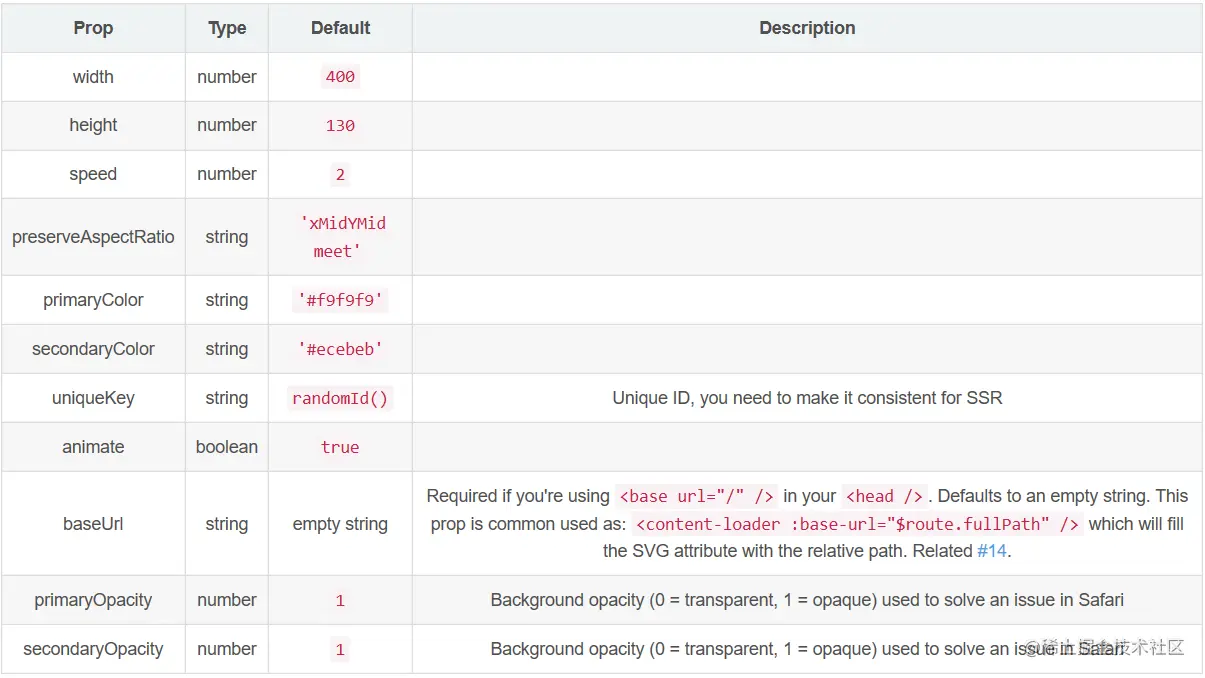
<template>
  <content-loader :width="476" :height="75" :speed="2" primaryColor="#f3f3f3" secondaryColor="#ecebeb">
    <rect x="45" y="35" rx="3" ry="3" width="360" height="6" />
    <rect x="45" y="55" rx="3" ry="3" width="300" height="6" />
    <rect x="45" y="15" rx="3" ry="3" width="100" height="6" />
    <rect x="15" y="15" rx="1" ry="1" width="20" height="20" />
  </content-loader>
</template>

<script lang="ts">
import { Component, Prop, Vue } from 'vue-property-decorator';
import { ContentLoader } from 'vue-content-loader';
@Component({
  components: {
    ContentLoader
  }
})
export default class CommentSkeleton extends Vue {}
</script>

<style lang="less"></style>



