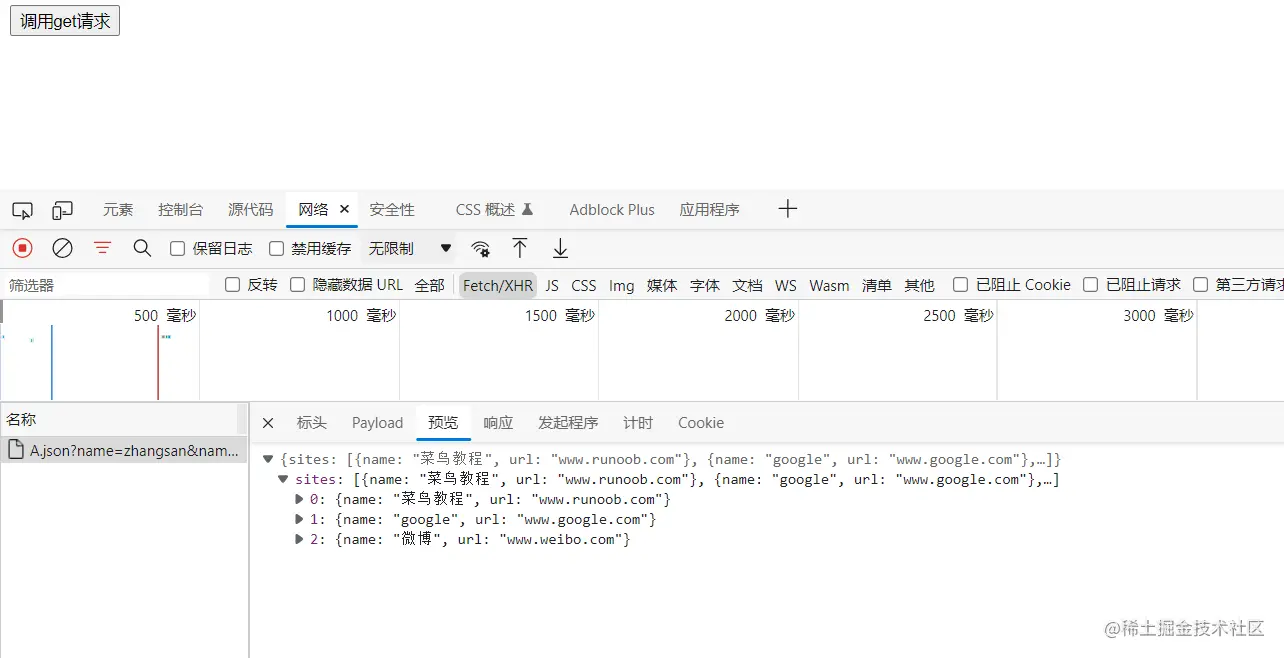
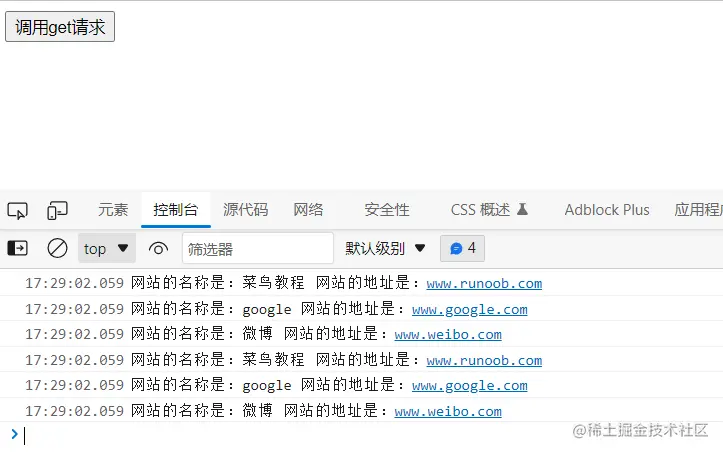
HTML部分
<div class="container">
      <button type="button" onclick='fnAnAjaxRequest()'>调用get请求</button>
</div>
js部分
<script>
function fnAnAjaxRequest() {
let xhr = new XMLHttpRequest()
xhr.open('GET', 'A.json?name=zhangsan&name=lisi', true)
xhr.onreadystatechange = function (e) {
if (xhr.readyState == 4 && xhr.status == 200) {
let data = JSON.parse(xhr.response)
let arraySiteinfo = data.sites
for (let i = 0; i < arraySiteinfo.length; i++) {
let name = arraySiteinfo[i].name
let url = arraySiteinfo[i].url
console.log(`网站的名称是:${ name }`, `网站的地址是:${ url }`)
}
arraySiteinfo.forEach((itme, index) => {
let name = arraySiteinfo[index].name
let url = arraySiteinfo[index].url
console.log(`网站的名称是:${ name }`, `网站的地址是:${ url }`)
})
}
}
xhr.send()
}
</script>
json部分
{
  "sites": [
    { "name": "菜鸟教程", "url": "www.runoob.com" },
    { "name": "google", "url": "www.google.com" },
    { "name": "微博", "url": "www.weibo.com" }
  ]
}
目录结构

请求结果