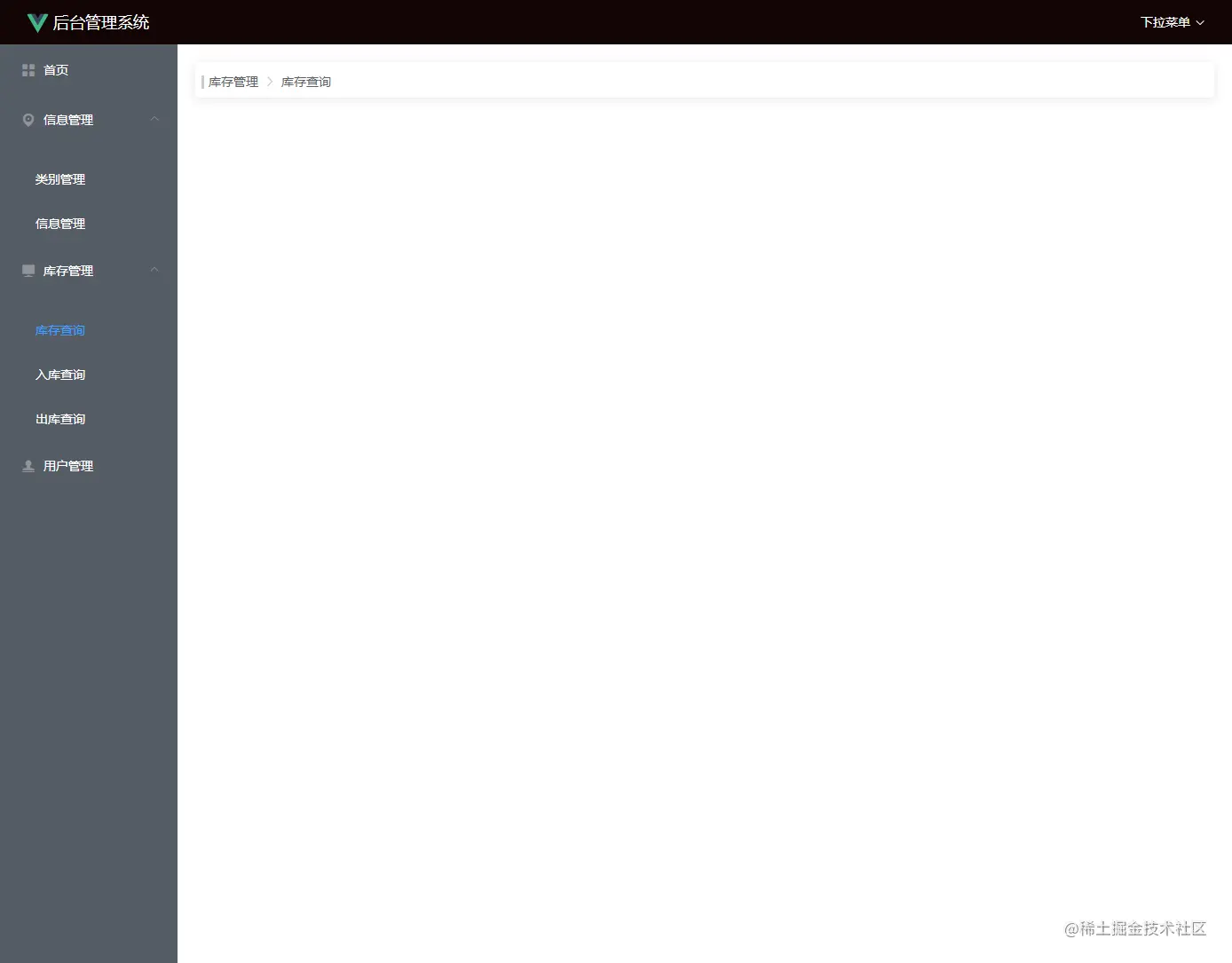
第十二课 布局后台管理页面面包屑
一、维护路由meta属性
const routes = [
  {
    path: '/login',
    name: 'Login',
    component: Login
  },
  {
    path: '/',
    name: 'Layout',
    component: Layout,
    children: [
      {
        path: "/home",
        component: Home,
        meta:{
          title:"首页"
        }
      },{
        path: "/booktype",
        component: Booktype,
        meta:{
          title:"类别管理"
        }
      },
      ,{
        path: "/bookinfo",
        component: Bookinfo,
        meta:{
          title:"信息管理"
        }
      },
      {
        path: "/kucunsearch",
        component: Kucunsearch,
        meta:{
          title:"库存查询"
        }
      },
      {
        path: "/chukusearch",
        component: Chukusearch,
        meta:{
          title:"出库查询"
        }
      },
      {
        path: "/rukusearch",
        component: Rukusearch,
        meta:{
          title:"入库查询"
        }
      },
      {
        path: "/user",
        component: User,
        meta:{
          title:"用户管理"
        }
      }
    ]
  }
]
二、打开AppMain/index.vue
<el-breadcrumb separator-class="el-icon-arrow-right" v-show="$route.path !='/home'">
        <span class="line"></span>
        <el-breadcrumb-item v-show="$route.path=='/booktype' || $route.path== '/bookinfo'">信息管理</el-breadcrumb-item>
        <el-breadcrumb-item v-show="$route.path=='/chukusearch' || $route.path== '/kucunsearch' || $route.path== '/rukusearch'">库存管理</el-breadcrumb-item>
        <el-breadcrumb-item  :to="{path: $route.path}">{{$route.meta.title}}</el-breadcrumb-item>
    </el-breadcrumb>
三、添加样式AppMain/index.vue
.el-breadcrumb{
  height: 10px;
  padding: 15px;
  box-shadow: 0 2px 12px 0 rgba(0,0,0,0.1);
  margin-bottom: 10px;
  border-radius: 5px;
}
.line{
  position: absolute;
  color: #fff;
  border-left: 3px solid #ccc;
  left:27px;
  height: 15px;
}