

Astro是现场最新的静态网站生成器。而且,它非常酷!我对Astro感到兴奋,因为它如何看待自己作为一个框架的作用。它似乎对它所提供的意见和能力有一个平衡的方法。
Astro并没有提供超强的意见(想想看:Next.js的页面路由,Gatsby的GraphQL层),而是采用了许多常见模式的流行方法,并提供了一个开发者可以建立的基础。Astro不是说 "自己做",而是说 "这里有一些今天常见的选择。选择一个(或更多)"。
什么是Astro?
Astro是一个新事物,但已经有一些关于它的教程了。让我们不要把这当成另一个教程。相反,让我们通过一个例子来探索使Astro如此令人兴奋的酷的部分。
我们将采用Astro项目的默认起点,把它变成一个简单的单页网站,列出关于火箭的一些有趣的事实!为什么?*为什么?*因为Astro和LogRocket在一起就像......牛油果和吐司?
警告!未准备好生产
你正处于Astro旅程的最前沿--从技术上讲,它还没有准备好生产。这可能还有一段路要走,但它已经足够坚实,可以探索。如果你足够喜欢它,当然,在边缘生活,并把它带到生产中去。
开始使用Astro
首先要把这个东西设置好。为你的项目建立一个新的目录并导航到它。
mkdir astro-the-cool-parts
cd astro-the-cool-parts
然后你可以开始一个新的Astro项目。
npm init astro
这将引导你通过几个问题。以下是我给出的答案。
y,以确认Starter Kit (Generic)作为起点React和Svelte为我的组件
一旦你完成了这一步,就安装好依赖的东西。
npm install
然后你就可以启动服务器了。
npm start
现在,在你的网络浏览器中访问localhost:3000 ,显示默认的起点。
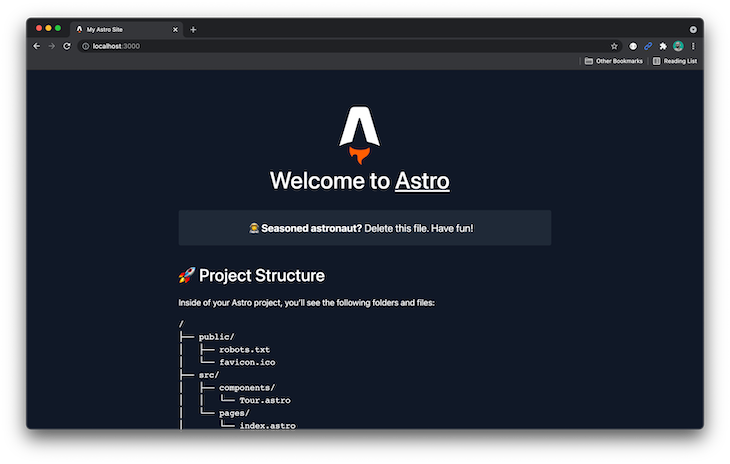
默认的Astro启动点。
创建静态构建
我建议探索这个项目的内容。它为展示Astro能做什么提供了一个良好的基础。然而,我们要为我们的例子撕掉大部分的内容。
Astro项目的页面都在src/pages 目录中。主页是src/pages/index.astro 。我删除了大部分的默认内容,用有趣的事实和一些内联样式来支持它。
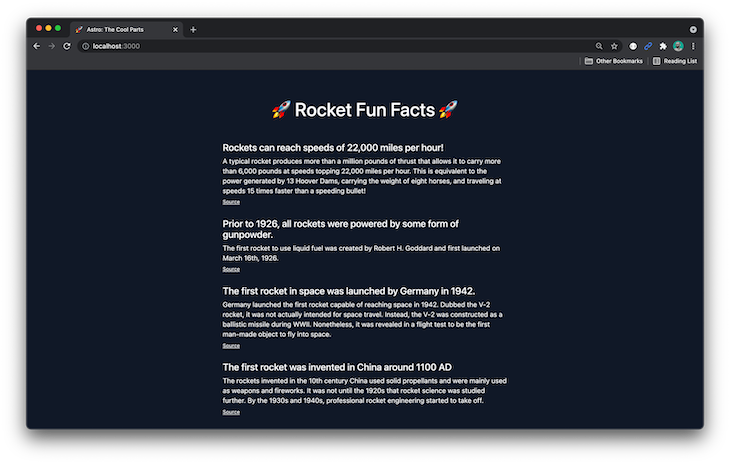
火箭的趣事,使用Astro默认启动器的样式。
现在我们要建立这个项目并检查会发生什么。运行构建。
npm run build
输出文件在dist 目录中。注意,这里没有JavaScript!
向Astro添加组件
让我们添加一个组件来表示一个有趣的事实。在src/components/FunFact.jsx 创建一个新文件,内容如下。
import styles from "./FunFact.module.css";

export default function FunFact({ children, heading, sourceUrl }) {
  return (
    <div className={styles.wrapper}>
      <h2 className={styles.heading}>{heading}</h2>
      <p className={styles.fact}>{children}</p>
      <p>
        <a href={sourceUrl}>Source</a>
      </p>
    </div>
  );
}
注意:这是一个React组件。欢迎你使用不同的框架。根据需要改变语法、文件扩展名和导入。
注意,我们为样式导入了一个文件(使用CSS Modules),但这个文件还不存在。让我们现在在src/components/FunFact.module.css ,并把这些样式放进去。
.wrapper {
  margin-bottom: 2rem;
}

.heading {
  margin-bottom: 0.5rem;
  font-size: 1.4rem;
}

.fact {
  font-size: 1rem;
  line-height: 1.5;
  margin-bottom: 0.5rem;
}

.source {
  font-size: 0.75rem;
}
接下来,让我们重新安排index.astro ,以使用这些组件。
在文件的顶部,导入我们的新组件。
import FunFact from '../components/FunFact.jsx'
// ...
然后调整主体内容以使用<FunFact /> 组件。
<main>
  <FunFact
    heading="Rockets can reach speeds of 22,000 miles per hour!"
    sourceUrl="https://www.ulalaunch.com/explore/rocket-science/fun-facts">
      A typical rocket produces more than a million pounds of thrust that
      allows it to carry more than 6,000 pounds at speeds topping 22,000
      miles per hour. This is equivalent to the power generated by 13 Hoover
      Dams, carrying the weight of eight horses, and traveling at speeds 15
      times faster than a speeding bullet!
  </FunFact>

  <FunFact
    heading="Prior to 1926, all rockets were powered by some form of gunpowder."
    sourceUrl="https://www.factsjustforkids.com/technology-facts/rocket-facts-for-kids/">
      The first rocket to use liquid fuel was created by Robert H. Goddard
      and first launched on March 16th, 1926.
  </FunFact>

  <FunFact
    heading="The first rocket in space was launched by Germany in 1942."
    sourceUrl="https://facts.net/science/technology/rocket-facts/">
      Germany launched the first rocket capable of reaching space in 1942.
      Dubbed the V-2 rocket, it was not actually intended for space travel.
      Instead, the V-2 was constructed as a ballistic missile during WWII.
      Nonetheless, it was revealed in a flight test to be the first man-made
      object to fly into space.
  </FunFact>

  <FunFact
    heading="The first rocket was invented in China around 1100 AD"
    sourceUrl="https://facts.net/science/technology/rocket-facts/">
      The rockets invented in the 10th century China used solid propellants
      and were mainly used as weapons and fireworks. It was not until the
      1920s that rocket science was studied further. By the 1930s and 1940s,
      professional rocket engineering started to take off.
  </FunFact>
</main>
当你的浏览器看起来不错时,再次运行构建(npm run build),看看 dist 目录。
注意到这些变化是多么的小,更重要的是,尽管我们已经包含了一个React组件,但仍然没有任何JavaScript!
混合框架
举个简单的例子,假设另一个开发者对Svelte更熟悉,所以他们要用Svelte来构建头。
在src/components/Header.svelte ,用主页上的以下代码添加一个新组件。
<header>
  <div>
    <h1>🚀 Rocket Fun Facts 🚀</h1>
  </div>
</header>

<style>
  header {
    display: flex;
    flex-direction: column;
    gap: 1em;
    margin: 0 auto 3rem;
    max-width: min(100%, 68ch);
  }
</style>
现在,在index.astro ,你可以导入新的页眉。
import Header from '../components/Header.svelte'
并在主页的标记中使用它。
<head>
  <!-- ... -->

  <style>
    main {
      margin: 0 auto;
      max-width: 42rem;
    }
  </style>
</head>
<body>
  <Header />

  <!-- ... -->
</body>
快速提示:页眉样式被挂在public/style/home.css ,如果你要把它用于生产,你可以(也应该)清理掉。我让它们保持原样是因为这是一个快速的概念验证。
如果一切顺利,屏幕上的结果应该没有变化,因为你只是做了一些重组。
以下是我所做的改动,同样只导致了微小的构建变化,使 dist 目录漂亮而干净。
用Astro获取数据
我喜欢Astro在组件文件的顶部获取数据的方式。它甚至支持顶层的await,这有助于减少你必须写的模板代码的数量。
我不想在这里做任何太花哨的事情,因为我们只是在玩,所以我把所有的内容都放到一个JSON文件中,地址是content/fun-facts.json 。它看起来像这样。
[ { "heading": "Rockets can reach speeds of 22,000 miles per hour!", "sourceUrl": "https://www.ulalaunch.com/explore/rocket-science/fun-facts", "body": "A typical rocket produces more than a million pounds of thrust that allows it to carry more than 6,000 pounds at speeds topping 22,000 miles per hour. This is equivalent to the power generated by 13 Hoover Dams, carrying the weight of eight horses, and traveling at speeds 15 times faster than a speeding bullet!" }, { "heading": "Prior to 1926, all rockets were powered by some form of gunpowder.", "sourceUrl": "https://www.factsjustforkids.com/technology-facts/rocket-facts-for-kids/", "body": "The first rocket to use liquid fuel was created by Robert H. Goddard and first launched on March 16th, 1926." }, { "heading": "The first rocket in space was launched by Germany in 1942.", "sourceUrl": "https://facts.net/science/technology/rocket-facts/", "body": "Germany launched the first rocket capable of reaching space in 1942. Dubbed the V-2 rocket, it was not actually intended for space travel. Instead, the V-2 was constructed as a ballistic missile during WWII. Nonetheless, it was revealed in a flight test to be the first man-made object to fly into space." }, { "heading": "The first rocket was invented in China around 1100 AD", "sourceUrl": "https://facts.net/science/technology/rocket-facts/", "body": "The rockets invented in the 10th century China used solid propellants and were mainly used as weapons and fireworks. It was not until the 1920s that rocket science was studied further. By the 1930s and 1940s, professional rocket engineering started to take off." }]
然后我提交并推送了代码,并使用这个服务生成了一个指向该文件的URL。这将使我们感觉是在从一个API中获取数据。你可以遵循同样的过程,或者直接使用我生成的URL。
让我们开始只获取内容并将结果记录到控制台。在你的index.astro 文件的顶部调整代码。
const dataUrl = 'https://raw.githack.com/seancdavis/astro-the-cool-parts/77d3b5dd2ce2253c33d50fc91a21875f90a8ced5/content/fun-facts.json'
const response = await fetch(dataUrl);
const facts = await response.json();

console.log(facts);
现在,重新启动服务器。注意,内容被记录到服务器上,而不是在浏览器中。这是因为这段代码是在Astro构建过程中运行的,而不是在页面加载时。
在Astro中处理可迭代的数据
Astro组件没有将逻辑烘托在标记部分。因此,我们将创建另一个组件来处理循环,而不是通过从我们的假API返回的数据进行循环操作。
将该组件添加到src/components/FunFactList.jsx ,像这样。
import FunFact from "./FunFact";

export default function FunFactList({ facts }) {
  return (
    <>
      {facts.map((fact, idx) => (
        <FunFact key={idx} heading={fact.heading} sourceUrl={fact.sourceUrl}>
          {fact.body}
        </FunFact>
      ))}
    </>
  );
}
请注意,这只是一个数据数组,通过它进行循环,并生成单独的<FunFact /> 组件。
在index.astro 文件中,将import 改为使用FunFactList 组件,而不是FunFact 组件。
import FunFactList from '../components/FunFactList.jsx'
然后删除console.log ,用单一的FunFactList 组件替换你现有的趣事。
<FunFactList facts={facts} />
这里是组件的变化,在构建时,仍然没有JavaScript!而且我们还带来了动态数据!
用Astro逐步增强
在Astro提供的所有功能中,渐进式增强(或部分水化)可能是最酷的。我们可以有选择地告诉Astro何时对组件进行水化,以使它们具有互动性。
比方说,我们想默认折叠有趣的事实,并在点击标题时显示它们。我们还将切换一个表情符号,以指示一个特定的事实何时被打开或关闭。
调整有趣的事实组件中的代码。
import { useState } from "react";
import styles from "./FunFact.module.css";

export default function FunFact({ children, heading, sourceUrl }) {
  const [expanded, setExpanded] = useState(false);

  let wrapperClasses = styles.wrapper;
  if (expanded) wrapperClasses += ` ${styles.wrapperExpanded}`;

  return (
    <div className={wrapperClasses}>
      <h2 className={styles.heading}>
        <button onClick={() => setExpanded(!expanded)}>
          <span>{expanded ? "🟣" : "⚪"}</span>
          <span>{heading}</span>
        </button>
      </h2>
      <p className={styles.fact}>{children}</p>
      <p>
        <a href={sourceUrl}>Source</a>
      </p>
    </div>
  );
}
让我们增加一些样式。
.wrapper {
  margin-bottom: 2rem;
}

.wrapperExpanded .fact {
  display: block;
}

.heading {
  margin-bottom: 0.5rem;
  font-size: 1.4rem;
}

.heading button {
  background-color: inherit;
  border: inherit;
  color: inherit;
  display: inherit;
  font-size: inherit;
  line-height: inherit;
  margin: inherit;
  padding: inherit;
  text-align: inherit;
}

.heading button:hover {
  cursor: pointer;
}

.heading button span:first-child {
  display: inline-block;
  margin-right: 0.5rem;
}

.fact {
  display: none;
  font-size: 1rem;
  line-height: 1.5;
  margin-bottom: 0.5rem;
}

.source {
  font-size: 0.75rem;
}
这是经过这些修改后的提交。
现在在浏览器中加载主页。样式是有的,但没有任何效果。这到底是怎么回事?
这是因为Astro的互动性是声明性的。你必须使用它的一个客户端指令来选择它。调整index.astro ,以便在渲染FunFactList 组件时添加client:visible 指令。
<FunFactList facts={facts} client:visible />
重新加载页面,现在一切都应该正常了。这里是提交的内容。
有几个不同的指令可以使用,这都是关于时机的问题。在这个例子中,我们使用了client:visible ,这将使该组件在进入视口后才具有交互性。
现在看一下 dist 目录。这里还有很多东西,包括一些JavaScript文件。
总结
这是对Astro中我最感兴趣的部分的快速探索。当然,还有很多东西需要探索,而且Astro将继续发展。但在这个已经很拥挤的静态网站生成器的生态系统中,Astro还是有一席之地的,我很高兴能在我的项目中付诸实践。
