taskQueue
- 用户程序自定义的普通任务,主动提交
- 用户自定义定时任务
- 非当前Reactor线程调用Channel的各种方法,推送系统的业务线程里,根据用户的标识,找到对应的Channel引用,然后调用
Write类方法,向该用户推送消息,最终的Write会提交到任务队列中,后被异步消费
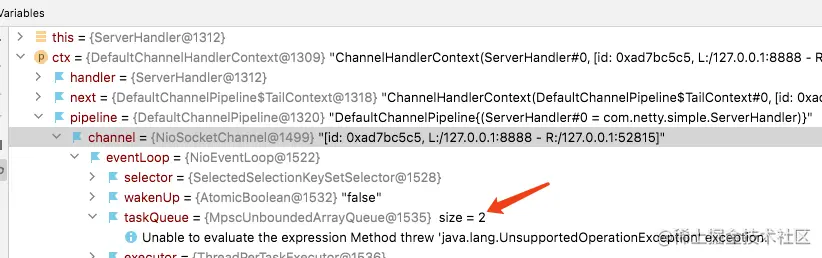
用户程序自定义普通任务
- 排队执行,第二个等第一个执行完,才会执行
- 与当前
channel用的是一个线程,且当函数中主代码执行完后,才会进行执行
ctx.channel().eventLoop().execute(new Runnable() {
@Override
public void run() {
try {
System.out.println(Thread.currentThread().getName());
Thread.sleep(10000);
ctx.writeAndFlush(Unpooled.copiedBuffer("after long time...", CharsetUtil.UTF_8));
} catch (InterruptedException e) {
e.printStackTrace();
}
}
});
ctx.channel().eventLoop().execute(new Runnable() {
@Override
public void run() {
try {
System.out.println(Thread.currentThread().getName());
Thread.sleep(20000);
ctx.writeAndFlush(Unpooled.copiedBuffer("after long time...", CharsetUtil.UTF_8));
} catch (InterruptedException e) {
e.printStackTrace();
}
}
});
用户自定义定时任务
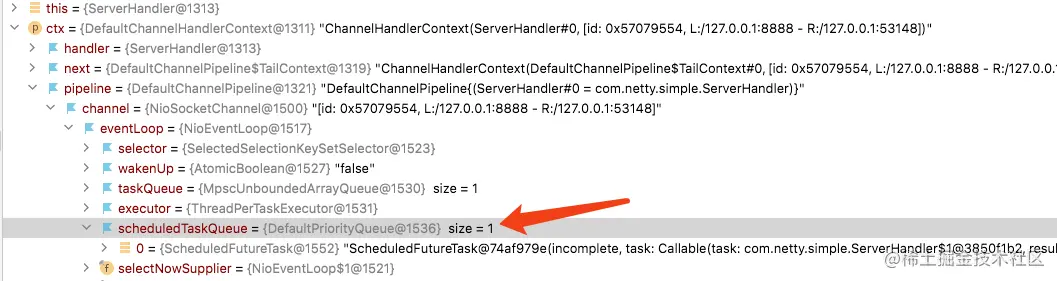
- 提交到
scheduleTaskQueue
- 参数
Runnable/时间/单位
- 如果当前线程有其他任务,延迟完毕后,会等待其他任务执行完后执行
ctx.channel().eventLoop().schedule(new Runnable() {
    @Override
    public void run() {
        for (int i = 0; i < 10; i++) {
            try {
                Thread.sleep(1000);
            } catch (InterruptedException e) {
                e.printStackTrace();
            }
            System.out.println("schehulTaskeQueue1 " + i);
        }
        System.out.println(System.currentTimeMillis() - start);
    }
}, 5, TimeUnit.SECONDS);
非当前Reactor线程调用Channel的各种方法
- 调用其他线程的Channel的方法
- 初始化
bootstrap时,实现的ChannelInitializer中的initChannel获取各个客户端的channel
protected void initChannel(SocketChannel ch) throws Exception {
System.out.println("client: " + ch.hashCode());
set.add((NioSocketChannel) ch);
ch.pipeline().addLast(new ServerHandler());
}
for (NioSocketChannel sc : Server.set) {
    if (ctx.channel().hashCode() == sc.hashCode()) continue;
    sc.eventLoop().execute(new Runnable() {
        @Override
        public void run() {
            try {
                Thread.sleep(5000);
                sc.writeAndFlush(Unpooled.copiedBuffer(Thread.currentThread().getName() + " after " + (System.currentTimeMillis() - start) + " hello, client" , CharsetUtil.UTF_8));
            } catch (InterruptedException e) {
                e.printStackTrace();
            }
        }
    });
}
异步模型
- 当一个异步过程调用发出后,调用者不能立刻得到结果,完成处理后,通过
状态、通知和回调来通知调用者
- Netty中的
Bind、Write、Connect等操作,都会简单的返回一个ChannelFuture
- 调用者不能立刻获得结果,而是通过
Future-Listener机制,主动获取或者通过通知机制获取IO操作结果
- Netty的异步模型,建立在
Future和CallBack上,假设一个方法,计算过程非常耗时,调用该方法时,立刻返回一个Future,后续通过Future监听方法的处理过程
- 异步执行结果,通过其方法,检查执行是否完成,
ChannelFuture是一个接口,可以添加监听器,当监听的事件发生时,通知到监听器
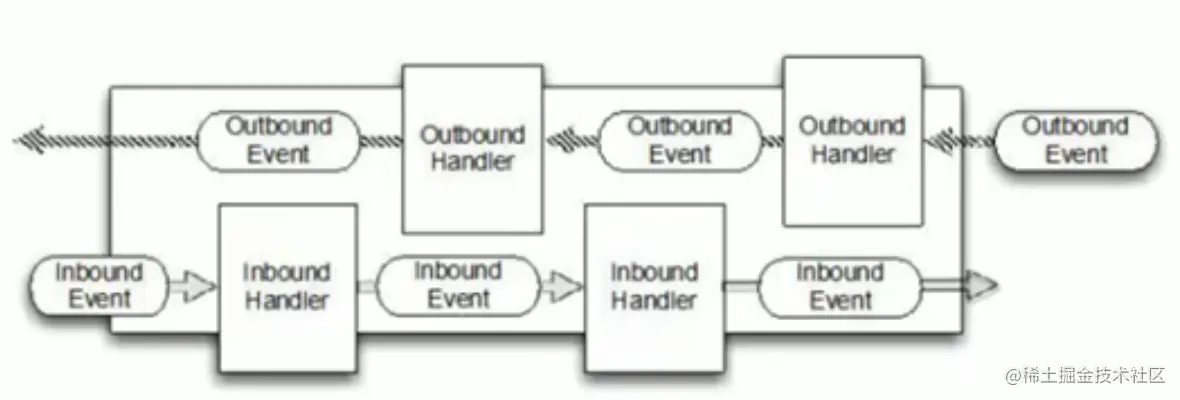
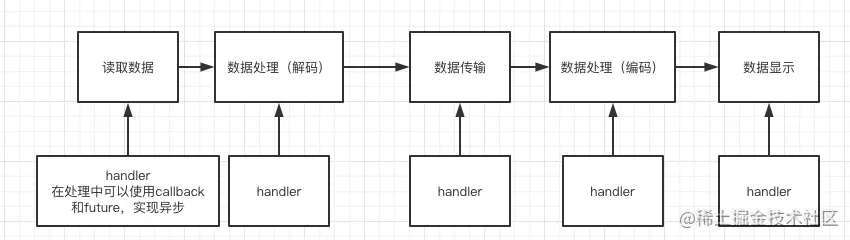
- Netty工作原理中,拦截操作和转换出入栈的操作,只需要提供
CallBack或使用Future,即可实现异步实现
Future-Listener机制
Future对象创建时,处于非完成状态,调用者可以通过返回的ChannelFuture来获取操作执行的状态,注册监听函数来执行完成之后的操作
isDone当前操作是否已经完成isSuccess已完成的当前步骤是否成功getCause已完成的当前操作失败的原因isCancelled已完成的当前操作是否被取消addListener注册监听器,当前操作已完成(isDone方法返回完成),将会通知指定的监听器;如果Future对象已完成,通知指定的监听器
ChannelFuture cf = bootstrap.bind(8888).sync();
cf.addListeners(new ChannelFutureListener() {
@Override
public void operationComplete(ChannelFuture future) throws Exception {
if (future.isSuccess()) {
System.out.println("success");
} else {
System.out.println("failed");
}
}
});
- 相比传统阻塞IO,IO操作后线程被阻塞,直到操作完成
- 异步处理不会造成线程阻塞,线程在IO操作期间可以执行别的操作,在高并发情形更稳定和更高的吞吐量
添加到异步线程池
handler中加入,更加自由,需要就异步,但是会拖长接口响应时间,需要将任务放进mpscTask,如果IO时间很多,task很多,可能导致没时间执行整个task,导致响应时间达不到task完成Context中加入,会将整个handler,进行异步处理,不够灵活
handler中加入
final static EventExecutorGroup group = new DefaultEventExecutorGroup(16);
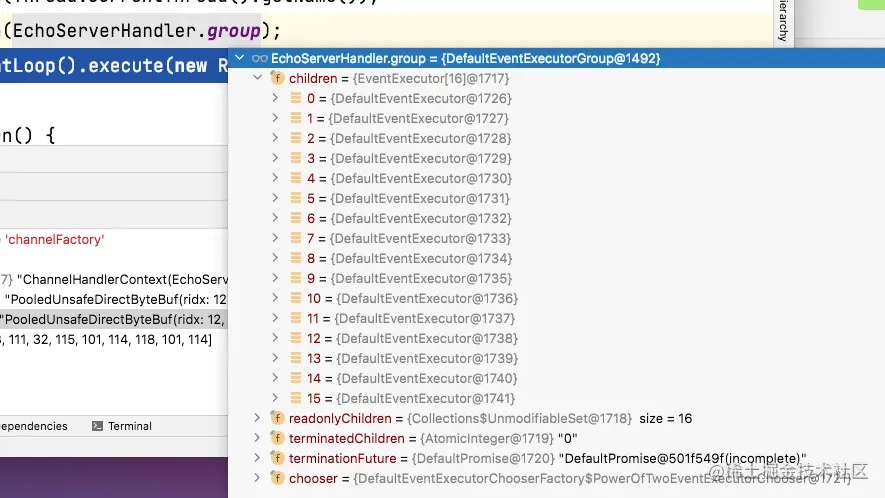
group.submit(new Callable<Object>() {
@Override
public Object call() throws Exception {
ByteBuf buf = (ByteBuf) msg;
byte[] bytes = new byte[buf.readableBytes()];
buf.readBytes(bytes);
Thread.sleep(10000);
System.out.println(Thread.currentThread().getName());
System.out.println(Thread.currentThread().getId());
System.out.println(new String(bytes, CharsetUtil.UTF_8));
ctx.writeAndFlush(Unpooled.copiedBuffer("hello client", StandardCharsets.UTF_8));
return null;
}
});
- 执行完成耗时任务,调用
writeAndFlush,将任务交给IO线程,调用outBound出站数据

Context中加入
static final EventExecutorGroup group = new DefaultEventExecutorGroup(2);
- 在
handler添加时,将handler添加到线程池中,不添加时优先使用IO线程
p.addLast(group, new EchoServerHandler());
Netty-HTTP服务
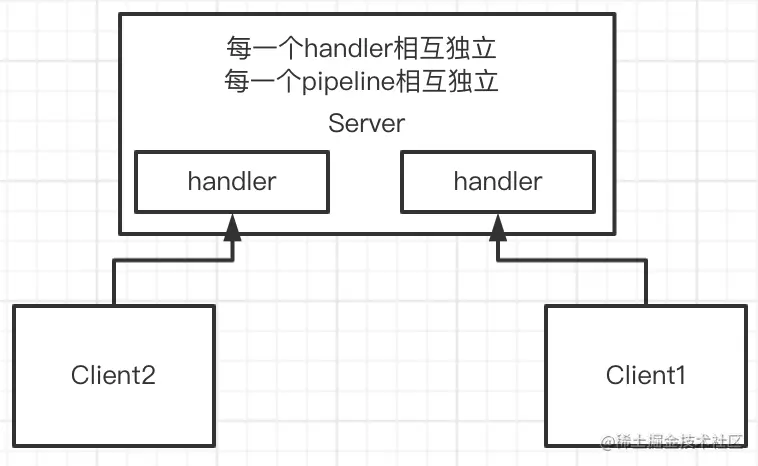
- 每次新的连接,就会产生新的
handler和pipeline
服务端
public class HttpServer {
    public static void main(String[] args) {
        EventLoopGroup bossGroup = new NioEventLoopGroup(1);
        EventLoopGroup workerGroup = new NioEventLoopGroup();
        try {
            ServerBootstrap bootstrap = new ServerBootstrap();
            bootstrap.group(bossGroup, workerGroup)
                    .channel(NioServerSocketChannel.class)
                    .childOption(ChannelOption.SO_KEEPALIVE, true)
                    .childHandler(new HttpServerInitializer());
            ChannelFuture cf = bootstrap.bind(8888).sync();
            System.out.println("dwada");
            cf.channel().closeFuture().sync();
            System.out.println("dwada");
        } catch (InterruptedException e) {
            e.printStackTrace();
        } finally {
            bossGroup.shutdownGracefully();
            workerGroup.shutdownGracefully();
        }
    }
}
handler
public class HttpServerHandler extends SimpleChannelInboundHandler<HttpObject> {
@Override
protected void channelRead0(ChannelHandlerContext ctx, HttpObject msg) throws Exception {
if (msg instanceof HttpRequest) {
System.out.println("pipe: " + ctx.pipeline().hashCode() + " - handler: " + this.hashCode());
System.out.println("msg type: " + msg.getClass());
System.out.println("client address: " + ctx.channel().remoteAddress());
HttpRequest httpRequest = (HttpRequest) msg;
URI uri = new URI(httpRequest.uri());
if ("/favicon.ico".equals(uri.getPath())) {
System.out.println("请求了 favicon.ico");
return;
}
ByteBuf content = Unpooled.copiedBuffer("你好 hello client", CharsetUtil.UTF_16);
FullHttpResponse response = new DefaultFullHttpResponse(HttpVersion.HTTP_1_1, HttpResponseStatus.OK, content);
response.headers().set(HttpHeaderNames.CONTENT_TYPE, "text/plain");
response.headers().set(HttpHeaderNames.CONTENT_LENGTH, content.readableBytes());
ctx.writeAndFlush(response);
}
}
}
Initializer
public class HttpServerInitializer extends ChannelInitializer<SocketChannel> {
@Override
protected void initChannel(SocketChannel ch) throws Exception {
ChannelPipeline pipeline = ch.pipeline();
pipeline.addLast("MyHttpServerCodeC", new HttpServerCodec());
pipeline.addLast("MyHttpServerHandler", new HttpServerHandler());
}
}