1.服务端接口
@RestController
public class apiController {
    @GetMapping("/api/myApi")
    public User myApi(){
        User user = new User();
        user.setName("接口数据name");
        user.setNowTime(new Date());
        return user;
    }
}
2.调用端
2.1添加依赖
<dependency>
    <groupId>org.springframework.cloud</groupId>
    <artifactId>spring-cloud-starter-openfeign</artifactId>
</dependency>
2.2编写接口,@FeignClient注解的url属性是要访问的ip和端口,这里我配置在properties中 myapi.url = 121.xx.xx.xxx:8080; name属性随意写一个
@Component
@FeignClient(url = "${myapi.url}",name = "callApi")
public interface apiService {
    @GetMapping("/api/myApi")
    User callMyApi();
}
2.3调用
@RestController
public class callApiController {
    @Autowired
    private apiService apiService;
    @GetMapping("/callApi")
    public User callApi(){
        return apiService.callMyApi();
    }
}
2.4启动类添加注解@EnableFeignClients
@SpringBootApplication
@EnableFeignClients
public class CallapiApplication {

    public static void main(String[] args) {
        SpringApplication.run(CallapiApplication.class, args);
    }

}
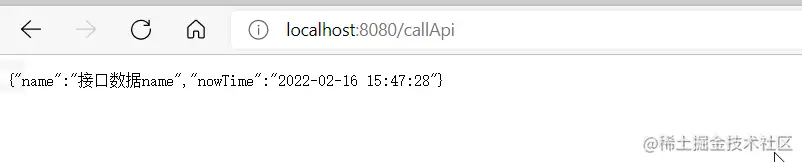
启动调用端,访问接口