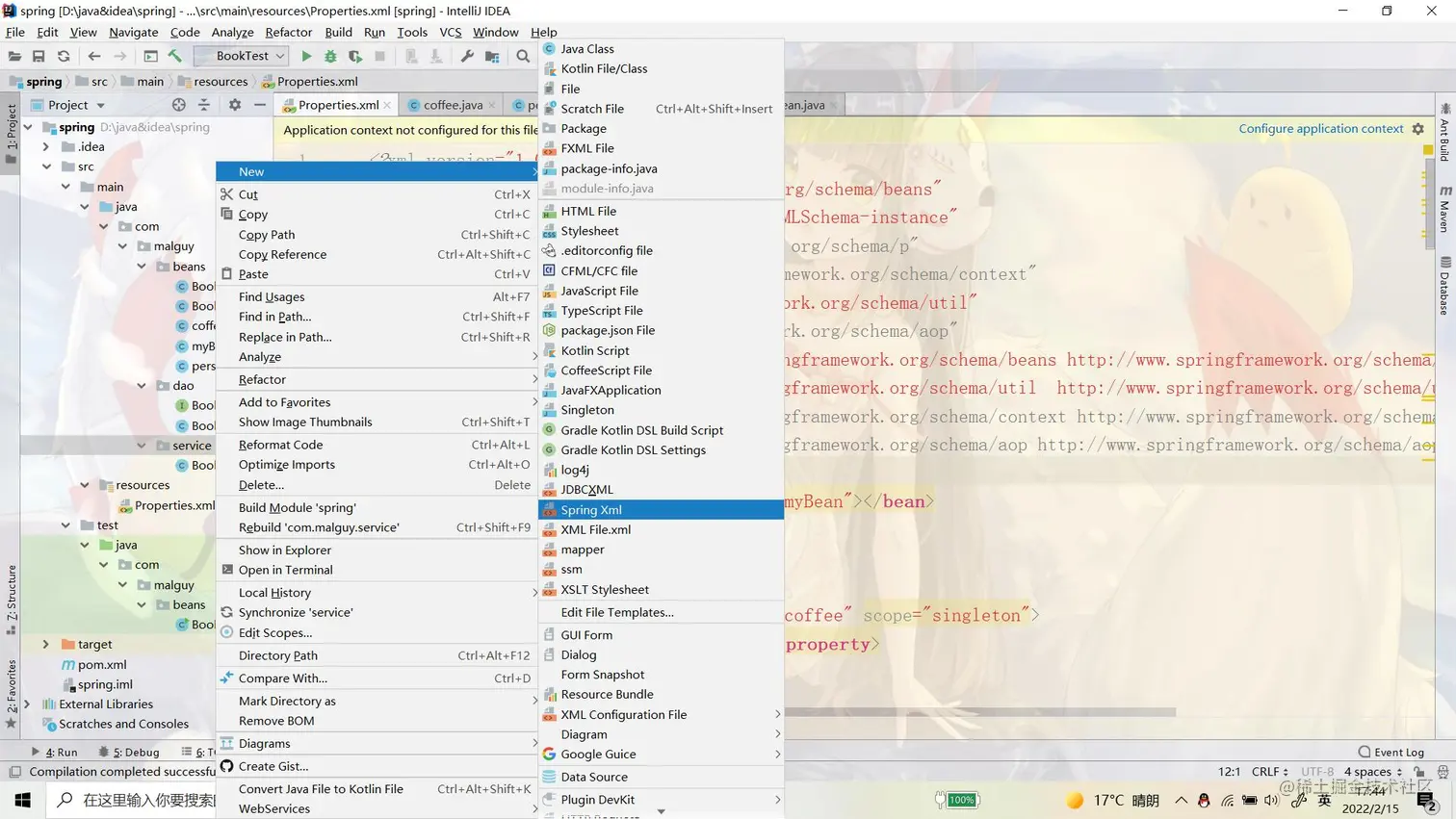
右键点击文件夹->new 选择Edit... 进入文件设置
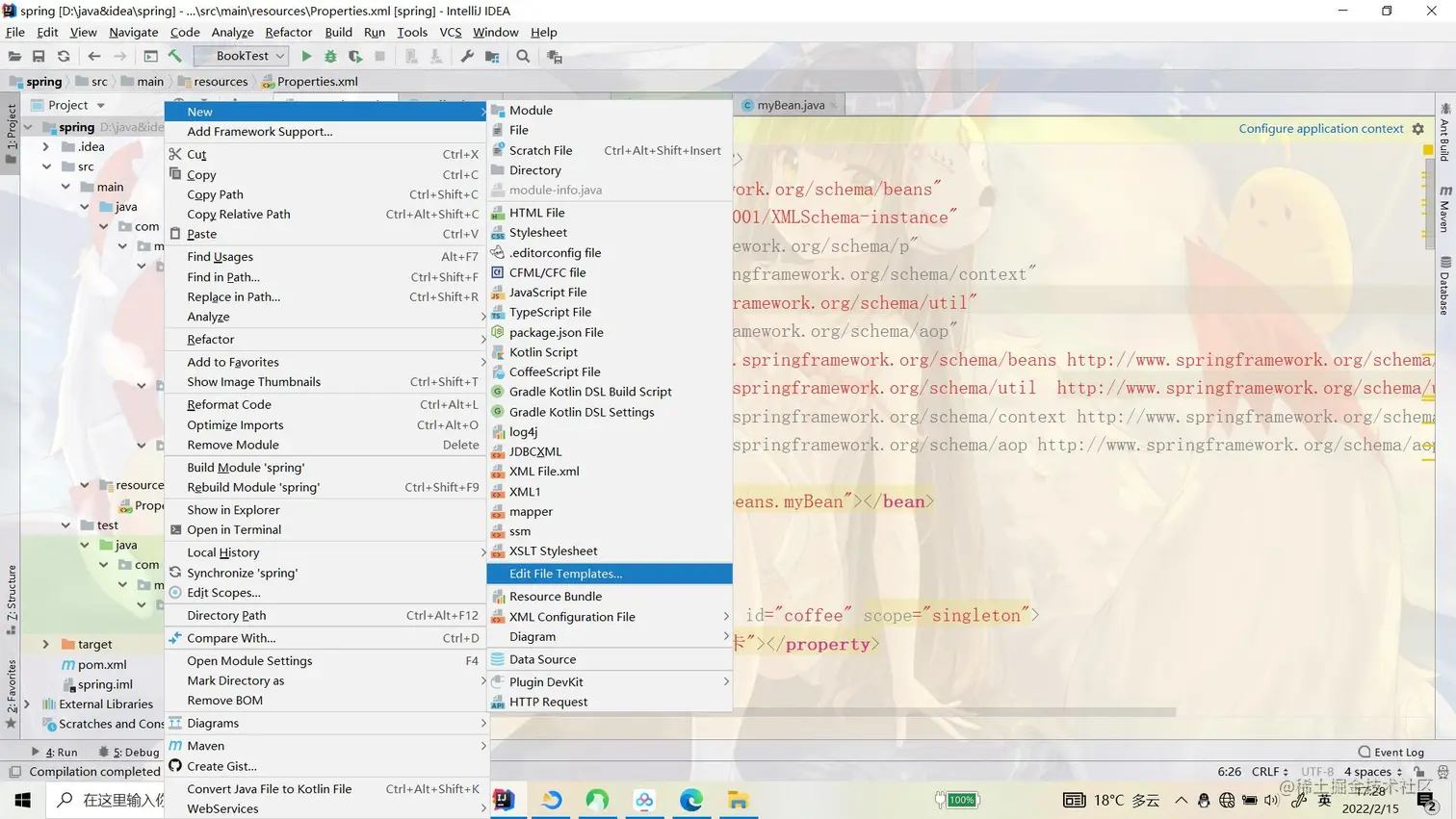
点击左上方加号 修改Name(我这里设为Spring Xml)
extension是后缀的意思,改为xml

把xml模板复制黏贴进去(因为很懒,所以把可能要的都搞进去了)
<?xml version="1.0" encoding="UTF-8"?>
<beans xmlns="http://www.springframework.org/schema/beans"
       xmlns:xsi="http://www.w3.org/2001/XMLSchema-instance"
       xmlns:p="http://www.springframework.org/schema/p"
       xmlns:context="http://www.springframework.org/schema/context"
       xmlns:util="http://www.springframework.org/schema/util"
       xmlns:aop="http://www.springframework.org/schema/aop"
       xsi:schemaLocation="http://www.springframework.org/schema/beans http://www.springframework.org/schema/beans/spring-beans.xsd
                          http://www.springframework.org/schema/util  http://www.springframework.org/schema/util/spring-util.xsd
                          http://www.springframework.org/schema/context http://www.springframework.org/schema/context/spring-context.xsd
                          http://www.springframework.org/schema/aop http://www.springframework.org/schema/aop/spring-aop.xsd">
</beans>
这样就差不多了,点击OK
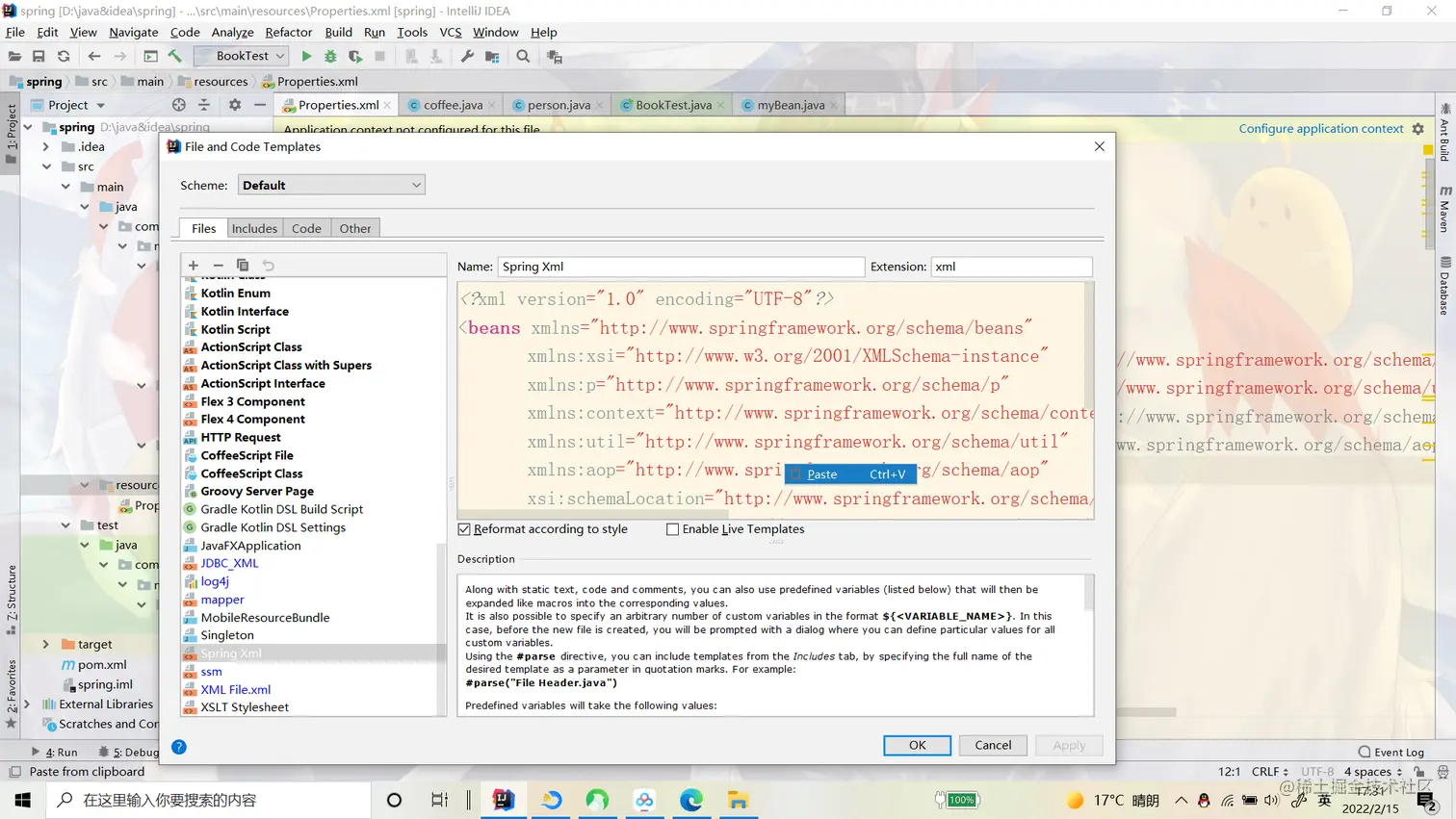
最后new文件看看有没有新增我们写的xml配置文件