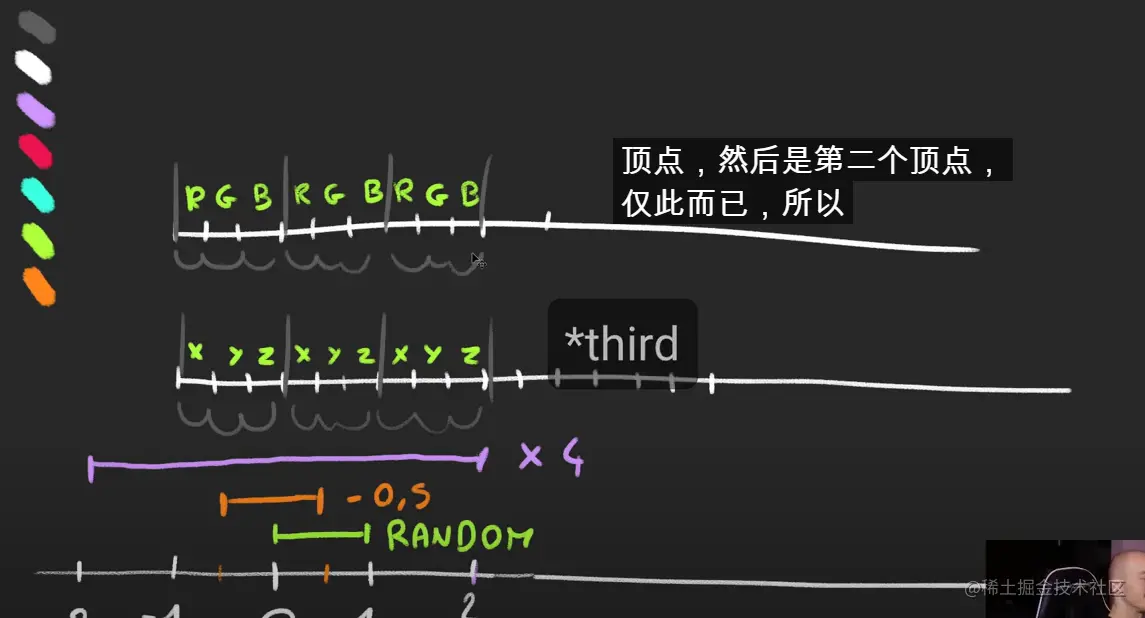
// 创建空的几何体
const particlesGeometry = new THREE.BufferGeometry(1, 32, 32)
// 创建粒子材质,点材质
const particlesMaterial = new THREE.PointsMaterial()
particlesMaterial.size = 0.1 /* 点大小 */
particlesMaterial.sizeAttenuation = true /* 点根据相机深度衰减 */
// 添加随机粒子
const count = 500
const positions = new Float32Array(count * 3) /* 随机位置 */
const colors = new Float32Array(count * 3) /* 随机颜色--color */
for(let i = 0
positions[i] = (Math.random() - 0.5) * 10
colors[i] = Math.random
}
particlesGeometry.seAttribute(
'position',
new THREE.BufferAttribute(positions, 3)
)
// 添加随机颜色--color
particlesGeometry.seAttribute(
'color',
new THREE.BufferAttribute(colors, 3)
)
// 创建粒子贴图
const textureLoader = new THREE.TextureLoader()
const particleTexture = textureLoader.load('/textures/particles/2.png')
particlesMaterial.color = new THREE.Color(0xff0000)
// 使用透明贴图,有个问题是GPU根据绘制顺序会遮挡后面的粒子
particlesMaterial.transparent = true
particlesMaterial.alphaMap = particleTexture
// 解决粒子遮挡
// 1: 设置运行alphaTest时要使用的alpha值
particlesMaterial.alphaTest = 0.01
// 2: 这种,如果有其他几何体存在会出现渲染混乱
particlesMaterial.depthTest = false
// 3: 完美方案 渲染此材质是否对深度缓冲区有任何影响
particlesMaterial.depthWrite = false
// 4: 混合模式:在使用此材质显示对象时要使用何种混合。
particlesMaterial.blending = THREE.AdditiveBlending
// 设置颜色使用顶点着色--color
particlesMaterial.vertexColors = true
// 粒子波浪效果
const tick = () => {
const elapsedTime = clock.getElapsedTime()
// 动画操作,就是更新每个粒子的点位
for(let i = 0
const i3 = i*3
const x = particlesGeometry.attributes.position.array[i3]
particlesGeometry.attributes.position.array[i3 + 1] = Math.sin(elapsedTime + x)
}
// 开启更新
particlesGeometry.attributes.position.needsUpdate = true
controls.update()
renderer.render(scene, camera)
window.requestAnimationFrame(tick)
}
tick()
粒子星球案例
const parameters = {
count: 1000,
size: 0.02,
raduis: 5,
branches: 3,
spin: 3,
randomness: 0.2,
randomnessPower: 3,
insideColor: '#ff6030',
outsideColor: '#1b3984'
}
const geometry = null
const material = null
const points = null
const generateGalaxy = () => {
if(points !== null) {
geometry.dispose()
material.dispose()
scene.remove(points)
}
geometry = new THREE.BufferGeometry()
const positions = new Float32Array(parameters.count * 3)
const colors = new Float32Array(parameters.count * 3)
const colorInside = new THREE.Color(parameters.insideColor)
const colorOutside = new THREE.Color(parameters.outsideColor)
for(let i = 0; i < parameters.count; i++) {
const i3 = i * 3
const raduis = Math.random() * parameters.raduis
const spinAngle = raduis * parameters.spin
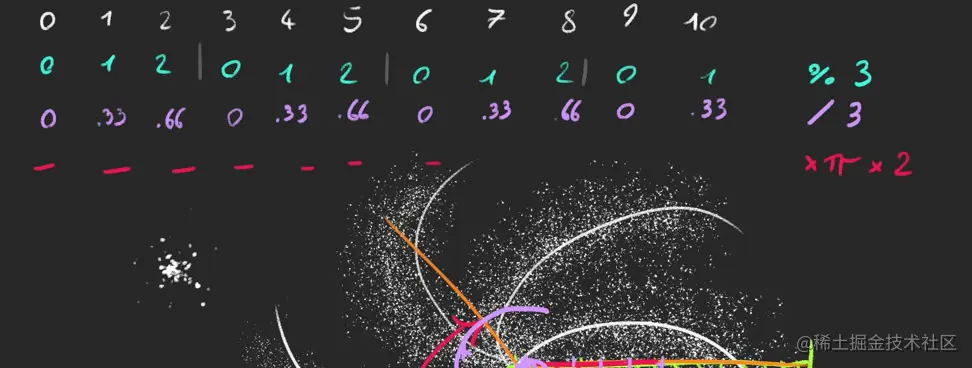
const branchAngle = (i % parameters.branches) / parameters.branches * Math.PI * 2
const randomX = Math.pow(Math.random, parameters.randomnessPower) * (Math.random() < 0.5 ? 1 : -1)
const randomY = Math.pow(Math.random, parameters.randomnessPower) * (Math.random() < 0.5 ? 1 : -1)
const randomZ = Math.pow(Math.random, parameters.randomnessPower) * (Math.random() < 0.5 ? 1 : -1)
positions[i3 ] = Math.cos(branchAngle + spinAngle) * raduis + randomX
positions[i3 + 1] = randomY
positions[i3 + 2] = Math.sin(branchAngle + spinAngle) * raduis + randomZ
const mixedColor = colorInside.clone()
mixedColor.lerp(colorOutside, raduis / parameters.raduis)
colors[i3 ] = mixedColor.r
colors[i3 + 1] = mixedColor.g
colors[i3 + 2] = mixedColor.b
}
geometry.setAttribute(
'position',
new THREE.BufferAttribute(positions, 3)
)
geometry.setAttribute(
'color',
new THREE.BufferAttribute(colors, 3)
)
material = new THREE.PointsMaterial({
size: parameters.size,
sizeAttenuation: true,
depthWrite: false,
blending: THREE.AdditiveBlending,
vertexColors: true,
})
points = new THREE.Points(geometry, material)
scene.add(points)
}
generateGalaxy()
gui.add(parameters, 'count').min(100).max(10000).step(100).onFinishChange(generateGalaxy)
gui.addColor(this.parameters, 'insideColor').onFinishChange(generateGalaxy)