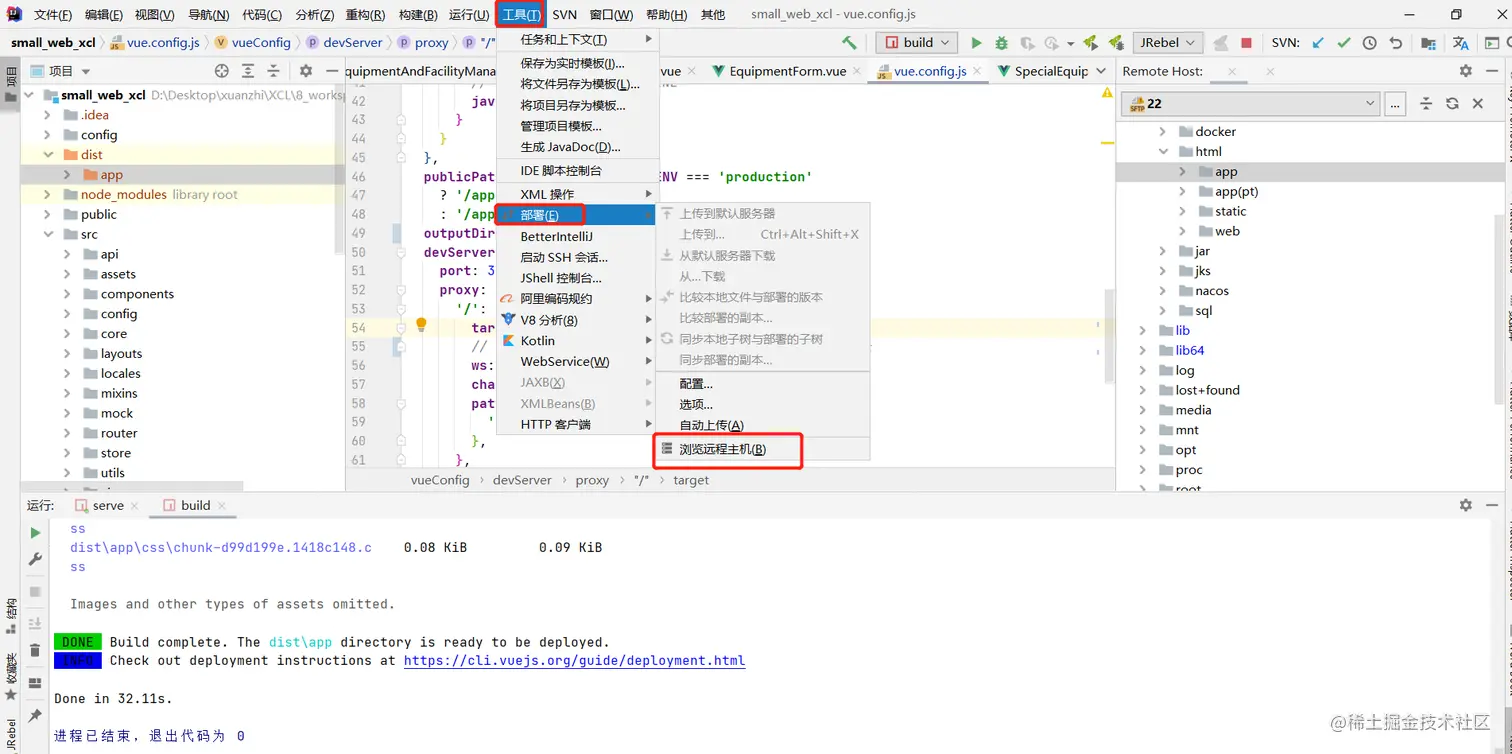
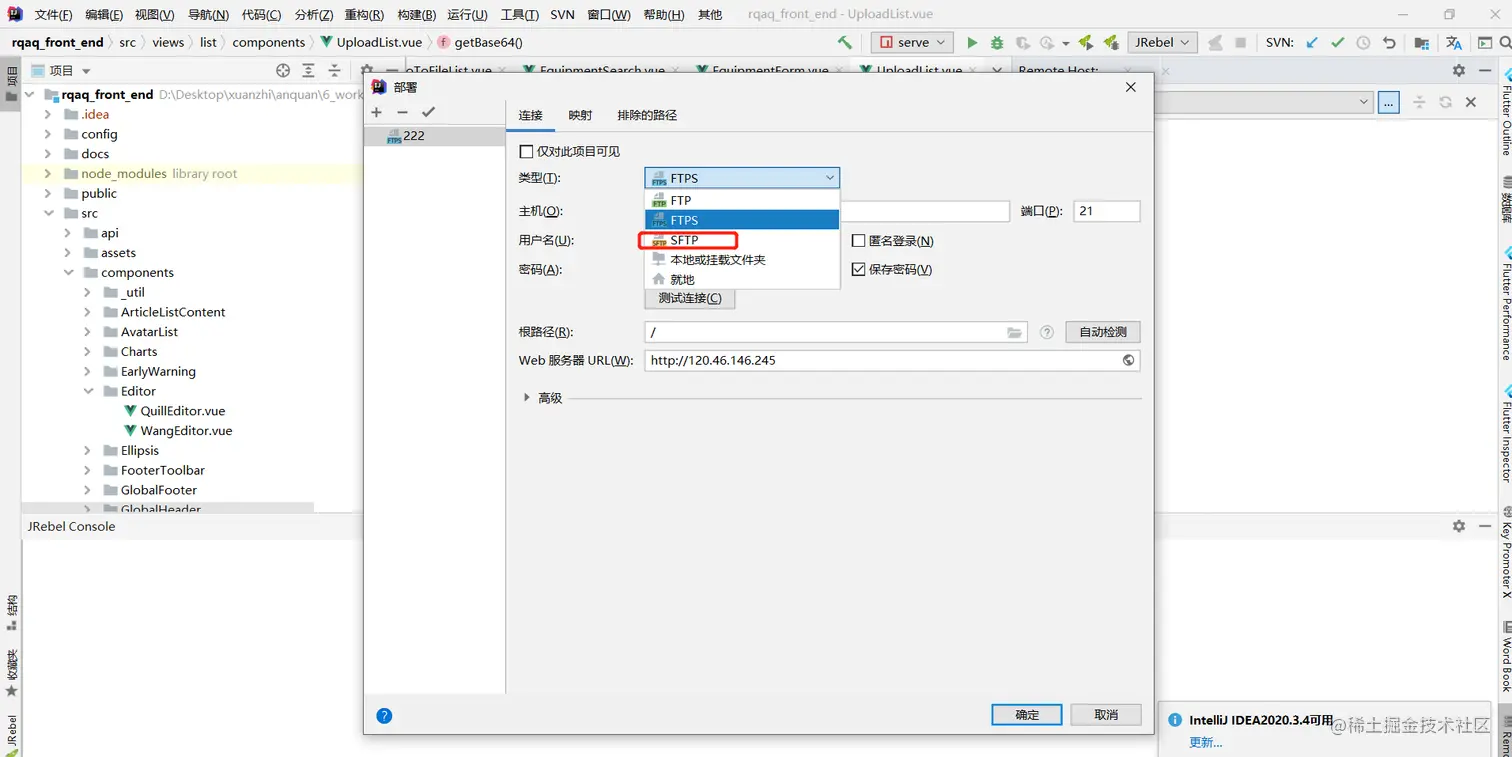
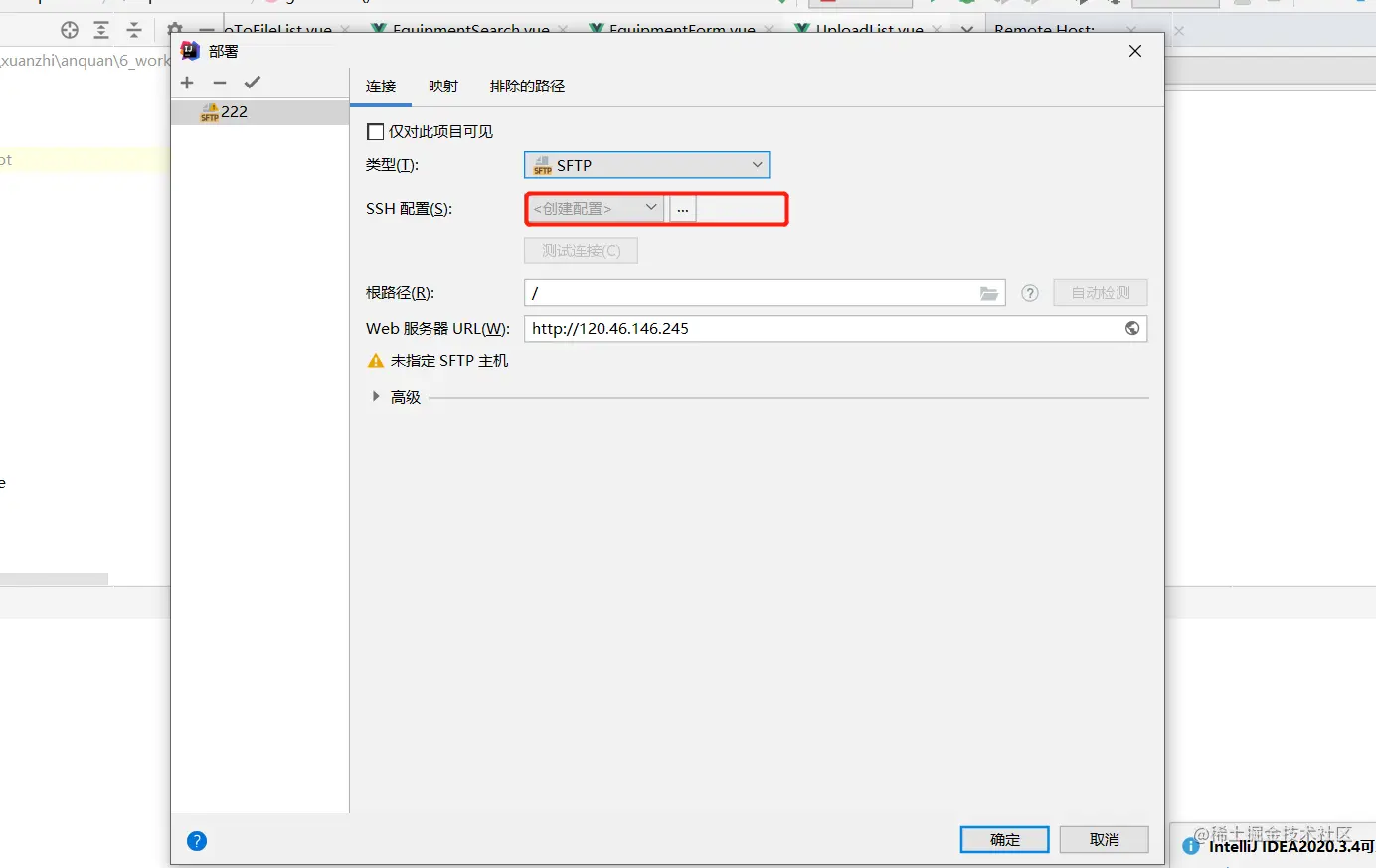
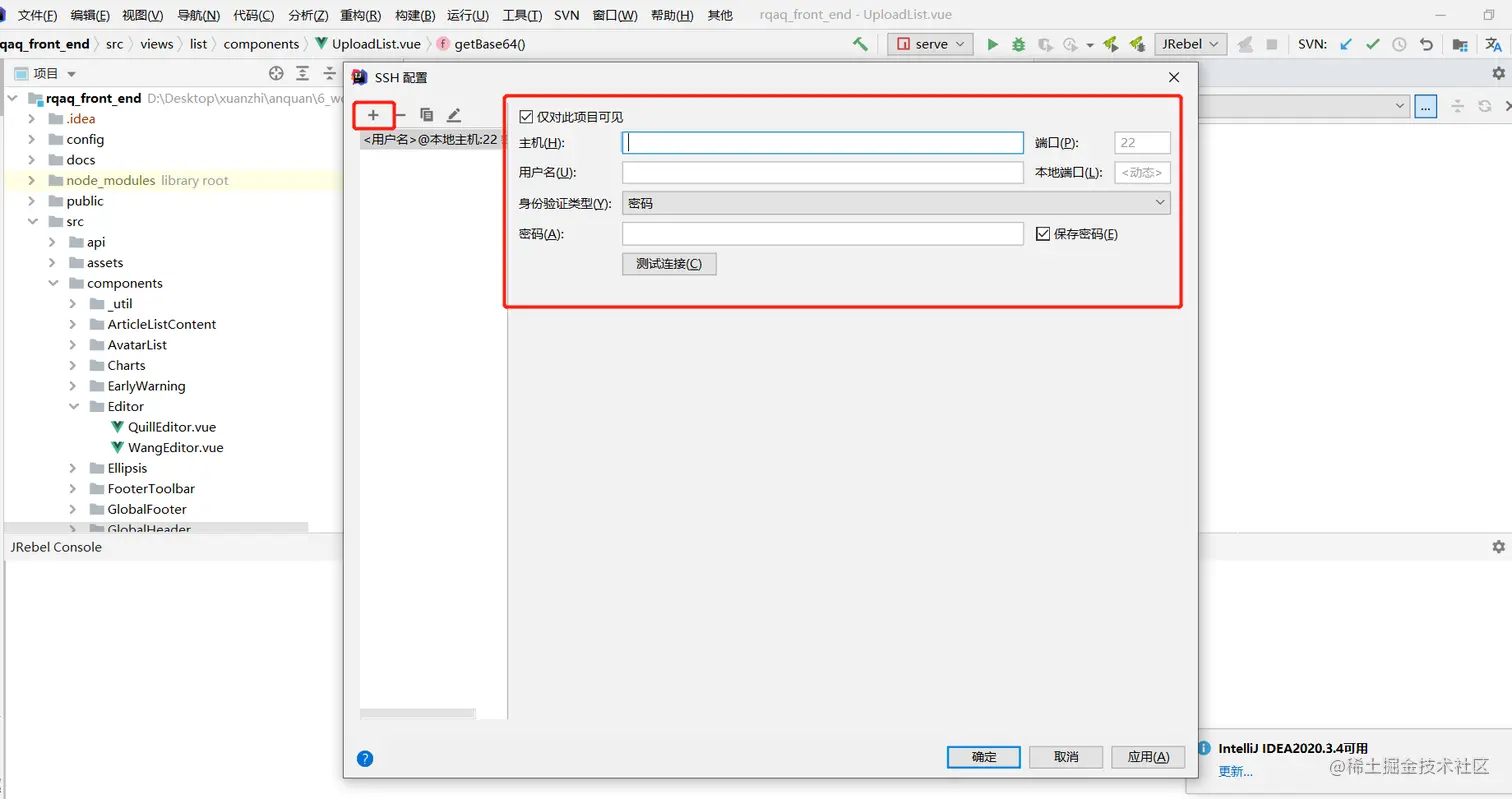
idea 链接服务器 一条孤独的小狼 2022-01-18 253 阅读1分钟 1、点击idea工具→选择部署→浏览远程主机 2、选择FTPS链接模式→点击配置 3、点击‘+’号,→填写服务器内容→点击测试链接→点击确认,完成服务器链接