需求:¥ 在金额前面在这个不陌生了吧
合计:<show-price>20.00</show-price>
<template>
	<view class="d-flex line-h font-weight mb-1" :class="color"
	style="font-size: 30upx;">
			<view class="font a-self-start line-h font-weight-100">
				¥</view>
			<slot />
		</view>
</template>

<script>
	export default {
		props:{
			color:{
				type:String,
				default:"main-text-color"
			}
		}
	}
</script>

<style>
</style>
后来看到这个toLocaleString()方法 千分位分割 还能解决上面的功能
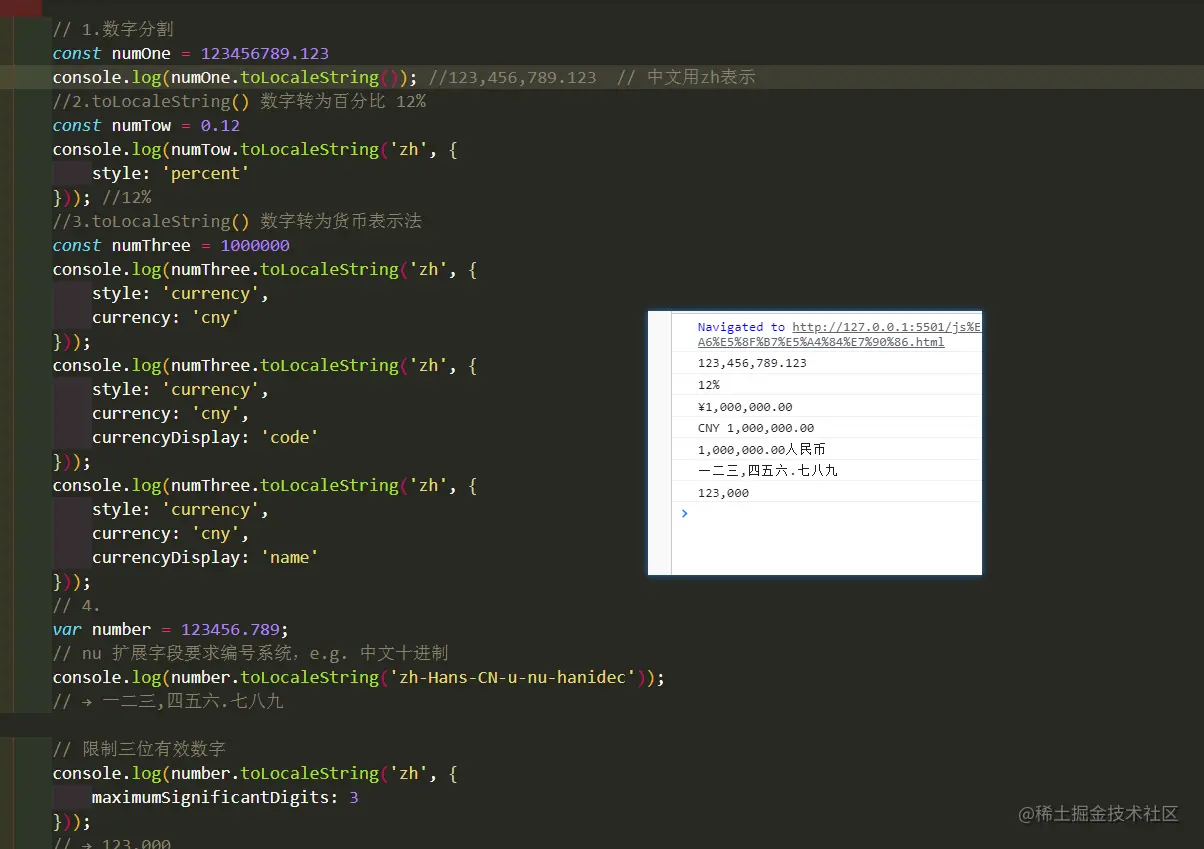
const numOne = 123456789.123
console.log(numOne.toLocaleString());
const numTow = 0.12
console.log(numTow.toLocaleString('zh', {
style: 'percent'
}));
const numThree = 1000000
console.log(numThree.toLocaleString('zh', {
style: 'currency',
currency: 'cny'
}));
console.log(numThree.toLocaleString('zh', {
style: 'currency',
currency: 'cny',
currencyDisplay: 'code'
}));
console.log(numThree.toLocaleString('zh', {
style: 'currency',
currency: 'cny',
currencyDisplay: 'name'
}));
var number = 123456.789;
console.log(number.toLocaleString('zh-Hans-CN-u-nu-hanidec'));
console.log(number.toLocaleString('zh', {
maximumSignificantDigits: 3
}));