生命周期
类比如下代码
let div = document.createElement('div')
div.textContent = 'hi'
document.body.appendChild(div)
div.textContent = 'hi2'
div.remove()
同理
- React 组件也有这些过程, 我们称之为生命周期
函数列表
constructor() - 在这里初始化 state
- static getDerivedStateFromProps()
shouldComponentUpdate() - return false 阻止更新
render() - 创建虚拟 DOM
- getSnapshotBeforeUpdate()
componentDidMount() - 组件已出现在页面
componentDidUpdate() - 组件已更新
componentWillUnmount() - 组件将死
- static getDerivedStateFromError()
- componentDidCatch()
constructor
用途
- 初始化 props
- 初始化 state, 但此时不能调用 setState
- 用来写 bind this
constructor(){
this.onClick = this.onClick.bind(this)
}
onClick = ()=> {}
constructor(){}
shouldComponentUpdate
用途
- 返回 true 表示不阻止 UI 更新
- 返回 false 表示阻止 UI 更新
- 它允许我们手动判断是否要进行组件更新, 我们可以根据应用场景灵活地设置返回值, 以避免不必要的更新
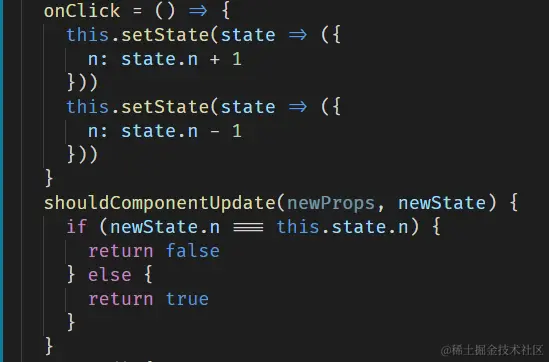
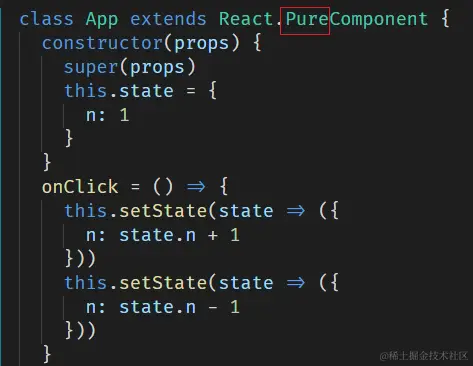
React.PureComponent(代替)
- PureComponent 会在 render 之前对比新 state 和旧 state 的每一个 key,以及新 props 和旧 props 的每一个 key。
- 如果所有 key 的值全都一样,就不会 render;如果有任何一个 key 的值不同,就会 render。
- 只对比第一层(浅对比)
render
用途
- 展示视图
- 只能有一个根元素
- 如果有两个根元素, 就要用
<React.Fragment> 包起
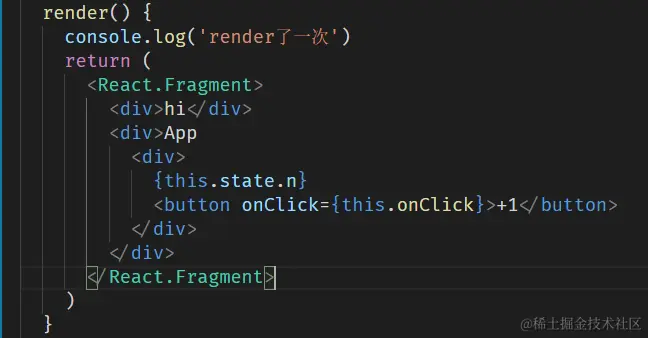
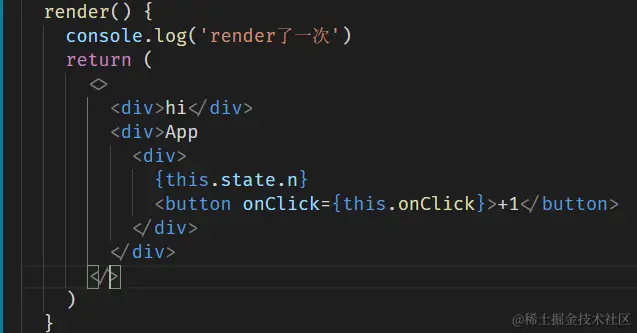
<React.Fragment> 可以缩写成 <></>
技巧
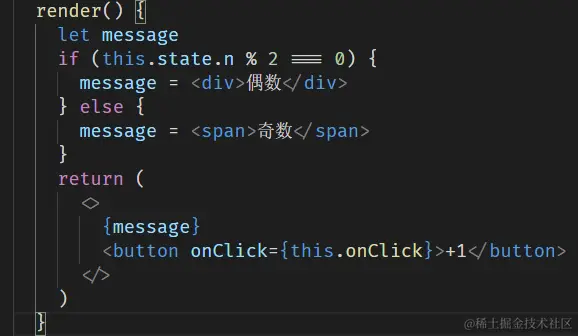
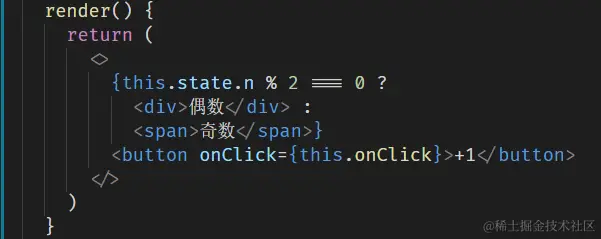
- render 里面不能直接写 for 循环, 需要用数组
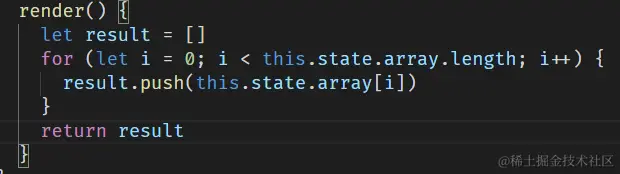
- render 里面可以写 array.map (循环)
- 所有的循环都要绑定一个 key

componentDidMount()
用途
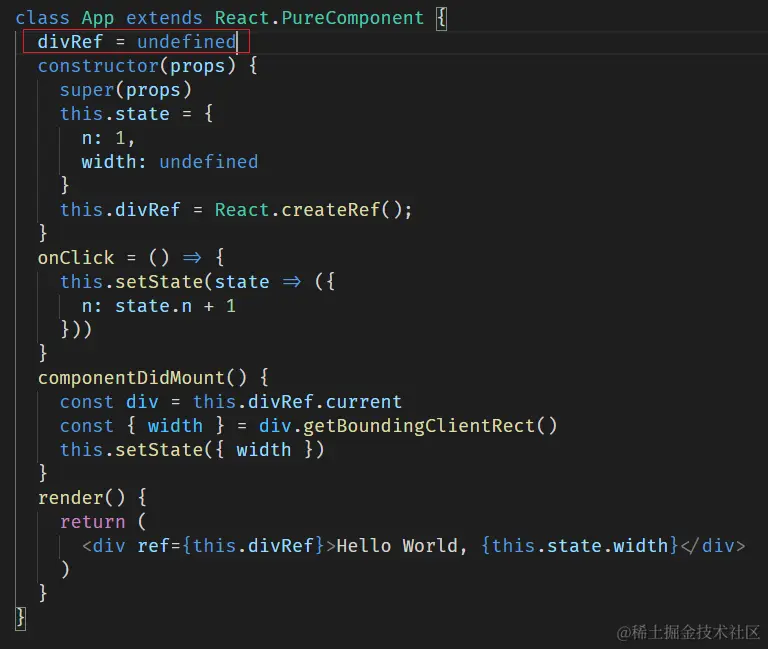
- 在元素插入页面后执行代码, 这些代码依赖 DOM
- 比如你想获取 div 的高度, 就最好在这里写
- 用
id 获取 div
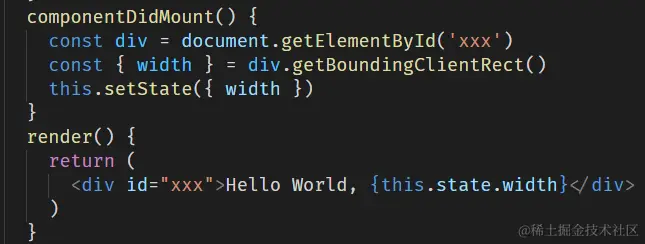
- 用
ref 获取 div , 最好先声明一个 undefined 的值
- 此处可以发起
加载数据的 AJAX 请求(官方推荐)
- 首次渲染会执行此钩子
- 没有参数
componentDidUpdate()
用途
- 在视图更新后会执行代码
- 此处也可以发起 AJAX 请求, 用于更新数据
- 首次渲染不会执行此钩子
- 在此处 setState 可能会引起无限循环, 除非放在 if 里
- 若
shouldComponentUpdate() 返回 false, 则不会触发钩子
参数
componentWillUnmount
用途
- 组件将要 被移出页面然后被销毁 时执行代码
- unmount 过的组件不会再次 mount
举例
- 如果你在 c...DidMount 里面监听了 window scroll
- 那么你就要在 c...WillUnmount 里面取消监听
- 如果你在 c...DidMount 里面创建了 Timer
- 那么你就要在 c...WillUnmount 里面取消 Timer
- 如果你在 c...DidMount 里面创建了 AJAX 请求
- 那么你就要在 c...WillUnmount 里面取消 Timer