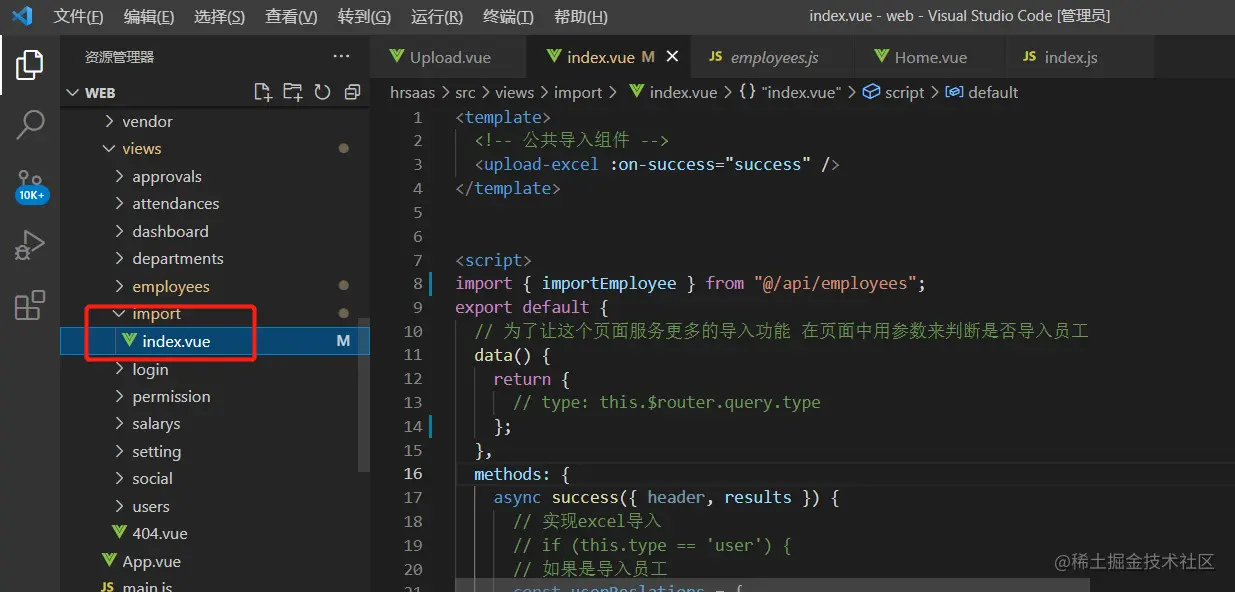
<template>
<upload-excel :on-success="success" />
</template>
<script>
import { importEmployee } from '@/api/employees'
export default {
data() {
return {
}
},
methods: {
async success({ header, results }) {
const userReslations = {
'入职日期': 'timeOfEntry',
'手机号': 'mobile',
'姓名': 'username',
'转正日期': 'correctionTime',
'工号': 'workNumber'
}
const arr = []
results.forEach(item => {
const userInfo = {}
Object.keys(item).forEach(key => {
if (userReslations[key] === 'timeOfEntry' || userReslations[key] == 'correctionTime') {
userInfo[userReslations[key]] = new Date(this.formatDate(item[key], '/'))
return
}
userInfo[userReslations[key]] = item[key]
})
arr.push(userInfo)
})
await importEmployee(arr)
this.$message.success('导入成功')
this.$router.back()
},
formatDate(numb, format) {
const time = new Date((numb - 1) * 24 * 3600000 + 1)
time.setYear(time.getFullYear() - 70)
const year = time.getFullYear() + ''
const month = time.getMonth() + 1 + ''
const date = time.getDate() - 1 + ''
if (format && format.length === 1) {
return year + format + month + format + date
}
return year + (month < 10 ? '0' + month : month) + (date < 10 ? '0' + date : date)
}
}
}
</script>



