TAB切换
效果展示
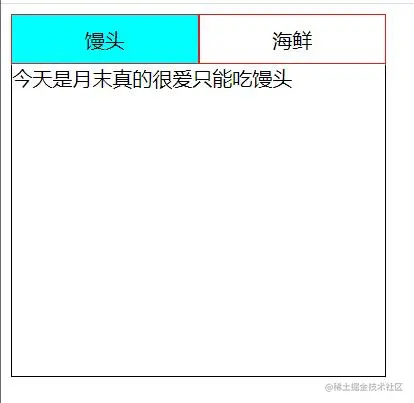
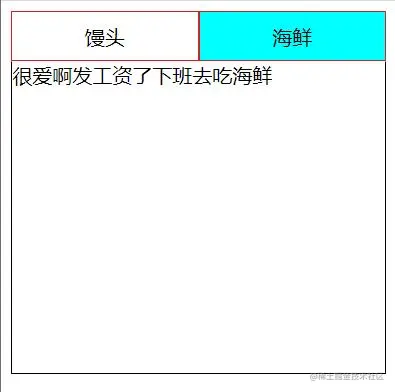
代码如下
<html lang="en">

<head>
    <meta charset="UTF-8">
    <meta http-equiv="X-UA-Compatible" content="IE=edge">
    <meta name="viewport" content="width=device-width, initial-scale=1.0">
    <title>Document</title>
    <style>
        ul,
        li,
        ol {
            list-style: none;
            margin: 0;
            padding: 0;
        }

        ul {
            height: 40px;
            width: 300px;
            /* border: 1px solid #000; */
        }

        ul>li {
            height: 40px;
            width: 150px;
            border: 1px solid rgb(228, 27, 27);
            float: left;
            box-sizing: border-box;
            text-align: center;
            line-height: 40px;

        }

        ul>li.current {
            background-color: aqua;
        }

        ol {
            height: 250px;
            width: 300px;
            /* border: 1px solid #000; */
        }

        ol li {
            display: none;
            height: 250px;
            width: 300px;
            position: absolute;
            border: 1px solid #000;
            border-top: 1px solid transparent;
            box-sizing: border-box;
        }

        ol>li.current {
            display: block;
        }
    </style>
</head>

<body>
    <div class="box">
        <ul>
            <li class='current'>馒头</li>
            <li>海鲜</li>
        </ul>
        <ol>
            <li class="current">今天是月末真的很爱只能吃馒头</li>
            <li>很爱啊发工资了下班去吃海鲜</li>
        </ol>
    </div>

    <script>
        var oUpList = document.querySelectorAll('ul>li');
        var oDownList = document.querySelectorAll('ol>li');
        //遍历给上面的li绑定事件
        for (var i = 0; i < oUpList.length; i++ ) {
            oUpList[i].tempIndex = i;//先藏值;
            oUpList[i].onclick = function () {
                var index = this.tempIndex
                for (var j = 0; j < oUpList.length; j++) {
                    oUpList[j].className = j == index ? 'current' : '';
                    oDownList[j].className = j == index ? 'current' : '';
                }
            }
        }
    </script>
</body>

</html>