- 原文地址:Back to the 90s with C
- 原文作者:Ujjayanta Bhaumik
- 译文出自:掘金翻译计划
记得那些八九十年代的怀旧游戏!
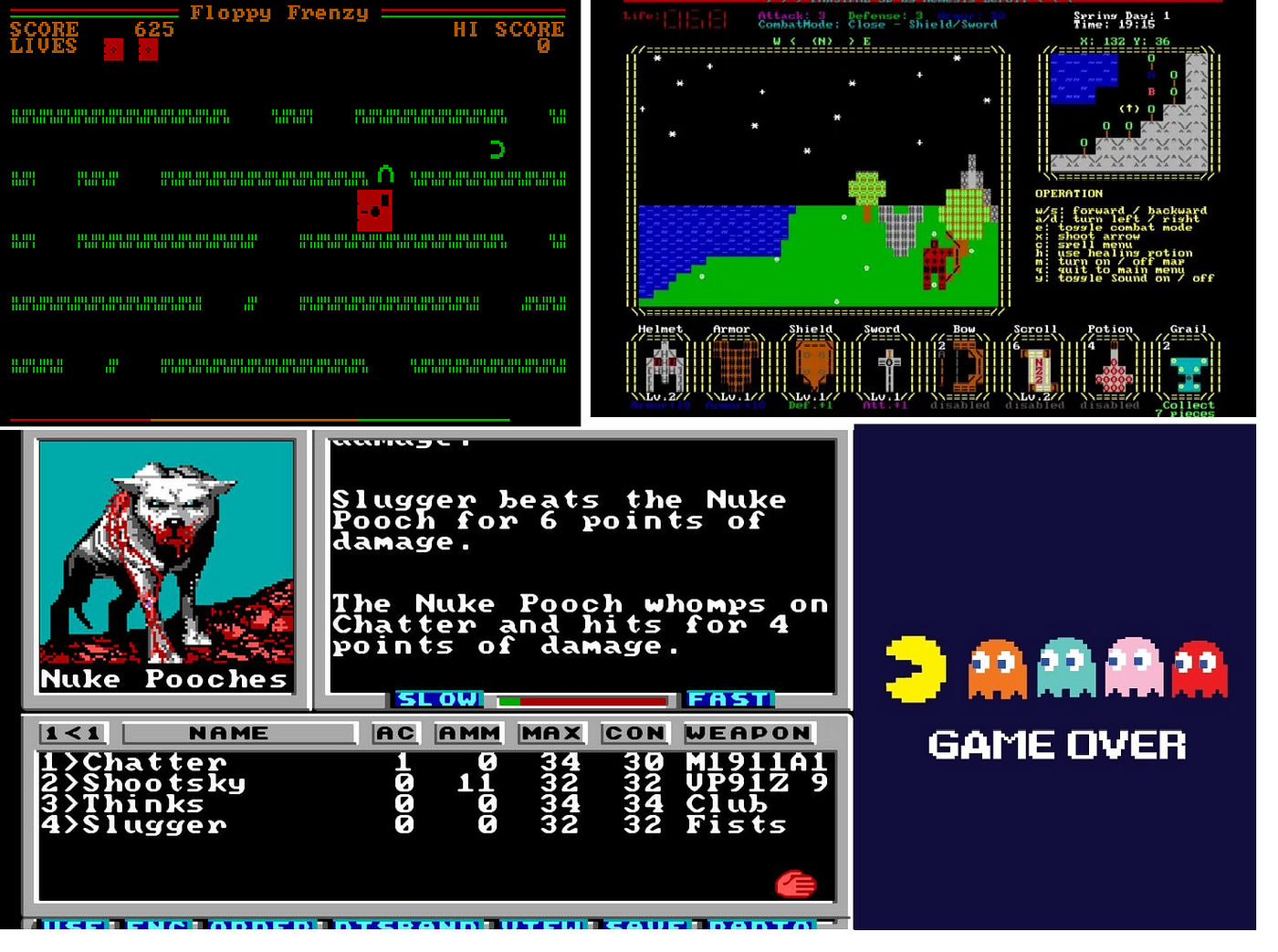
来源:blog.archive.org/2019/10/13/…, www.lifewire.com/best-ms-dos…, boingboing.net/2021/08/27/…
有些人一定很怀念这些DOS游戏,怀念主机,怀念那时的一切,一切美好的旧时光。今天,我将向您介绍一个由Mattias Gustavsson所写的叹为观止的C库,它可以让你创建这些碉堡的复古风格游戏。
“dos-like 是一个编程库/框架,有点像一个微型游戏引擎,用于编写有90年代初的MS-DOS产品那味儿的游戏和程序。但是 dos-like 并非编写可在DOS主机上运行的代码,而是制作可在现代平台(如Window、Mac和Linux)上运行的程序,但它试图重铸旧DOS程序的外观、感觉和声音。”
如下是网站上的一些示例:
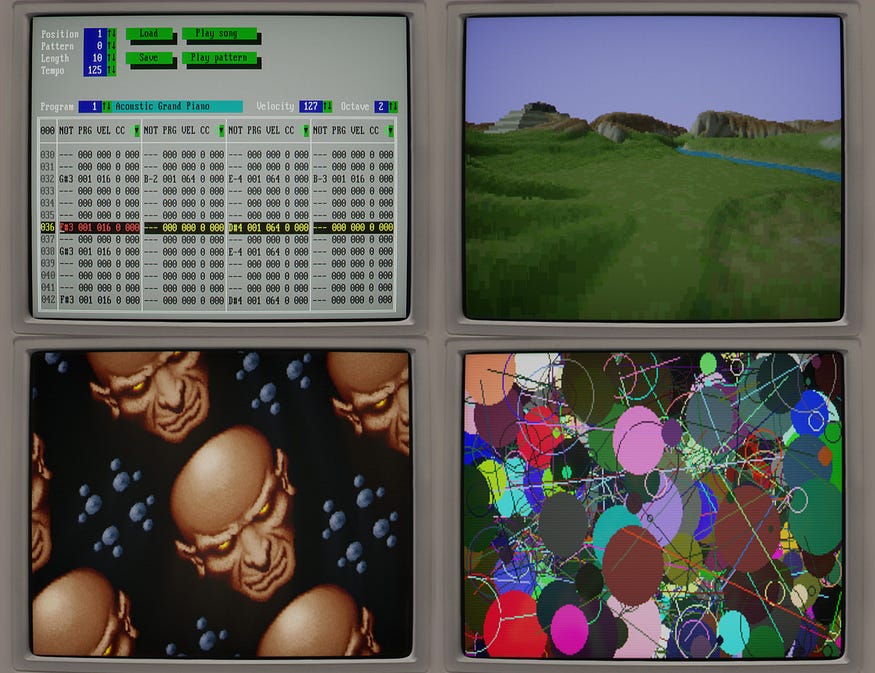
现在,让我们来探索该库。事实上,它非常容易安装。首先clone这个GitHub仓库:github.com/mattiasgust…
目录结构如下图所示:
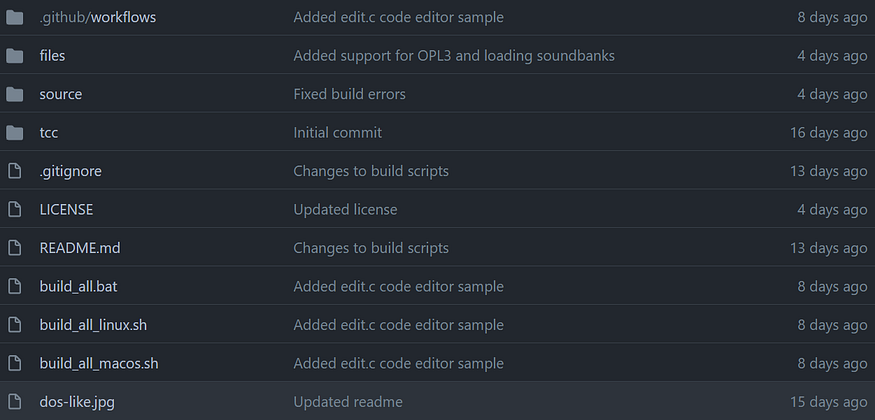
编译器位于tcc目录内。

‘tcc.exe’ 是最关键的文件。(我仅介绍Windows安装) 您应该将其路径添加到path环境变量里。
这里的路径是仓库被克隆的位置。如果tcc路径设置正确,则可以进入命令提示符(Command Prompt),键入tcc,您应该可以看到如下内容:

这意味着库已正确安装
现在让我们看几个示例程序。作者已经在这里囊括了几个示例:github.com/mattiasgust…
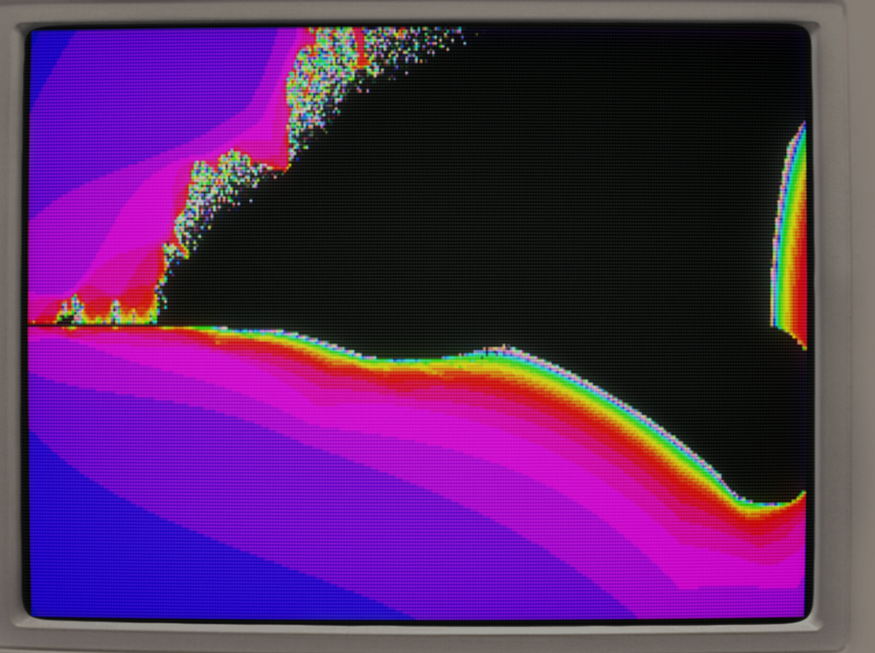
基于曼德勃罗集(Mandelbrot Set)的例子,我为燃烧船分形(Burning Ship fractal)编写了程序:
// Burning Ship fractal inspired by Port of mandelbrot tutorial code by Lode Vandevenne
// https://lodev.org/cgtutor/juliamandelbrot.html#Mandelbrot_Set_#include <math.h>
#include <stdlib.h>
#include "dos.h"int main(int argc, char *argv[])
{
  setvideomode( videomode_320x200 );
  setdoublebuffer(1);
  for( int i = 0; i < 32; ++i ) setpal( i, 0, 0, 31 - i );
  int w = 320;
  int h = 200;//each iteration, it calculates: newz = oldz*oldz + p, where p is the current pixel, and oldz stars at the origin
  double pr, pi;           //real and imaginary part of the pixel p
  double newRe, newIm, oldRe, oldIm;   //real and imaginary parts of new and old z
  double zoom = 1, moveX = -0.5, moveY = 0; //you can change these to zoom and change position
  int maxIterations = 255;//after how much iterations the function should stop
  double zoomSpd = 0.005f;
  for( ; ; ) {
    //loop through every pixel
    for(int y = 0; y < h; y++)
    for(int x = 0; x < w; x++)
    {
      //calculate the initial real and imaginary part of z, based on the pixel location and zoom and position values
      pr = 1.5 * (x - w / 2) / (0.5 * zoom * w) + moveX;
      pi = (y - h / 2) / (0.5 * zoom * h) + moveY;
      newRe = newIm = oldRe = oldIm = 0; //these should start at 0,0
      //"i" will represent the number of iterations
      int i;
      //start the iteration process
      for(i = 0; i < maxIterations; i++)
      {
        //remember value of previous iteration
  if (newRe < 0)
    {
    oldRe = -newRe;
    }
  else{
    oldRe = newRe;
  }
        if (newIm < 0)
    {
    oldIm = -newIm;
    }
  else{
    oldIm = newIm;
  }
        //the actual iteration, the real and imaginary part are calculated

        newRe = oldRe * oldRe - oldIm * oldIm + pr;
        newIm = 2 * oldRe * oldIm + pi;
        //if the point is outside the circle with radius 2: stop
        if((newRe * newRe + newIm * newIm) > 4) break;
      }
      //draw the pixel
      putpixel(x, y, ( i + 32 ) & 255 );
      if( keystate( KEY_ESCAPE ) || shuttingdown() ) exit(0);
    }
    swapbuffers();
    zoom += zoomSpd;
    moveX -= 0.0050109f / zoom;
    zoomSpd *= 1.005;
  }return 0;
}
这会产生如下结果:
这是另一个绘制一些简单图形的示例程序。这里我们跟随鼠标指针并绘制圆圈。

#include <stdlib.h>
#include "dos.h"
#include <windows.h>

//author: Ujjayanta
int main(int argc, char **argv[]){

 setvideomode(videomode_320x200);

 int x, y;
 POINT xypos;GetCursorPos(&xypos);

 while(!shuttingdown())
 {
  GetCursorPos(&xypos);
  for(int i =0 ; i<5;i++){
   x = xypos.x;
   y = xypos.y;
   setcolor(rand()%256);
   circle(x%320,y%200,4);
  }
  for(int i =0 ; i<5;i++){
   x = xypos.x;
   y = xypos.y;
   setcolor(rand()%256);
   circle(0,0,4);
  }

  if( keystate( KEY_ESCAPE ) ) break;

 }


    return 0;
}