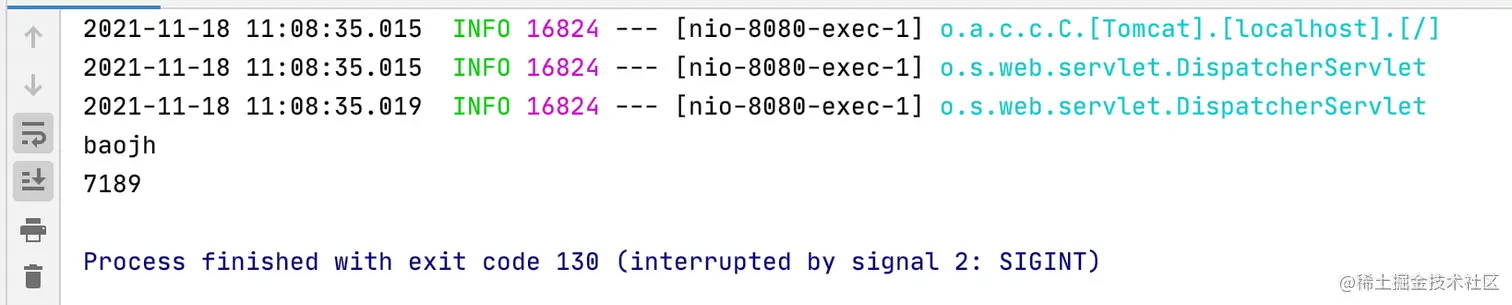
1:创建个maven项目,pom.xml文件如下:
<?xml version="1.0" encoding="UTF-8"?>
<project xmlns="http://maven.apache.org/POM/4.0.0"
xmlns:xsi="http://www.w3.org/2001/XMLSchema-instance"
xsi:schemaLocation="http://maven.apache.org/POM/4.0.0 http://maven.apache.org/xsd/maven-4.0.0.xsd">
<parent>
<artifactId>agent</artifactId>
<groupId>org.example</groupId>
<version>1.0-SNAPSHOT</version>
</parent>
<modelVersion>4.0.0</modelVersion>
<artifactId>boot_javasissts</artifactId>
<properties>
<argline>-Xms512m -Xmx512m</argline>
<skip_maven_deploy>false</skip_maven_deploy>
<updateReleaseInfo>true</updateReleaseInfo>
<project.build.sourceEncoding>utf-8</project.build.sourceEncoding>
<maven.test.skip>true</maven.test.skip>
<maven.configuration.manifestFile>src/main/resources/META-INF/MANIFEST.MF</maven.configuration.manifestFile>
</properties>
<dependencies>
<dependency>
<groupId>javassist</groupId>
<artifactId>javassist</artifactId>
<version>3.12.1.GA</version>
<type>jar</type>
</dependency>
</dependencies>
<build>
<sourceDirectory>src/main/java</sourceDirectory>
<resources>
<resource>
<directory>src/main/resources</directory>
<filtering>true</filtering>
<includes>
<include>**/**</include>
</includes>
</resource>
</resources>
<testSourceDirectory>src/test/java</testSourceDirectory>
<testResources>
<testResource>
<directory>src/test/resources</directory>
<filtering>true</filtering>
<includes>
<include>**/**</include>
</includes>
</testResource>
</testResources>
<plugins>
<plugin>
<groupId>org.apache.maven.plugins</groupId>
<artifactId>maven-shade-plugin</artifactId>
<executions>
<execution>
<phase>package</phase>
<goals>
<goal>shade</goal>
</goals>
</execution>
</executions>
<configuration>
<artifactSet>
<includes>
<include>javassist:javassist:jar:</include>
</includes>
</artifactSet>
</configuration>
</plugin>
<plugin>
<groupId>org.apache.maven.plugins</groupId>
<artifactId>maven-jar-plugin</artifactId>
<version>2.4</version>
<configuration>
<archive>
<manifestFile>${maven.configuration.manifestFile}</manifestFile>
</archive>
</configuration>
</plugin>
<plugin>
<groupId>org.apache.maven.plugins</groupId>
<artifactId>maven-resources-plugin</artifactId>
<version>2.5</version>
<configuration>
<encoding>${project.build.sourceEncoding}</encoding>
</configuration>
</plugin>
<plugin>
<groupId>org.apache.maven.plugins</groupId>
<artifactId>maven-compiler-plugin</artifactId>
<version>2.3.2</version>
<configuration>
<source>1.8</source>
<target>1.8</target>
<encoding>${project.build.sourceEncoding}</encoding>
</configuration>
</plugin>
<plugin>
<groupId>org.apache.maven.plugins</groupId>
<artifactId>maven-source-plugin</artifactId>
<version>2.1.2</version>
<executions>
<execution>
<id>attach-sources</id>
<goals>
<goal>jar</goal>
</goals>
</execution>
</executions>
</plugin>
</plugins>
</build>
</project>
2:新建类MyAgent.class和MyMonitorTransformer.class
package com.coco;

import java.lang.instrument.Instrumentation;

public class MyAgent {

    public static void premain(String agentArgs, Instrumentation instrumentation) {
        System.out.println("myagent = " + agentArgs);
        MyMonitorTransformer myMonitorTransformer = new MyMonitorTransformer();
        instrumentation.addTransformer(myMonitorTransformer);
    }
}
package com.coco;
import javassist.*;
import java.lang.instrument.ClassFileTransformer;
import java.lang.instrument.IllegalClassFormatException;
import java.security.ProtectionDomain;
public class MyMonitorTransformer implements ClassFileTransformer {
@Override
public byte[] transform(ClassLoader loader,
String className,
Class<?> classBeingRedefined,
ProtectionDomain protectionDomain,
byte[] classfileBuffer) throws IllegalClassFormatException {
String currentClassName = className.replaceAll("/", ".");
if(!currentClassName.startsWith("com.coco.controller")) {
return null;
}
System.out.println("classname = " + currentClassName);
try{
CtClass ctClass = ClassPool.getDefault().get(currentClassName);
CtMethod[] declaredMethods = ctClass.getDeclaredMethods();
for(CtMethod ctMethod : declaredMethods) {
buildMethod(ctMethod,ctClass);
}
return ctClass.toBytecode();
}catch (Exception e) {
e.printStackTrace();
}
return new byte[0];
}
private void buildMethod(CtMethod ctMethod,CtClass ctClass)throws Exception {
String name = ctMethod.getName();
System.out.println("methodname = " + name);
CtMethod newMethod = CtNewMethod.copy(ctMethod, ctMethod.getName() + "$agent", ctClass, null);
ctClass.addMethod(newMethod);
CtClass[] parameterTypes = ctMethod.getParameterTypes();
StringBuilder paramsStr = new StringBuilder();
for(int i = 1; i <= parameterTypes.length; i ++) {
paramsStr.append("$"+i).append(",");
}
String paramsResult = "";
if(parameterTypes.length > 0) {
paramsResult = paramsStr.substring(0, paramsStr.length() - 1);
}
String src = "{"
+ "System.out.println("+paramsResult+");"
+ "long begin = System.nanoTime();"
+ "Object result = " + ctMethod.getName() + "$agent($$);"
+ "long end = System.nanoTime();"
+ "System.out.println(end - begin);"
+ "return ($r)result;"
+ "}";
ctMethod.setBody(src);
}
}
3:在resource目录下创建一个文件 META-INF/MANIFEST.MF
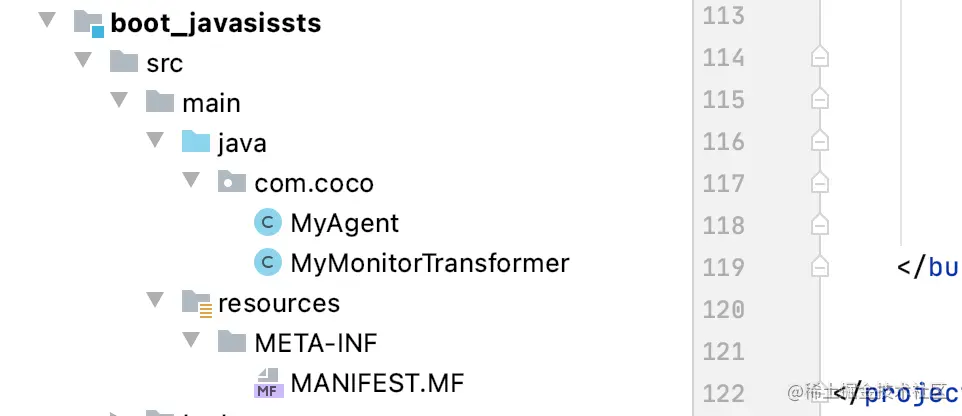
4:META-INF/MANIFEST.MF文件内容如下,注意,写完最后一行代码之后一定要敲回车,最后要有一行空的行保留在那
Manifest-Version: 1.0
Premain-Class: com.coco.MyAgent
Can-Redefine-Classes: true
4:idea右边,maven进行打包,拷贝该jar包的路径
5:创建一个SpringBoot项目
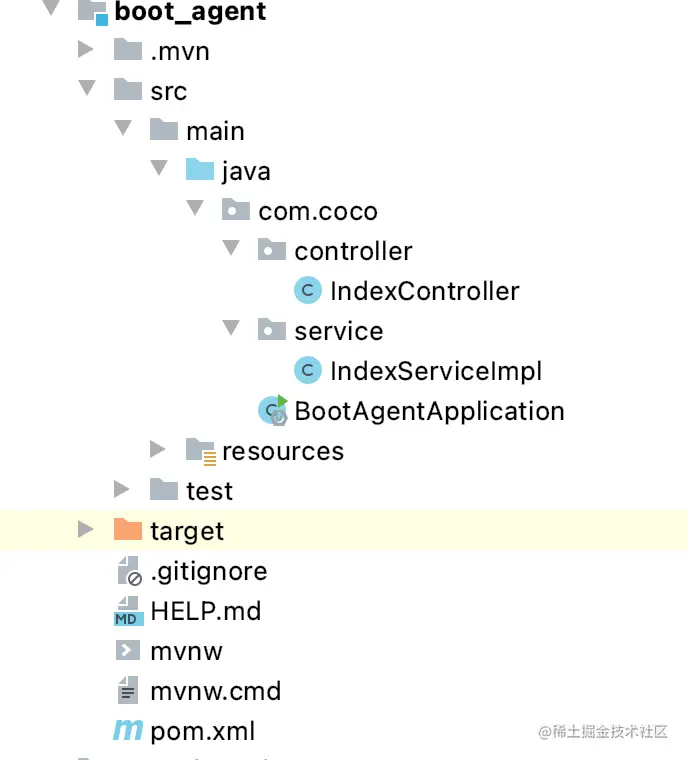
6:IndexController内容如下
package com.coco.controller;

import com.coco.service.IndexServiceImpl;
import org.springframework.beans.factory.annotation.Autowired;
import org.springframework.web.bind.annotation.GetMapping;
import org.springframework.web.bind.annotation.RequestParam;
import org.springframework.web.bind.annotation.RestController;

@RestController
public class IndexController {

    @Autowired
    private IndexServiceImpl indexServiceImpl;


    @GetMapping("/index")
    public String index(@RequestParam("name") String name) {
        String test = indexServiceImpl.test();
        return test;
    }
}
7:IndexServiceImpl内容如下
package com.coco.service;

import org.springframework.stereotype.Service;

@Service
public class IndexServiceImpl {

    public String test() {
        return "success";
    }
}
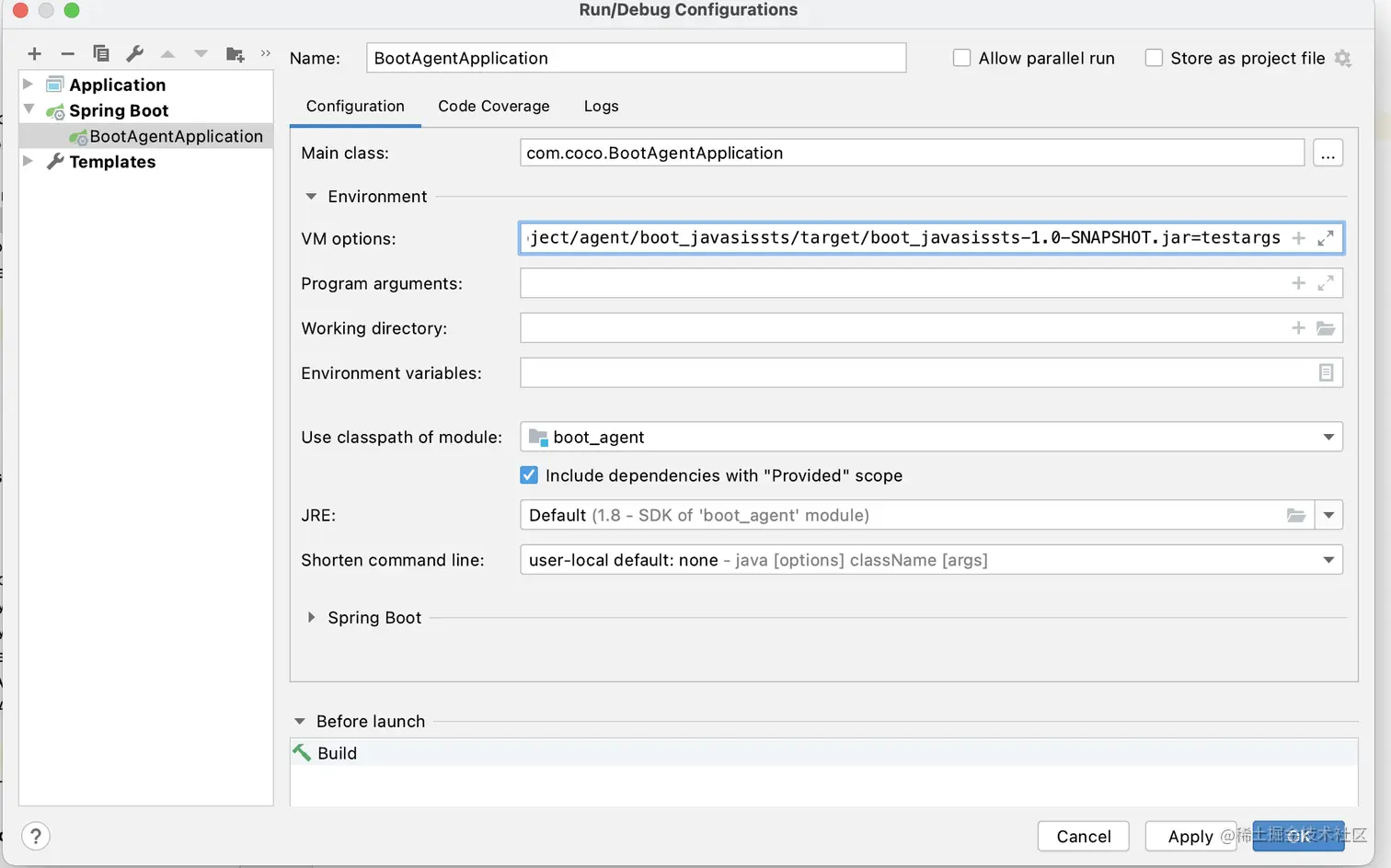
8:修改SpringBoot启动程序的参数,在 VM options添加参数,参数内容是:记住jar包位置替换成自己的
-javaagent:/Users/baojiahao/Downloads/day1/ideaproject/agent/boot_javasissts/target/boot_javasissts-1.0-SNAPSHOT.jar=testargs
9:注意:在开始的maven项目中的MyMonitorTransformer.class 我们是做了配置的,所以你要么改下这里的包名,总之要扫描的类包名要与这里的一致
if(!currentClassName.startsWith("com.coco.controller")) {
return null;
}